Personal Kanban
approvedby Jesuspinarte
A simple plugin to manage your personal projects with a Kanban Board. - This plugin has not been manually reviewed by Obsidian staff.
Personal Kanban for Obsidian
I wanted to have my own personal Kanban because Trello, Jira, Monday, and those kinds of tools are either expensive or overkill. I just wanted something simple for my personal projects without the need to go on the web, log in, deal with loading screens, or get a bunch of spam emails. This is just for simple stuff. If you need a straightforward, local, and fast Kanban board right inside your notes, this is for you.
How to use
Personal Kanban is designed to be fast and invisible. Here is how to get started:
Opening your Kanban Boards
Once installed and enabled, you can access your boards in two ways:
- Command Palette: Press
Ctrl+P(orCmd+Pon Mac) and typeOpen Personal Kanban
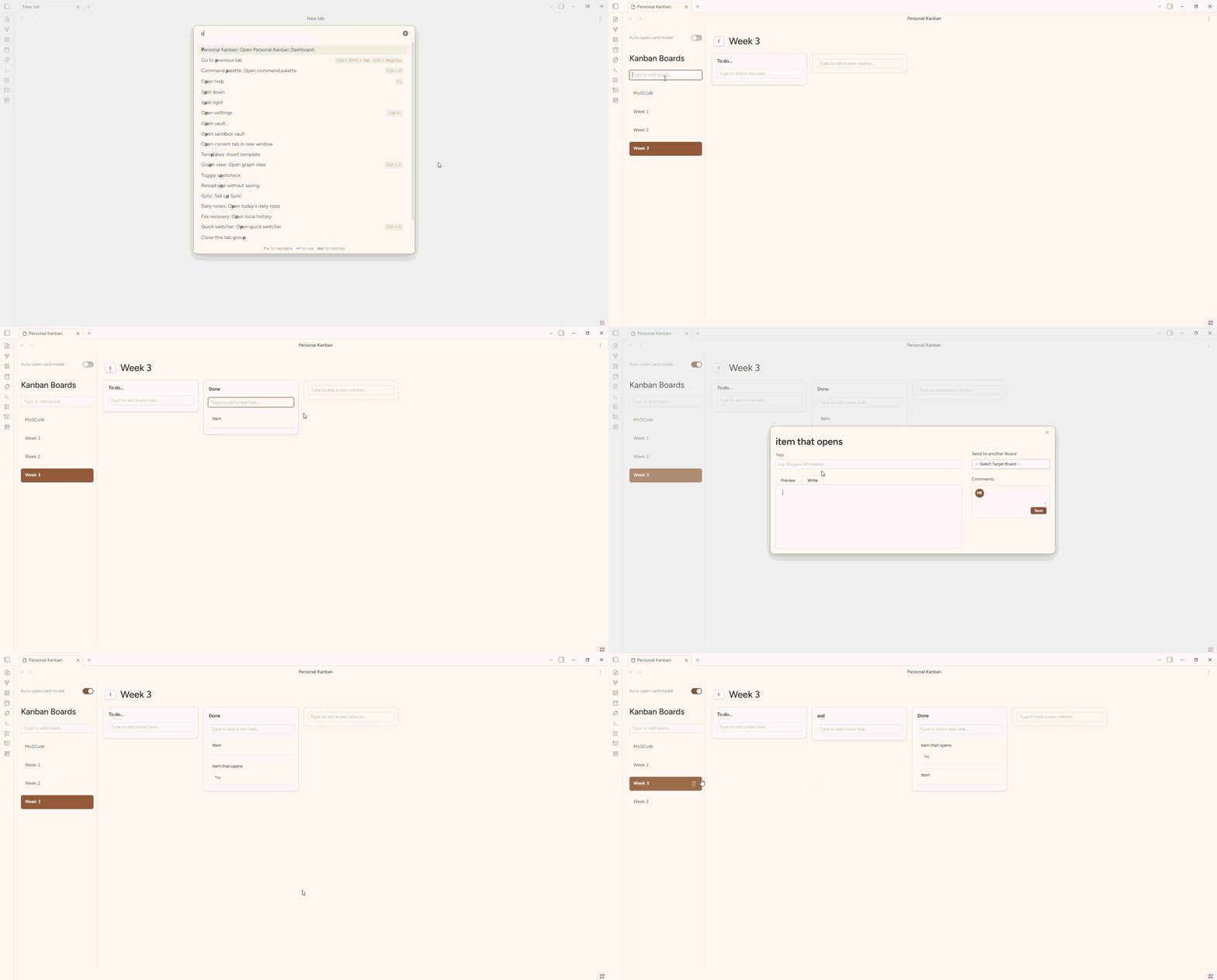
Managing Boards
- Create a board: Type the name of your new board in the input box located at the top of the Kanban sidebar and press Enter.
- Switch boards: Simply click on any board title in the sidebar.
- Reorder boards: Drag and drop the board items in the sidebar to change their order.
- Delete a board: Hover over the board title in the sidebar and click the Trash icon that appears.
Working with Columns & Tasks
- Create a Column: In the main board view, use the "New Column" ghost box (the dashed border area). Type the title and press Enter.
- Add a Task: Every column has a dedicated "Type to add a new task..." input. Write your task and press Enter.
- Reorder Items: Click and drag any card or column to rearrange them to your liking.
- Move between Boards: Open the Card Modal, go to the "Send to another Board" section in the sidebar, select your target board/column, and click "Send Card".
Customizing your Workflow
- Auto-open Modal: Toggle the "Auto-open card modal" switch in the sidebar if you prefer the modal to pop up every time you create a new card. If turned off, the input will remain focused, allowing you to add multiple tasks in a row quickly.
‼️Upcoming features
- Ribbon Icon for quick access
- Comment seccion to add some notes to the tasks
- Inline card view to see the card content in a preview without opening the full card
Disclaimer: Built with "Vibe Coding"
!!! Be ware: This plugin was made heavily relying on AI (Vibe Coding). Why? I have 7+ years of experience with web development, but right now I'm focusing my personal time on game dev projects. I was not gonna learn how to code an Obsidian plugin from the ground up just for a personal tool. I wanted something quick.
I don't know if it's 100% reliable yet, which is why I'm keeping it in an Alpha version. I plan to properly review the code and do a heavy refactor later when I have more time. However, this is not a project that AI gave me in a single prompt; I spent time debugging, fixing DOM event bubbling, adjusting CSS for a Trello-like feel, and giving strict architectural direction. Use it, enjoy it, but know it's a work in progress.
Features
- Multiple Boards Management: Create and manage several independent Kanban boards from a collapsible sidebar.
- Trello-like UI/UX: Clean, minimalist design that feels native to Obsidian but modern.
- Full Drag & Drop: Smooth DnD functionality to reorder cards within columns, move cards between columns, reorder columns, and even reorder your boards in the sidebar.
- Smart Columns: Columns have quick-add inputs for tasks. Every board starts with a default "To do..." column.
- Detailed Card Modal (70/30 Layout): Clicking a card opens a modal where you can edit the title, add tags, and write a full Markdown description (with Preview/Write tabs).
- Cross-Board Transfers: Move a card from one board to a specific column in another board with a couple of clicks.
- Keyboard Friendly: Press
Enterto create cards, columns, and boards instantly without leaving the keyboard. - Native Obsidian Integration: Uses Obsidian's native icons, variables, and modals so it adapts perfectly to your light/dark themes.
Issues & Feature Requests
If you want a new functionality, have an idea to make the code better, or if you see a bug, please raise an issue in this repository.
☕ Support
If you find this plugin useful for your own projects and want to buy me a coffee to help me dedicate more time to maintaining and refactoring it, you can do it here:

For plugin developers
Search results and similarity scores are powered by semantic analysis of your plugin's README. If your plugin isn't appearing for searches you'd expect, try updating your README to clearly describe your plugin's purpose, features, and use cases.