by Raindown
Automatically generate inline tables, TOCs, lists, charts and create custom components in your notes
Raindown for Obsidian
A Markdown superset where data stays current and reads well everywhere. Use for AI, APIs, Docs, READMEs and personal organisation. Stay sane out there.
Features
- Portable - Everyone sees the same thing with or without Raindown/Obsidian, on mobile, desktop and web
- Components - table, toc, chart, list, schema
- Framework - Create your own components in JavaScript, Ruby and Markdown
- Multi-modal - 3 input modes and 2 output modes per component
- Multi-domain - Use the same components in Terminal UI, VS Code, Obsidian, static site generation
Table
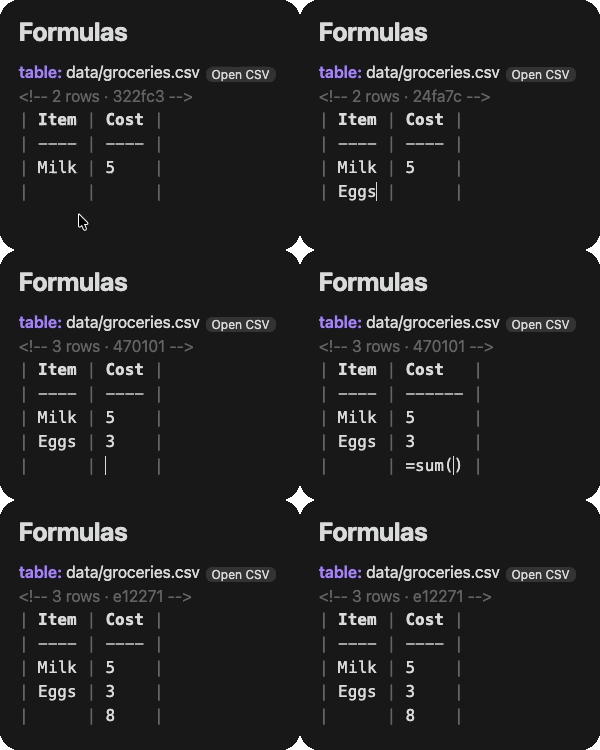
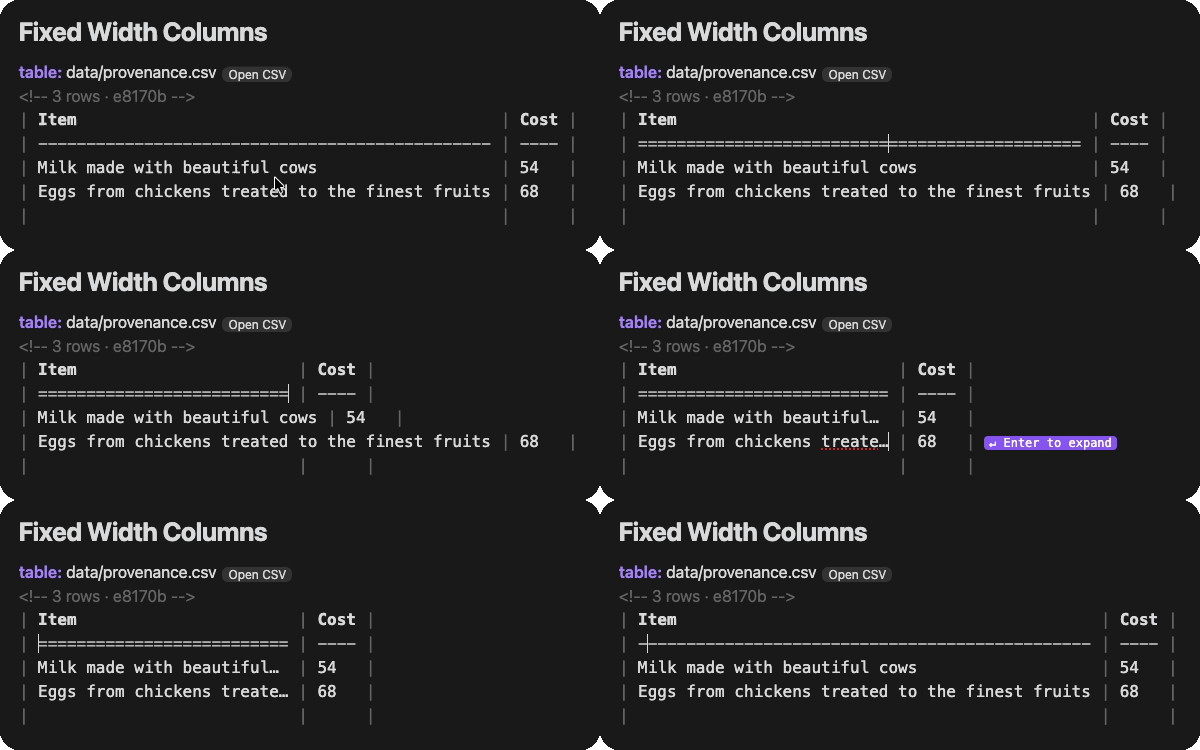
table: Two-way data sync with CSVs. If the CSV doesn't exist it creates it.
Table of contents
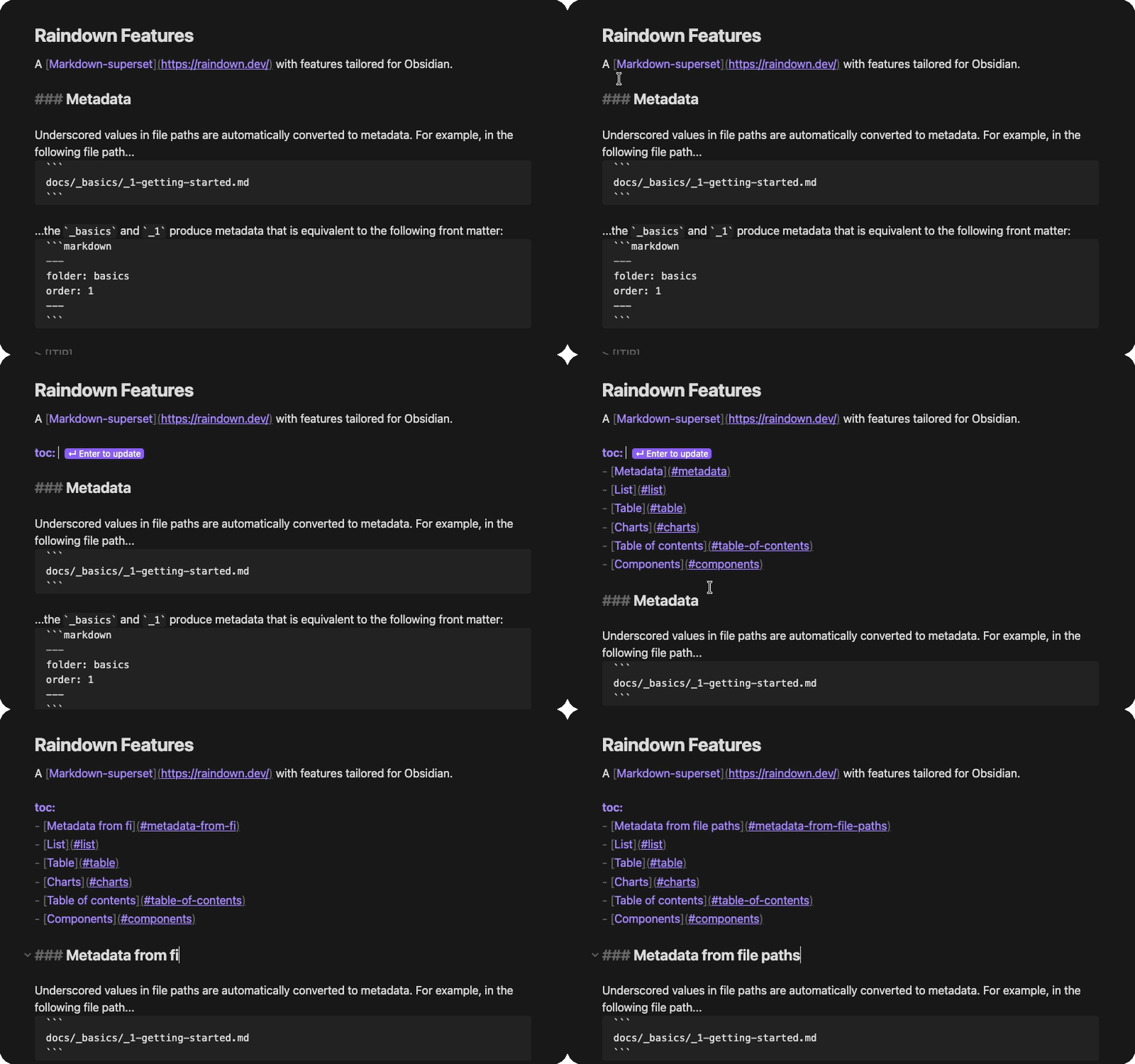
toc: writes an inline TOC which updates as you add and rename headings.
Metadata
Underscored values in file paths are automatically converted to metadata. For example, in the following file path...
docs/_basics/_1-getting-started.md
...the _basics and _1 produce metadata that is equivalent to the following front matter:
---
folder: basics
order: 1
---
List
list: writes a link to each note with a tag or in a folder:
list: folder: basics
- [Getting Started](docs/_basics/_1-getting-started.md)
- [Components](docs/_basics/_1-comonents.md)
Charts
chart: draws a CSV, TSV, JSON or YAML file in your note.
chart: data/reading.csv
```
Jan  ██████████████                 320
Feb  ██████████████████████████████ 540
Mar  █████████████████████          410
```
Components
A note in your vault's .raindown folder like BookCard.md is a component. Components can be made with Ruby or Markdown, and referenced anywhere in your Markdown like BookCard: title: Dune rating: 5. Editing a Ruby component loads it again at the next write-back.
Installation
Install Raindown from Obsidian's community plugins: in Settings → Community plugins, select Browse, search for Raindown, select Install, then Enable.
Settings
| Setting | Default | Description |
|---|---|---|
| Write-back | On | Write back to a note with directives as you type, and line up any note's tables as you type in them |
| Bare syntax | Off | Recognise bare directives on their own line like toc: (equivalent to CLI --bare) |
A bare directive, on its own line like toc:, only writes back in a note with raindown: true in its front matter, unless Bare syntax is on. Only names Raindown knows like toc:, list: and your project's nodes write anything, so a line like Summary: is left alone.
[!WARNING] Make sure your files are version controlled or backed up before enabling bare syntax, otherwise existing content beneath text like
list:could be overwritten.
Adding, renaming or removing a note writes back the notes with lists, like list:, so they don't go stale.
Commands
| Command | Does |
|---|---|
| Raindown: Write back this note | Writes back now, and says what happened |
| Raindown: Write back all notes | Writes back every note with directives, and says how many changed |
| Raindown: Run the endpoints in this note | Runs the note's endpoints that have no response yet, and writes their responses |
| Raindown: Open this table's file | Opens the file of the table at the cursor, in your spreadsheet app, on desktop |
Reading view shows <{ }>, like <{ :toc }>, as Raindown renders it, through Obsidian's own Markdown.
[!NOTE] JavaScript components run inside the plugin, so they can't import other files, and have no Node APIs, like
fs.
Ruby and JavaScript components get Raindown's services, as raindown, like anywhere else: they read, list and write your vault's files, fetch through Obsidian, and keep values in a cache that lasts between sessions. A file a component writes is written to the vault with the note. Only the files the plugin copies can be read, like notes, data files and .raindown folders, and git isn't available, so it raises an error, which a component can catch.
Files and network
- Running Raindown - Raindown is written in Ruby, but runs inside the plugin compiled to WebAssembly in a background worker. Components can still be written in Ruby, JavaScript or Markdown
- Files - It reads a copy of your vault's notes, data files and
.raindownfolders, and writes only the files a note asks it to - Network - The plugin doesn't use the network unless you ask it to via endpoints, or your vault's own Ruby or JavaScript nodes in
.raindownfetch through Raindown's services, which Obsidian sends, refusing link-local addresses as it does for endpoints - Endpoints - Run only from Run the endpoints in this note, and sent by Obsidian, which refuses link-local addresses, like cloud metadata at
169.254.169.254. Unlike the CLI's curl, it follows redirects, and can't pin a name to the address it was checked at - Size -
main.jsis about 8.5 MB, as Ruby, compiled to WebAssembly, and Raindown are packed inside it, compressed, so there's nothing else to install, on desktop or mobile. It's started once a session, in the background, in about a second
For plugin developers
Search results and similarity scores are powered by semantic analysis of your plugin's README. If your plugin isn't appearing for searches you'd expect, try updating your README to clearly describe your plugin's purpose, features, and use cases.