by Caio Valle Bertante
Hide marked text behind a virtual red sheet and reveal it to test your recall, inspired by the Japanese study technique.
Red Sheet
Study with the Japanese red sheet technique (赤シート) in Obsidian: write the answers in red, cover them with a red sheet, try to remember, then move the sheet away to check.
Marking what to memorize
- Double braces:
The capital of Japan is {{Tokyo}}.shows "Tokyo" in red pen. The braces are hidden in Live Preview and Reading view. - Text colored red or orange with inline HTML, for example
<span style="color:red">water</span>or<font color="#ff6a00">fire</font>. Can be turned off in settings. - Highlights (optional): turn on "Also hide ==highlights==" in settings to treat
==highlighted text==as marked.
Marks inside code blocks, inline code and math are ignored.
Studying
Red sheet
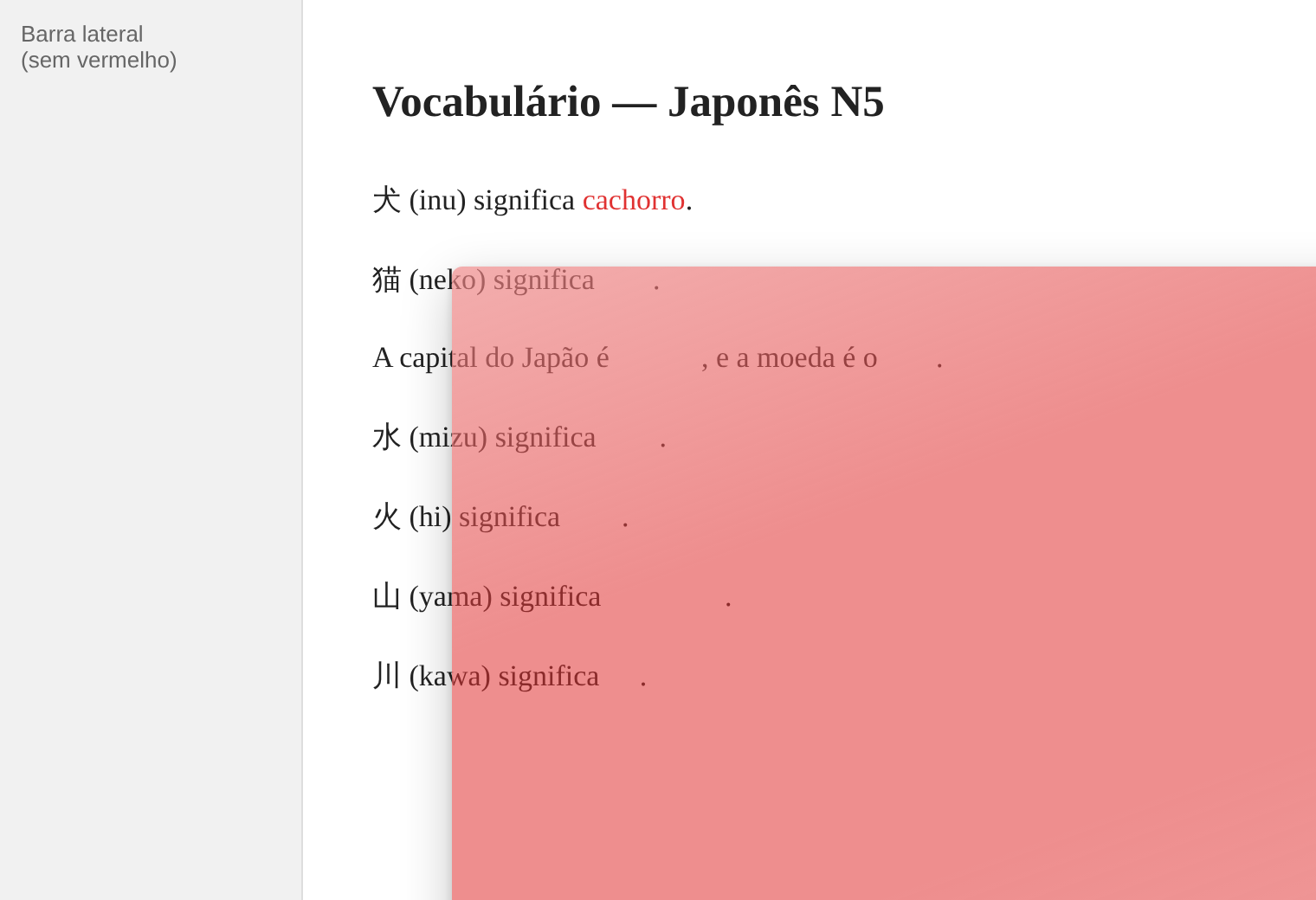
Click the layers icon in the ribbon, or run the command Toggle red sheet. A sheet of red plastic lies over the note area, like on a desk:
- Grab it anywhere and drag. It can slide past the edges of the note.
- Resize it from the bottom-right corner.
- Red text disappears wherever the sheet covers it, and reappears line by line as you slide the sheet away.
- Hover a covered mark to peek at it (can be turned off).
- The note still scrolls underneath the sheet.
- If the sheet gets lost, run Move red sheet back onto the note.
Red filter
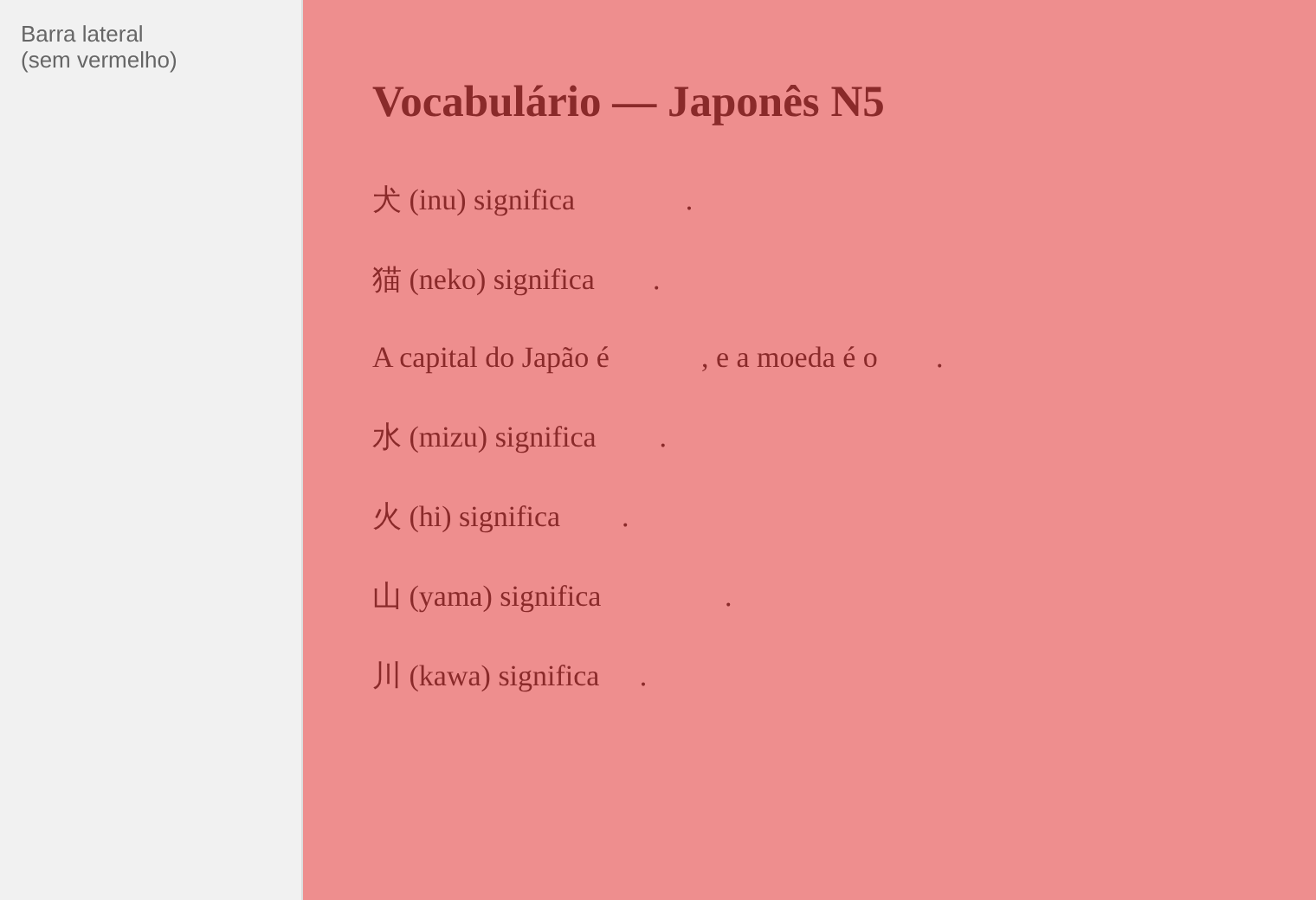
Click Filter in the status bar, or run Toggle red filter over the note. The whole note area turns red and every mark disappears. Turn it off to check your answers.
Settings
- Detect red-colored text
- Also hide highlights
- Pen color
- Peek on hover
- Sheet color and strength
The interface follows Obsidian's language: Portuguese when Obsidian is set to Portuguese, English otherwise.
Installation
From Obsidian: Settings → Community plugins → Browse, search for "Red Sheet".
Manually: download main.js, manifest.json and styles.css from the latest release into <vault>/.obsidian/plugins/red-sheet/, then enable the plugin.
Development
npm install
npm run build   # type-checks and bundles src/ into main.js
npm run lint
License
For plugin developers
Search results and similarity scores are powered by semantic analysis of your plugin's README. If your plugin isn't appearing for searches you'd expect, try updating your README to clearly describe your plugin's purpose, features, and use cases.