by Elisa De Gregorio
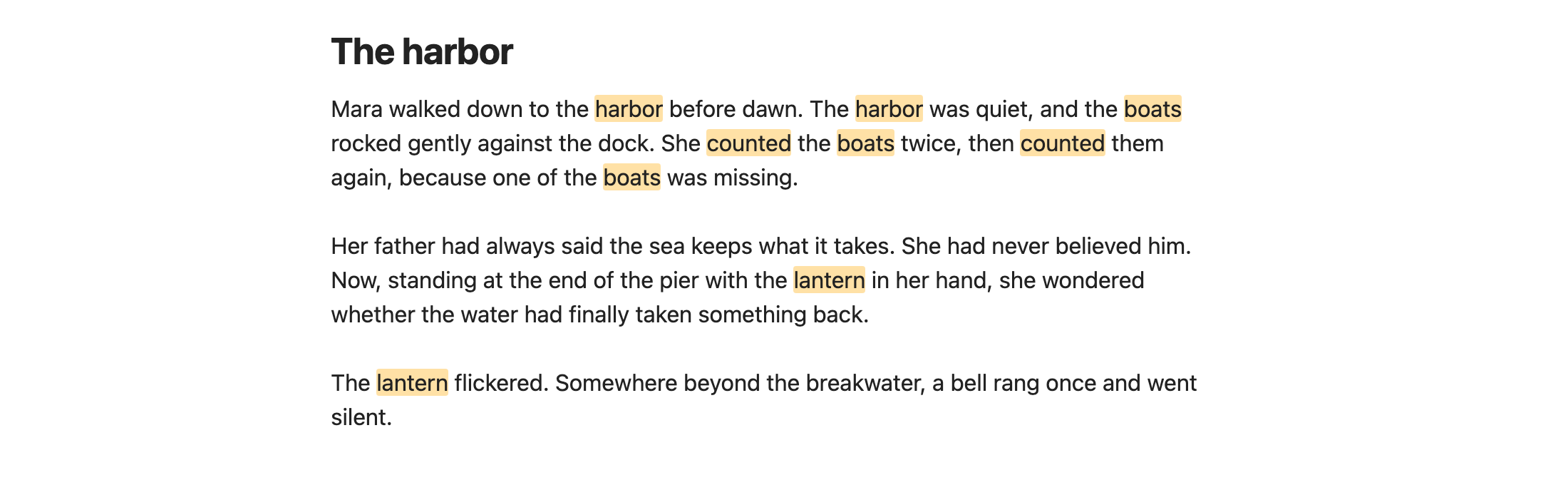
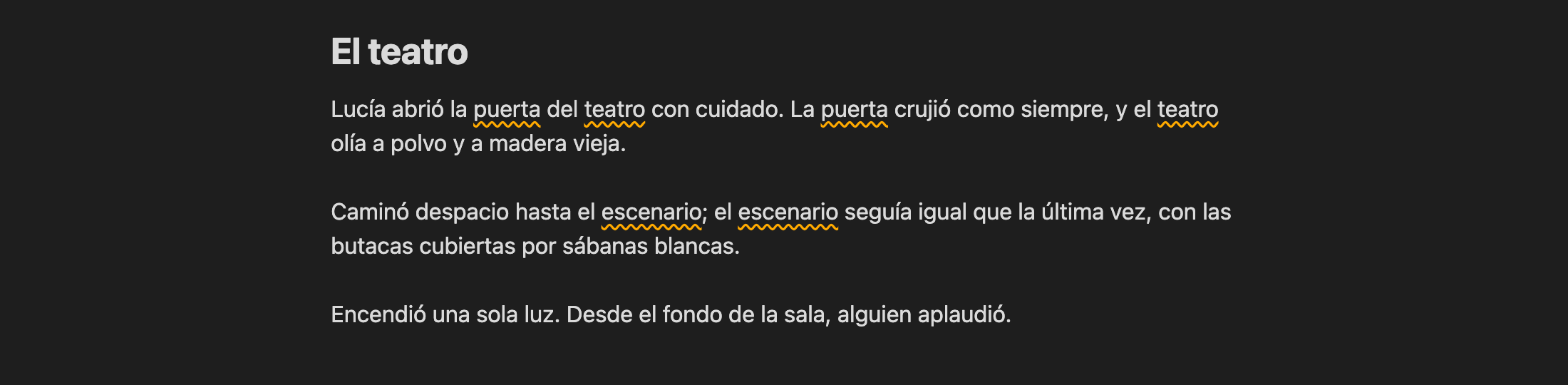
Highlights words repeated too close together, in English and Spanish.
Repeated Words
Obsidian plugin that highlights words repeated too close together while you write, in English and Spanish.
Hover a highlighted word to see how far apart the repeats are.
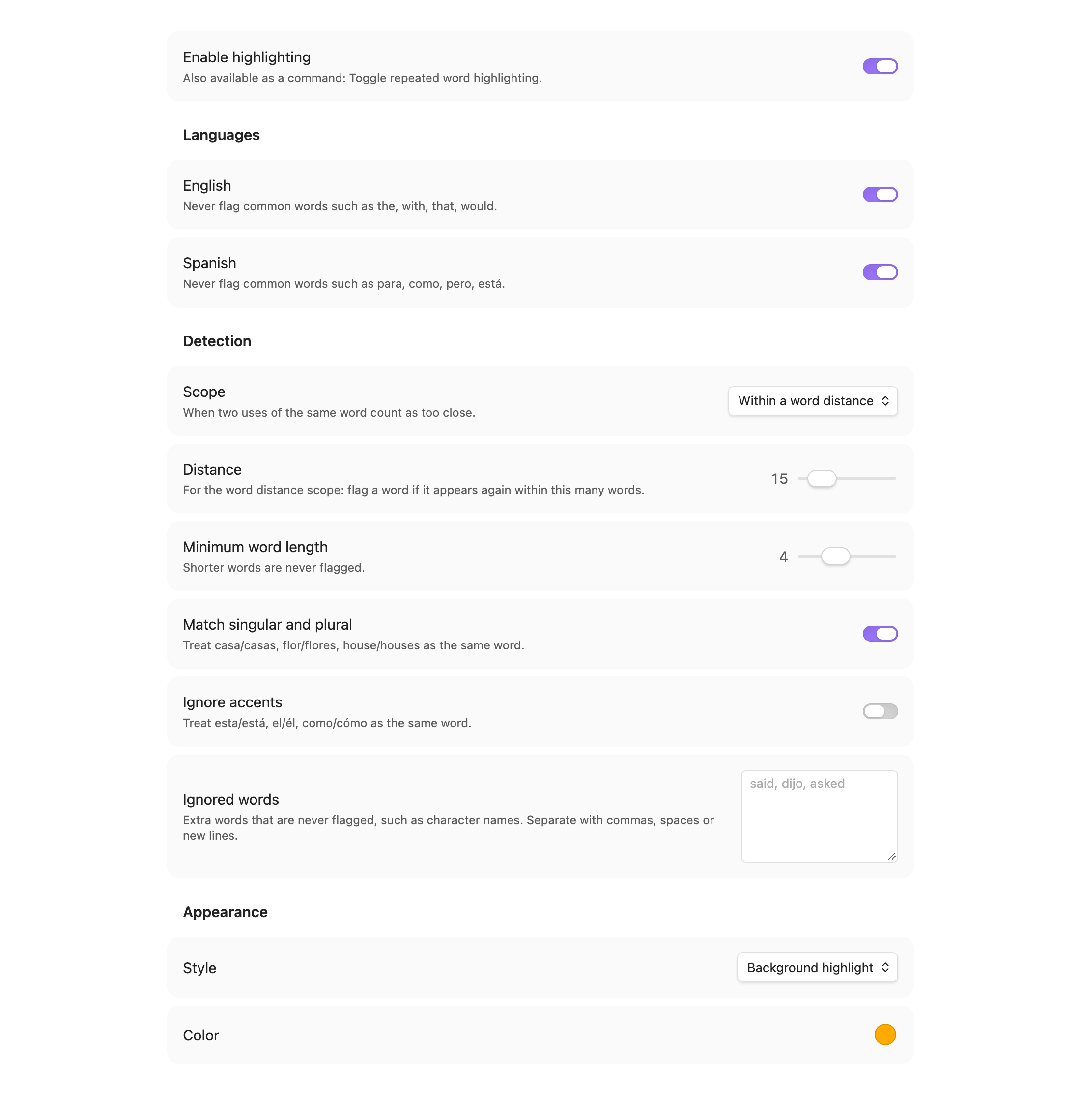
Settings
- Languages: English and/or Spanish common words (the, with, para, como…) are never flagged.
- Scope: within N words, same sentence, or same paragraph.
- Distance: max words between repeats (word distance scope only).
- Minimum word length: shorter words are ignored.
- Match singular and plural: casa/casas, flor/flores, house/houses.
- Ignore accents: esta/está, como/cómo count as the same word.
- Ignored words: your own list, such as character names.
- Style / Color: background highlight or wavy underline.
Command: Toggle repeated word highlighting (assign a hotkey in Settings → Hotkeys).
Skips frontmatter, code blocks, inline code, math, links, URLs, tags and %%comments%%.
Works in Live Preview and Source mode (not Reading view).
Develop
npm install
npm run dev     # watch build
npm run build   # production build
npm test        # detection unit tests
npm run lint    # Obsidian's official lint rules (same as the plugin review)
npm run screenshots  # regenerate docs/images (macOS, needs Obsidian and Chrome)
Install manually
Copy main.js, manifest.json and styles.css to <vault>/.obsidian/plugins/repeated-words/,
then enable Repeated Words in Settings → Community plugins.
Support
If this plugin helps you write, you can buy me a coffee:

License
MIT © Elisa De Gregorio
For plugin developers
Search results and similarity scores are powered by semantic analysis of your plugin's README. If your plugin isn't appearing for searches you'd expect, try updating your README to clearly describe your plugin's purpose, features, and use cases.