Sets
approvedby canna71
Create, edit and search sets of notes like Notion or AnyType DBs.
★ 125 stars↓ 12,324 downloadsUpdated 2y agoMIT
Obsidian Sets
This plugin is currently under development
This plugins is inspired by Notion and AnyType and implements a way to strucure data using obsidian notes, specifically the recently released properies.
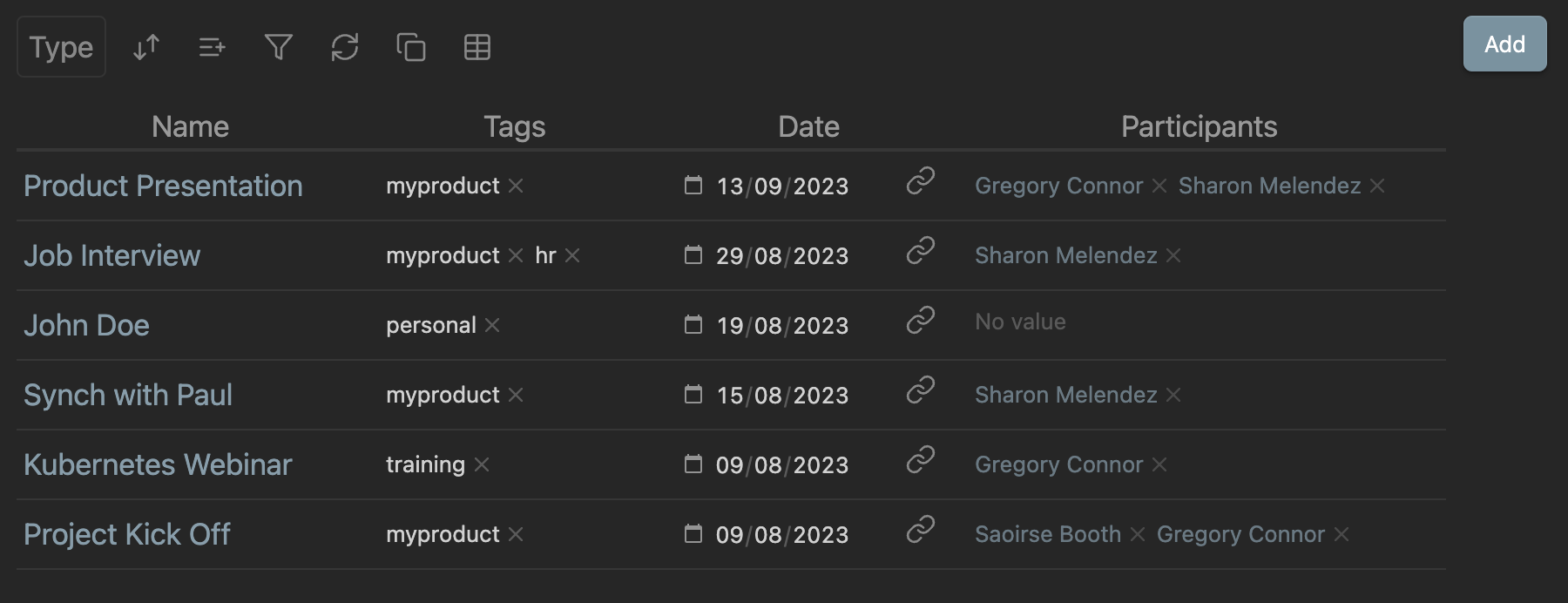
It provides the following features:
- usage of Obsidian properties to edit data
- a query engine that allows to select items based on their properties
- Types and Collections
- visualizations of items using different layouts (Grid, Board, Gallery, List)
- easy creation of new items from the GUI
Please see full documentation here
Installation
From within Obsidian
- Open Settings > Community plugins
- Make sure Safe mode is off
- Click Browse community plugins
- Search for "Sets"
- Click Install
- Once installed, close the community plugins window and activate the newly installed plugin
Manual installation
- Download the latest release from the releases page
- Extract the plugin folder from the zip to your vault's plugins folder:
<vault>/.obsidian/plugins/obsidian-sets/ - Reload Obsidian
Reporting Issues
If you have any issues or suggestions please report them here
Roadmap
- Aggregations
- Other Layouts
- Search for text in items
- Integration with other plugins (Templater, etc)
- More properties types (Enums, etc)
- Joins
Acknowledgements
Thanks to Obsidian Typings for the extended typings
For plugin developers
Search results and similarity scores are powered by semantic analysis of your plugin's README. If your plugin isn't appearing for searches you'd expect, try updating your README to clearly describe your plugin's purpose, features, and use cases.