Settings Management
approvedby xhuajin
Manage settings options, including show enabled/disabled plugins and css, grid layout, save current plugins/css enable config for quick enable/disable, etc.
Overview
This plugin add a menu in the buttom right corner of the Settings Tab. It provides some functions.
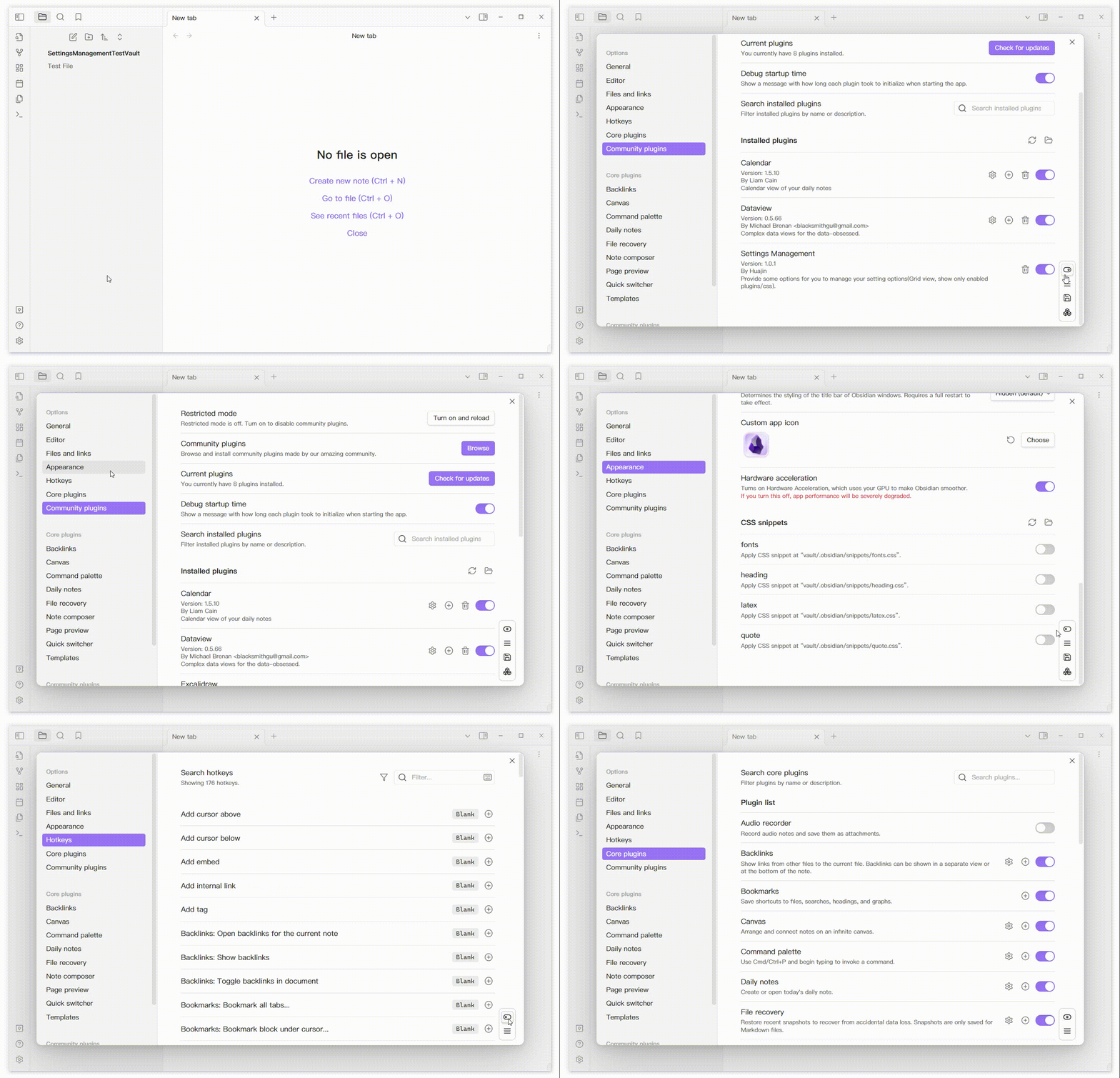
- Show all enabled/disabled plugins and css
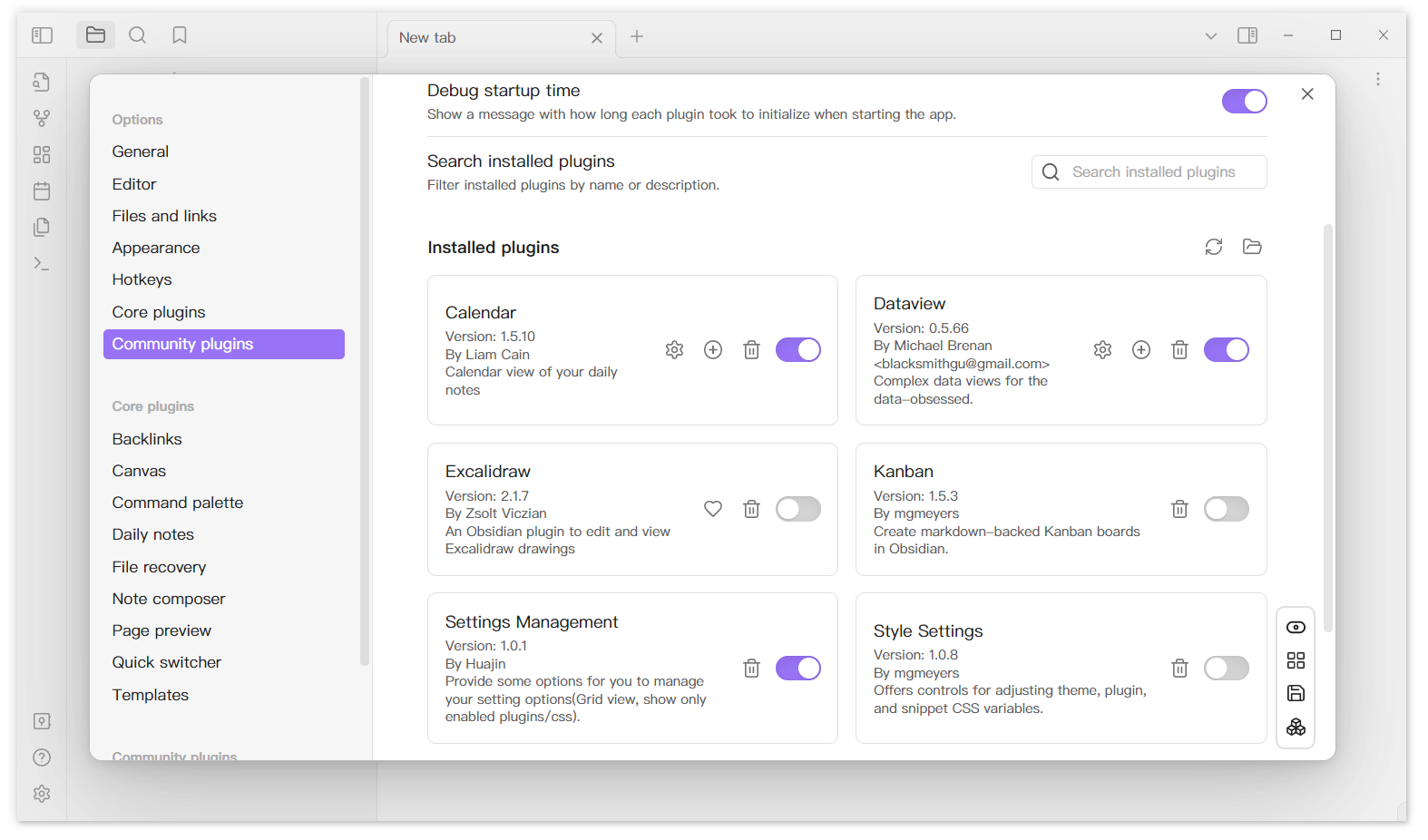
- Grid layout
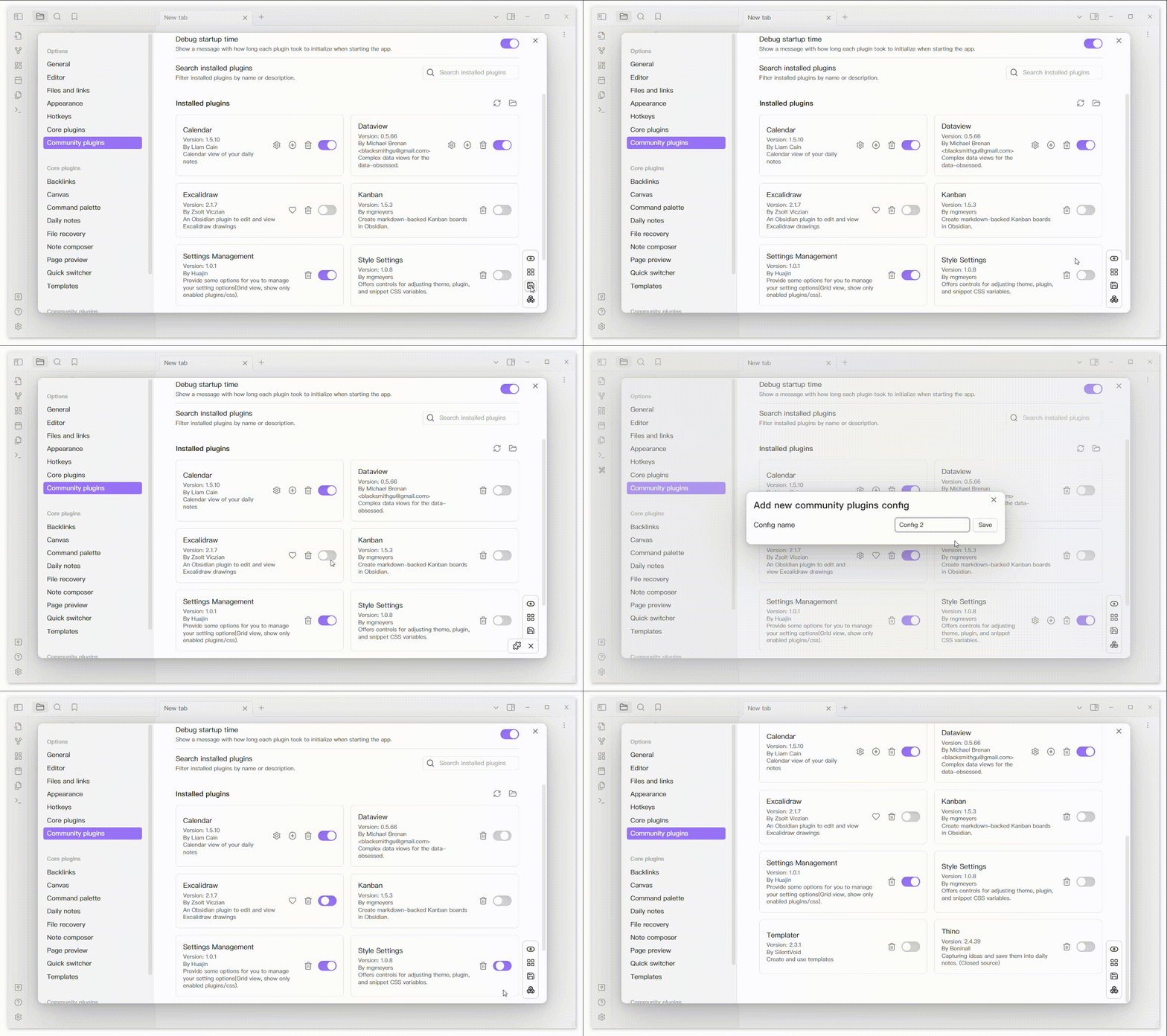
- Save current plugins/css enable config
- Quickly enable/disable the configuration that you saved.
Feature
Show all enabled/disabled plugins and css.
Grid Layout
About Configuration
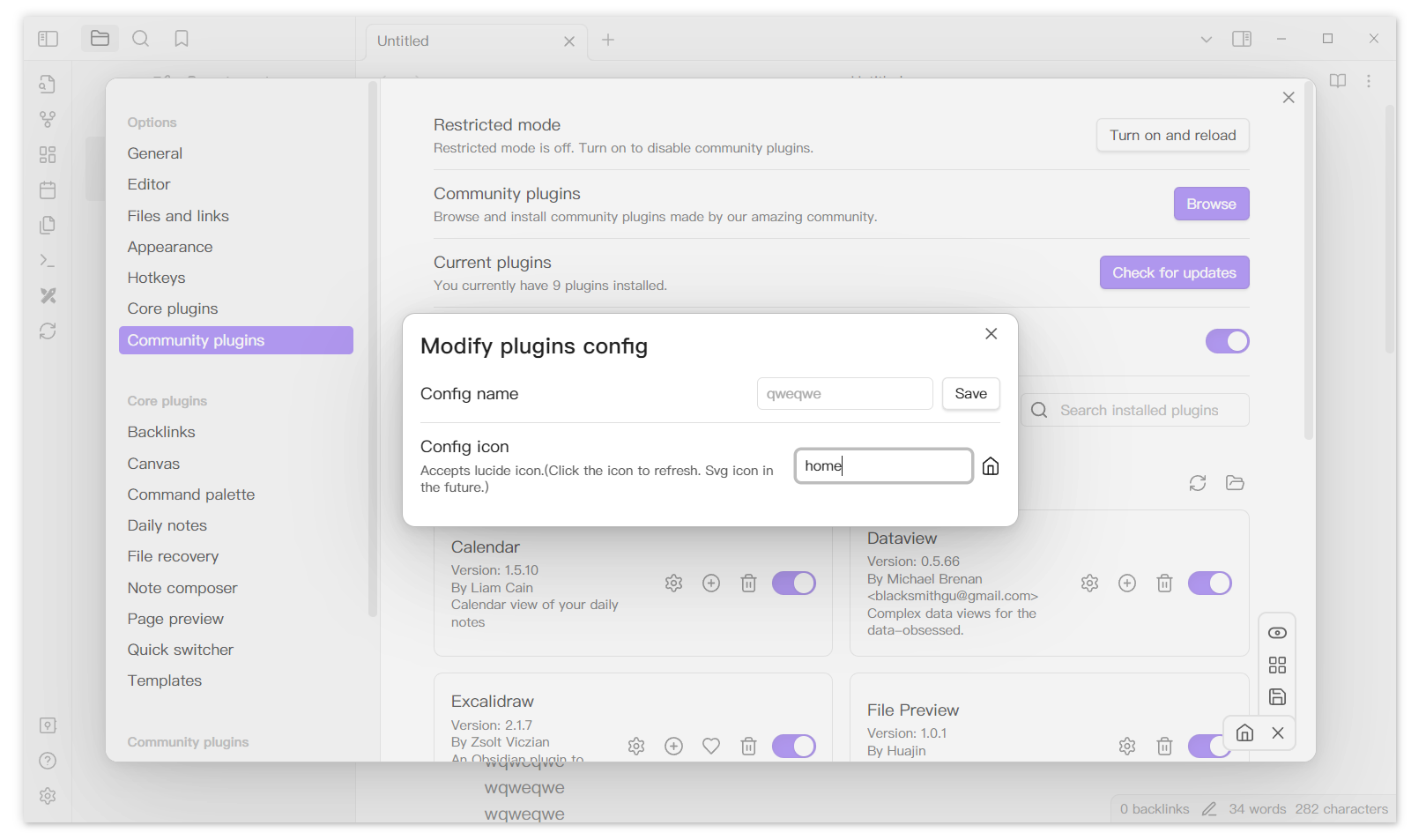
Save current config and enabled it.
Right click the config can open a menu to delete or rename the config.
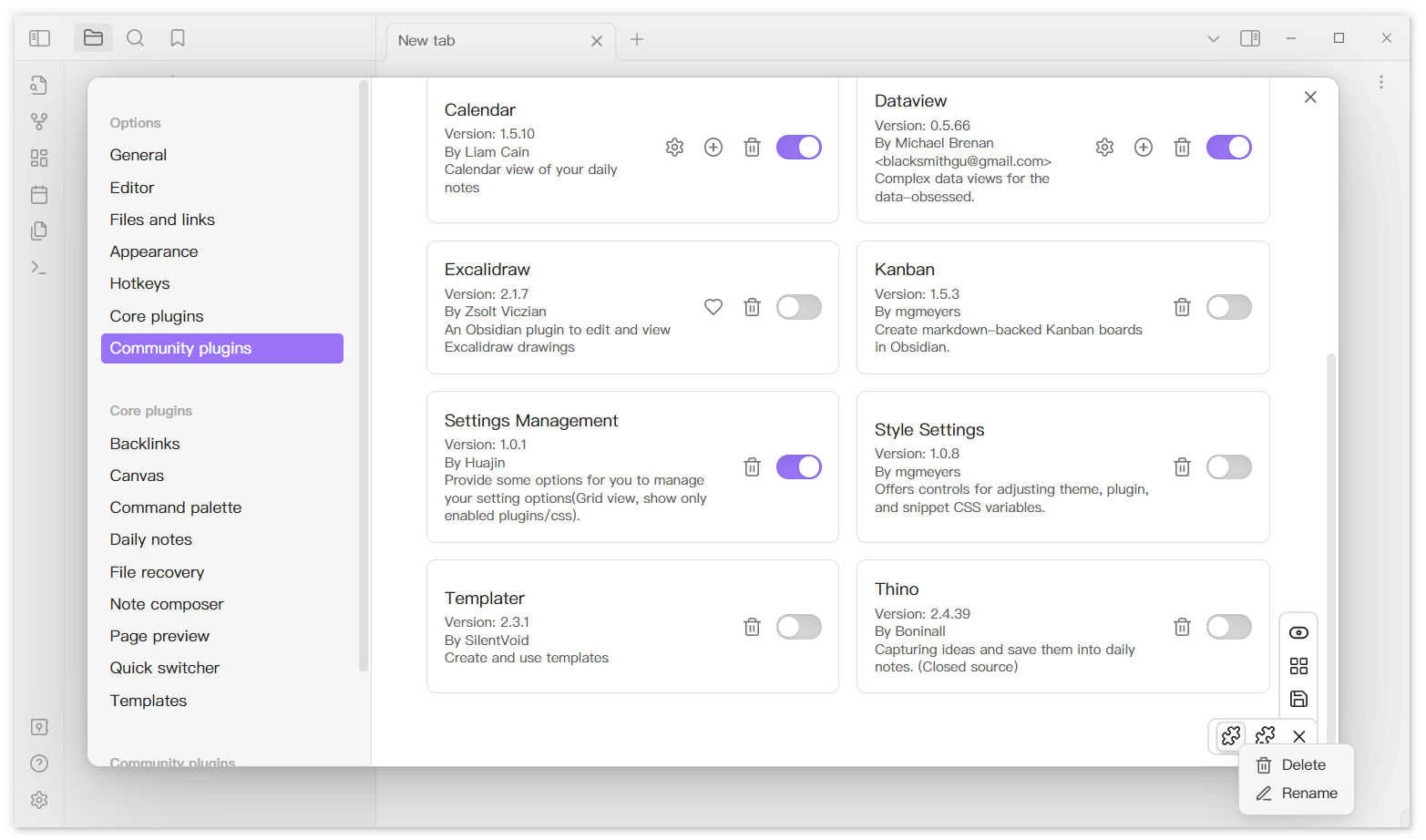
Support use lucide icon as custom config icon. (https://lucide.dev/)
Additional
If you encounter styling issues, verify that your Obsidian version is 1.11.7 or higher. If you are using a version below 1.11.7, please download version 1.0.6 of this plugin from the releases page.
For plugin developers
Search results and similarity scores are powered by semantic analysis of your plugin's README. If your plugin isn't appearing for searches you'd expect, try updating your README to clearly describe your plugin's purpose, features, and use cases.