Share my plugin list
approvedby benature
Share the enabled plugins in list/table format.
Share My Plugin List





This plugin helps you to share/recommend the plugins you are using to others.
- Share the obsidian plugins that are active or inactive in your vault.
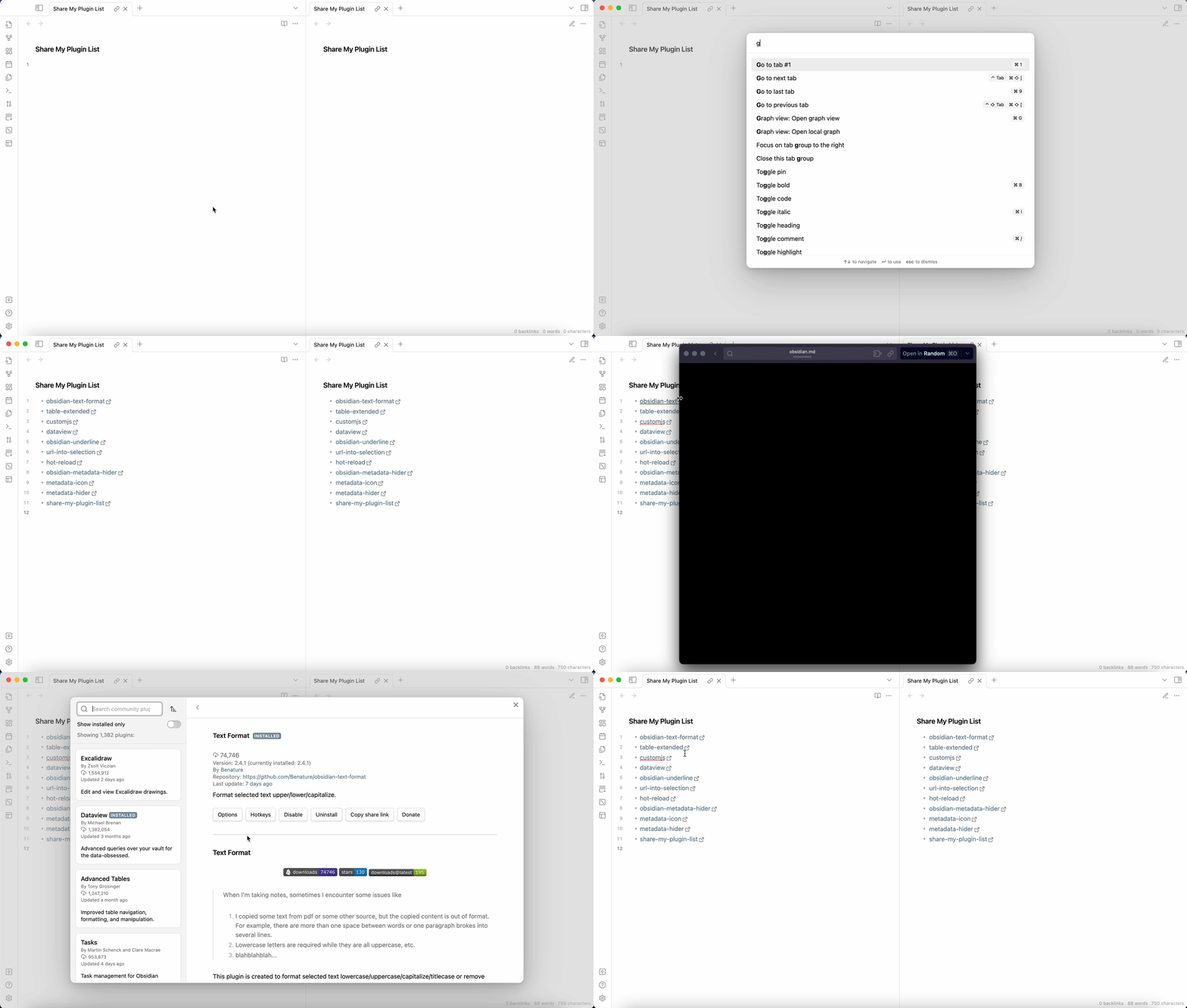
- Click ⬇️ to install plugin directly. (v0.3.3+)
Install all ...command in Command palette to install all uninstalled plugins in one command! (v0.3.3+)
Simple Chinese introduction: 公众号 / 小红书 (如有汉化需要请联系
木一Benature)
Feature descriptions
If you are looking forward to some new features, you can discuss the feature request in the issues.
Export as list
Support active plugins or inactive plugins.
Example
Preview:
- Dataview by Michael Brenan
- Text Format by Benature ☕️ / ⚡️ / ♡
- Metadata Icon by Benature ☕️ / ⚡️ / ♡
Source:
- [**Dataview**](https://obsidian.md/plugins?id=dataview) by [*Michael Brenan*](https://github.com/blacksmithgu)
- [**Text Format**](https://obsidian.md/plugins?id=obsidian-text-format) by [*Benature*](https://github.com/Benature) [☕️](https://www.buymeacoffee.com/benature) / [⚡️](https://afdian.net/a/Benature-K) / [♡](https://s2.loli.net/2024/04/01/VtX3vYLobdF6MBc.png)
- [**Metadata Icon**](https://obsidian.md/plugins?id=metadata-icon) by [*Benature*](https://github.com/Benature) [☕️](https://www.buymeacoffee.com/benature) / [⚡️](https://afdian.net/a/Benature-K) / [♡](https://s2.loli.net/2024/04/01/VtX3vYLobdF6MBc.png)
Export as table
Support active plugins or inactive plugins.
Example
Preview:
| Name | Author | Version |
|---|---|---|
| Dataview | Michael Brenan | 0.5.64 |
| Text Format | Benature ☕️ / ⚡️ / ♡ | 2.6.0 |
| Metadata Icon | Benature ☕️ / ⚡️ / ♡ | 0.0.9 |
| Plugin Reloader | Benature ☕️ / ⚡️ / ♡ | 0.0.2 |
| Metadata Hider | Benature ☕️ / ⚡️ / ♡ | 0.1.1 |
Source:
| Name                                                                   | Author                                                                                                                                                                              | Version |
| ---------------------------------------------------------------------- | ----------------------------------------------------------------------------------------------------------------------------------------------------------------------------------- | ------- |
| [**Dataview**](https://obsidian.md/plugins?id=dataview)                | [Michael Brenan](https://github.com/blacksmithgu)                                                                                                                                   | 0.5.64  |
| [**Text Format**](https://obsidian.md/plugins?id=obsidian-text-format) | [Benature](https://github.com/Benature) [☕️](https://www.buymeacoffee.com/benature) / [⚡️](https://afdian.net/a/Benature-K) / [♡](https://s2.loli.net/2024/04/01/VtX3vYLobdF6MBc.png) | 2.6.0   |
| [**Metadata Icon**](https://obsidian.md/plugins?id=metadata-icon)      | [Benature](https://github.com/Benature) [☕️](https://www.buymeacoffee.com/benature) / [⚡️](https://afdian.net/a/Benature-K) / [♡](https://s2.loli.net/2024/04/01/VtX3vYLobdF6MBc.png) | 0.0.9   |
| [**Plugin Reloader**](https://obsidian.md/plugins?id=plugin-reloader)  | [Benature](https://github.com/Benature) [☕️](https://www.buymeacoffee.com/benature) / [⚡️](https://afdian.net/a/Benature-K) / [♡](https://s2.loli.net/2024/04/01/VtX3vYLobdF6MBc.png) | 0.0.2   |
| [**Metadata Hider**](https://obsidian.md/plugins?id=metadata-hider)    | [Benature](https://github.com/Benature) [☕️](https://www.buymeacoffee.com/benature) / [⚡️](https://afdian.net/a/Benature-K) / [♡](https://s2.loli.net/2024/04/01/VtX3vYLobdF6MBc.png) | 0.1.1   |
Export to file
You can export the list of activated plugins to a file with command Export to file. The file that will be saved in your vault folder can be configured in the plugin settings.
The exported content is surrounded by <!-- ShareMyPlugin begin --> and <!-- ShareMyPlugin end -->:
<!-- ShareMyPlugin begin -->
- Plugin 1
- Plugin 2
- ...
<!-- ShareMyPlugin end -->
Contents between the comments will be overwritten by the plugin when you export again, whereas the contents outside the comments will be preserved.
Support
If you find this plugin useful and would like to support its development, you can sponsor me via Buy Me a Coffee ☕️, WeChat, Alipay or AiFaDian. Any amount is welcome, thank you!

Other install methods
Install by BRAT Plugin
- First install BRAT Plugin:
- In BRAT Plugin, click
Add Beta plugin - Enter https://github.com/Benature/obsidian-share-my-plugin-list
- Enable
Share My Plugin ListinCommunity plugins
Manually install
- Download latest version in Releases
- Copy over
main.js,manifest.jsonto your vaultVaultFolder/.obsidian/plugins/metadata-icon/ - Reload plugins in
Community pluginsand enableShare My Plugin List
How to build
git clone https://github.com/Benature/obsidian-share-my-plugin-listclone this repo.npm iinstall dependenciesnpm run devto start compilation in watch mode.npm run buildto build production.
For plugin developers
Search results and similarity scores are powered by semantic analysis of your plugin's README. If your plugin isn't appearing for searches you'd expect, try updating your README to clearly describe your plugin's purpose, features, and use cases.