Shrink pinned tabs
approvedby Nicolas Lœuillet
Shrinks pinned tabs to save screen space.
Shrink pinned tabs for Obsidian
Keep your pinned notes within reach while leaving more room for other tabs.
Preview
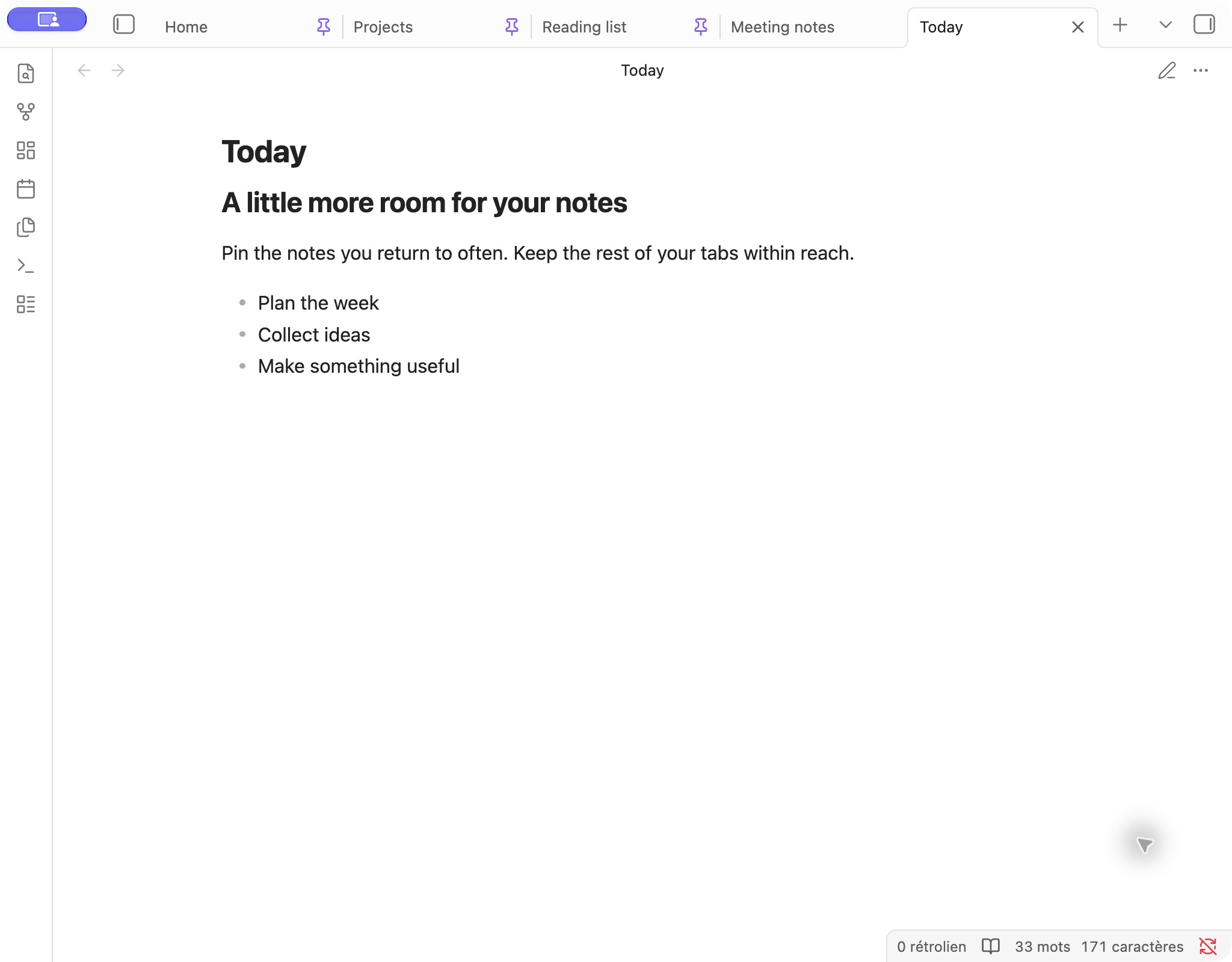
Before — regular Obsidian tabs:
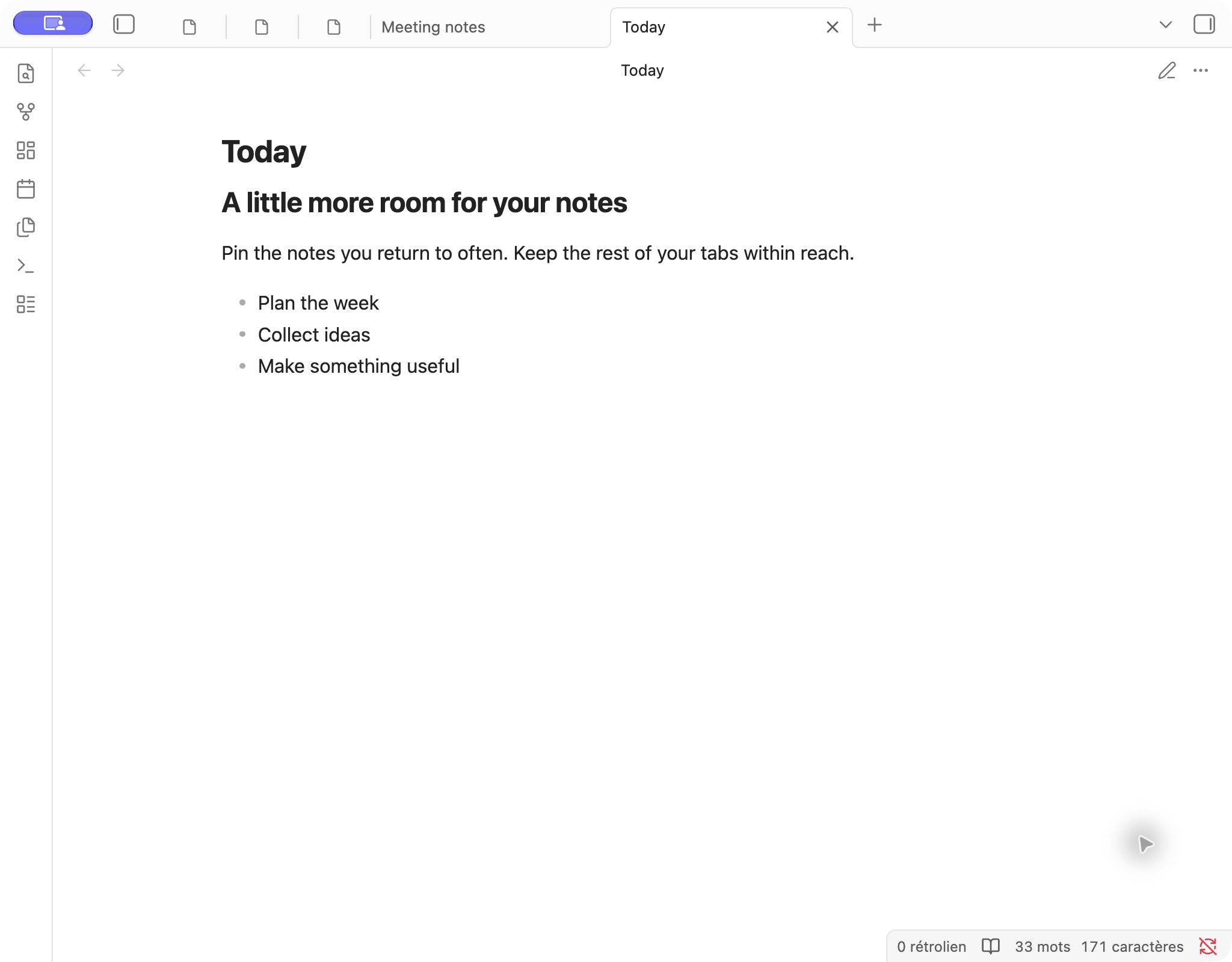
After — compact pinned tabs, with titles and pin buttons hidden:
Install
In Obsidian, open Settings → Community plugins → Browse, search for Shrink pinned tabs, then install and enable it.
Right-click a tab and choose Pin to make it compact.
Settings
| Setting | What it does |
|---|---|
| Compact pinned tabs | Turn compact tabs on or off. |
| Tab title | Show titles always, only on active tabs, or never. |
| Pin icon | Keep the pin clickable, make it non-clickable, or hide it. Use the tab menu to unpin when needed. |
| Use note icons and colors | Read icon and color from pinned notes. Off by default. |
| Maximum tab width | Choose 20–160 px in steps of 10. Default: 60 px, with a reset button. |
Changes apply immediately. The width is a maximum: available space and your theme can make tabs narrower.
The command palette also offers Toggle compact pinned tabs and Toggle tab title display. Settings are searchable on Obsidian 1.13 and newer.
Note icons and colors
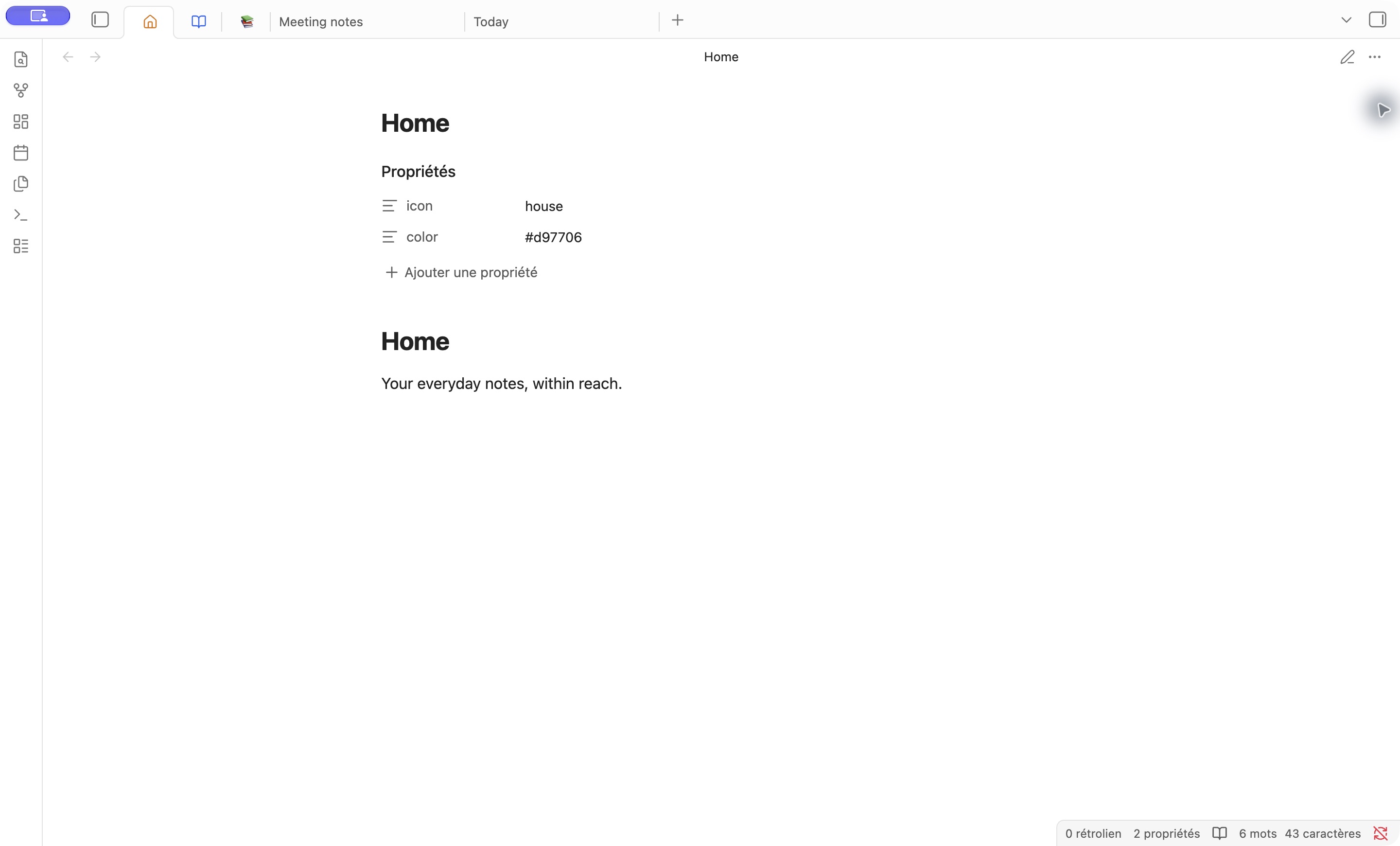
Enable Use note icons and colors, then add either property to a note:
---
icon: house
color: '#d97706'
---
icon accepts an Obsidian Lucide icon name (such as house or book-open) or an emoji (such as 📚). color accepts a CSS color and applies to the title and monochrome icon; emojis keep their own colors. Missing or invalid values leave the native appearance unchanged. Changes apply to all pinned tabs showing that note, without modifying the file.
These properties can also be used by Notebook Navigator when its frontmatter icon and color fields are set to icon and color. Icons and colors stored only in another plugin’s settings, and extra icon packs, are not imported.
Compatibility
Requires Obsidian 1.1.9 or newer. Works with regular desktop tabs, including detached windows. Mobile, stacked tabs and sidebar tabs retain their native appearance. Themes that override tab styling may affect the result.
Contributing
Found a problem or have an idea? Open an issue. For builds, testing and releases, see CONTRIBUTING.md.
Inspired by woofy31’s CSS snippet.
For plugin developers
Search results and similarity scores are powered by semantic analysis of your plugin's README. If your plugin isn't appearing for searches you'd expect, try updating your README to clearly describe your plugin's purpose, features, and use cases.