by sumi-1124
A vertical list of your open notes in the sidebar, like vertical tabs in a browser.
↓ 11 downloadsUpdated 1d agoMIT
Vertical Tabs Lite
An Obsidian plugin that lists your open notes vertically in the sidebar, like vertical tabs in a browser.
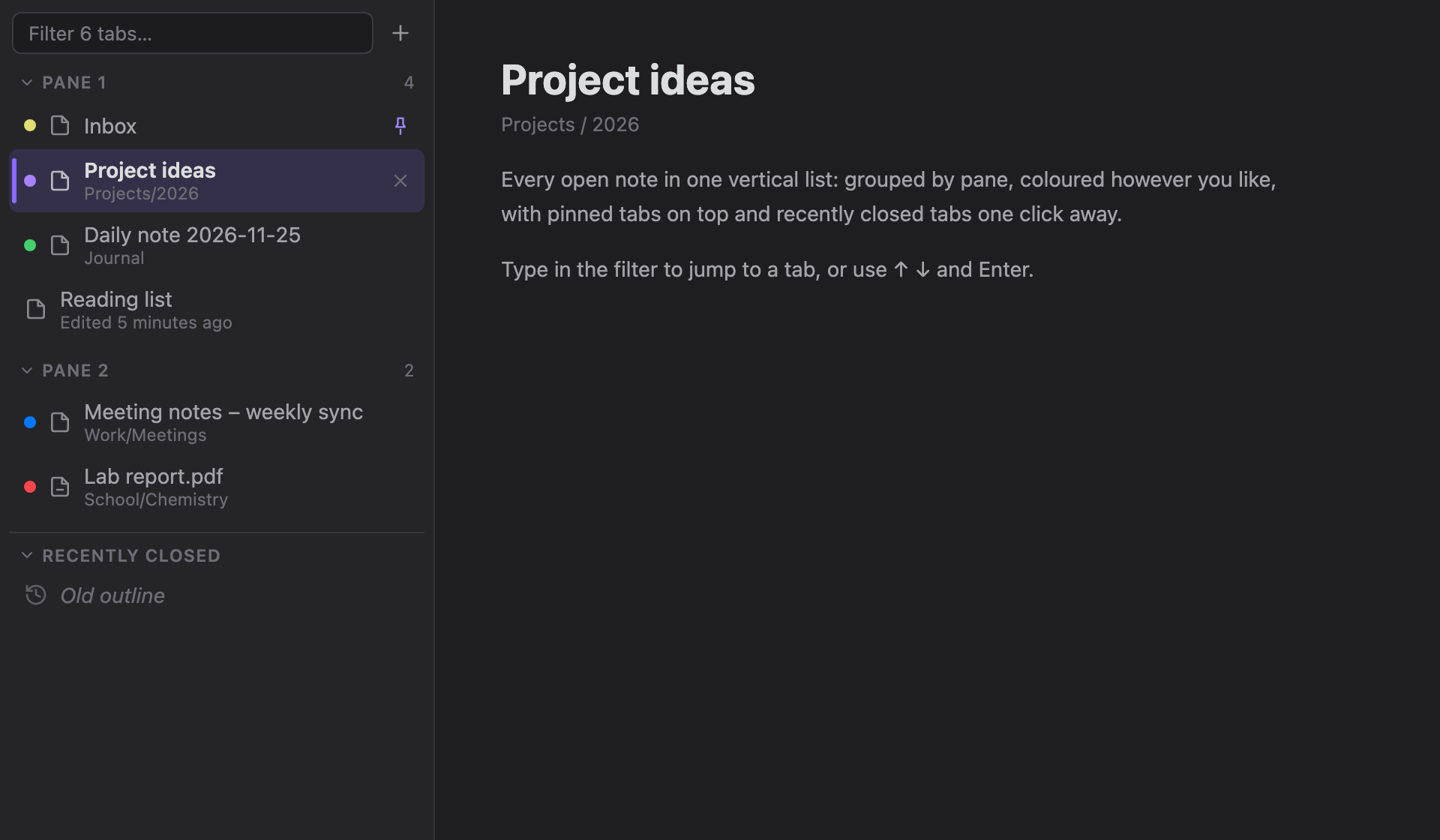
Features
- Vertical tab list in the left or right sidebar, with the active tab highlighted
- Filter box: type to narrow by title or folder, Enter opens the first match, Esc clears
- Grouped by pane when the editor is split
- Pinned tabs stay on top and are skipped by "Close others" / "Close all"
- Folder label under each title, full path on hover
- Right-click menu: Pin/Unpin, Open to the right, Reveal in file explorer, Copy path, Close, Close others, Close all
- Middle-click to close a tab, + button for a new tab
- Commands (bind to any hotkey): Go to next tab, Go to previous tab, Filter open tabs, Toggle native tab bar
- Optional: hide Obsidian's horizontal tab bar
Install (manual)
- Build it (see below), or download
main.js,manifest.jsonandstyles.cssfrom a release. - Copy those three files into
<your vault>/.obsidian/plugins/vertical-tabs-lite/. - In Obsidian, open Settings → Community plugins and enable Vertical Tabs Lite.
Build
npm install
npm run build   # one-off production build
npm run dev     # rebuild on save
Settings
| Section | Setting | Default | What it does |
|---|---|---|---|
| Placement | Sidebar | Left | Which sidebar the list lives in |
| Open on startup | On | Open the list when Obsidian starts | |
| Hide native tab bar | Off | Hide the horizontal tabs above your notes | |
| Appearance | Density | Comfortable | Compact, Comfortable or Spacious rows |
| Show icons | On | File-type icon next to each tab | |
| Show folder | On | Each note's folder under its title | |
| Show filter box | On | Search box above the list | |
| Show new tab button | On | The + button next to the filter box | |
| Close button | On hover | When to show the ×: on hover, always, or never | |
| Order and grouping | Sort tabs by | Obsidian's order | Obsidian's tab order, Title (A–Z), or Recently used |
| Pinned tabs first | On | Keep pinned tabs at the top | |
| Group by pane | On | Heading per pane when the editor is split | |
| Behaviour | Middle-click closes tab | On | Close a tab with the mouse wheel |
| Confirm before closing all | On | Ask before "Close all" |
A Reset to defaults button restores everything except "Hide native tab bar".
For plugin developers
Search results and similarity scores are powered by semantic analysis of your plugin's README. If your plugin isn't appearing for searches you'd expect, try updating your README to clearly describe your plugin's purpose, features, and use cases.