Simple Canvas Exporter
approvedby Zhuoshang Wang
Export Canvas as standalone HTML with original layouts, arrows, styled content, and scrollable cards. - This plugin has not been manually reviewed by Obsidian staff.
Simple Canvas Exporter
English | 简体中文
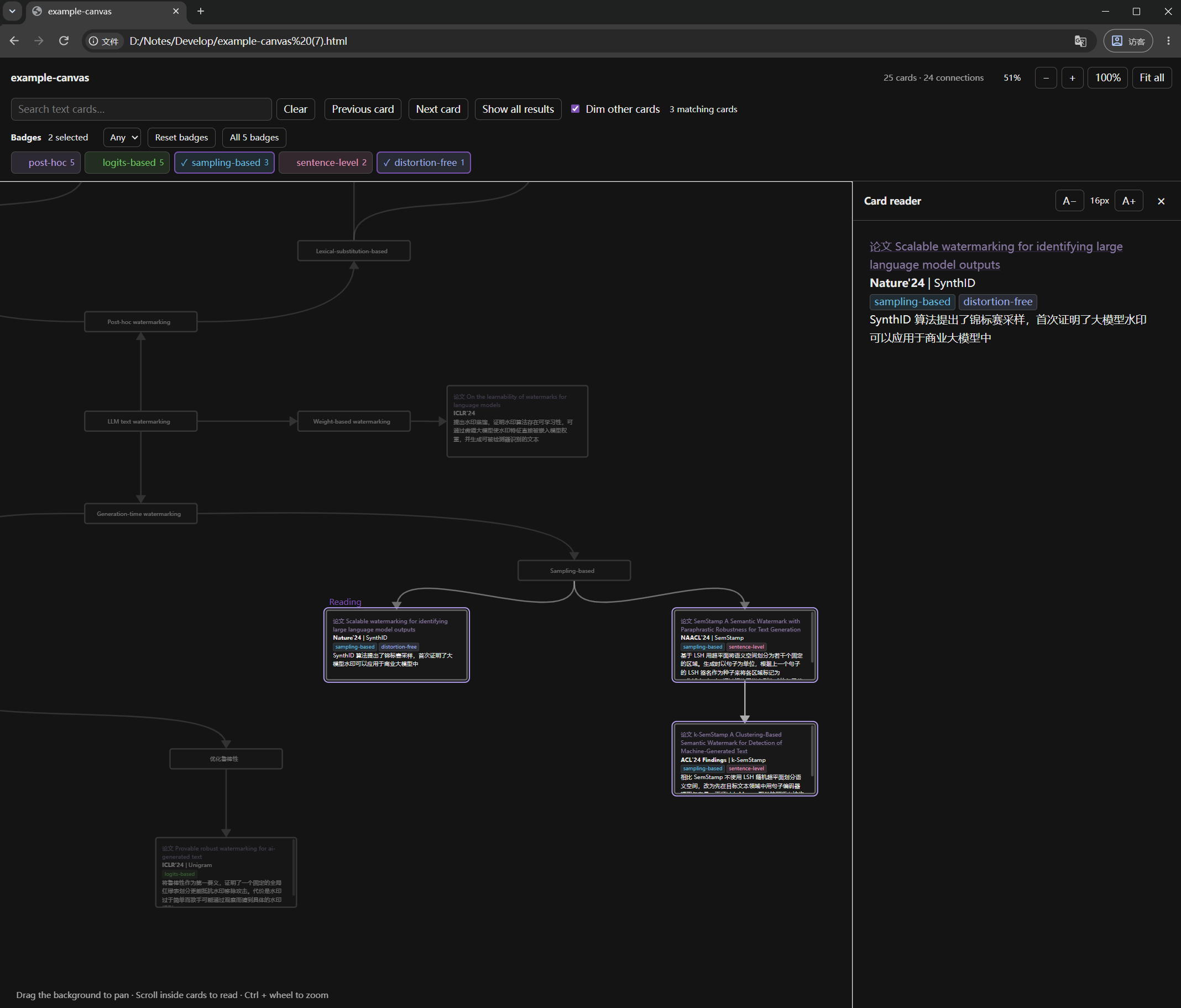
Export the current Obsidian Canvas to a single HTML file. Cards retain their positions and dimensions, while their contents remain selectable, copyable, and independently scrollable. Open the exported file offline in a browser without installing Obsidian or SimpleBadge.
Usage
- Open a Canvas in Obsidian.
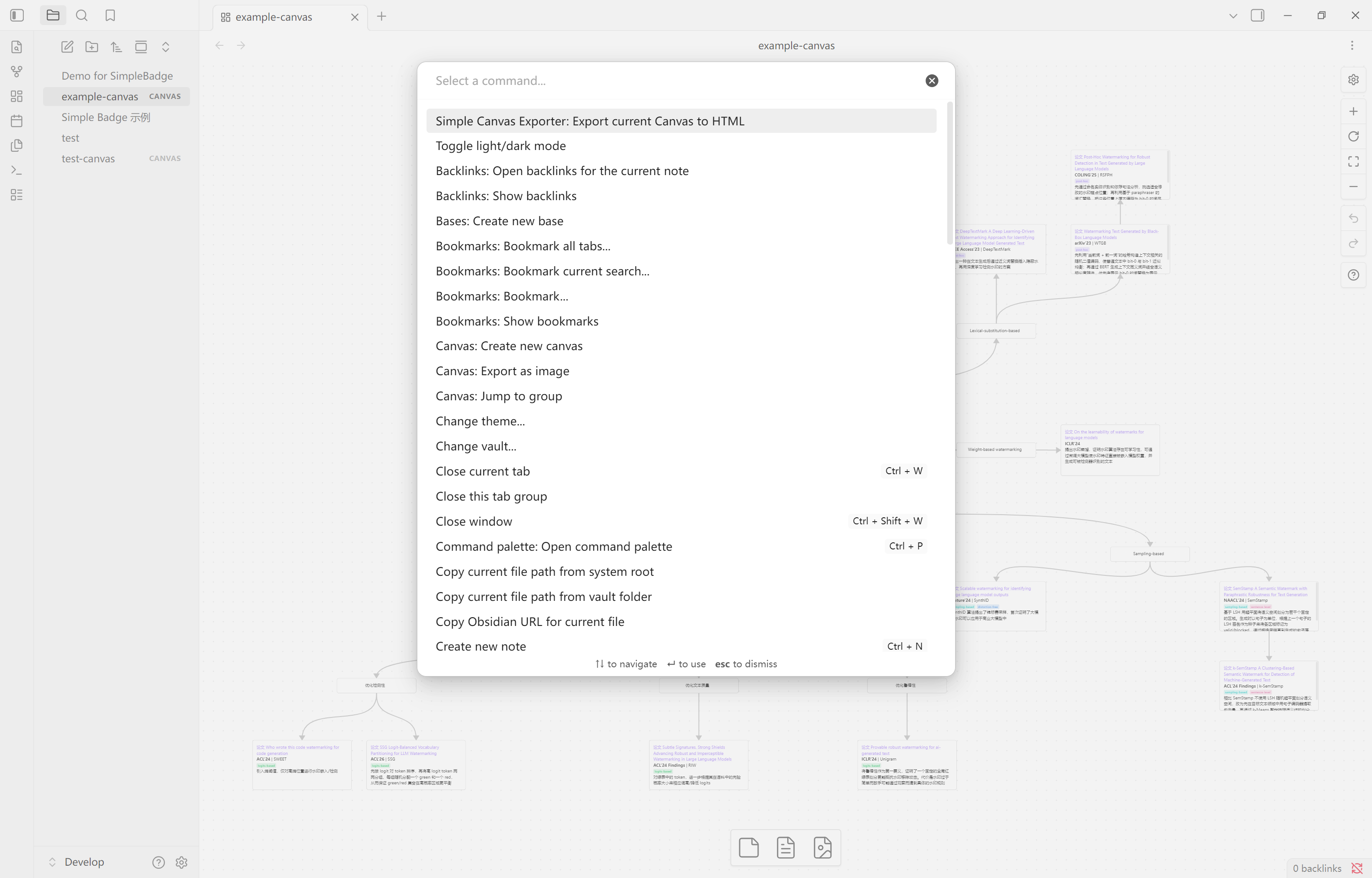
- Press
Ctrl+Pto open the command palette and search forSimple Canvas Exporter. - Run Export current Canvas to HTML. The command is localized when Obsidian is set to Chinese.
- Choose an output path within your vault and click Export. By default, the HTML file is saved next to the Canvas. Existing files are preserved: subsequent exports receive numbered names such as
name (2).html. - Click Open in browser, or open the generated HTML file directly in your browser.
If Windows asks you to choose an application for HTML files, select a browser such as Edge or Chrome.
The export captures the current view, including changes that have not yet been saved to disk. It includes the entire Canvas, including cards outside the visible area. Each card starts at the top of its content.
The HTML viewer initially fits the entire Canvas into the window. Click 100% to view cards at their original CSS pixel dimensions. Drag the background to pan, scroll inside a card to read its contents, and use Ctrl+wheel to zoom. Cards do not reflow when the browser window changes size or expand to fit their contents.
Supported features in v0.1.1
| Content | Export behavior |
|---|---|
| Text cards | Preserves positions, dimensions, stacking order, borders, colors, and rounded corners |
| Markdown | Uses Obsidian to render paragraphs, headings, bold text, lists, blockquotes, code blocks, tables, and other Markdown content, then captures the static styles |
| Basic HTML | Supports common text formatting, including centered content |
| Wikilinks | Preserves rendered text, aliases, and colors without navigating to source notes; [[...]] inside code remains unchanged |
| SimpleBadge | Preserves existing badge text, colors, backgrounds, borders, and font sizes, including all eight built-in colors and custom colors |
| Connections | Prefers the current Canvas's native SVG paths; supports arrow directions, arrows at both ends, connections without arrows, colors, and text labels |
| Local images | Embeds PNG, JPEG, WebP, and GIF images from card contents; limited to 16 MiB per image and a total resource budget of 48 MiB |
| Theme | Captures the light or dark theme and computed content styles at export time |
Limitations
This release is intended for desktop Obsidian. File cards, web cards, and groups retain their positions but display placeholders. Embedded notes, PDFs, remote images, and other unsupported resources are replaced with placeholders and reported in the export notes.
Dynamic plugin components, complex SVG content, and theme decorations that rely on pseudo-elements may not be reproduced completely. Exported files do not execute scripts from notes or run Obsidian plugins.
Native Canvas paths are accessed through an isolated adapter for Obsidian's internal interfaces. If these interfaces are unavailable, the exporter uses compatible curves calibrated against the test Canvas and reports the fallback. Connection labels use a generic label style.
Fonts are not bundled. Opening the file on a computer without the original fonts may change line wrapping. Browser pixel rounding can also cause small differences in thin borders and scroll ranges.
Privacy and network access
The plugin reads the current Canvas and referenced images from your vault, and saves the HTML within the vault. It does not send exports to a server, collect telemetry, require an account, or access files outside the vault. Opening an export uses your system's default application for HTML files.
During export, Obsidian's Markdown renderer and enabled plugins may request remote resources referenced by cards, such as online images. These requests can occur before unsupported resources are replaced with placeholders. Export-time rendering is therefore not a network sandbox; work offline if your Canvas contains remote content that must not be fetched.
The resulting HTML includes its styles, viewer script, and supported local images. It blocks automatic remote resource loading and can be read offline. External hyperlinks remain clickable and open their destinations only when you follow them.
Installation
For manual installation, place these three files in your vault's .obsidian/plugins/simple-canvas-exporter/ directory (replace .obsidian if you use a custom configuration folder):
main.jsmanifest.jsonstyles.css
Then enable Simple Canvas Exporter in Obsidian's community plugin settings. The plugin ZIP package includes the simple-canvas-exporter directory.
Requires desktop Obsidian 1.13.7 or later. The plugin has been tested on Windows with Obsidian 1.13.7, SimpleBadge 0.5.0, and Microsoft Edge. Version 0.1.1 fixes missing connection lines with Prism 3.8.0 and Style Settings 1.0.9, verified against native Obsidian styles and the exported HTML/CSS. Other desktop platforms, later versions, and other third-party themes still require testing. See the changelog for release notes.
Development
Install Node.js 22.16 or later and pnpm, then run the following commands from the project directory:
pnpm install --frozen-lockfile
pnpm check
To deploy the built plugin to a development vault:
pnpm deploy:dev "/path/to/development-vault"
pnpm dev watches for changes and rebuilds the plugin. Deployment copies only the three runtime files listed above. Disable and re-enable the plugin in your development vault to load an updated build.
pnpm check runs the official Obsidian ESLint rules with zero warnings allowed, unit tests, the TypeScript production build, and release metadata checks. pnpm release runs these checks and copies the runtime files and license to release/simple-canvas-exporter/. The QA module lives in tests/ and is excluded from production builds.
Pass the development vault path explicitly; the project does not configure a default vault. You can also invoke node scripts/deploy.mjs "/path/to/development-vault" directly.
The repository keeps plugin code in src/, test cases and fixtures in tests/, development scripts in scripts/, supporting documentation in docs/, and README images in assets/. Installed dependencies, the package cache, generated main.js, QA output in qa/, and release packages in release/ are excluded from Git. QA output can be regenerated using the steps in the testing guide.
The source modules are organized as follows:
| Module | Responsibility |
|---|---|
canvas.ts | Data validation and geometry calculations |
runtime.ts | Current-view snapshots and native Canvas path adaptation |
render.ts | Card content rendering |
styles.ts | Style snapshots and conversion to static content |
assets.ts | Image embedding |
export.ts | HTML assembly and file saving |
viewer.ts | Browser navigation, zooming, and scrolling |
See TESTING.md for validation results and reproduction steps, and DESIGN.zh-CN.md for the original design. Both documents are currently in Chinese. See the release guide for GitHub and community submission steps.
License
This project is licensed under the MIT License.
For plugin developers
Search results and similarity scores are powered by semantic analysis of your plugin's README. If your plugin isn't appearing for searches you'd expect, try updating your README to clearly describe your plugin's purpose, features, and use cases.