Simple Code Formatter
approvedby wiop93256
Format the code block where the cursor is.
★ 21 stars↓ 4,179 downloadsUpdated 1y agoMIT
Simple Code Formatter
Format the block of code where the cursor is located
Direction for use
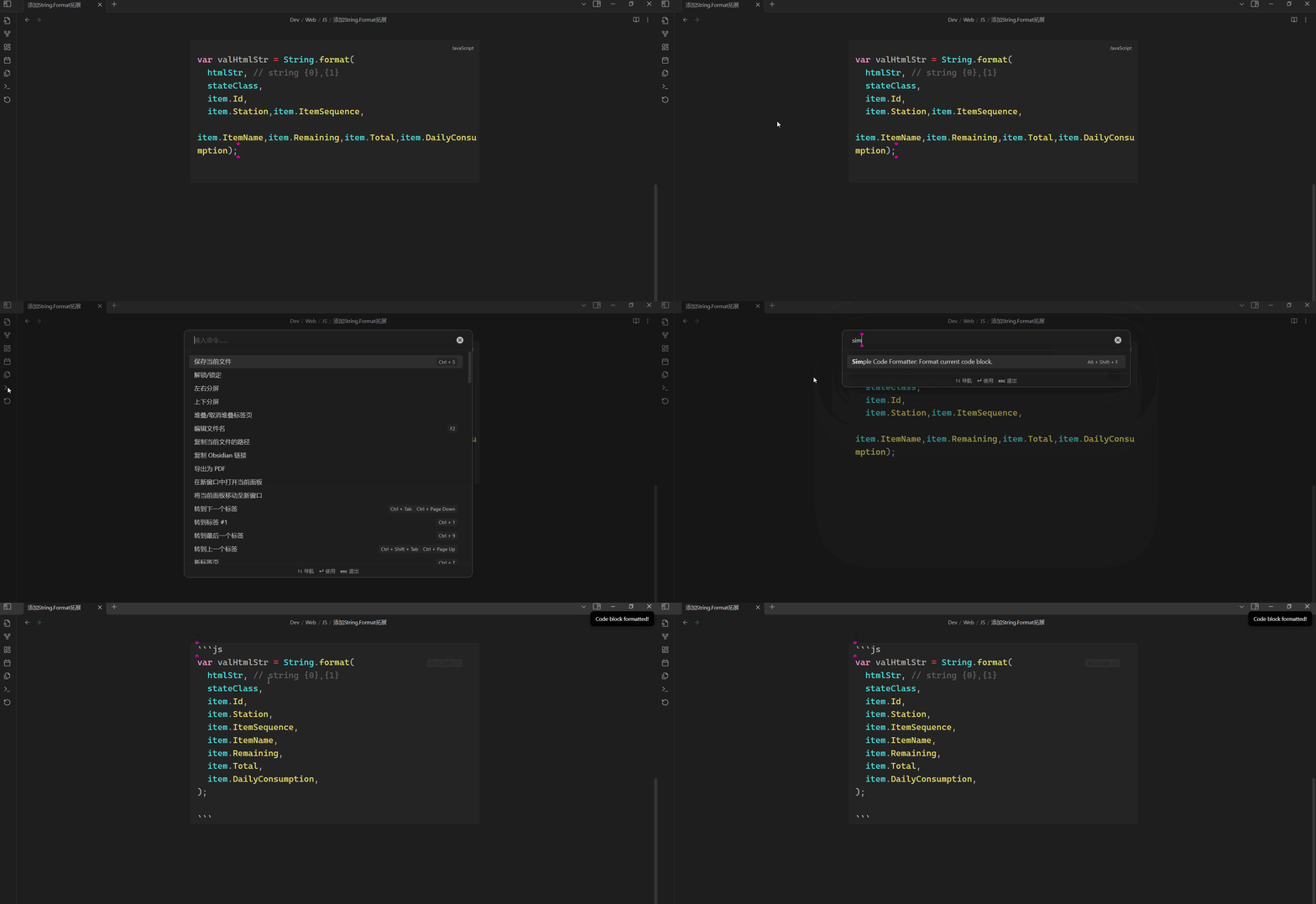
- Place the cursor in the block of code you want to format.
- Search "Simple Code Formatter" in
Command Palette.
- Execute it.
Example
Supported Languges
| Language | Formatter(JS Module) |
|---|---|
| C(C++) | js-beautify |
| csharp | js-beautify |
| java | prettier |
| xml | xml-formatter |
| sql | sqlformatter |
| html | prettier |
| vue | prettier |
| css | prettier |
| javascript | prettier |
| typescript | prettier |
| json5 | prettier |
| scss | prettier |
| less | prettier |
| graphql | prettier |
| markdown | prettier |
| yaml | prettier |
Questions
1. Markdown syntax of the code block
Make sure the Markdown syntax of the code block you want to format is correct.
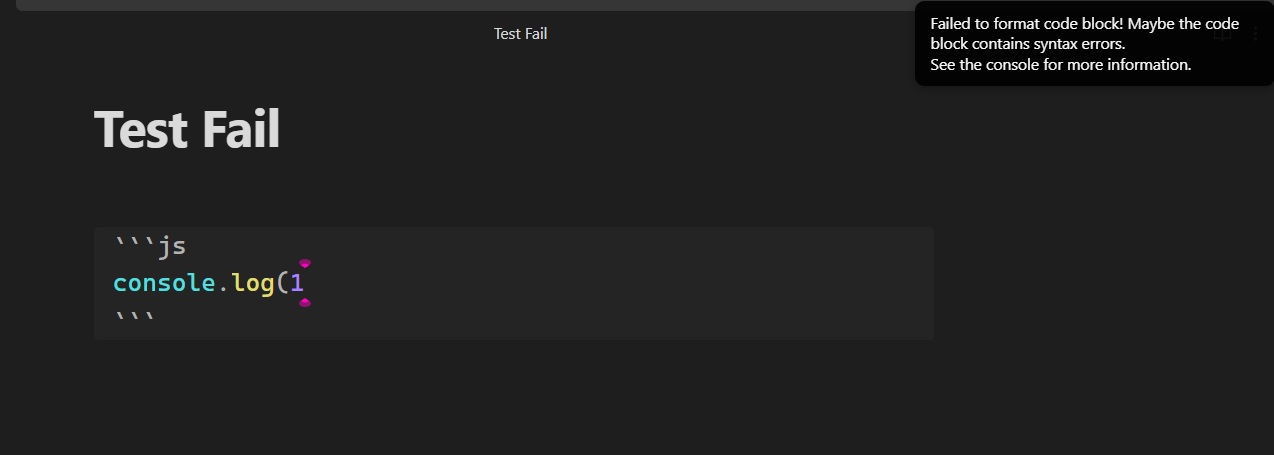
2. Code syntax in a code block
The plugin will check your code syntax which use prettier of Formatter(JS Module).
Example of Code syntax
3. If your code doesn't conform to syntax, but you still want to beautify it?
You should bypass the syntax check. You can use a language powered by js-beautify instead of the current language.
After formatting, change it back.
For plugin developers
Search results and similarity scores are powered by semantic analysis of your plugin's README. If your plugin isn't appearing for searches you'd expect, try updating your README to clearly describe your plugin's purpose, features, and use cases.