Simsapa
approvedby simsapa
Pāli dictionary and sutta search using Simsapa Dhamma Reader. Open a sidebar or double-click to lookup Pāli words in the dictionary, or search in the suttas.
Simsapa Obsidian Plugin
This is a sub-module repo for simsapa-extensions-and-plugins
The plugin requires Simsapa Dhamma Reader to be installed to work.
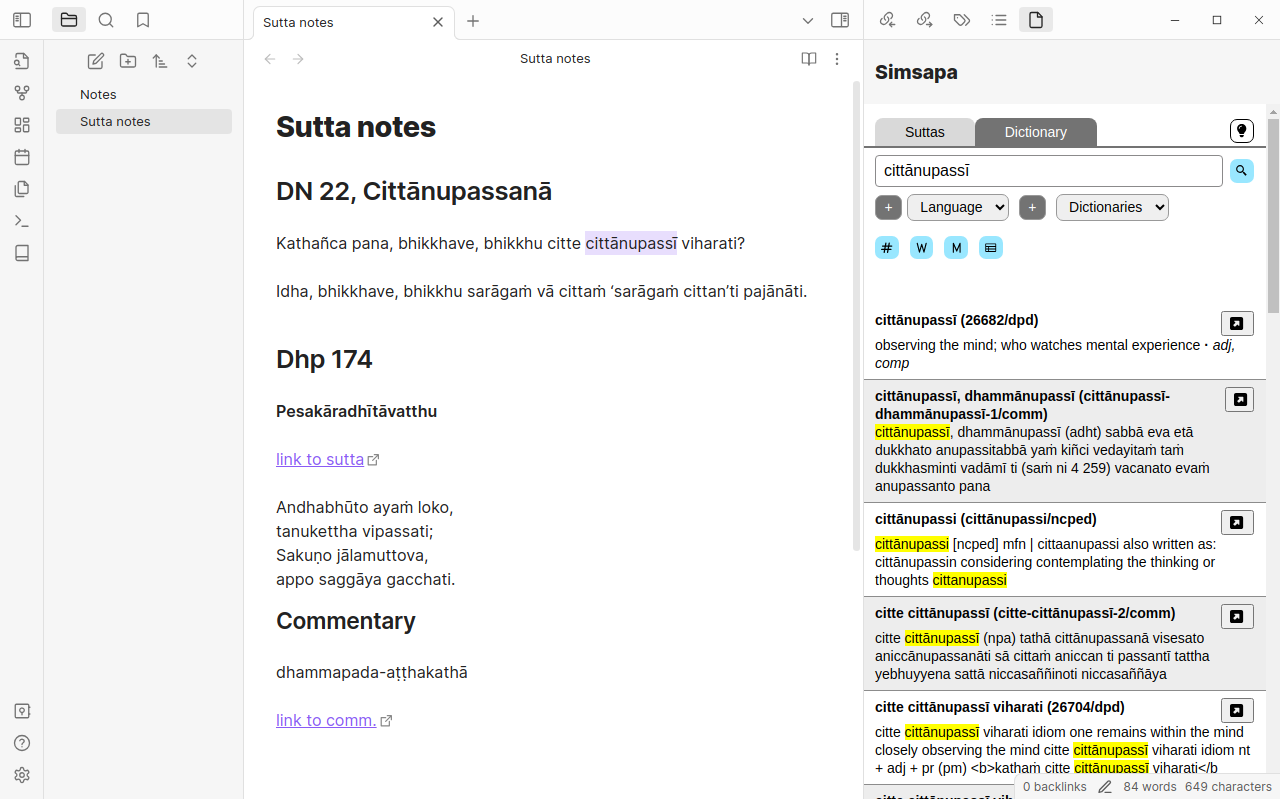
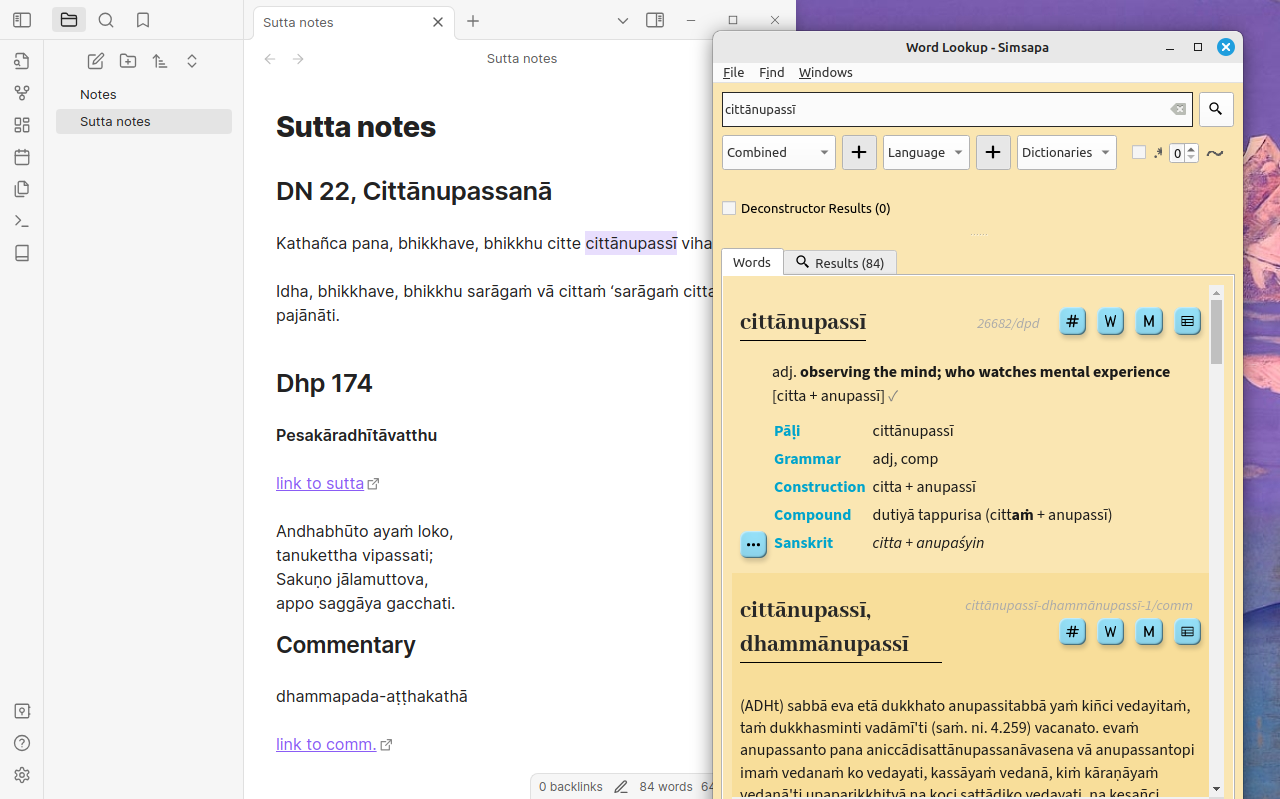
Start the Simsapa app, close the main window and let the app stay in the background. The plugin makes HTTP requests to the application.
When clicking the plugin's icon (book 📓), the sidebar is opened.
The sidebar can be used to search Pāli dictionaries or suttas.
Double click on a word in a note's text to trigger a dictionary lookup.
- If the sidebar is open, the results are shown there.
- If the sidebar is closed, it should open a Simsapa Word Lookup window with the results (including Pāli accents).
If the Word Lookup does not pop-up, the system may prevent it being opened. In this case:
Open Word Lookup in Simsapa first, move it next to Obsidian, and use double-click on work in your note's text to trigger a lookup. The window should respond by showing the results.
For plugin developers
Search results and similarity scores are powered by semantic analysis of your plugin's README. If your plugin isn't appearing for searches you'd expect, try updating your README to clearly describe your plugin's purpose, features, and use cases.