Single Click Focusing
approvedby thisiselijah
Allows focusing files and folders in the file explorer with a single left click. - This plugin has not been manually reviewed by Obsidian staff.
Single Click Focusing (Obsidian Plugin)

Allows focusing files and folders in the file explorer with a single left click.
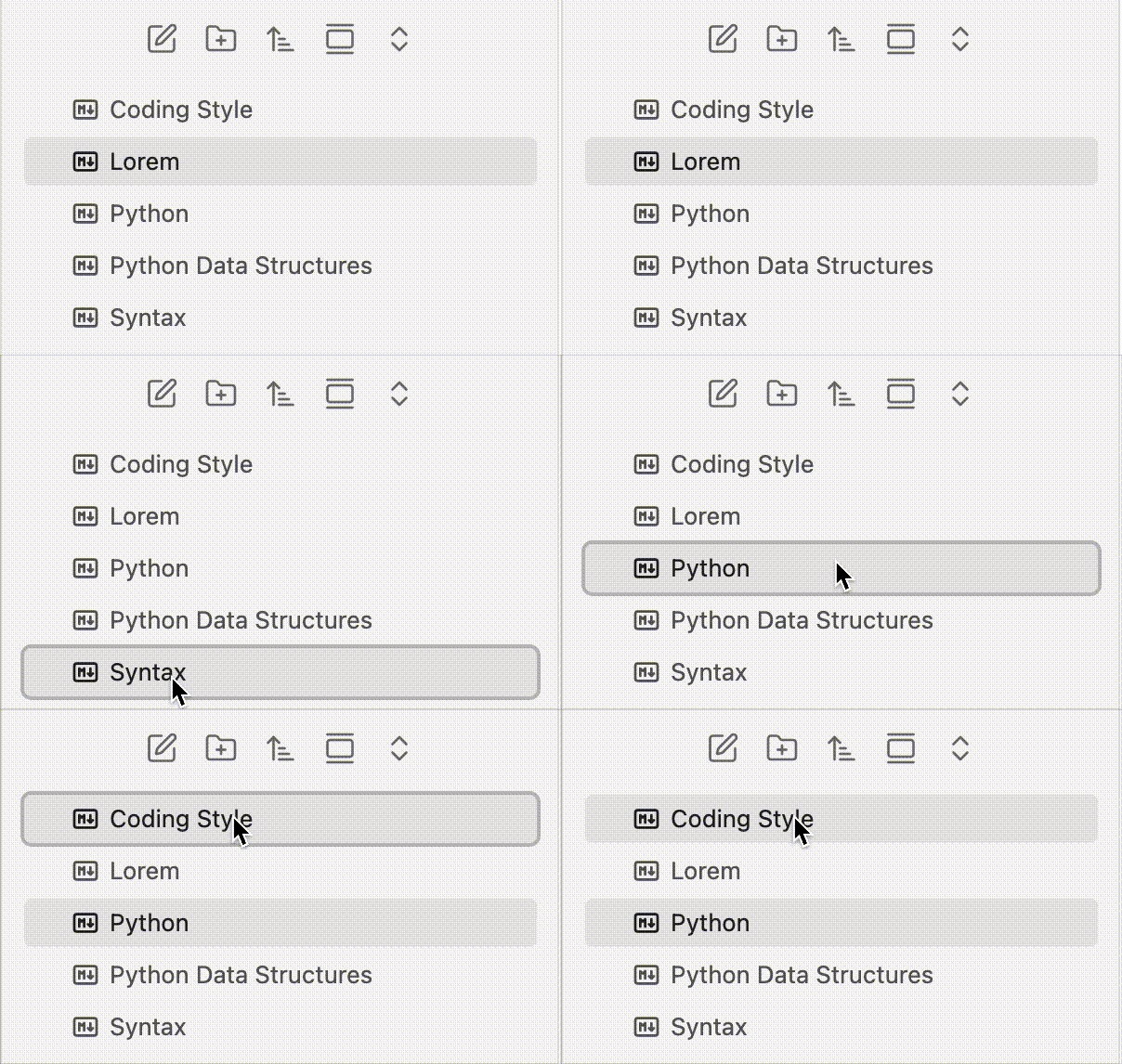
Motivation: The default Obsidian file explorer requires multiple clicks to rename a file or folder. This plugin alters the behavior to match the native macOS Finder interaction model, where a single click on an item selects and focuses it, allowing you to instantly press Enter to rename it.
Features
- Files: Clicking a file will open it normally, but immediately return keyboard focus (and the focus outline) back to the file explorer. This allows you to press
Enterto rename it or use arrow keys to navigate immediately without manually clicking the explorer again. - Folders: Clicking a folder's name will select and focus it, without automatically expanding or collapsing it. You can press
Enterto rename it. To expand or collapse a folder, click the arrow (>) icon on the left.
Demo
Installation
Community Plugins
- Search for Single Click Focusing in Obsidian's Community Plugins.
- Click Install and then Enable.
Manual Installation
- Download the latest
main.jsandmanifest.jsonfrom the Releases page. - Place them in your vault's
.obsidian/plugins/single-click-focusing/folder. - Reload Obsidian and enable the plugin.
Star History
License
This project is licensed under the MIT License.
For plugin developers
Search results and similarity scores are powered by semantic analysis of your plugin's README. If your plugin isn't appearing for searches you'd expect, try updating your README to clearly describe your plugin's purpose, features, and use cases.