Daily Notes Editor
approvedby Boninall
Edit daily notes in one page (inline), which works similar to Roam Research's default daily note view.

Daily Notes Editor
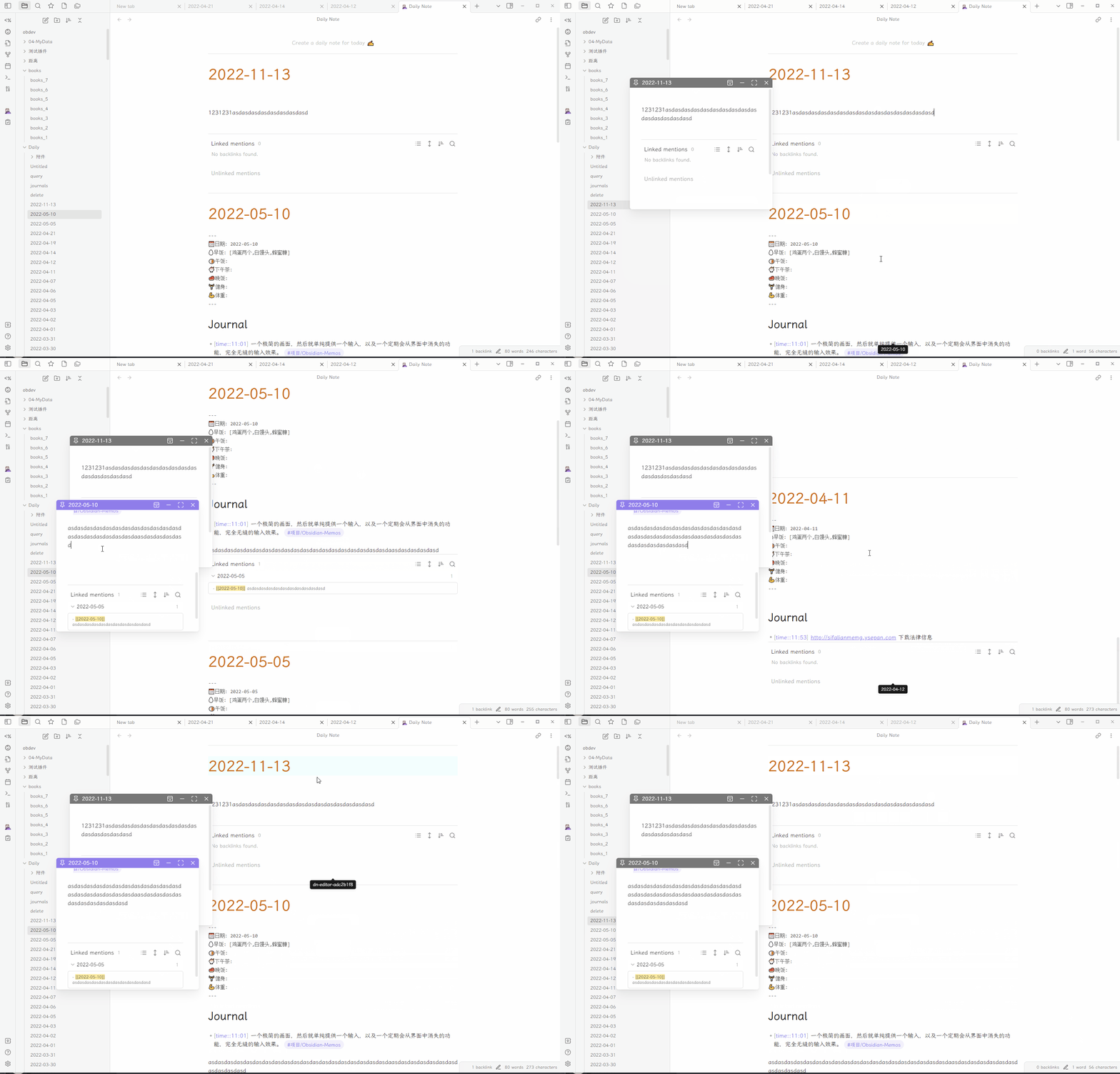
A plugin for you to edit a bunch of daily notes in one page(inline), which works similar to Roam Research's default daily note view.
Features
- Open a daily note editor page to edit a bunch of daily notes in one page/inline.
- You can open it from command.
- You can open it from left ribbon.
- View and filter notes by different time ranges:
- Week, Month, Year, Quarter
- Last Week, Last Month, Last Year, Last Quarter
- All notes
- Custom date range
- Multiple view modes:
- Daily Notes mode - view your daily notes
- Folder mode - view all notes from a specific folder
- Tag mode - view all notes with a specific tag
- Sort options:
- Sort by creation time (newest/oldest first)
- Sort by modification time (newest/oldest first)
- Customization options:
- Hide frontmatter in daily notes
- Hide backlinks in daily notes
- Create and open Daily Notes Editor on startup
- Save custom presets for quick access to specific folders or tags
- Navigate between notes using keyboard shortcuts (up/down)
- Right-click on folders to open all notes in that folder in the Daily Notes Editor
Installation
- Install from Obsidian Community Plugins
Settings
- Hide frontmatter: Toggle to hide frontmatter in daily notes
- Hide backlinks: Toggle to hide backlinks in daily notes
- Create and open Daily Notes Editor on startup: Automatically create today's daily note and open the Daily Notes Editor when Obsidian starts
- Presets: Save and manage custom presets for quick access to specific folders or tags
Usage
- Click the calendar icon in the left ribbon or use the command "Open Daily Notes Editor"
- Use the action buttons in the view to:
- Select time range (Week, Month, Year, All, etc.)
- Change view mode (Daily, Folder, Tag)
- Change sort order
- Save your current selection as a preset for quick access later
- Right-click on any folder in the file explorer to open all notes from that folder in the Daily Notes Editor
Thanks
- Hover Editor: I use code from this plugin to generate workspace leaf in my view.
- Obsidian Daily Notes Interface: I use code from this api to get all dailynotes and generate daily note.
- Make.md: inspired me to create this plugin.
Say Thank You
Please say thank you to NothingisLost && pjeby from Hover Editor
And Make.md works with more features than this plugin, please consider to use it.
If you still feel generous and enjoy this plugin then please support my work and enthusiasm by buying me a coffee on https://www.buymeacoffee.com/boninall.

For plugin developers
Search results and similarity scores are powered by semantic analysis of your plugin's README. If your plugin isn't appearing for searches you'd expect, try updating your README to clearly describe your plugin's purpose, features, and use cases.