Spark Memo
approvedby Joe Hou
Forked from Journal Partner
Highlight timestamps in your Journal section, capture quick notes, images, and audio from a sidebar, dictate with real-time speech-to-text, and review your year with a heatmap. - This plugin has not been manually reviewed by Obsidian staff.
Spark Memo
Catch every spark, before it fades.
An Obsidian plugin for journaling — built around two ideas:
- Shoot first, write later. Drop a photo into the sidebar and Spark Memo reads its EXIF capture time and GPS location, then writes the memo as if you'd jotted it down back then, at that place — the same experience Day One gave you, now inside your Obsidian vault.
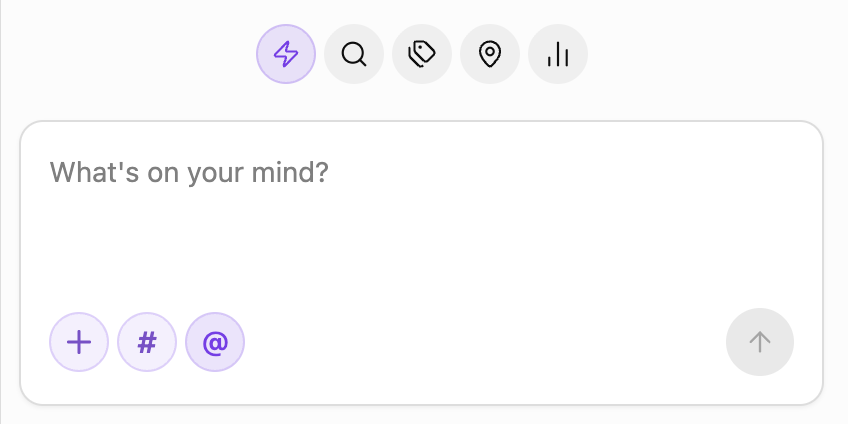
- Never lose the thought. The quick-capture sidebar is always one click away: type, dictate, paste an image, or hit record — the memo lands in today's daily note before the moment passes.
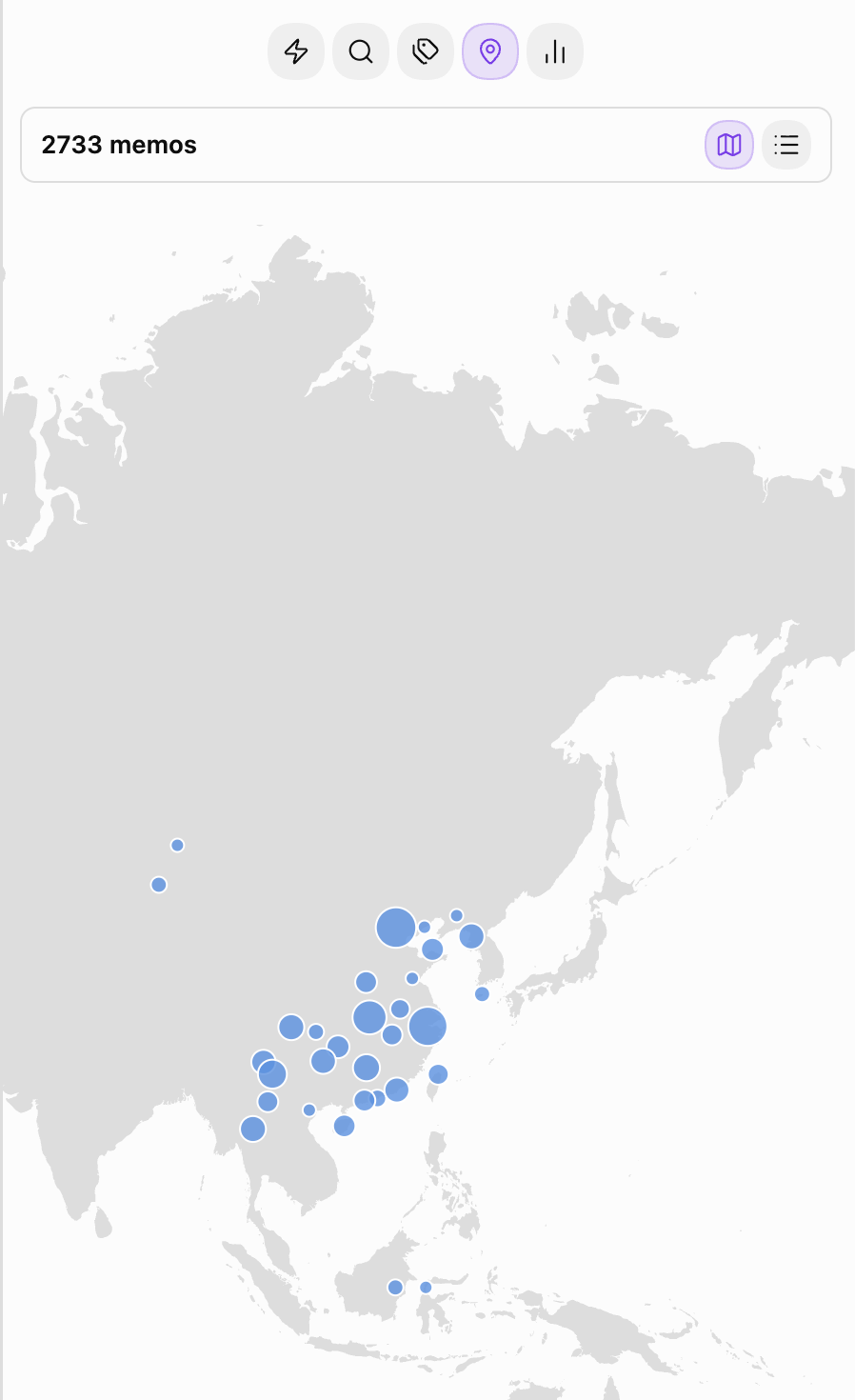
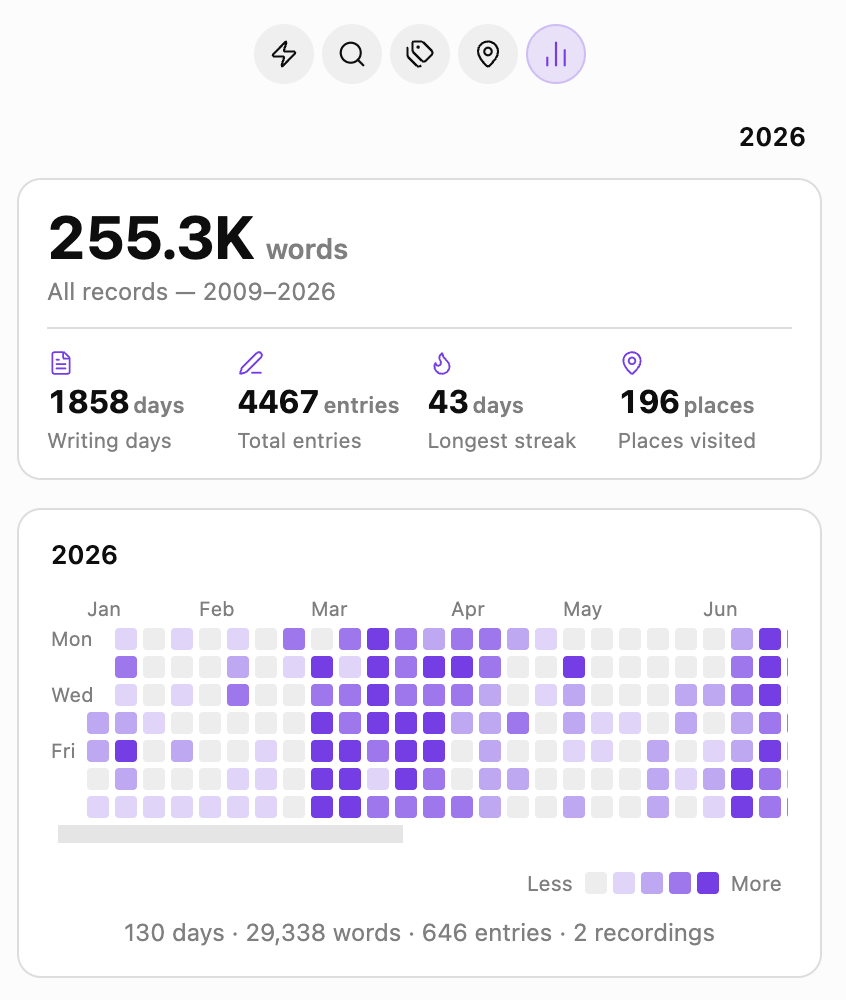
Under the hood it highlights HH:MM timestamps inside a designated Memo section, rolls up everything you've written into a yearly heatmap, and plots every geo-tagged memo on an offline world map — so you can look back on a whole year, or a whole map, at a glance.



Originally forked from zhaohongxuan/journal-partner. Thanks to the original author for the timestamp-highlighting core.
Features
- Timestamp highlighting in the
## Memosection — pill badges in Source, Live Preview, and Reading view, with customizable colors and an optional read-only mode - Quick-capture sidebar — write, dictate, paste images, or record audio; entries are appended to today's daily note under
## Memo - Photo-driven memos — pasted or uploaded images with EXIF time / GPS are turned into memos at the original moment and place, stored as
[Name](geo:lat,lon)links - Tag & location roll-ups — every
#tagand every geo-tagged memo grouped for review, with rename / merge / delete for tags - Offline world map — the Locations tab opens on a map of everywhere you've written, drawn from a vector basemap bundled with the plugin: no tile server, no network request, no account. Nearby memos cluster into a single dot sized by how much you wrote there; hover for the count, click to read them, and scroll sideways to wrap around the globe
- Yearly heatmap — GitHub-style grid per year, with total words, writing days, entry count, and longest streak
- Random rewind — open the Search tab and a random past memo greets you, so old thoughts get another moment in the light
- Multi-language — follows Obsidian's UI language (English / 简体中文)
Requires Obsidian's built-in Daily Notes core plugin.
Installation
Once the plugin is accepted into the community catalog, install it from Settings → Community plugins → Browse → "Spark Memo".
Manual install: download main.js, manifest.json, and styles.css from the latest GitHub Release into <vault>/.obsidian/plugins/spark-memo/, then enable it in Settings → Community plugins.
Usage
- Click the feather-pen icon in the ribbon (or run "Open Quick Capture sidebar" from the Command Palette) to open the sidebar
- Type into the input, then click submit — the memo is written to today's daily note as
- HH:MM text - Paste an image or hit record to attach media; images with EXIF time / GPS will prompt you to use their moment and place
- Switch to the
Search/Tags/Locations/Statstabs to browse across days —Locationsopens on the world map, with the city list one click away
License
MIT
For plugin developers
Search results and similarity scores are powered by semantic analysis of your plugin's README. If your plugin isn't appearing for searches you'd expect, try updating your README to clearly describe your plugin's purpose, features, and use cases.