OMG.lol Publisher
approvedby ericmwalk
Allows you to post to weblogs.lol, status.lol, some.pics and paste.lol.
OMG.lol Publisher Plugin for Obsidian
This plugin has changed it's name from Status.lol Plugin to just Omg.lol Publish as you can make post to as well as continue to post status updates to . you can use some.pics to post pictures for all your web needs.
Publish and manage your omg.lol presence directly from Obsidian. Write weblog.lol posts/pages, status.lol updates, paste.lol pastes, and some.pics photos without leaving your vault. In addition you can keep your /now page and profile page in sync too.
Since OMG.lol has a great API, there is more than can continue to be built out so why not make this plugin more expandable than the original concept.
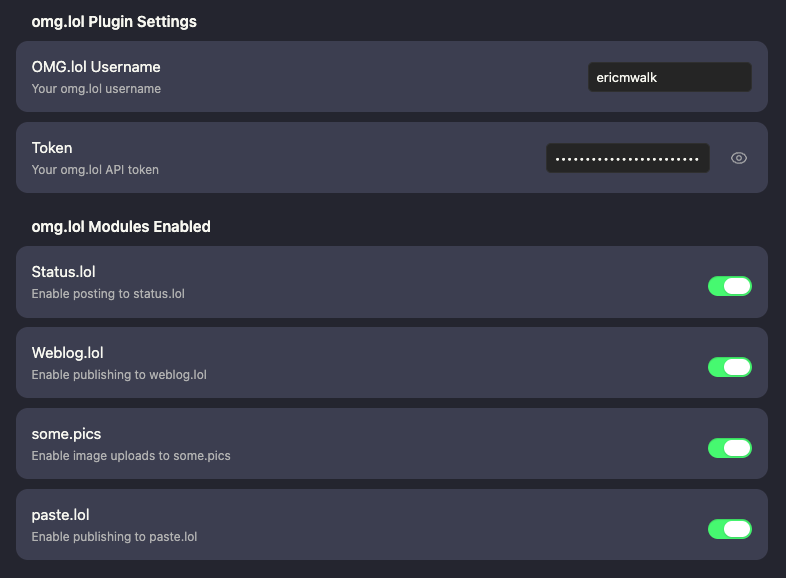
Configuration Screenshot
Main Settings / Modulals activated
paste.lol Settings

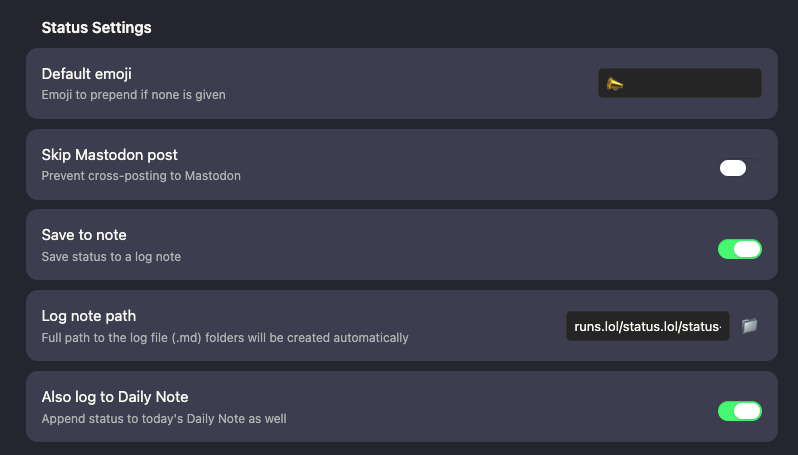
status.lol Settings
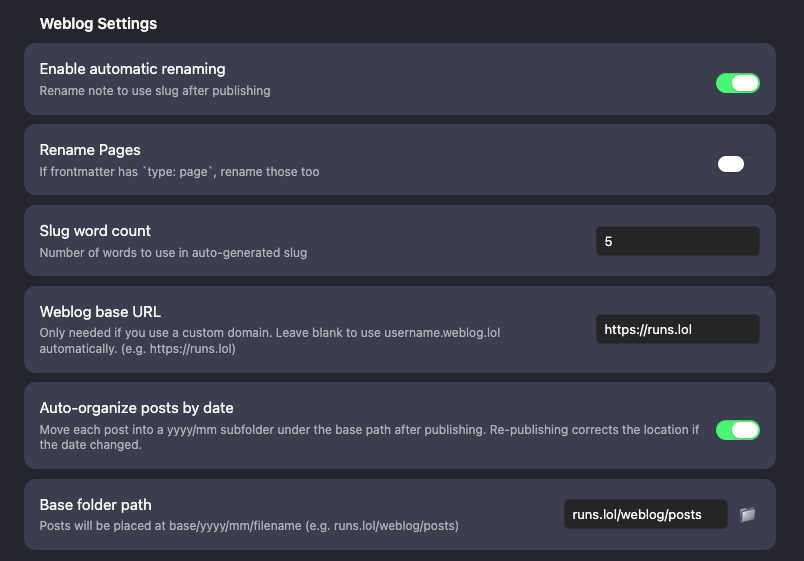
weblog.lol Settings
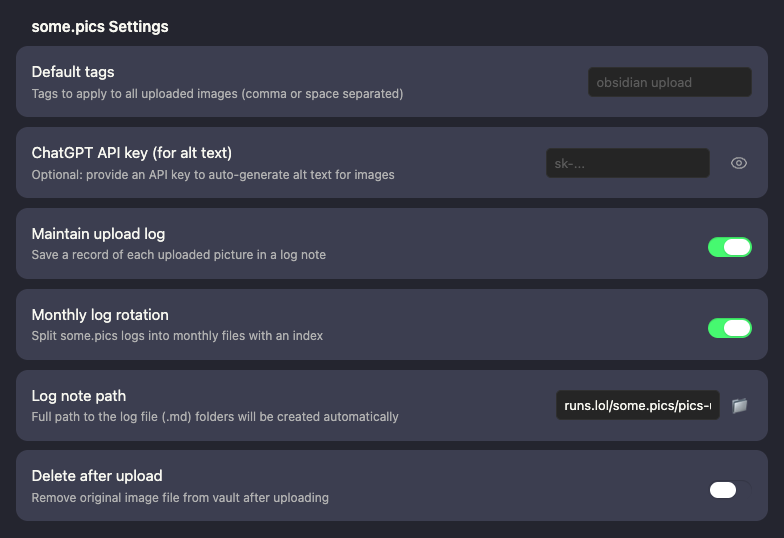
some.pics Settings
Features
Weblog.lol
- Publish new weblog posts directly from Obsidian
- Update previously published posts using your saved entry ID
- Batch publish multiple posts at once
- Support for backdating or futuredating via frontmatter date/time
- Publish with tags, draft status, custom slug, and page type (read from frontmatter)
- Pass a
templatefrontmatter field through to the omg.lol weblog template system - Automatically rename note files after publishing (optional)
- Auto-organize posts into
yyyy/mmsubfolders after publishing (optional) - Wikilinks in post body are resolved to URLs on publish
- Import all existing weblog posts from omg.lol into your vault — full frontmatter written on import, duplicates skipped
Weblog frontmatter fields
entry— entry ID, written automatically on first publish; used to update existing postsslug— custom slug; generated from title if not settitle— post titledate— publish date (YYYY-MM-DDorYYYY-MM-DD HH:mm)status—publishedordrafttype—pageto publish as a page instead of a posttags— list of tagstemplate— omg.lol weblog template to use for this post
Status.lol
- Post status updates to your status.lol address
- Choose whether to also share them on social.lol (toggle per post)
- Save to a custom log note or to your Daily Note
- Works with both Daily Notes and Periodic Notes plugins
- If posting fails it will still save to a note so you don't lose your status
Some.pics
- Upload pictures directly from Obsidian to some.pics
- Caption and alt text pre-filled from image metadata
- Keep a log of uploaded pictures to map back if any go missing
- Original files are kept in your vault after upload
Paste.lol
- Quickly create pastes from a note
- If a fenced code block is present (e.g.,
```javascript), only that content is uploaded — the rest of the note stays private - Falls back to the full note body if no fenced block is found
- Automatically copies the resulting URL back into your note
- Wikilinks are resolved to URLs before creating the paste
Other omg.lol Pages/Configurations
- Publish your
/nowpage directly from a note - Publish your omg.lol profile web page, including optional custom CSS and HTML
<head>content - Update your status.lol bio, including optional custom CSS and HTML
<head>content - Content lives in a fenced
```markdownblock in your note; CSS in a```cssblock; custom head HTML in a```html headblock
Required frontmatter to identify each note
/nowpage:type: profileandentry: now- Profile web page:
type: profileandentry: web - Status.lol bio:
type: statusandentry: bio
Setup
- Search for OMG.lol Publisher in Obsidian's Community Plugins browser and install it.
- Enable the plugin in Settings → Community Plugins.
- Open the plugin settings and enter your omg.lol API key and address.
- Enable the services you want to use (Weblog, Status, Some.pics, Paste.lol).
For plugin developers
Search results and similarity scores are powered by semantic analysis of your plugin's README. If your plugin isn't appearing for searches you'd expect, try updating your README to clearly describe your plugin's purpose, features, and use cases.