Stay Folded
approvedby crayonzgrim
Keep folded sections collapsed until you explicitly expand them. - This plugin has not been manually reviewed by Obsidian staff.
Stay Folded
Keep folded sections collapsed until you explicitly expand them.
The problem
Fold a heading in Obsidian, put the cursor on it, and press Enter. Obsidian expands the section and starts a new line inside it:
▶ Hello              ▼ Hello
## World      →        내용 1
                       내용 2
                       |
                     ## World
The fold you set up is gone, and the new line is somewhere you did not ask for.
What this plugin does
Enter on a folded block keeps the fold and adds an empty sibling after the whole section it hides:
▶ Hello              ▶ Hello
## World      →      ## |
                     ## World
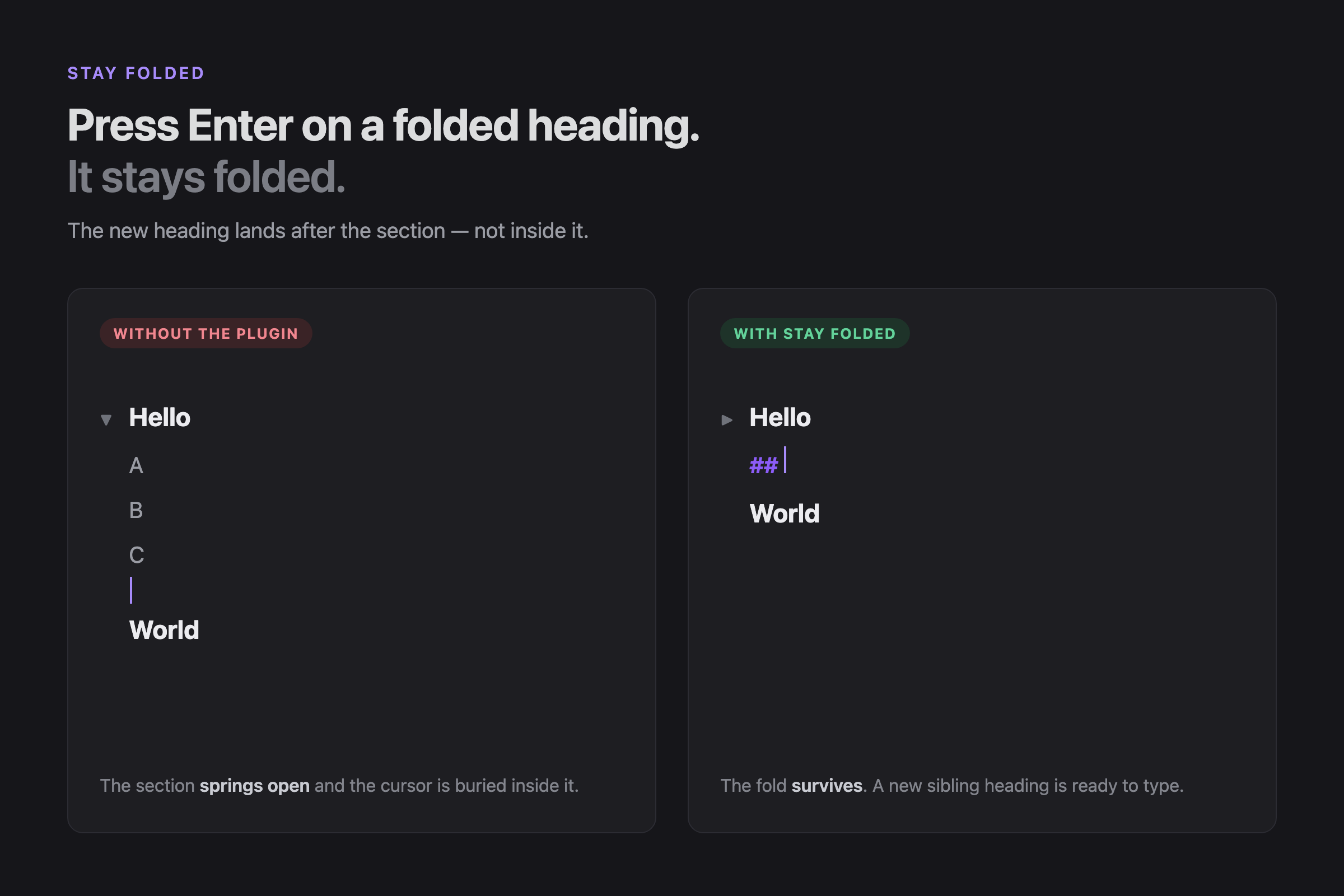
Nothing expands unless you click the fold indicator or run a fold/unfold command yourself.
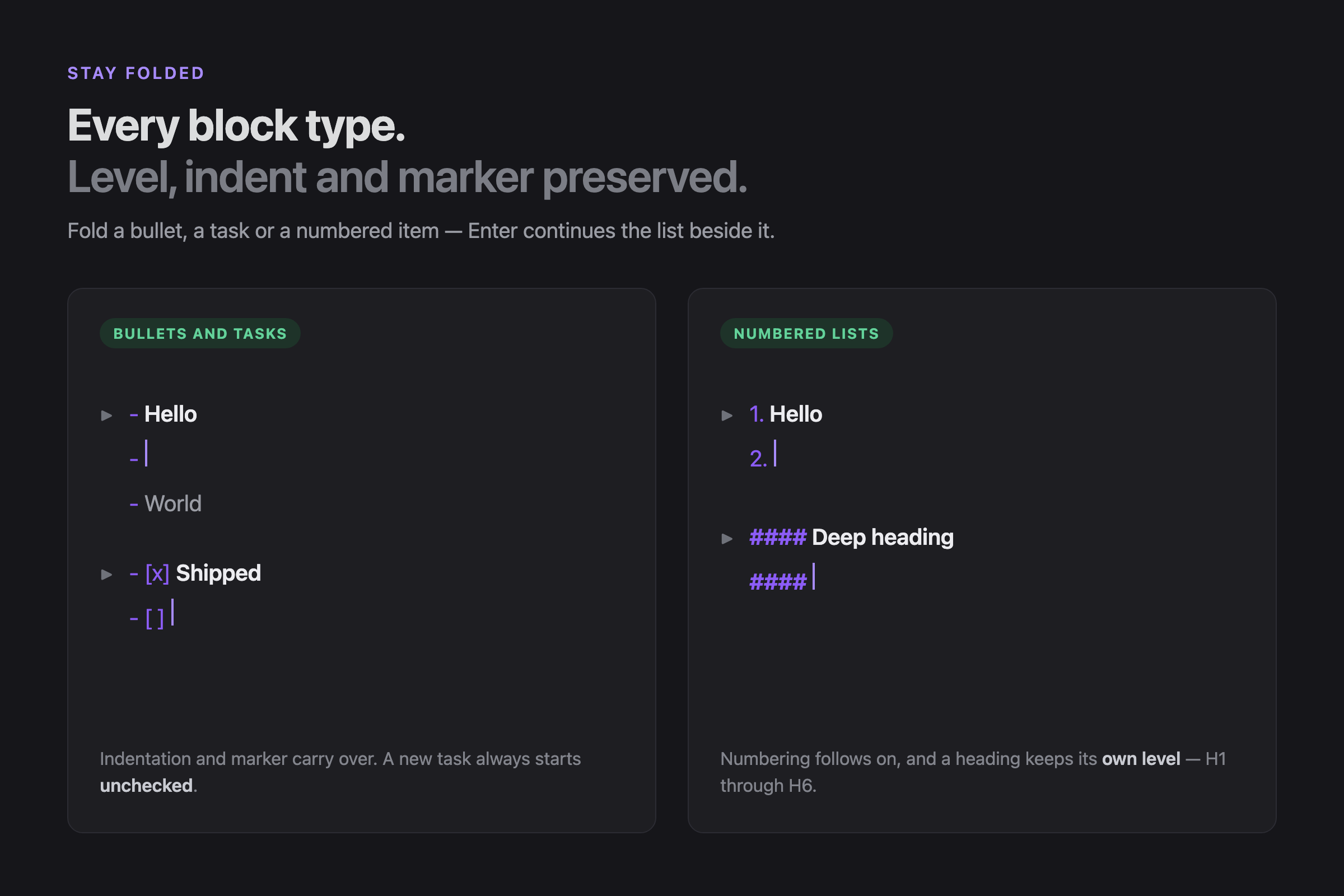
Works for headings (# through ######), bullets (-, *, +), tasks
(- [ ]) and ordered lists (1., 1)), keeping the level, indentation,
marker and numbering of the block you were on.
Folding
Fold however you already do — click the fold indicator, or use Obsidian's own
Toggle fold command. Stay Folded reads CodeMirror's fold state, so it
respects every fold no matter what created it, and adds no fold command of its
own.
What it does not do
This is not an auto-folding plugin. It never folds anything for you, stores no fold state of its own, inserts no markers, and touches no key other than Enter.
When it stays out of the way
Stay Folded declines and lets Obsidian handle Enter normally unless all of these hold:
- a single cursor, with nothing selected
- the cursor at the very end of its line
- that line starts a heading or list item that is currently folded
- a plain Enter —
Shift,Ctrl/CmdandAltcombinations are untouched
Undo is a single step: the whole edit is one CodeMirror transaction.
How it works
Obsidian folds through CodeMirror 6's own fold state, so
foldedRanges(state) reports both whether a block is folded and where its
section ends. Stay Folded reads that instead of parsing the document, which is
why a ## inside a fenced code block or frontmatter can never trigger it, and
why only the cursor's line is ever scanned.
Two details are the whole plugin. The cursor is placed past the end of the folded range, because CodeMirror drops any fold whose range contains the selection head. And the fold is re-applied in a second, change-free transaction, because Obsidian unfolds every range that touches an edit.
Install
Not in the community plugin store yet. To install manually, download
main.js and manifest.json from the
latest release
into <vault>/.obsidian/plugins/stay-folded/, then enable Stay Folded under
Settings → Community plugins.
Development
npm install
npm run dev     # watch build
npm run build   # type check + production bundle
npm run lint
npm test
License
0BSD
For plugin developers
Search results and similarity scores are powered by semantic analysis of your plugin's README. If your plugin isn't appearing for searches you'd expect, try updating your README to clearly describe your plugin's purpose, features, and use cases.