Table Checkbox Row Color
approvedby mtplr
Forked from Table Checkbox Renderer
Interactive Markdown table checkboxes with row highlighting and optional strikethrough support. - This plugin has not been manually reviewed by Obsidian staff.


Table Checkbox Row Color
This is a fork of the Table Checkbox Renderer plugin by Daniel Aguerrevere. It adds row color highlighting and optional strikethrough support for checked table rows in Reading Mode.
Overview
Interactive Markdown table checkboxes with row highlighting and optional strikethrough support.
Demo
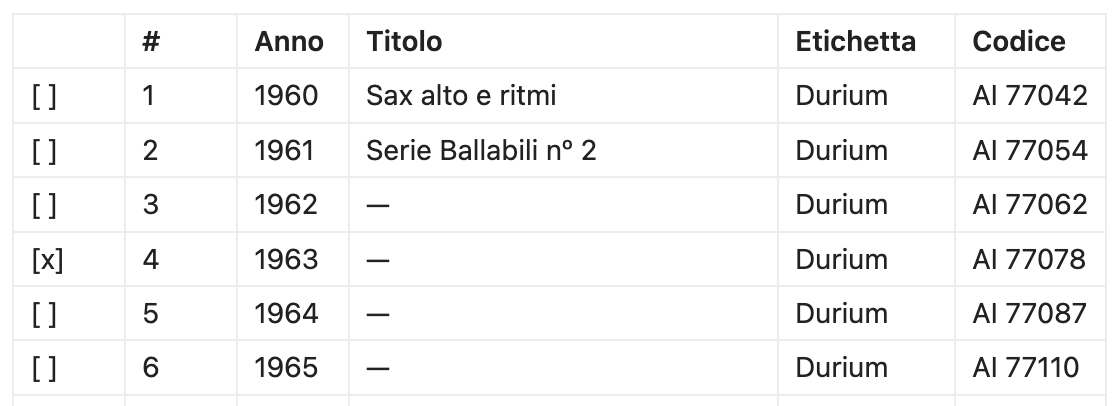
Writing mode
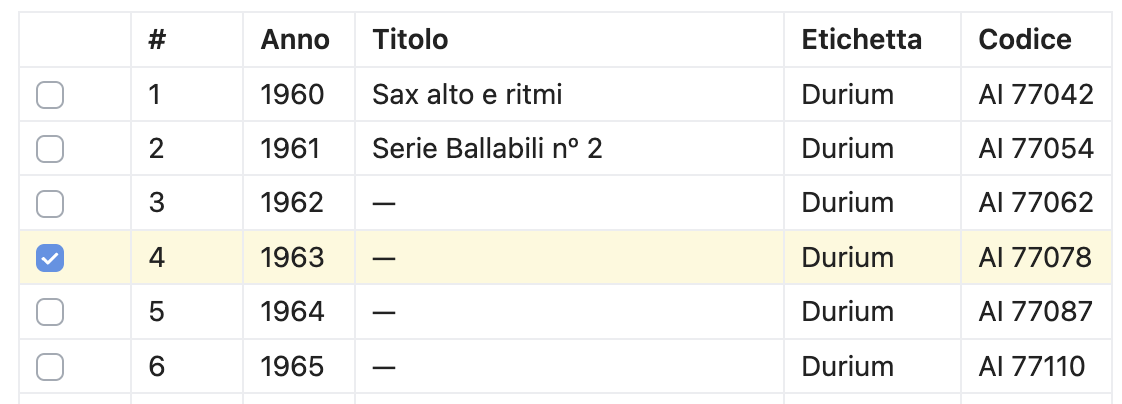
 Reading mode
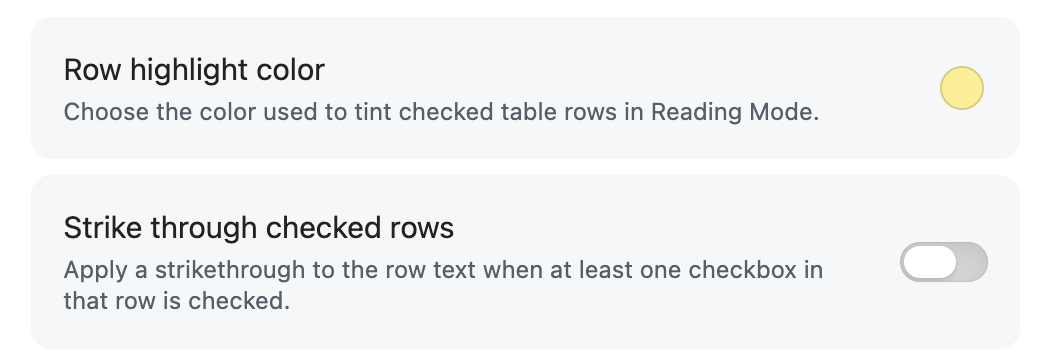
 Settings
Features
- Interactive checkboxes in Markdown tables in Reading Mode.
- Highlights the entire row when at least one checkbox in that row is checked.
- Obsidian settings let you change the row highlight color.
- A toggle can enable or disable strikethrough for checked rows.
- Supports multiple checkboxes per cell and per row.
- Changes are immediately saved to the Markdown file.
- Robust mapping between rendered checkboxes and source Markdown.
- Works with any table structure, including complex layouts.
Usage
- Install the plugin in Obsidian.
- Create a Markdown table with checkboxes such as
[ ]and[x]. - Click checkboxes in Reading Mode to toggle and save changes.
- Checked rows are highlighted automatically so completed items stand out visually.
- The default highlight color is a light pastel yellow.
- In the plugin settings, you can pick the highlight color and decide whether checked rows should be struck through.
- In Edit Mode, checkboxes remain text and can be toggled directly in the editor.
Development
- Edit the TypeScript source files in the project directory.
- Install npm
npm install. - Run
npm run buildafter making changes to produce the updated plugin files. - Load the plugin in Obsidian's community plugins folder for testing.
Contributing
Pull requests and suggestions are welcome!
License
2026 - Matteo Paolieri
MIT
For plugin developers
Search results and similarity scores are powered by semantic analysis of your plugin's README. If your plugin isn't appearing for searches you'd expect, try updating your README to clearly describe your plugin's purpose, features, and use cases.