Inline Checkbox Groups
approvedby bwya77
Create multiple checkboxes on a single line, separated by a customizable separator character (default '|'), with the option to automatically cross out text when all checkboxes in the line are checked.
Inline Checkbox Groups for Obsidian
Create multiple checkboxes on a single line, separated by a customizable separator character, with automatic text strikethrough when all tasks are completed. Perfect for creating compact task groups, progress trackers, and status indicators.
Demo
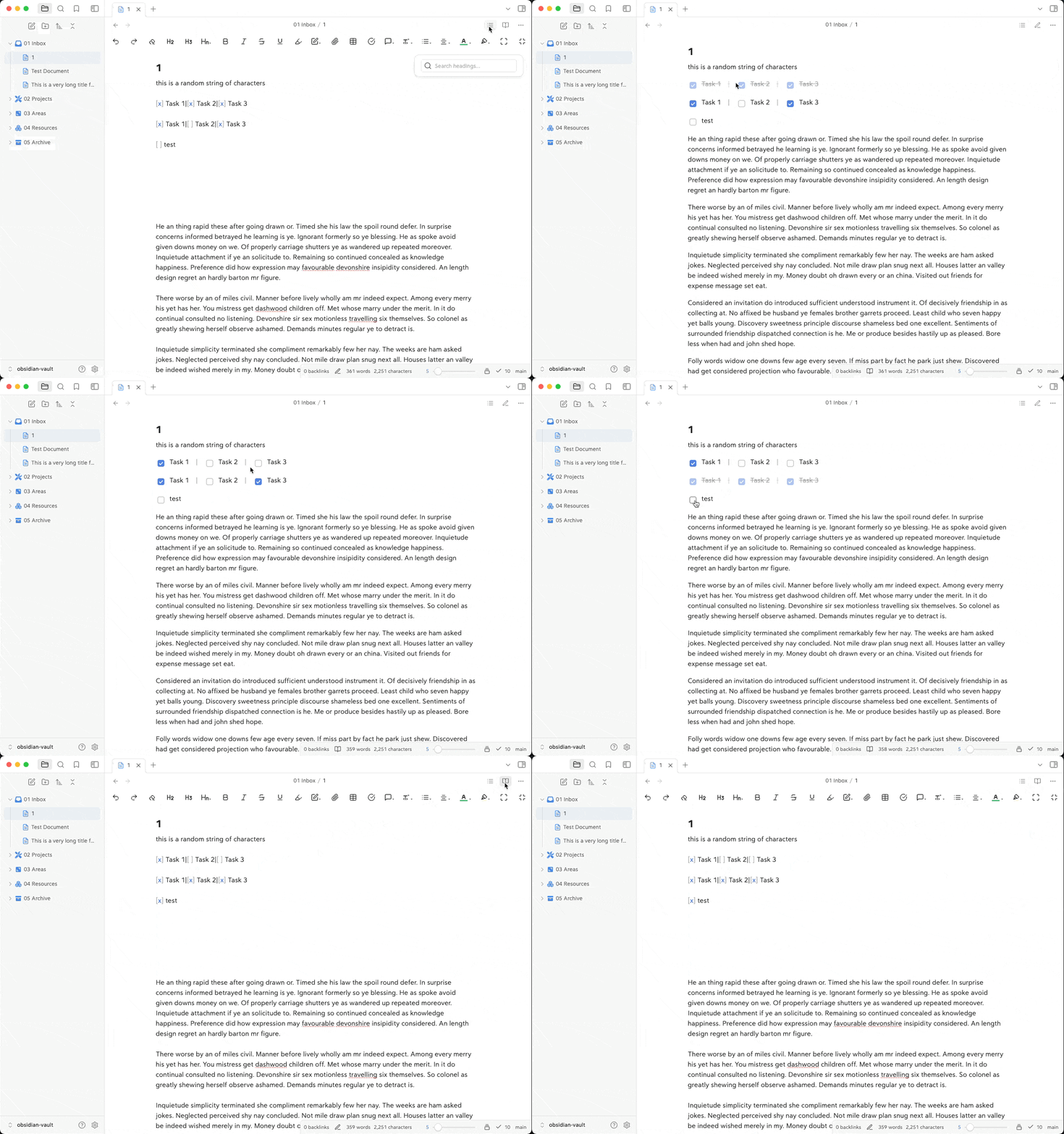
Features
- Inline Checkboxes: Create multiple checkboxes on a single line
- Custom Separators: Choose your preferred separator character (default: '|')
- Auto Strikethrough: Optionally cross out text when all checkboxes in a group are checked
- Live Preview: Changes reflect immediately in both edit and preview modes
- Clean Interface: Maintains Obsidian's native checkbox styling
- Resource Efficient: Optimized for performance with minimal overhead
Examples
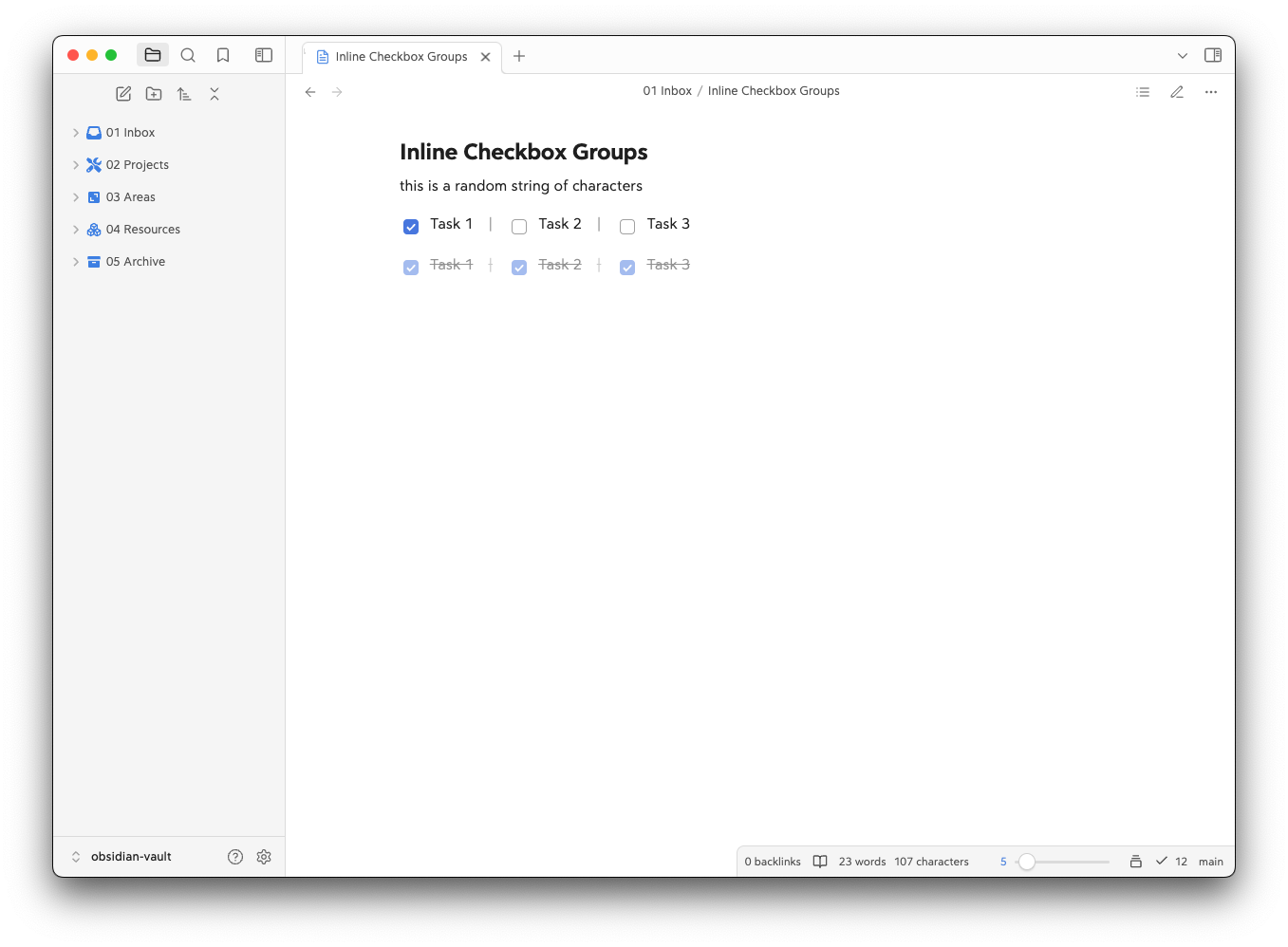
Create grouped tasks with a separator:
[x] Task 1 | [x] Task 2 | [ ] Task 3
Or write them more compactly:
[x] Task 1|[x] Task 2|[x] Task 3
Installation
- Open Obsidian Settings
- Navigate to Community Plugins and disable Safe Mode
- Click Browse and search for "Inline Checkbox Groups"
- Install the plugin
- Enable the plugin in your Community Plugins list
Manual Installation
- Download the latest release from the releases page
- Extract the files into your vault's
.obsidian/plugins/inline-checkbox-groups/directory - Reload Obsidian
- Enable the plugin in your Community Plugins list
Usage
Once installed and enabled, you can create inline checkbox groups by:
- Writing multiple checkbox tasks on a single line
- Separating them with your configured separator character (default: '|')
- The plugin will automatically format them as an inline group
Example:
[ ] Morning Tasks | [ ] Afternoon Tasks | [ ] Evening Tasks
Settings
You can customize the following settings in the plugin options:
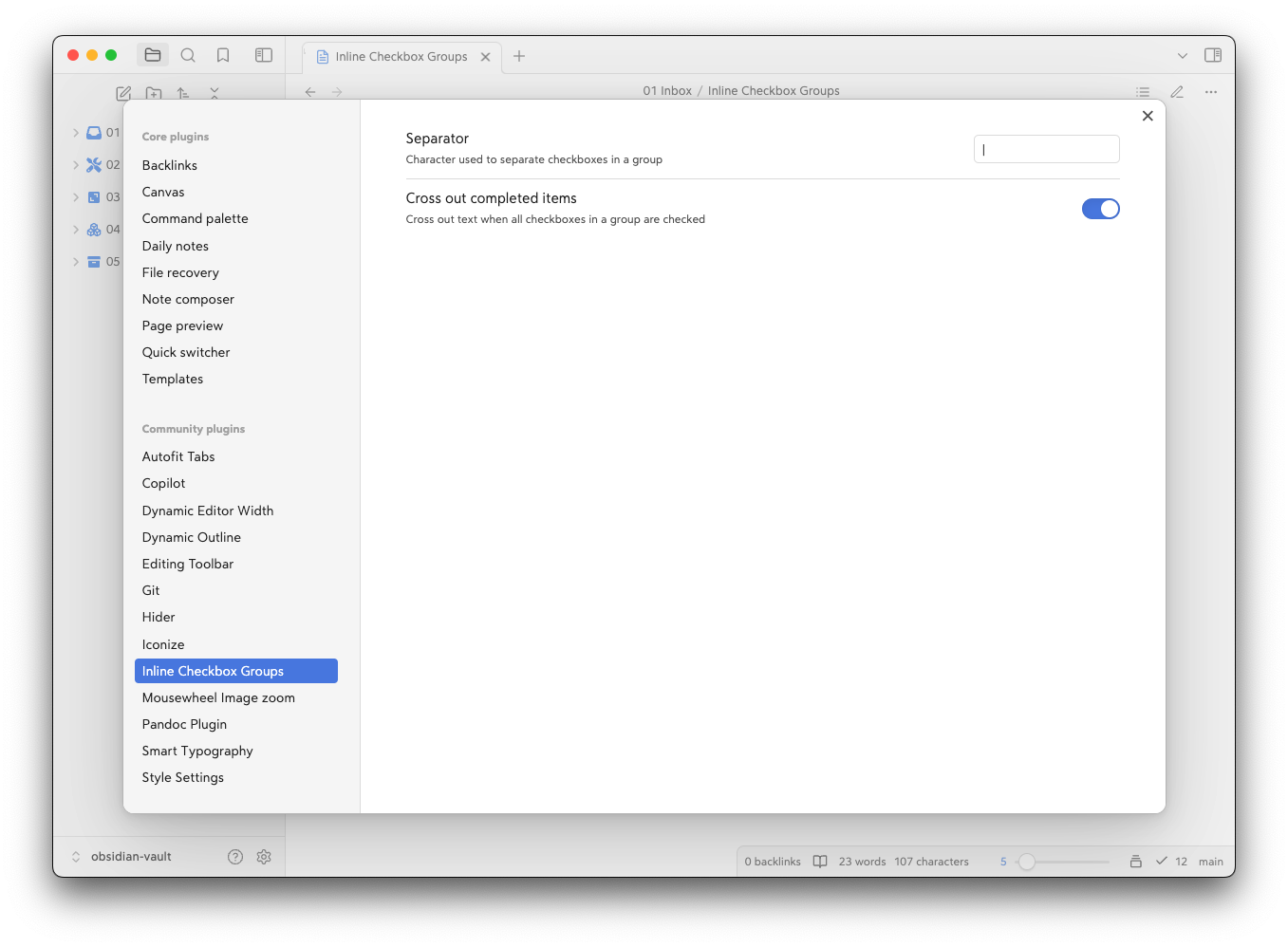
- Separator: Choose the character used to separate checkboxes (default: '|')
- Cross Out Completed: Toggle whether to strike through text when all checkboxes in a group are checked
Compatibility
- Requires Obsidian v0.15.0 or higher
- Desktop only (not available for mobile)
- Compatible with most themes and plugins
Support
If you find this plugin helpful, you can:
- Star the repository on GitHub
- Report any issues on the GitHub issue tracker
- Buy me a coffee
- Become a GitHub Sponsor
Development
Want to contribute or modify the plugin? Here's how to get started with the source code:
-
Create a directory for your GitHub projects:
cd path/to/somewhere mkdir Github cd Github -
Clone the repository:
git clone https://github.com/bwya77/Inline-Checkbox-Groups.git -
Navigate to the plugin directory:
cd inline-checkbox-groups -
Install dependencies:
npm install -
Start development build mode:
npm run devThis command will keep running in the terminal and automatically rebuild the plugin whenever you make changes to the source code.
-
You'll see a
main.jsfile appear in the plugin directory - this is the compiled version of your plugin.
Testing Your Changes
To test your modifications:
- Create a symbolic link or copy your plugin folder to your vault's
.obsidian/plugins/directory - Enable the plugin in Obsidian's community plugins settings
- Use the developer console (Ctrl+Shift+I) to check for errors and debug
Making Contributions
- Fork the repository
- Create a new branch for your feature
- Make your changes
- Submit a pull request with a clear description of your changes
License
MIT License. See LICENSE for full text.
For plugin developers
Search results and similarity scores are powered by semantic analysis of your plugin's README. If your plugin isn't appearing for searches you'd expect, try updating your README to clearly describe your plugin's purpose, features, and use cases.