Table Column Resizer for Obsidian
An Obsidian plugin that lets you resize Markdown table columns by dragging their edges — no code blocks, no migration. Your notes stay plain Markdown.
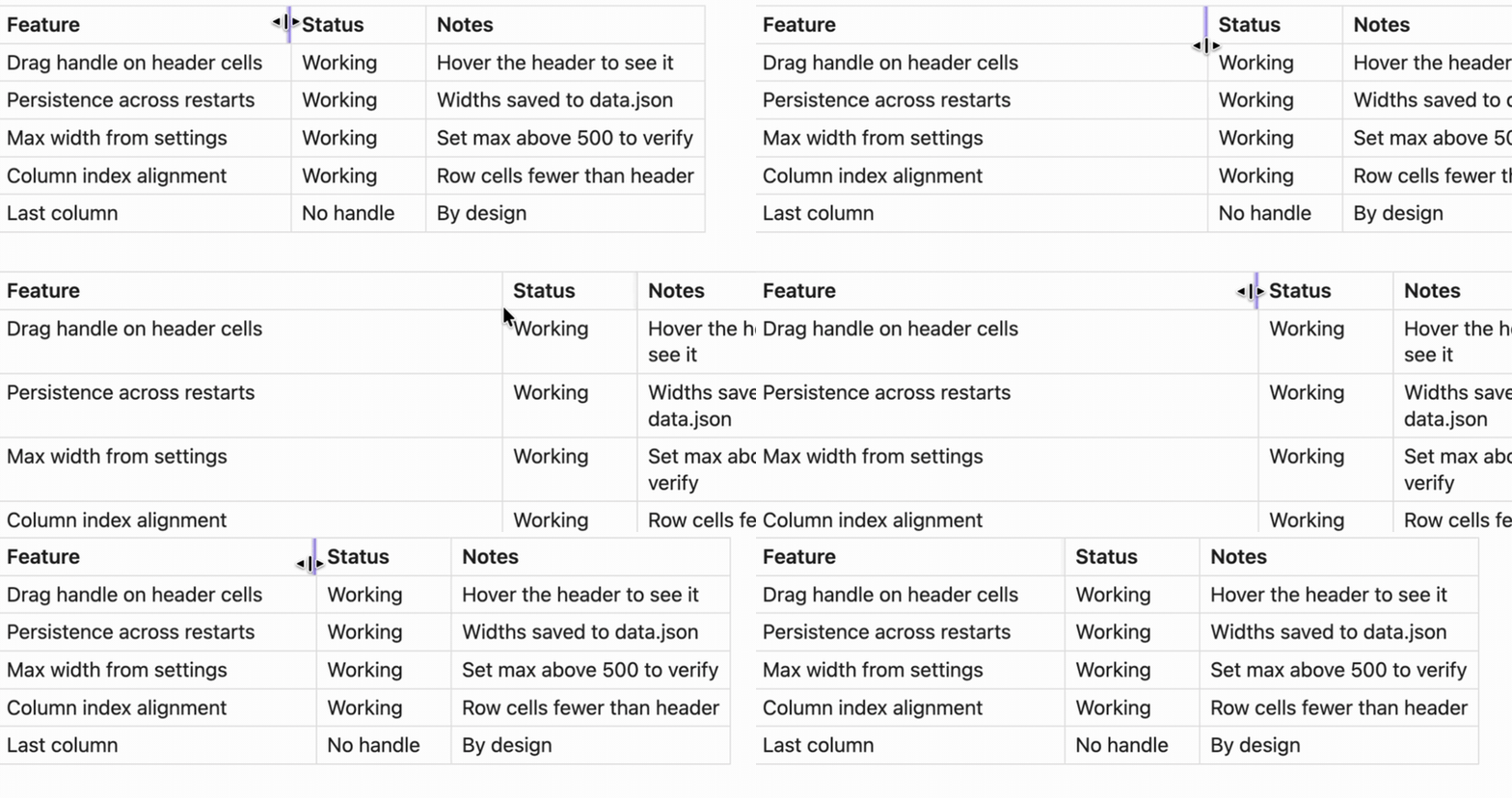
Author: bubble
Why this plugin
Your notes stay standard Markdown pipe tables. Nothing is embedded in your notes — no table code blocks, no hidden markup in the file, no lock-in. Disable the plugin any time and your tables are still perfectly valid Markdown, everywhere.
| Table Column Resizer | Better Tables | Advanced Tables | |
|---|---|---|---|
| Works on standard Markdown tables | ✅ | ❌ requires a table code block | ✅ |
| Drag to resize columns | ✅ | ✅ | ❌ |
| Widths persist across restarts | ✅ | ✅ | — |
| Notes stay portable plain Markdown | ✅ | widths stored in a hidden comment inside a code block | ✅ |
Advanced Tables is a great complement: it focuses on table editing and navigation, while this plugin handles visual column widths.
Features
- Drag to resize: grab a column edge in the header row and drag
- Mouse & touch: pointer-event based, works with mouse, touch and stylus
- Persistent: widths are saved per table and restored across restarts
- Reading view: works in reading view (Live Preview support is planned)
- Customizable limits: set any minimum and maximum column width
- Theme friendly: styles are scoped to the resize handle and don't fight your theme
Installation
Install from the official directory (recommended, gets automatic updates): open https://obsidian.md/plugins?id=table-column-resizer and click Open in Obsidian, or in Obsidian go to Settings → Community plugins → Browse and search for "Table Column Resizer".
Or manually:
- Download
main.js,manifest.json, andstyles.cssfrom the latest release - Copy them into your vault:
.obsidian/plugins/table-column-resizer/ - Enable the plugin in Settings → Community plugins
Development
git clone https://github.com/bubble-wu/obsidian-table-column-resizer.git
cd obsidian-table-column-resizer
npm install
npm run build   # outputs main.js
Usage
- Add a Markdown table to a note:
| Name | Age | City | Description | |------|-----|------|-------------| | John | 25 | NYC | Software developer | | Jane | 30 | LA | Product manager | - Switch to reading view (
Cmd/Ctrl + E) - Hover a header cell — a vertical handle appears on its right edge. Drag it to resize the column.
- Widths are saved when you release the mouse, and restored the next time the table is rendered.
Settings
| Setting | Default | Description |
|---|---|---|
| Enable column resizing | on | Toggle resizing without disabling the plugin |
| Minimum column width | 50px | Smallest allowed column width |
| Maximum column width | 500px | Largest allowed column width |
Widths are keyed by note path + table content: they survive restarts and edits elsewhere in the note, and reset if the table's content changes.
Known limitations
- Reading view only — Live Preview is not supported yet (planned)
- Mouse-driven; touch dragging is not supported
- Two byte-identical tables in the same note share their saved widths
License
MIT — see LICENSE.
For plugin developers
Search results and similarity scores are powered by semantic analysis of your plugin's README. If your plugin isn't appearing for searches you'd expect, try updating your README to clearly describe your plugin's purpose, features, and use cases.