by laofahai
A fast CSV/TSV editor with virtual scrolling, inline editing, column filtering, and auto encoding detection.
Tablite
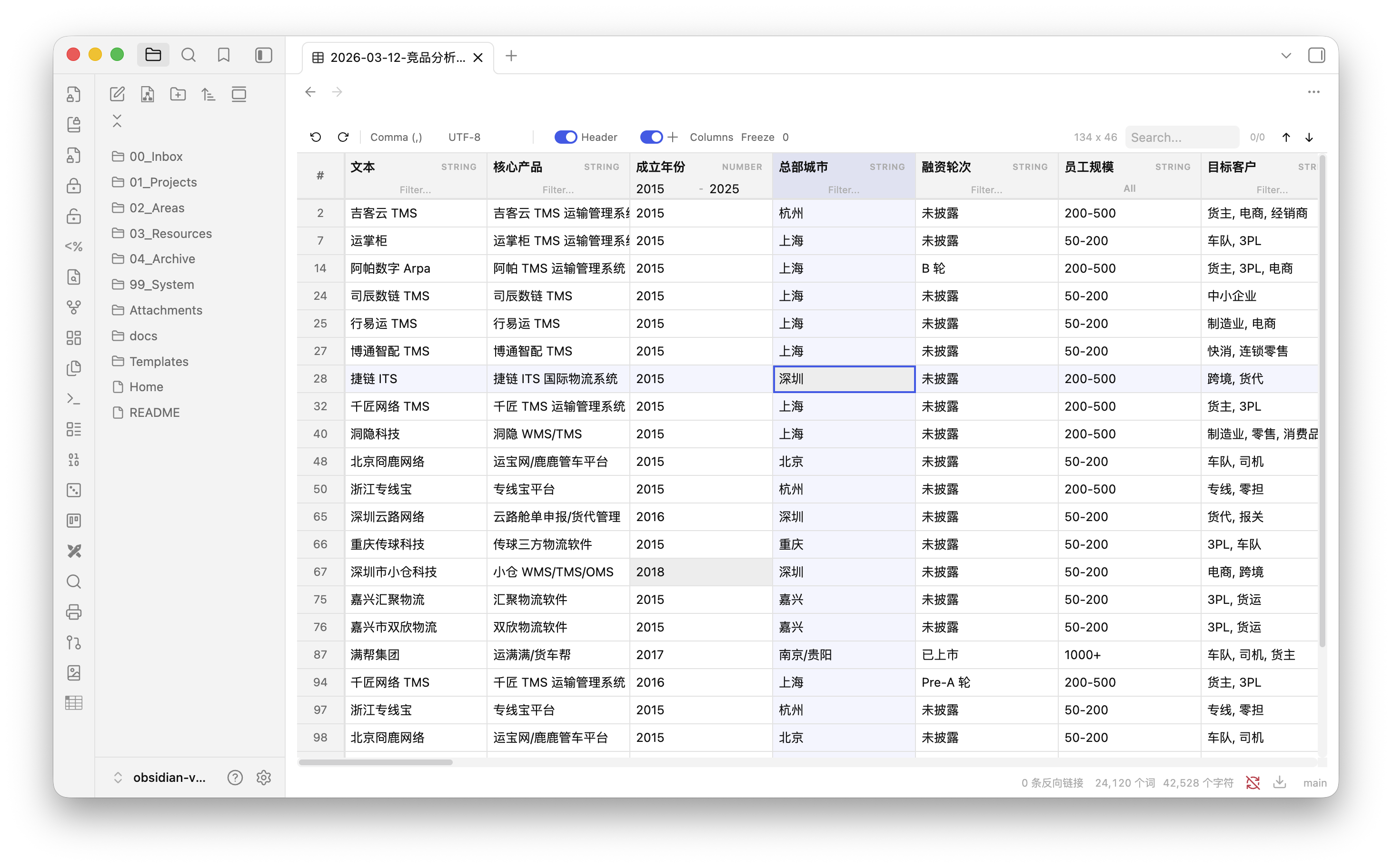
A fast, feature-rich CSV/TSV editor for Obsidian. Edit tabular data directly in your vault with an Excel-like experience.
Features
- Virtual scrolling & progressive loading — handles large files smoothly with chunked rendering
- Inline editing — double-click any cell to edit
- Cell selection & cross highlight — single-click to select, with row/column cross highlight (toggleable)
- Column type detection — auto-detects STRING, NUMBER, DATE types per column
- Column sorting — click header to sort (multi-column supported)
- Smart column filtering
- Text columns: free-text filter
- Enum columns (< 12 unique values): multi-select dropdown with checkboxes
- Number columns: min/max range filter
- Date columns: date range picker
- Global search — search across all cells with highlight and navigation
- Auto delimiter detection — comma, semicolon, tab, pipe
- Excel export compatibility — auto-trims trailing empty columns from bloated spreadsheet exports
- Auto encoding detection — UTF-8 (with or without BOM), GBK, Windows-1252, Shift-JIS, UTF-16
- Encoding preserved on save — edits are written back in the file's own encoding (a GBK file stays GBK, so Excel keeps reading it). Picking an encoding in the toolbar converts the file straight away while leaving the displayed text untouched; the ↻ button next to it re-reads the file with the chosen encoding when the charset was detected wrongly. New files use the default from Settings → Tablite.
- Header detection — auto-detects whether first row is a header, with manual toggle
- Column management — hide/show, reorder via drag & drop, freeze columns
- Column resizing — drag column borders to resize
- Persistent column config — column widths, order, visibility, and freeze state are saved per file
- Context menu — right-click to insert/delete rows and columns
- Undo/Redo — full edit history (up to 50 steps)
- Obsidian-native styling — respects your theme colors and dark/light mode
Installation
From Community Plugins
Search for Tablite in Obsidian Settings → Community Plugins → Browse.
Via BRAT
- Install BRAT plugin
- In BRAT settings, select Add Beta Plugin
- Enter
laofahai/obsidian-tablite
Manual Installation
- Download
main.js,manifest.json, andstyles.cssfrom the latest release - Put the files into
<vault>/.obsidian/plugins/tablite/ - Restart Obsidian and enable Tablite in Settings → Community Plugins
Usage
Open any .csv or .tsv file in your vault — Tablite automatically opens it as an editable table.
Set the default encoding for new files in Settings → Tablite. On Obsidian 1.13+ this option also appears in global settings search. Older versions retain the settings page; the minimum supported Obsidian version is 1.5.0.
| Action | How |
|---|---|
| Edit a cell | Double-click |
| Select a cell | Single-click |
| Sort column | Click header name (multi-sort with Shift+click) |
| Rename header | Double-click header name |
| Filter column | Use the filter input below header (type varies by column) |
| Resize column | Drag the right edge of header |
| Reorder columns | Drag & drop column headers |
| Hide/show columns | Use the Columns panel in toolbar |
| Freeze columns | Set freeze count in toolbar |
| Insert/delete row or column | Right-click → context menu |
| Undo / Redo | Ctrl/Cmd+Z / Ctrl/Cmd+Shift+Z |
| Search | Ctrl/Cmd+F or search box in toolbar |
Tech Stack
- Preact — lightweight UI
- TanStack Table — headless table logic (sorting, filtering)
- TanStack Virtual — row virtualization
- PapaParse — CSV parsing/serialization
- jschardet — encoding detection
Development
git clone https://github.com/laofahai/obsidian-tablite.git
cd obsidian-tablite
npm ci
npm run dev    # watch mode
npm run lint   # official Obsidian rules; zero warnings required
npx tsc --noEmit
npm test
npm run build  # production build
See AGENTS.md for repository development rules and CONTRIBUTING.md for validation and release follow-up steps. After publishing, maintainers must trigger Check for new releases in the Obsidian Community plugin dashboard and wait for the scan of the new version to complete before reporting the scorecard result.
Privacy and permissions
Tablite reads and writes the CSV/TSV files you open through Obsidian's vault API. The Copy action writes selected cells to the system clipboard. Tablite does not read the clipboard or upload table contents. Its bundled CSV parser includes a network-download implementation, but Tablite passes local text to the parser and does not enable that feature. Clicking a link in a cell opens its destination.
See CONTRIBUTING.md for development checks and release details.
License
MIT
For plugin developers
Search results and similarity scores are powered by semantic analysis of your plugin's README. If your plugin isn't appearing for searches you'd expect, try updating your README to clearly describe your plugin's purpose, features, and use cases.