Tag Project
approvedby odaimoko
A Project Management Tool: Tag tasks everywhere, Manage in One page.
Tag Project
Tag tasks everywhere, Manage in One page
Tag Project extends Dataview, giving you freedom to manage projects and track progress anywhere in your Obsidian vault.
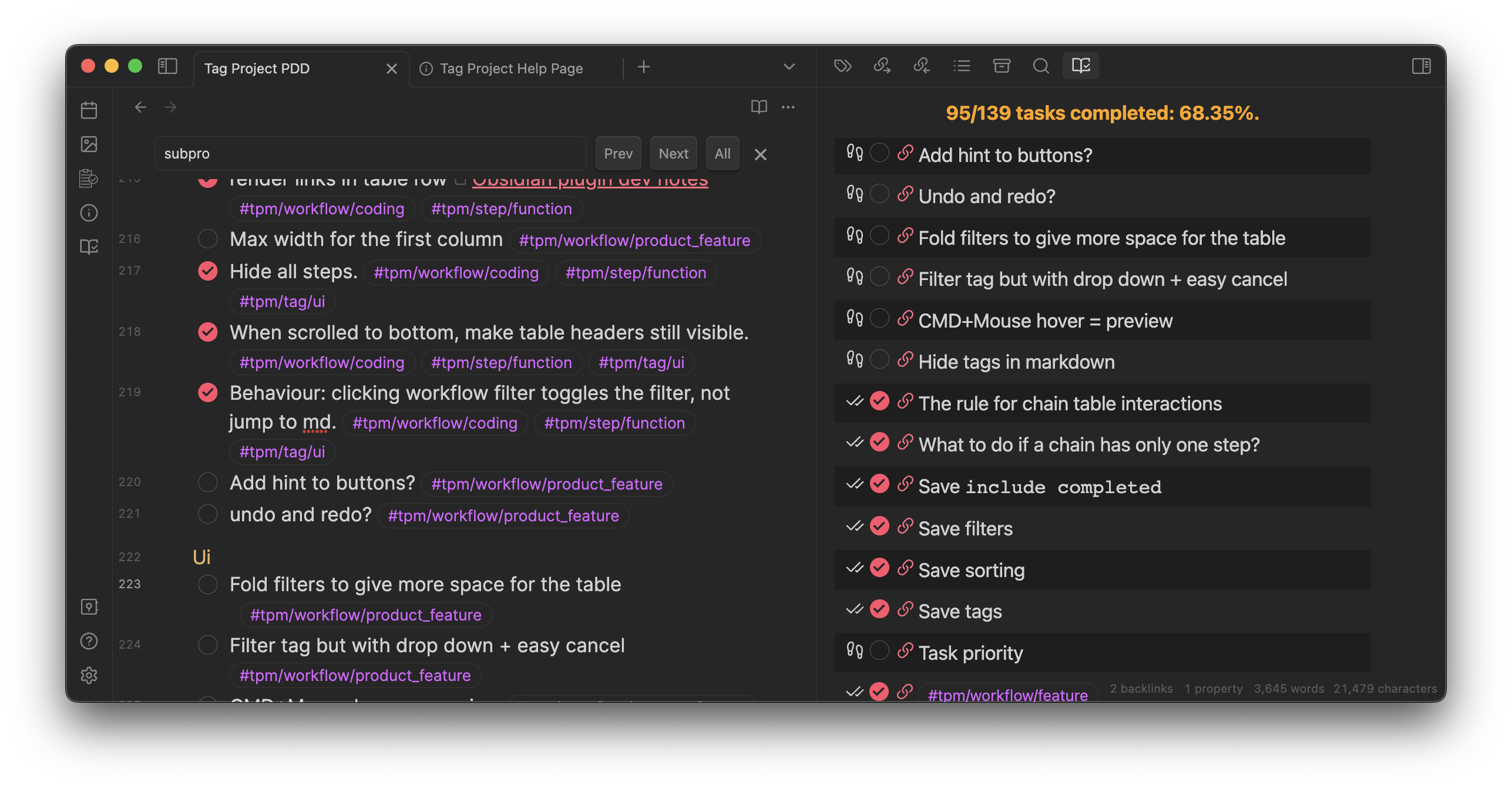
Tag Project is developed with Tag Project!
For a better introduction, visit the official website.
Write left, Get right
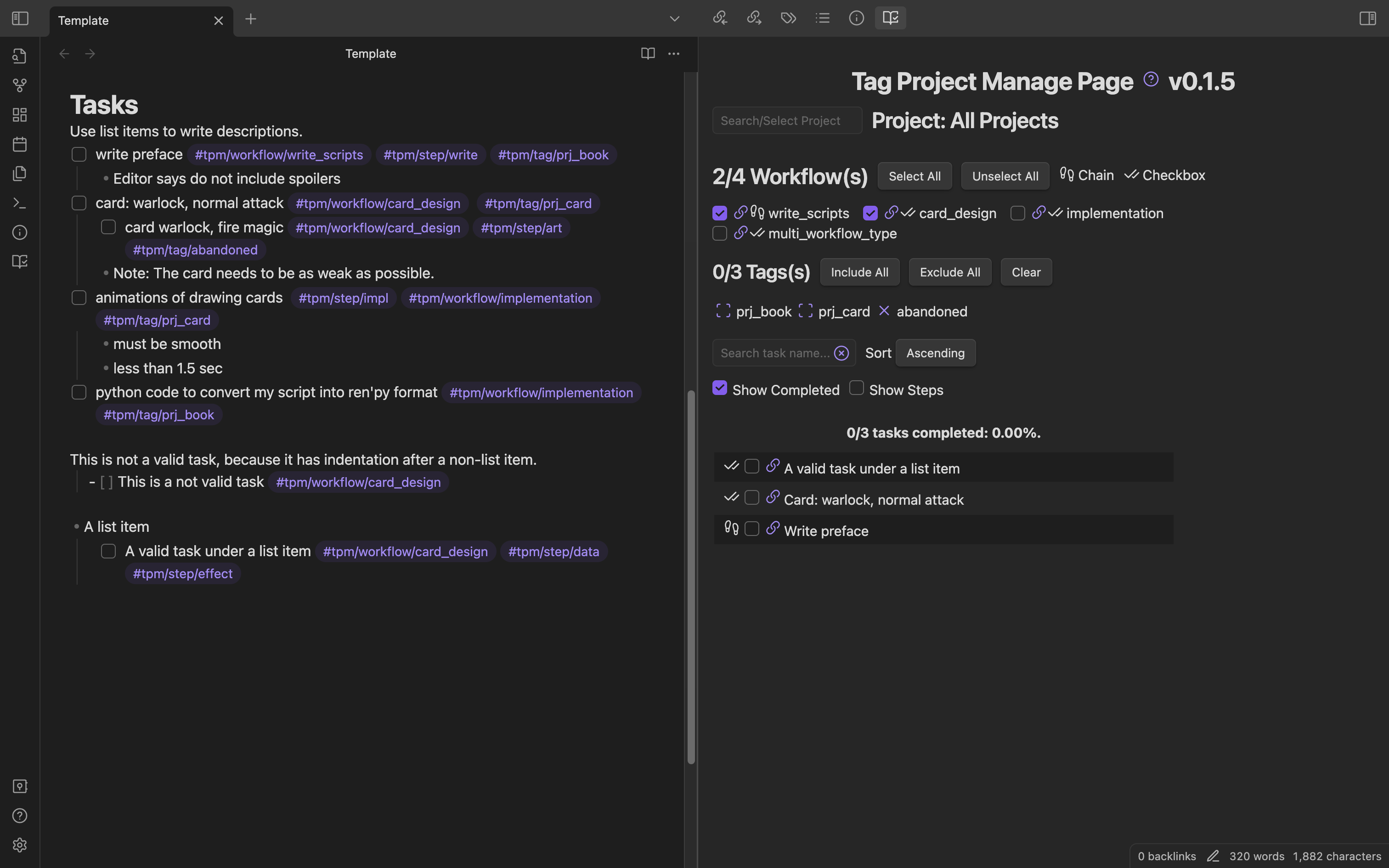
Quick start
Installation
- In Obsidian, open Settings > Community plugins > Browse.
- Search for "Tag Project" by Odaimoko.
- Select
Install.
You need to also install another Obsidian plugin, Dataview, in order to use Tag Project.
Although it's a brilliant plugin, I am planning to remove this dependency in the future.
Usage
Define a workflow
- [ ] my_workflow #tpm/workflow_type/chain
Assign a task to this workflow
- [ ] A task with my workflow. #tpm/workflow/my_workflow
Open the Manage Page, and you will see the tasks.
- Command Palatte > Open Manage Page
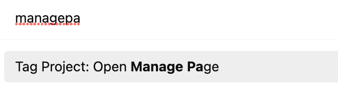
or
- On the Ribbon bar
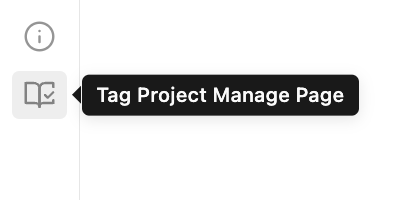
Set Hotkeys
Open Obsidian Settings > Hotkeys > Tag Project
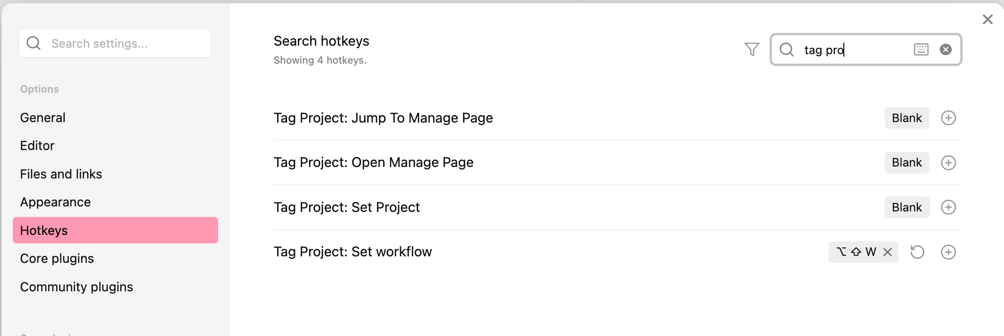 I use
I use Meta+Shift+W, W stands for workflow.
Tutorials
The tutorial is presented here: Tutorial.
The tutorials and template are also available in the plugin's Help Page, directly accessible in Obsidian.
Features
- Create Projects with front matters and tags
- Manage Subprojects in a main project
- Create Workflows and tasks with tags
- Support any Obsidian theme
- Fully featured Commands to speed up your management
- Unit Tested
Change log and Roadmap
Change log
To be updated. Current version is 0.7.0.
Here's the latest features and bug-fixes.
Roadmap
Inspiration / Design Philosophy
No Obsidian plugin solves the combination of the following problems
- Tasks are spread across the vault
- But I want to manage them in a single page
- Each task belongs to certain pre-defined workflow
- There are plenty of tasks with the same workflow
- Workflows and tasks should be easily defined and assigned
Fine, I'll do it myself.
Here's a screenshot of the tasks I created with Tag Project when developing it.
License
Contact/Sponsor


For plugin developers
Search results and similarity scores are powered by semantic analysis of your plugin's README. If your plugin isn't appearing for searches you'd expect, try updating your README to clearly describe your plugin's purpose, features, and use cases.