Taskmap
approvedby poanse
Plan projects via interactive GUI task trees with automatic layout. - This plugin has not been manually reviewed by Obsidian staff.
Obsidian Taskmap Plugin
Plan projects via interactive GUI task trees. No need to move tasks around manually — the automatic layout keeps your structure visually clear and easy to edit.
How to install
Taskmap is available via obsidian community portal https://community.obsidian.md/plugins/taskmap and "Community plugins" option in the obsidian app.
Why Taskmap?
Get your project state at a glance.
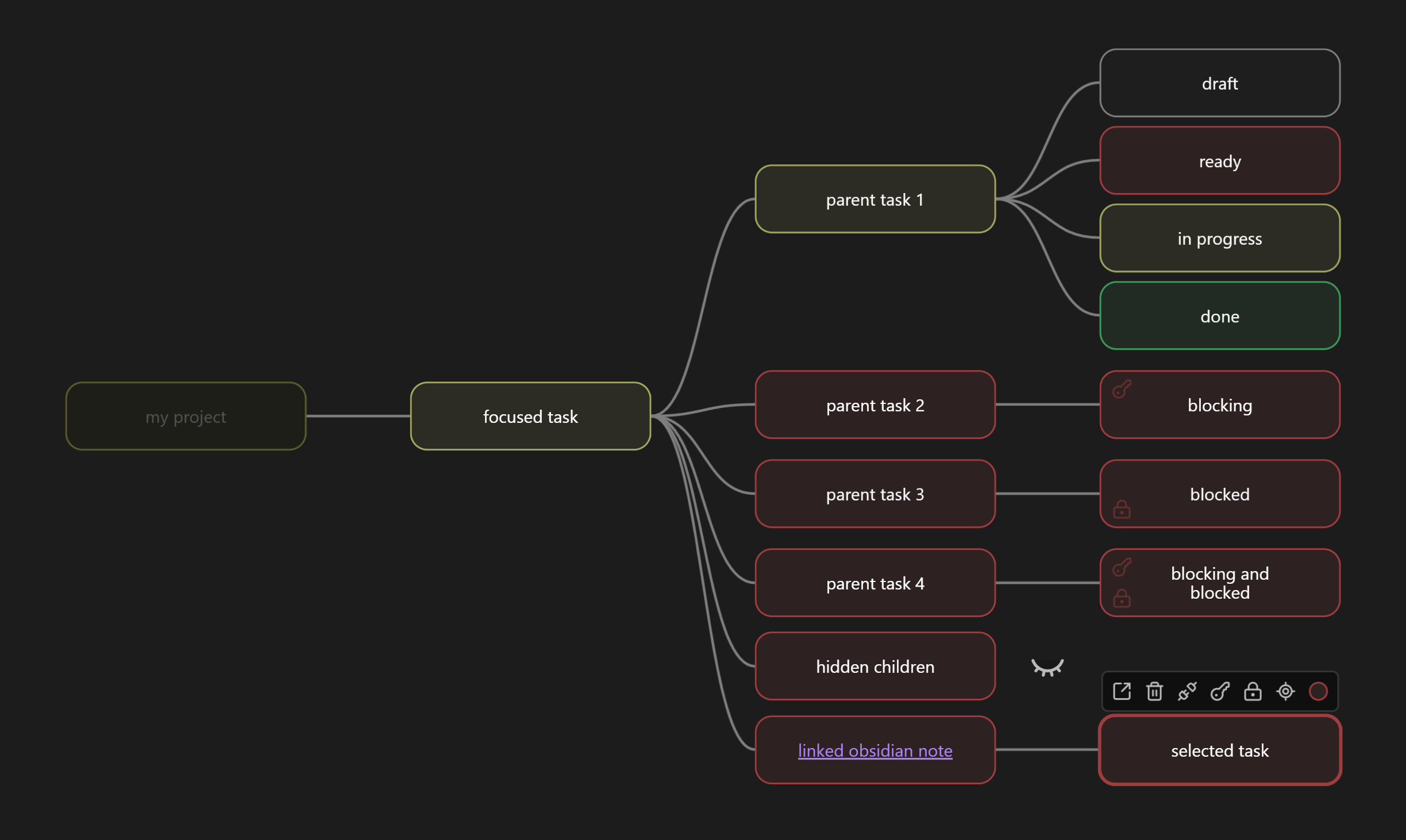
Large Kanban boards overwhelm. Taskmap's color-coded tree instantly shows:
- Blocked areas
- Progress status
- Dependency flow
Canvas-style visualization, zero manual positioning.
Key Features
- Automatic layout
- Tree navigation via temporarily hiding irrelevant branches
- Link tasks to obsidian notes for rich description
- Color-coded status visualization
- Automatic parent status from children
- Link tasks outside of tree structure using blocker system
For plugin developers
Search results and similarity scores are powered by semantic analysis of your plugin's README. If your plugin isn't appearing for searches you'd expect, try updating your README to clearly describe your plugin's purpose, features, and use cases.