Project Planner
unlistedby James Hawkins
A Microsoft Planner–style project management plugin for Obsidian with grid, board, and timeline views.
Obsidian Project Planner


A full-featured project planner for Obsidian based on Microsoft Premium Planner.
Features
Views
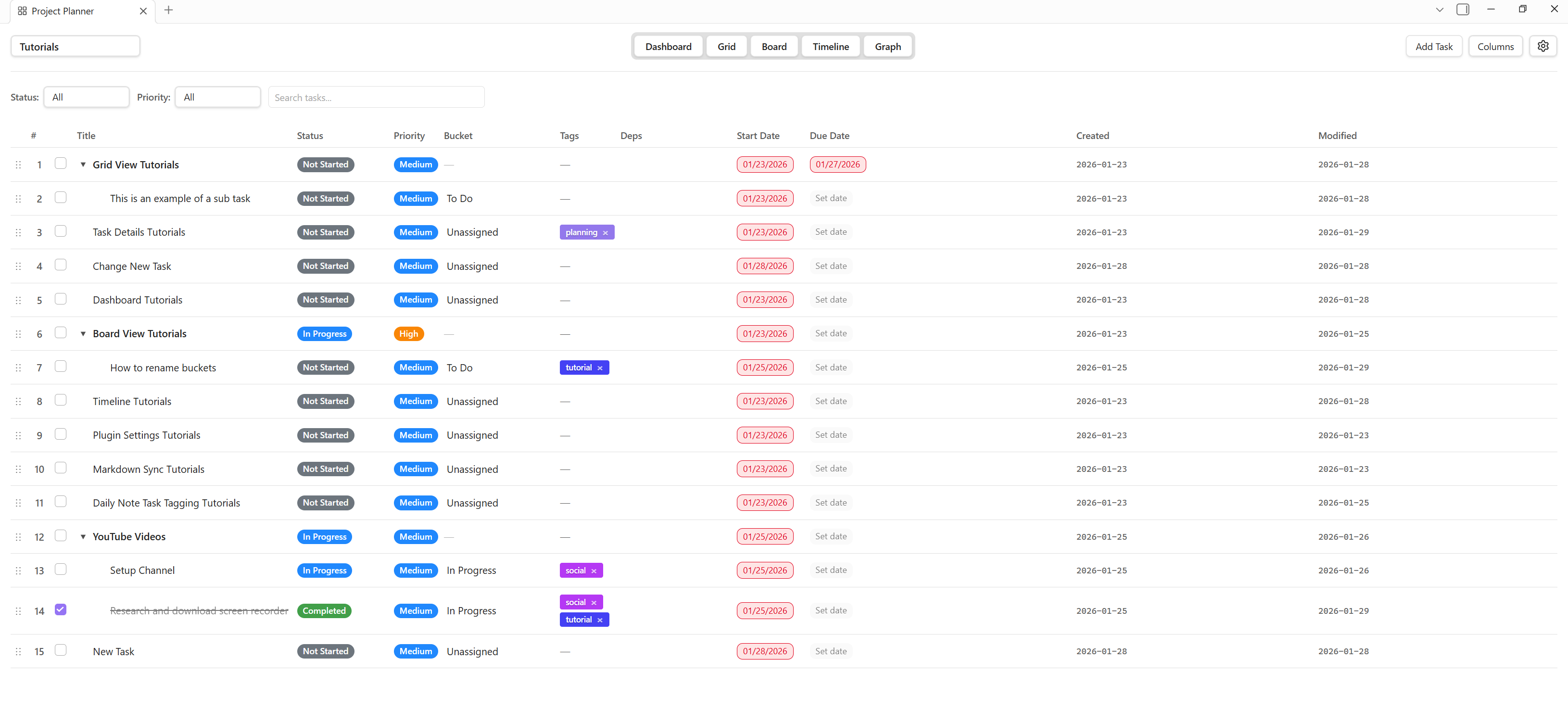
- Grid View — Hierarchical task table with parent/child subtasks, inline editing, drag-and-drop row reordering, and configurable columns
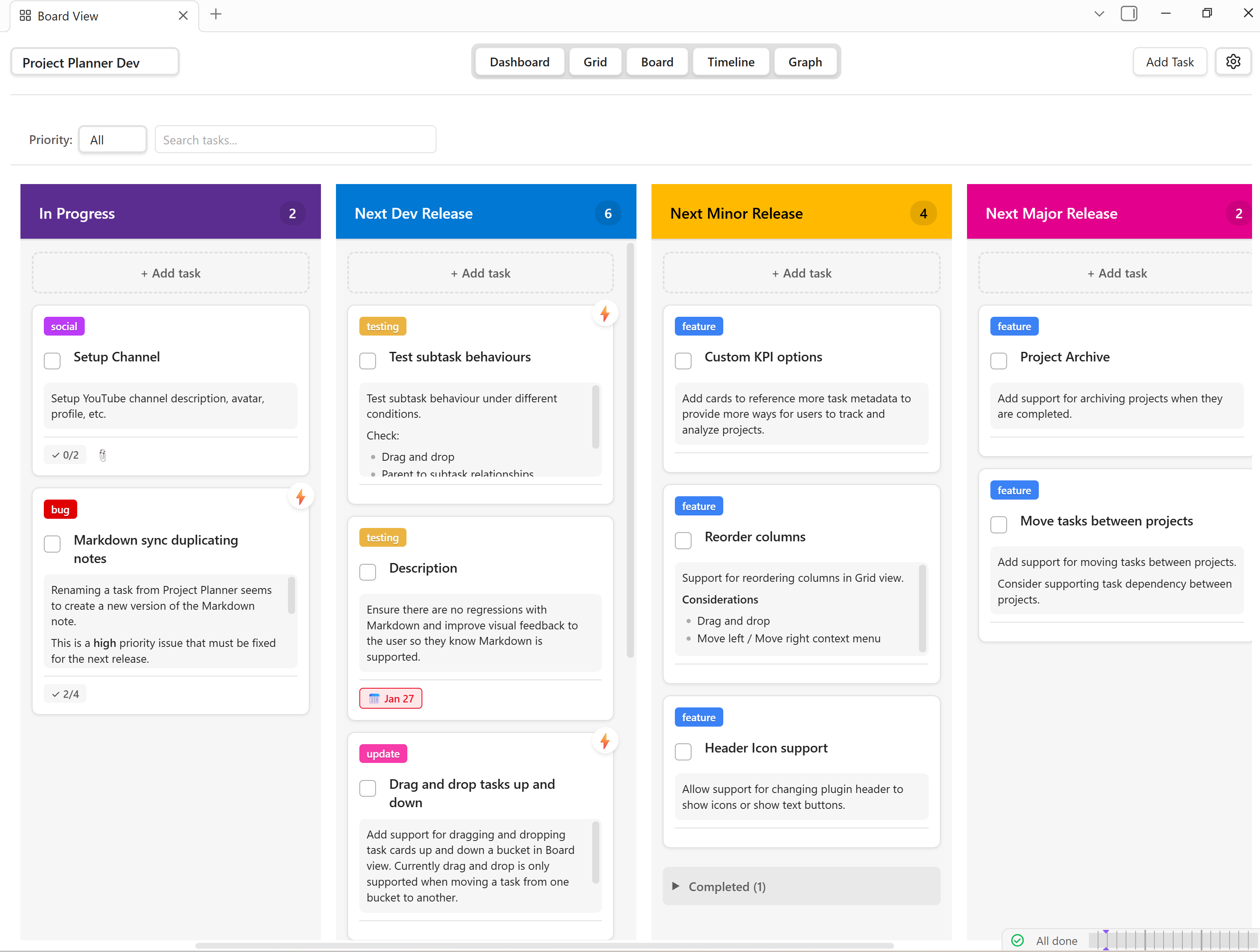
- Board View — Kanban board with custom buckets, drag-and-drop cards, and collapsible completed sections
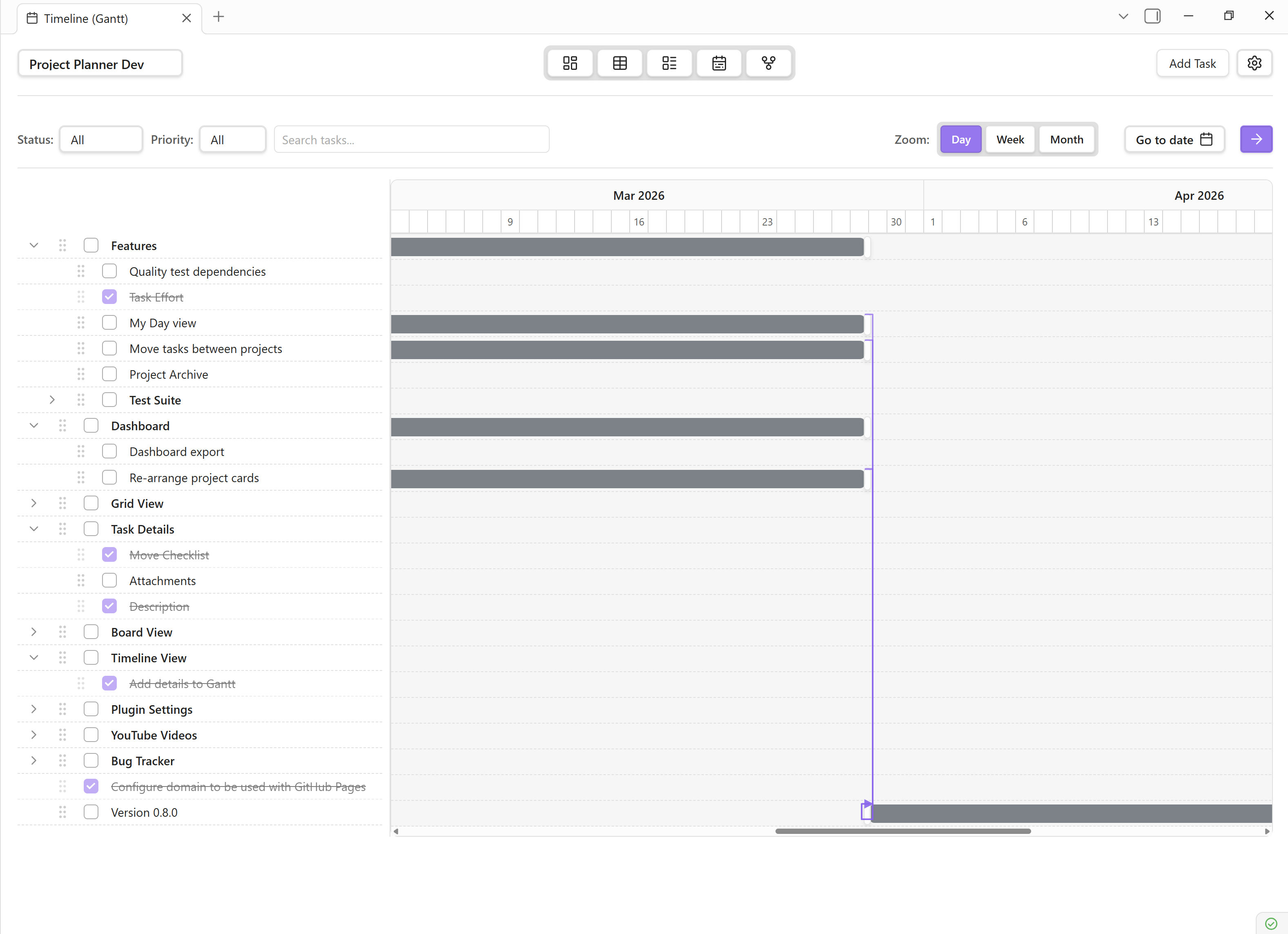
- Timeline View — Gantt-style chart with resizable task bars, dependency arrows (FS/SS/FF/SF), and synchronized scrolling
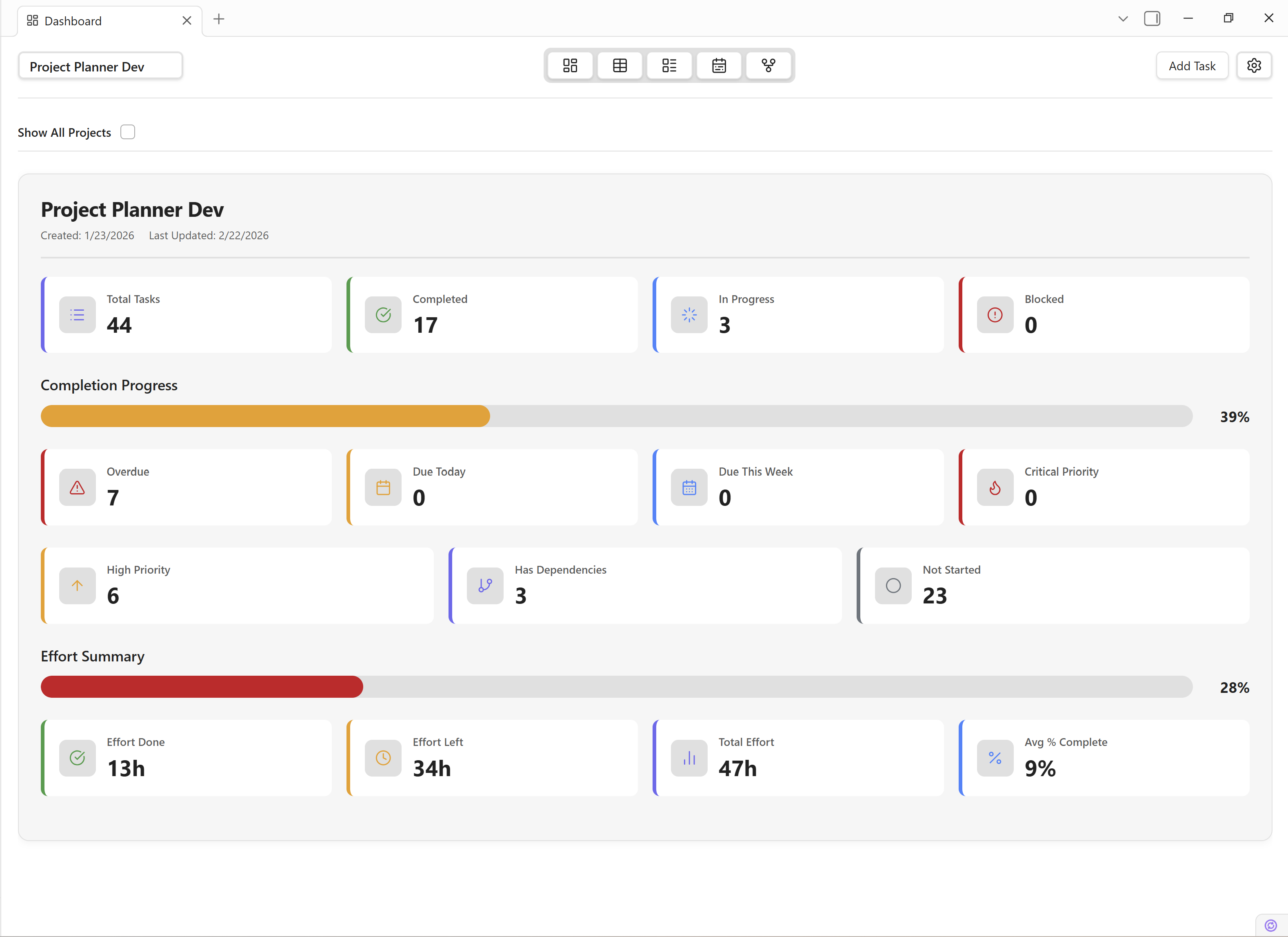
- Dashboard — Project KPIs, completion progress, priority/due-date alerts, effort summary, and budget/cost cards
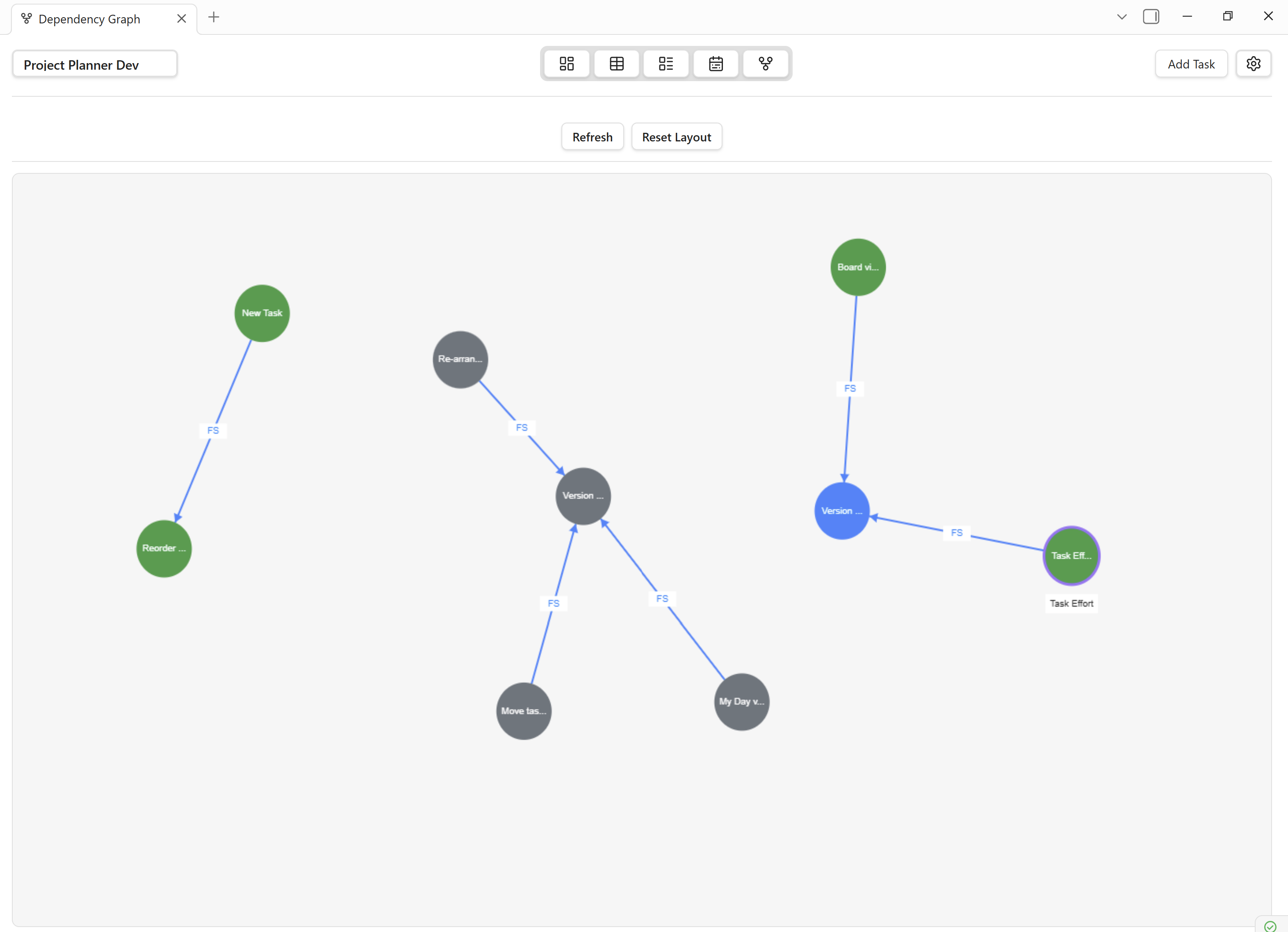
- Dependency Graph — Interactive node-based visualization of task dependencies with HiDPI canvas rendering
- My Tasks — Cross-project aggregation of tasks due today (table mode) or this week (Outlook-style 7-day column layout)
Task Management
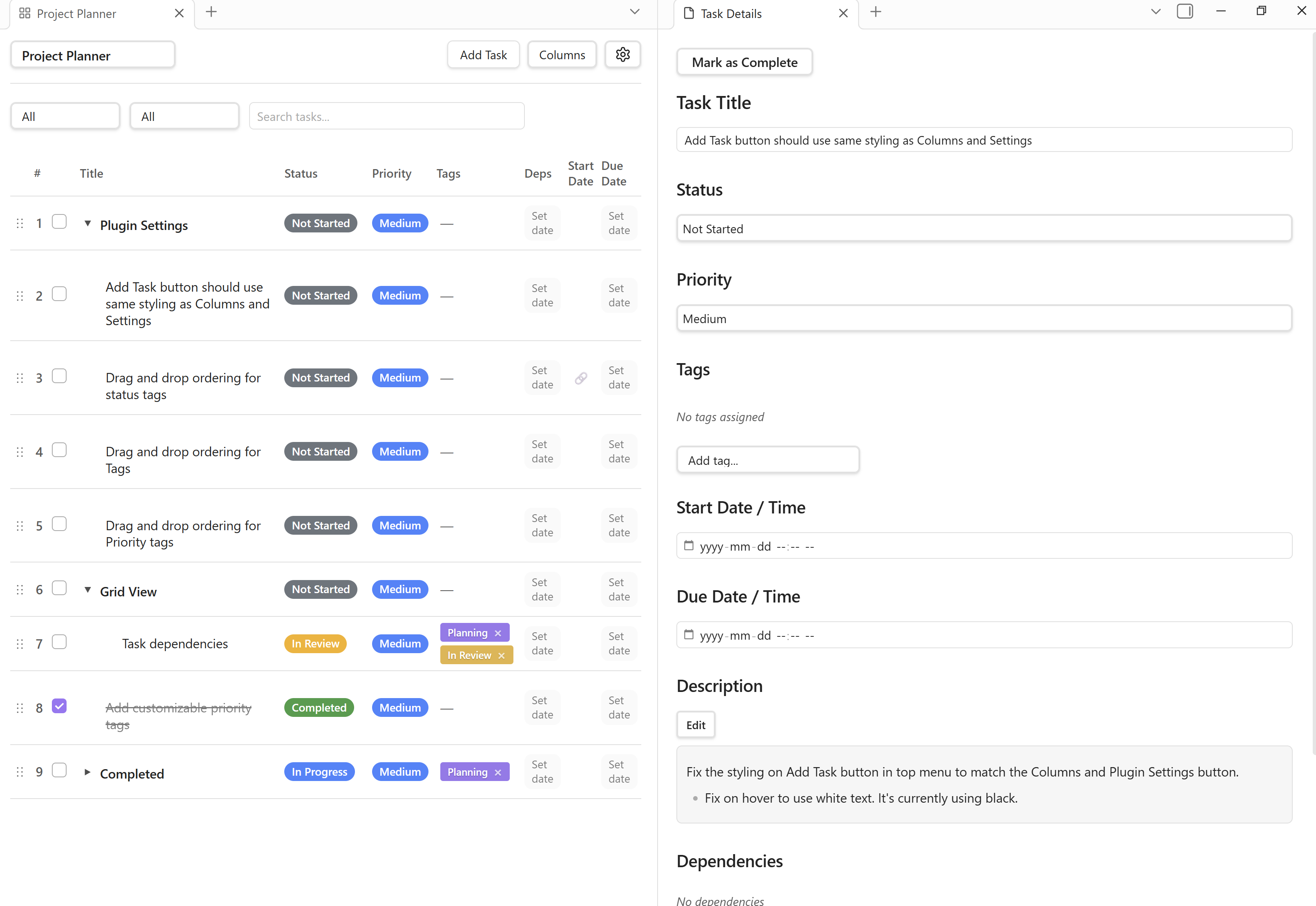
- Task Detail Panel — Full editing of status, priority, dates, tags, links, description, subtask checklist, effort, cost, and dependencies
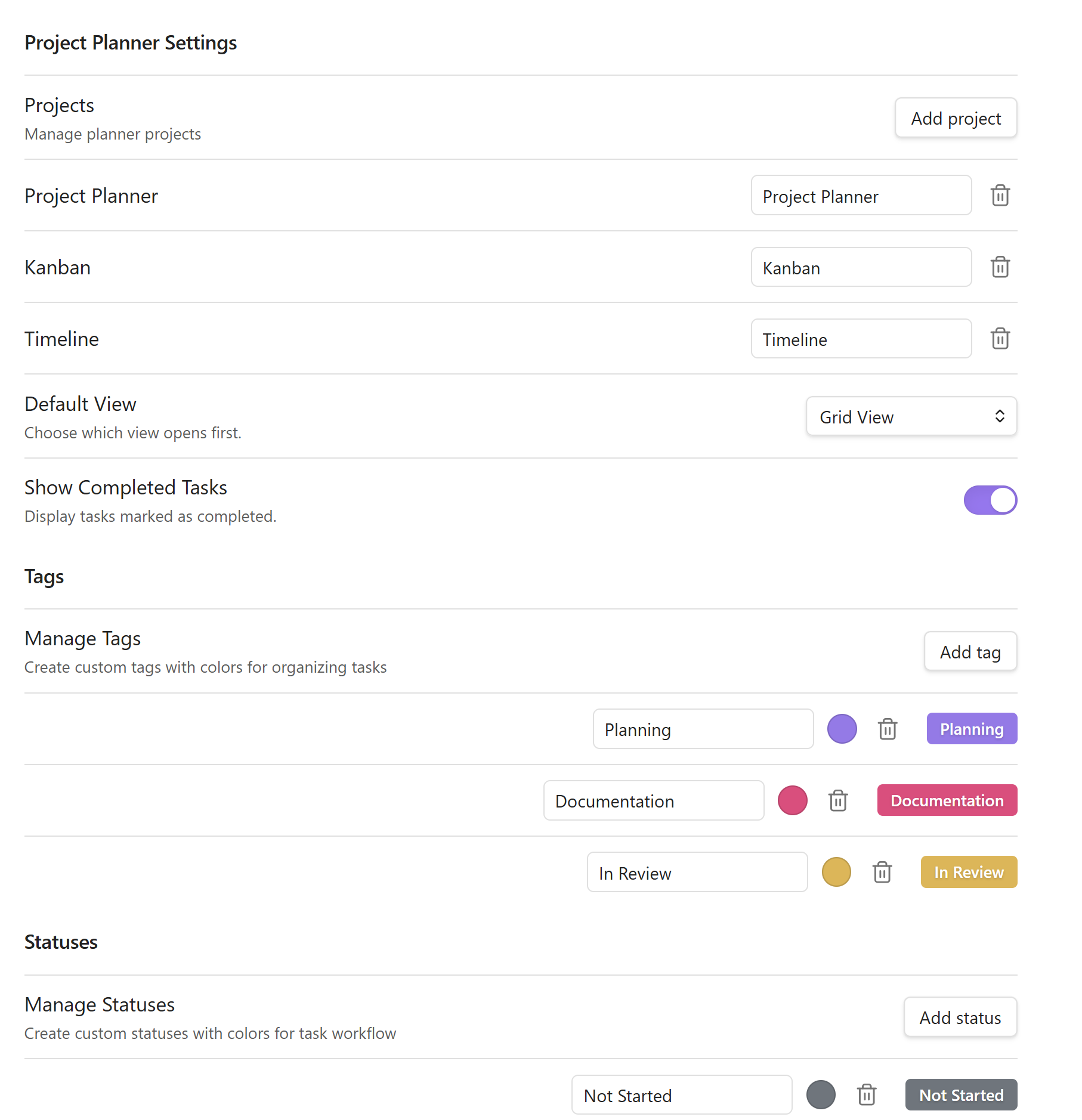
- Custom statuses, priorities, and tags with configurable colors
- Bucket assignment independent of task status
- Task dependencies — Four types (Finish-to-Start, Start-to-Start, Finish-to-Finish, Start-to-Finish) with dependency-driven auto-scheduling
- Parent task roll-up — Dates, effort, % complete, and cost automatically calculated from subtasks (MS Project style)
- Deep links to tasks via Obsidian URI protocol
Effort Tracking
- Microsoft Planner-style effort system — Completed hours, remaining hours, total, duration, and % complete
- Smart auto-sync — Entering completed hours auto-deducts remaining; marking a task complete moves all remaining into completed
- Effort columns in Grid View — % Complete, Effort Done, Effort Left, Effort Total, Duration (inline-editable)
Cost Tracking
- Per-task cost — Fixed amount or hourly rate × effort hours
- Project budget settings — Total budget, default hourly rate, and currency symbol per project
- Grid View cost columns — Est. Cost and Actual Cost (toggleable)
- Dashboard budget card — Progress bar with color thresholds (green → yellow → red), Estimated/Actual/Remaining KPIs
- Cost Report modal — Breakdown by bucket, status, or priority with totals and variance; over-budget task list
Sync & Integration
- Bidirectional markdown sync — Tasks sync to/from YAML frontmatter in markdown notes (status, dates, effort, tags, etc.)
- Daily note task scanning — Tag tasks in daily notes (e.g.,
#planner) to automatically import them into projects - Project hub notes and task notes for Obsidian graph navigation
Grid View Extras
- Column show/hide with checkmark menu
- Drag-and-drop column reordering with persistent order
- Column resizing with double-click auto-fit
- Inline editing for titles, statuses, priorities, dates, effort, and tags
- Right-click context menu — Add above/below, make subtask, promote, delete, open detail
Configuration
- Multi-project support with project switcher in the header
- Customizable ribbon icons — Toggle visibility of Grid, Dashboard, Board, Graph, and Daily Note Scan icons
- Date format options — ISO, US, or UK
- Per-view settings — Column widths, visibility, and sort order persist across sessions
Screen shots
Dashboard view [v0.7.0]
Grid view [v0.6.7]
Board view [v0.6.7]
Timeline view [v0.7.0]
Dependency graph [v0.7.0]
Task details - [v0.4.0]
Plugin settings - [v0.4.0]
Documentation
Installation: How to install Obsidian Project Planner
Full documentation: Obsidian Project Planner Docs
Full changelog: Obsidian Project Planner Changlog
View the roadmap: Obsidian Project Planner Roadmap
Community
Discussion board: Discussions
Discord: Project Planner Discord Server
YouTube: Project Planner YouTube Channel
Support
Project Planner is free to use and enjoy, but you can help support the project by joining our community, sharing Project Planner with others, or by a small donation.

ProjectPlanner.md
Official website: ProjectPlanner.md
Obsidian website: Obsidian.md
For plugin developers
Search results and similarity scores are powered by semantic analysis of your plugin's README. If your plugin isn't appearing for searches you'd expect, try updating your README to clearly describe your plugin's purpose, features, and use cases.