Title Generator
approvedby jaschaephraim
Quickly and easily title your notes using OpenAI's GPT-3.5.
Title Generator
Quickly and easily title your Obsidian notes using OpenAI's GPT-3.5
Generate titles for one or multiple notes at a time based on their content.
Generating a title will set the note's title directly. Run multiple times for variations.
Three ways to use
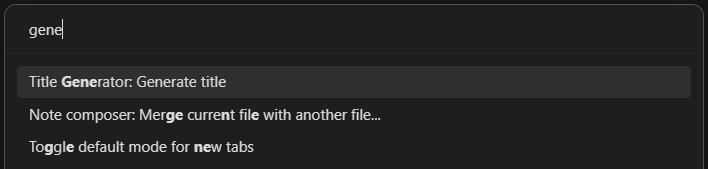
Command Palette
If a note is active in either editing or reading mode, there will be an entry in the command palette: Title Generator: Generate title
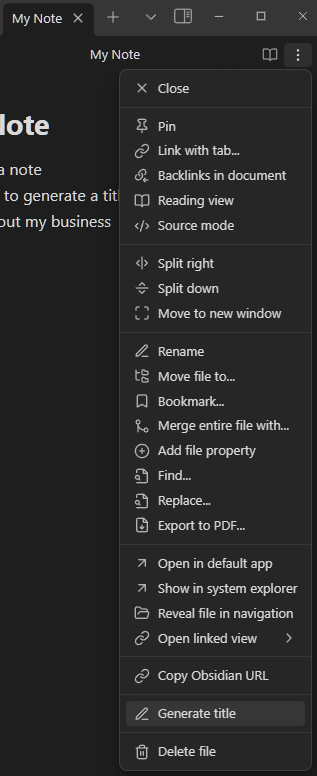
Editor Menu
If a note is active in either editing or reading mode, there will be an entry in the editor dropdown menu: Generate title
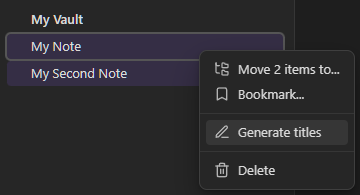
File Menu
If you right click on a file name in the file menu there will be an entry in the contextual menu: Generate title.
With multiple files selected, right click on a file name and there will be an entry in the contextual menu: Generate titles
Settings
You will need to create an OpenAI API key and add it to this plugin's settings.
There is also a setting to make titles all lower-case.
For plugin developers
Search results and similarity scores are powered by semantic analysis of your plugin's README. If your plugin isn't appearing for searches you'd expect, try updating your README to clearly describe your plugin's purpose, features, and use cases.