by Andrey Torlopov
Research graphs, dossiers and files stored in your vault with centralized metadata.
TraceWeave for Obsidian
Why This Project Exists

Research grows across notes, documents and recordings. TraceWeave adds a graph of explicit relationships to your Obsidian vault so you can follow sources, distinguish hypotheses and return to your conclusions.
Use existing Markdown notes in place, create documents, attach images, PDFs, audio, video, archives or other binary files, and connect them in a graph or read them as a dossier. Notes remain ordinary Obsidian files. Relationships, attributes and history stay together in one hidden .twdata/ folder, without extra files beside your notes.
The images above are shared TraceWeave illustrations, not screenshots of the plugin.
TraceWeave 0.1.5 supports English and Russian interfaces. The language follows Obsidian automatically, with an override under Settings → TraceWeave → Interface language. Notes, relationship labels and custom types keep their original text.
Screenshots
Real Obsidian views of a fictional Lighthouse Archive research project with English demonstration content and synthetic attachments.
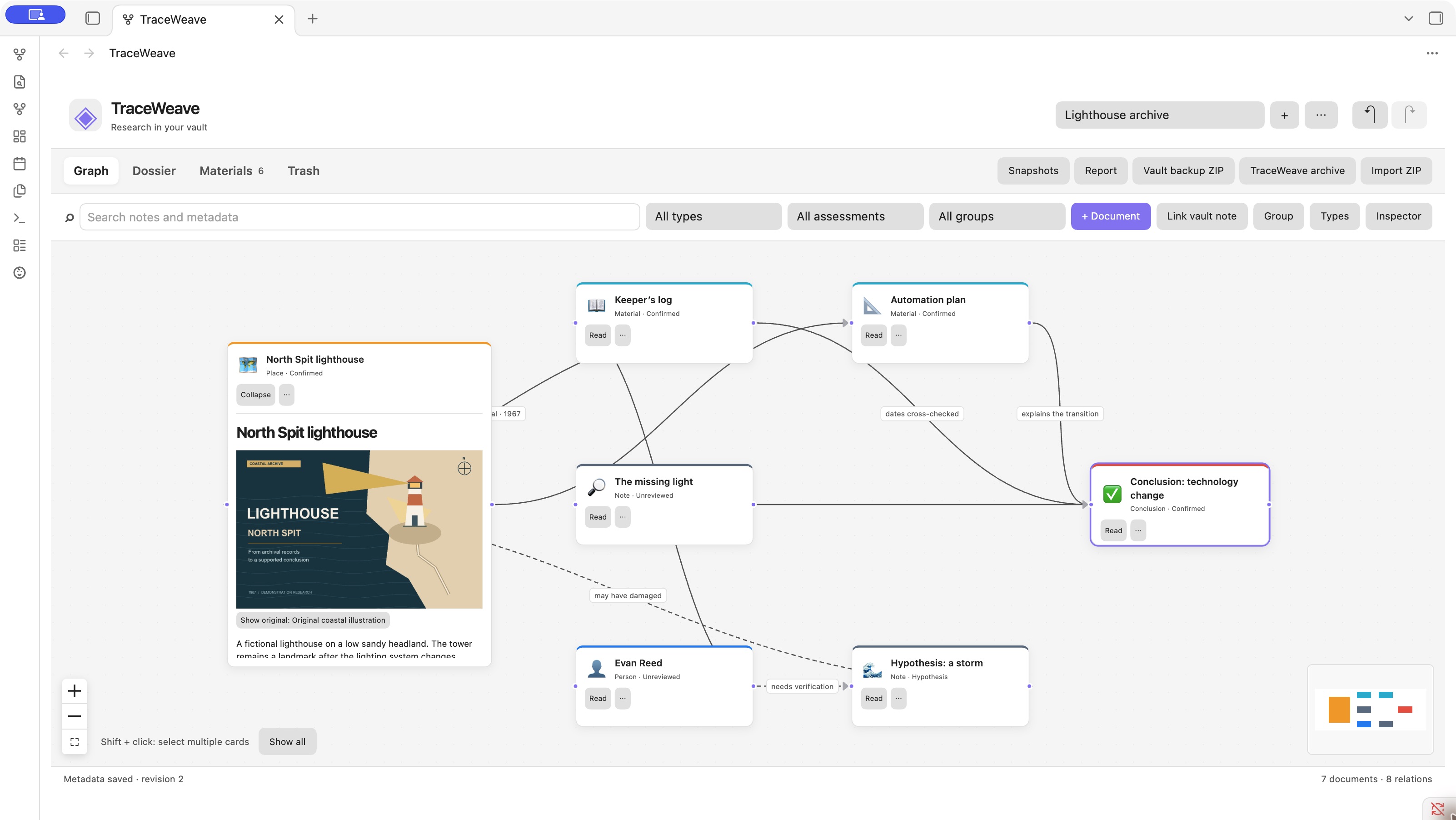
Follow the evidence. Connect documents and sources in the graph; dashed lines mark hypotheses.
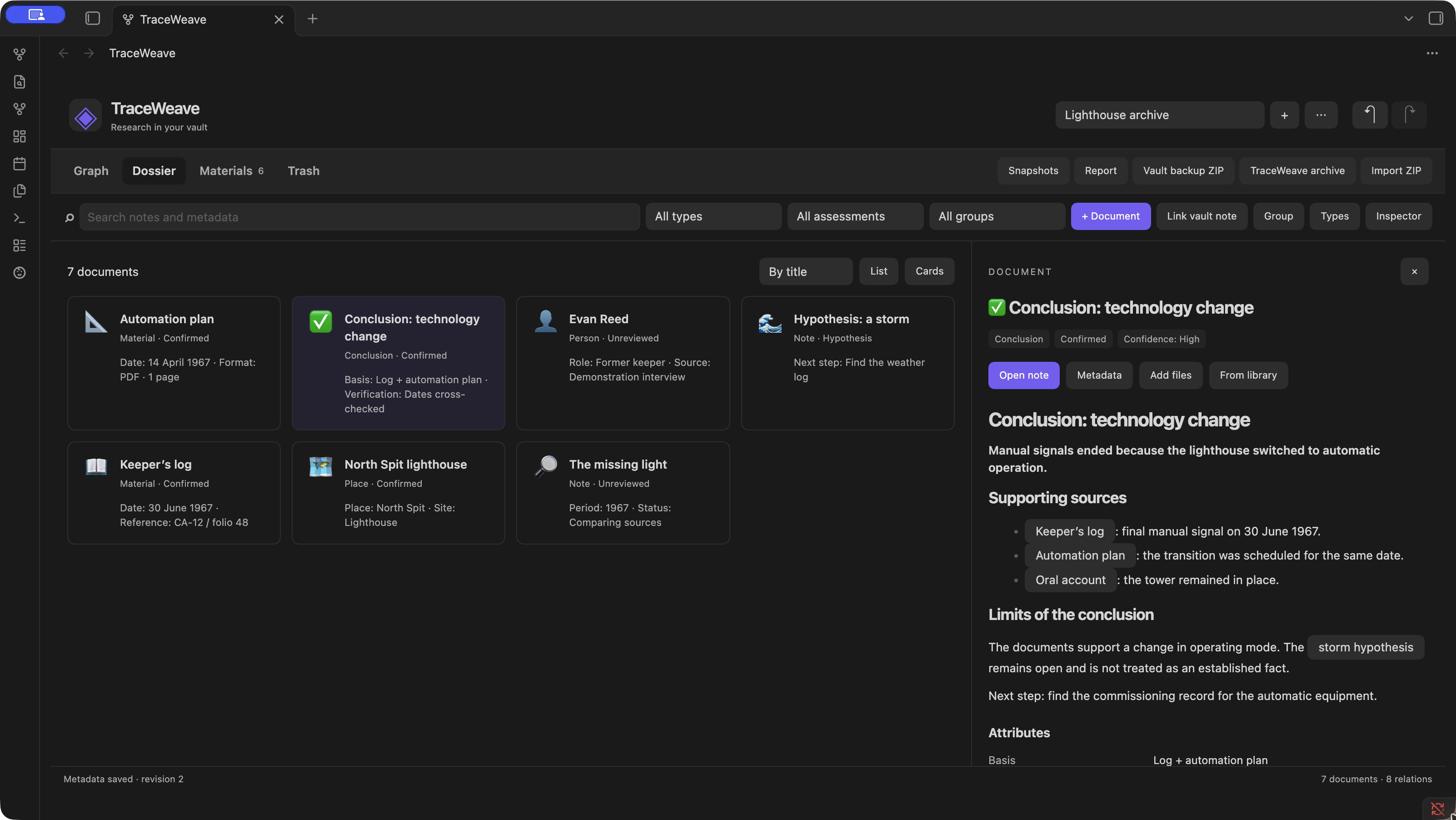
Read the research as a dossier. Browse document cards without losing the surrounding investigation.
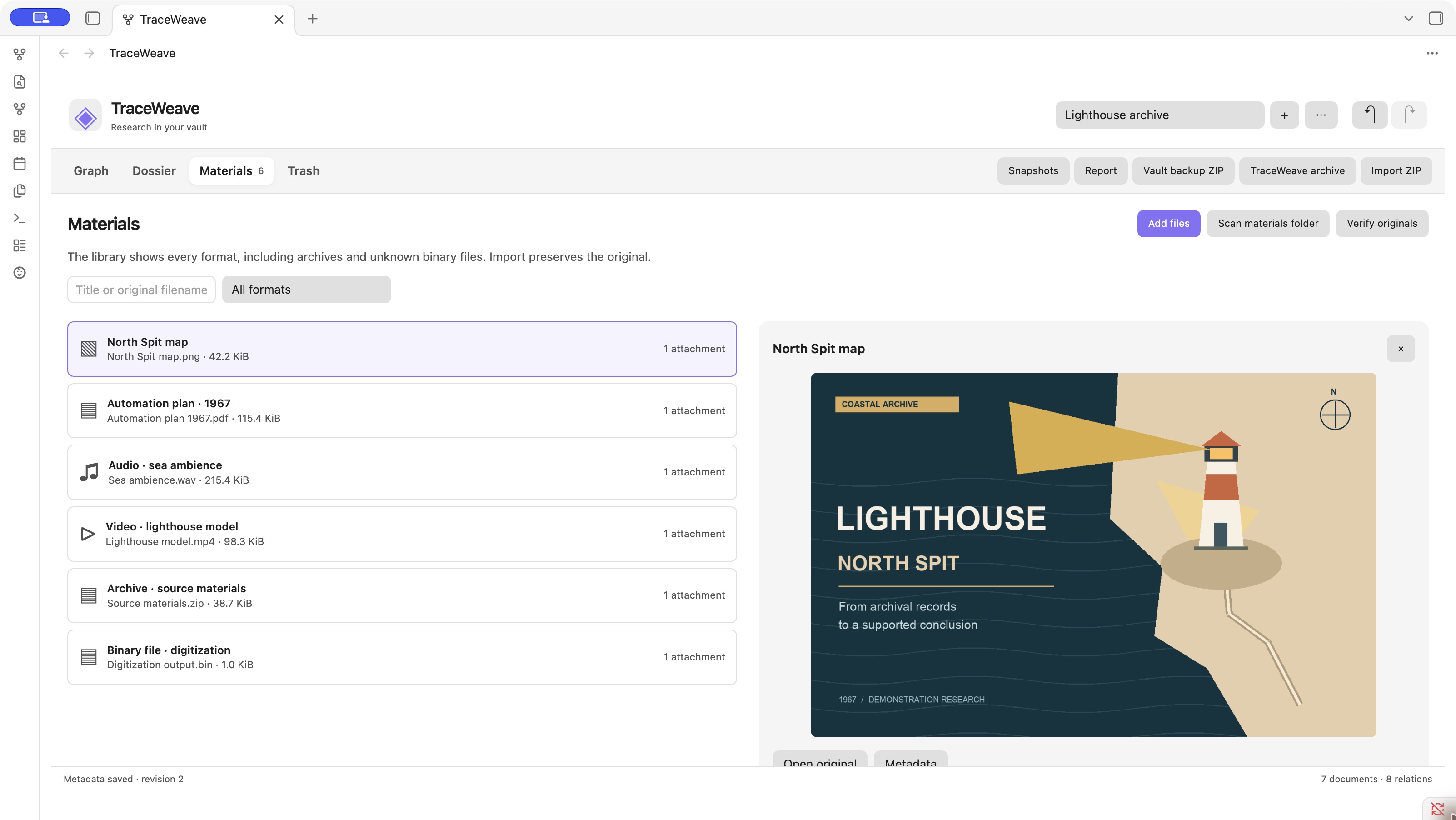
Keep the original materials together. Find images, PDFs, recordings, video and other attached files in one research library.
View all three scenes in light and dark themes, with English and Russian demonstration content.
Quick Start
Desktop Obsidian 1.14.4 or newer. No server, Docker, TraceWeave account or runtime internet connection is required.
TraceWeave is not yet listed in the Obsidian Community plugins directory. Install a published GitHub release through BRAT, or follow the manual fallback in the installation guide. After directory approval, search TraceWeave under Settings → Community plugins → Browse, then install and enable it.
- Open the command palette and run TraceWeave: Open research (Открыть исследование in Russian).
- Choose Create research (Создать исследование).
- Use Link vault note (Подключить заметку из vault) to add an existing note, or + Document (+ Документ) to create one.
- Connect two cards and enter an optional relationship label. Set Assessment → Hypothesis (Оценка → Гипотеза) for a dashed line.
Documentation
- Installation, BRAT and updates
- Features and supported files
- Data storage, network access and protection boundaries
- Backup, reports and project import/export
- All user documentation
- Storage and migration protocol, in Russian
- Build and publication guide, in Russian
Backups must include .twdata. Obsidian Sync excludes this hidden folder, so syncing notes alone does not transfer your graph. Work with one active writer. ZIP import creates a separate research copy; ordinary wikilinks and relative Markdown file paths may need repair after import. See backup and import limits.
Prefer a Web Application?
TraceWeave web runs on your own computer or server using Docker containers. Follow its installation guide. It stores its own data outside the Obsidian vault and offers a different interface. Transfer projects explicitly with the supported TraceWeave archive; there is no live synchronization between the applications.
Development
Use the Node.js version range declared in package.json. From this repository:
npm ci
npm run generate:validators
npm run lint
npm run typecheck
npm test
npm run package
Packaging builds the bundle, creates a local release/traceweave-0.1.5.zip and places individual release assets in release/0.1.5/. GitHub releases publish only main.js, manifest.json and styles.css, with build provenance attestations. Users install the compiled plugin, without Node.js or this source tree. The plugin is licensed under MIT; main.js includes the bundled components' license notices.
For plugin developers
Search results and similarity scores are powered by semantic analysis of your plugin's README. If your plugin isn't appearing for searches you'd expect, try updating your README to clearly describe your plugin's purpose, features, and use cases.