Hermes Studio
unlistedby Guilherme Ceschiatti (6qat)
Chat with Hermes Agent — with sessions, model & mode pickers, inline diffs, skills hub, memory review, and live subagent panels.
Hermes Studio for Obsidian (rea-hermes-studio)
Hermes Studio AI chat, workspace assistant, and diff workbench brought seamlessly into Obsidian.md.
A reverse-engineered, standalone port of the VSCode Hermes Studio extension to Obsidian, engineered using patterns extracted from both Hermes Studio and Obsidian Copilot.
📸 Screenshots
| AI Chat & Context Workbench | Learning & Skills Hub |
|---|---|
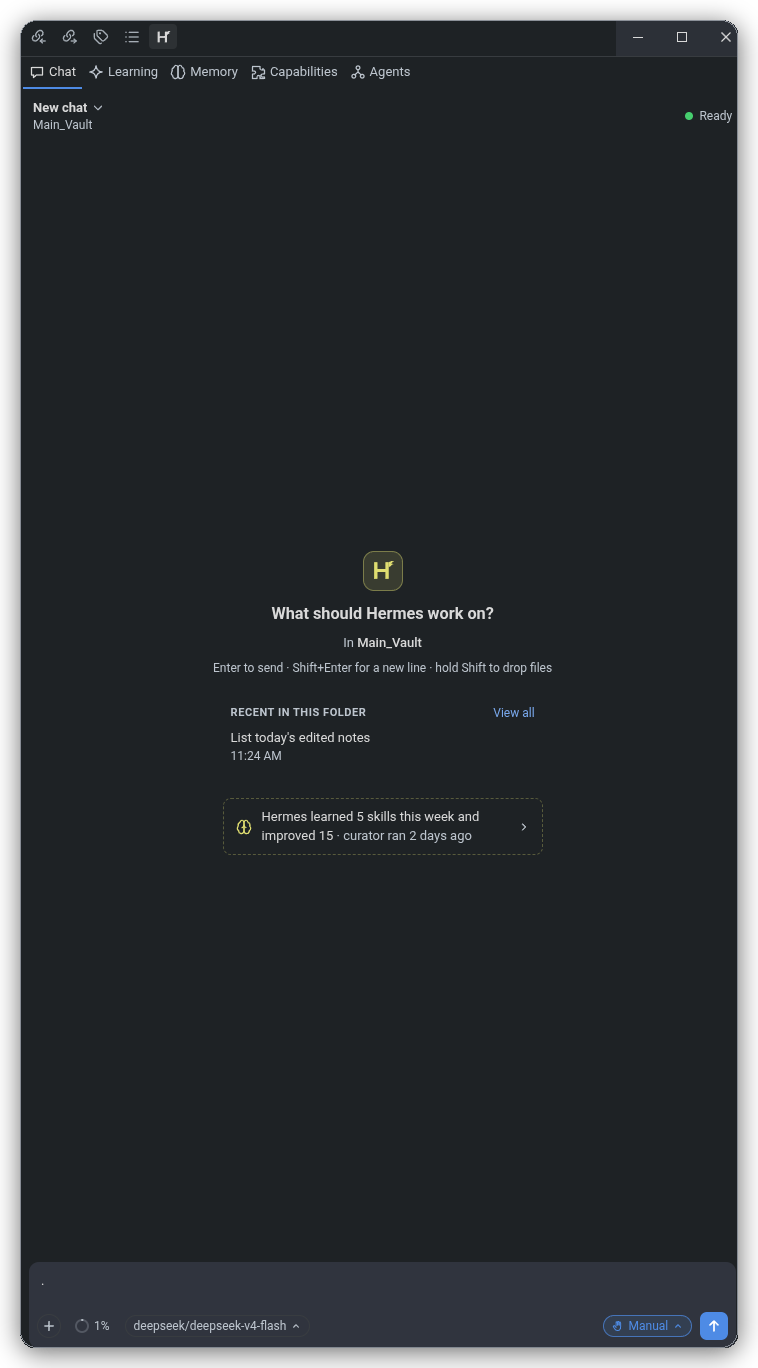 | 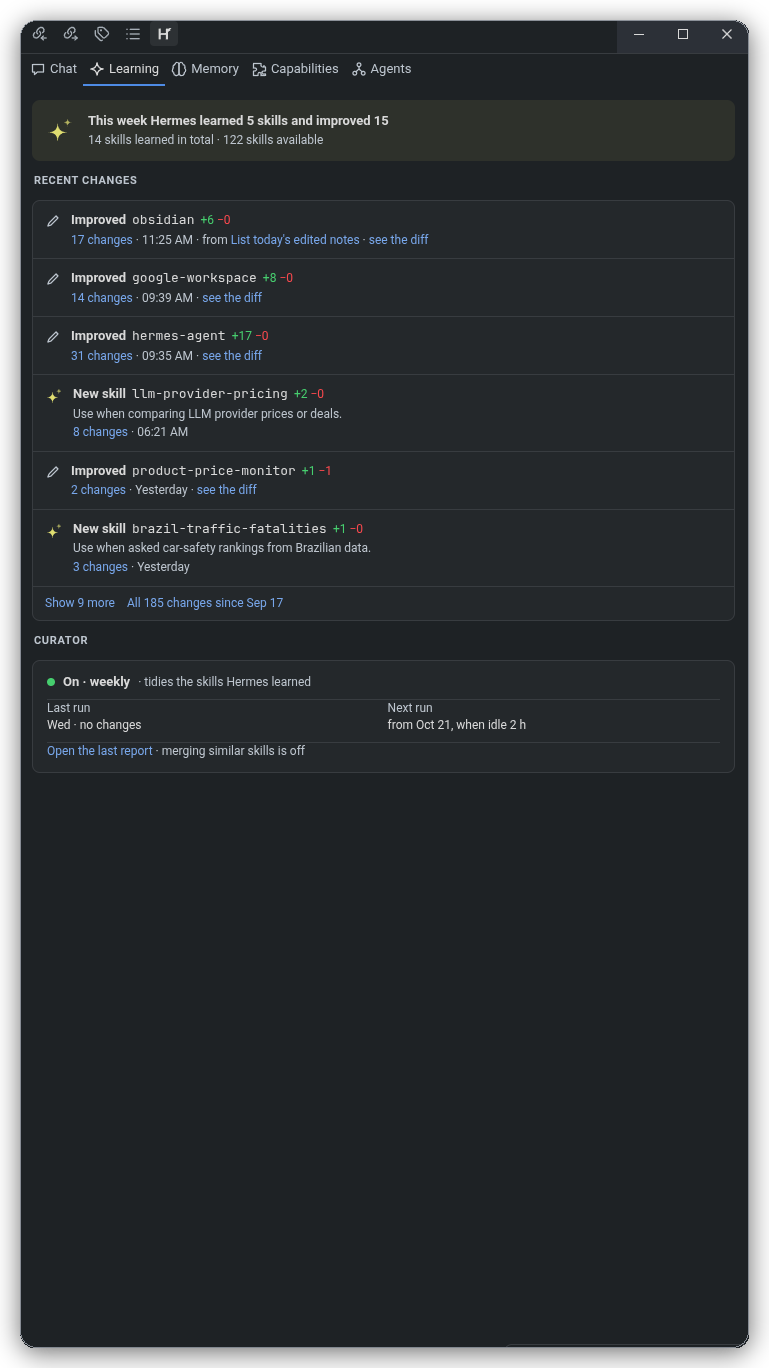 |
✨ Features
- Obsidian Theme Harmony: Seamlessly adapts to Obsidian's active theme (dark/light, accent colors, typography, background variables) via dynamic CSS variable injection into an isolated Shadow DOM.
- Svelte 5 Reactive Webview: Fast, fluid, modern UI architecture mounted inside an Obsidian View or floating Modal dialog.
- VSCode API Bridge for Obsidian: Complete compatibility shim that maps VSCode editor and workspace primitives to Obsidian's
App,Vault, andWorkspaceLeaf:- Active note tracking and real-time selection updates.
- Contextual markdown insertions and active editor line navigation.
- Bidirectional WikiLink (
[[Note]]) and Obsidian URL scheme (obsidian://open?vault=...&file=...) generation.
- Unified Diff Engine & Workbench: Side-by-side and unified diff visualization for AI-generated code and note edits before applying changes.
- Dual Display Modes:
- Sidebar / Right Leaf View: Keep Hermes Studio docked alongside your notes for persistent conversational context and references.
- Floating Modal View: Quick pop-out assistant callable anytime with a hotkey command (
Hermes Studio: Open assistant modal).
- Flexible AI Endpoint Integration: Configurable server host and port (defaulting to
http://localhost:8080), API keys, model selections, and custom temperature settings.
🏗️ Architecture
src/
├── core/
│   ├── hermes-bridge.ts         # Bidirectional postMessage event protocol
│   ├── hermes-core.ts           # State machine, chat history & engine
│   └── unified-diff-view.ts     # LCS / Line diff visualizer & chunk applicator
├── host/
│   ├── note-tracker.ts          # Active file watcher & selection listener
│   ├── obsidian-host.ts         # VSCode Workspace/Window API shim for Obsidian
│   └── wikilink-resolver.ts     # Markdown link & Obsidian URI handler
├── plugin/
│   ├── hermes-modal.ts          # Floating pop-out modal view
│   ├── hermes-view.ts           # Dockable Sidebar WorkspaceLeaf view
│   └── settings-tab.ts          # Plugin settings UI in Obsidian options
├── webview/
│   ├── obsidian-theme-bridge.ts # Syncs Obsidian CSS vars into Webview Shadow DOM
│   └── svelte-mount.ts          # Svelte 5 Webview component lifecycle mount
├── main.ts                      # Plugin entrypoint & lifecycle manager
└── types.ts                     # Protocol and Host type definitions
🚀 Getting Started
Prerequisites
Building from Source
-
Clone this repository:
git clone https://github.com/6qat/rea-hermes-studio.git cd rea-hermes-studio -
Install dependencies:
npm install -
Build the plugin:
npm run build -
Run unit and integration tests:
npm test
📥 Installation in Obsidian
- Create a
hermes-studiofolder in your Obsidian vault's plugin directory:mkdir -p /path/to/your/vault/.obsidian/plugins/hermes-studio - Copy
main.js,manifest.json, andstyles.cssinto that directory:cp main.js manifest.json styles.css /path/to/your/vault/.obsidian/plugins/hermes-studio/ - Open Obsidian, go to Settings → Community Plugins, reload plugins, and enable Hermes Studio.
⌨️ Commands
Hermes Studio: Open sidebar view- Opens or focuses the Hermes Studio assistant in the right sidebar.Hermes Studio: Open assistant modal- Displays the assistant in a modal overlay over your active note.Hermes Studio: Insert active note context- Sends current file content and highlighted text into the assistant session.
🧪 Testing
Comprehensive test suites verify the host API shim, vault and adapter compliance, note tracking, diff generation, and WikiLink resolution:
npm test
All 11 tests across all test suites are automated with Vitest.
🚀 Releasing
Bump version in manifest.json (and package.json), commit, then:
npm run release
The script tags the current version exactly as written in manifest.json (e.g. 0.6.11 — no v prefix) and pushes it, which triggers the release workflow. The plain tag is required: Obsidian's plugin release check looks for a GitHub release whose tag equals the manifest version exactly. Push exactly this one tag — extra duplicate tags fire duplicate workflow runs and create duplicate releases.
🔒 Security & System Permissions
Hermes Studio is configured with "isDesktopOnly": true and adheres strictly to Obsidian's Developer Policies:
- Obsidian Vault & DataAdapter APIs (
app.vault&app.vault.adapter):- All vault file interactions (reading note contents, listing files, tracking note creation/modification/deletion events, resolving WikiLinks, and displaying diffs) are executed through Obsidian's official
VaultandDataAdapterAPIs. This preserves Obsidian's in-memory caching, atomic write safety, and full compatibility with Obsidian Sync.
- All vault file interactions (reading note contents, listing files, tracking note creation/modification/deletion events, resolving WikiLinks, and displaying diffs) are executed through Obsidian's official
- Child Process Execution (
child_process):- Hermes Agent CLI (
hermes acp): Spawns the localhermesCLI binary viachild_process.spawn()to communicate with the local agent daemon over standard input/output (stdio) via the Agent Client Protocol (ACP). The CLI path is user-configurable in plugin settings (hermesStudio.path). - Git Diff Inspection (
git diff): Spawnsgitviachild_process.spawnSync()exclusively with fixed argument arrays (["diff"]or["diff", "--cached"]) inside Git-versioned vaults to display unified diff proposals. - Interactive Terminal Launches: Spawns the user's preferred desktop terminal emulator (e.g.
gnome-terminal,kitty,alacritty,Terminal.app) passing discrete command arguments strictly when the user requests interactive model setup (hermes model) or memory review (hermes /memory). - Command Injection Prevention: All process executions pass discrete string argument arrays (
args: string[]) directly to executables without shell interpretation (shell: false). No unvalidated shell strings or remote shell scripts are ever executed.
- Hermes Agent CLI (
- External Filesystem Access (
fs/fs/promises):- Scoped strictly outside the Obsidian vault: Direct filesystem access via Node.js
fsis used solely to interact with the external Hermes Agent configuration, memories, and skills located in the user's home directory (~/.hermes/or$HERMES_HOME), and to verify the path of the localhermesCLI binary. No vault files are modified or read using rawnode:fs.
- Scoped strictly outside the Obsidian vault: Direct filesystem access via Node.js
- Clipboard Access (
navigator.clipboard):- Used exclusively when the user clicks the "Copy" action button on AI chat responses, code blocks, or prompt templates.
📜 License
MIT License. Designed and reverse-engineered with REA.
For plugin developers
Search results and similarity scores are powered by semantic analysis of your plugin's README. If your plugin isn't appearing for searches you'd expect, try updating your README to clearly describe your plugin's purpose, features, and use cases.