Agile Board
unlistedby a198h
Transform your markdown notes into visual boards with customizable layouts (Eisenhower matrix, SWOT analysis, Cornell notes, etc.). Organize content in editable frames synchronized with your notes.




🌍 Read this in other languages: Français | Español | Deutsch | Português | 简体中文 | Русский
Agile Board
Agile Board transforms your Obsidian notes into interactive visual boards. Your sections become editable frames arranged on a grid — while always remaining valid, portable Markdown under the hood.
🆕 What's New
v0.9.2 — Improved print board
- Grid scaling: frames scale to fit the paper size (portrait or landscape) without overflowing
- Header & footer: file title at the top, plugin version at the bottom right
- Callouts: correctly styled in print output
- Obsidian Bases: cards and tables print cleanly — toolbar stripped, dates formatted as
DD/MM/YYYY HH:MM:SS, property labels shown (except the redundant "name") - Task lists: checkboxes preserved with proper spacing
v0.9.1 — Obsidian 1.13.0 compatibility fix
Resize handles in the layout editor stopped working after Obsidian's Chromium upgrade in v1.13.0. This patch fully restores the visual editor on all supported versions.
v0.9.0 — Popout editor
Previously, editing a frame required switching the whole note to edit mode, making it difficult to write while keeping the board visible.
You can now double-click any frame title to open its content in a dedicated window, with full Obsidian Live Preview. The content syncs back automatically when the window is closed. Locked frames cannot be opened in popout.
🎯 Features
Board & Editing
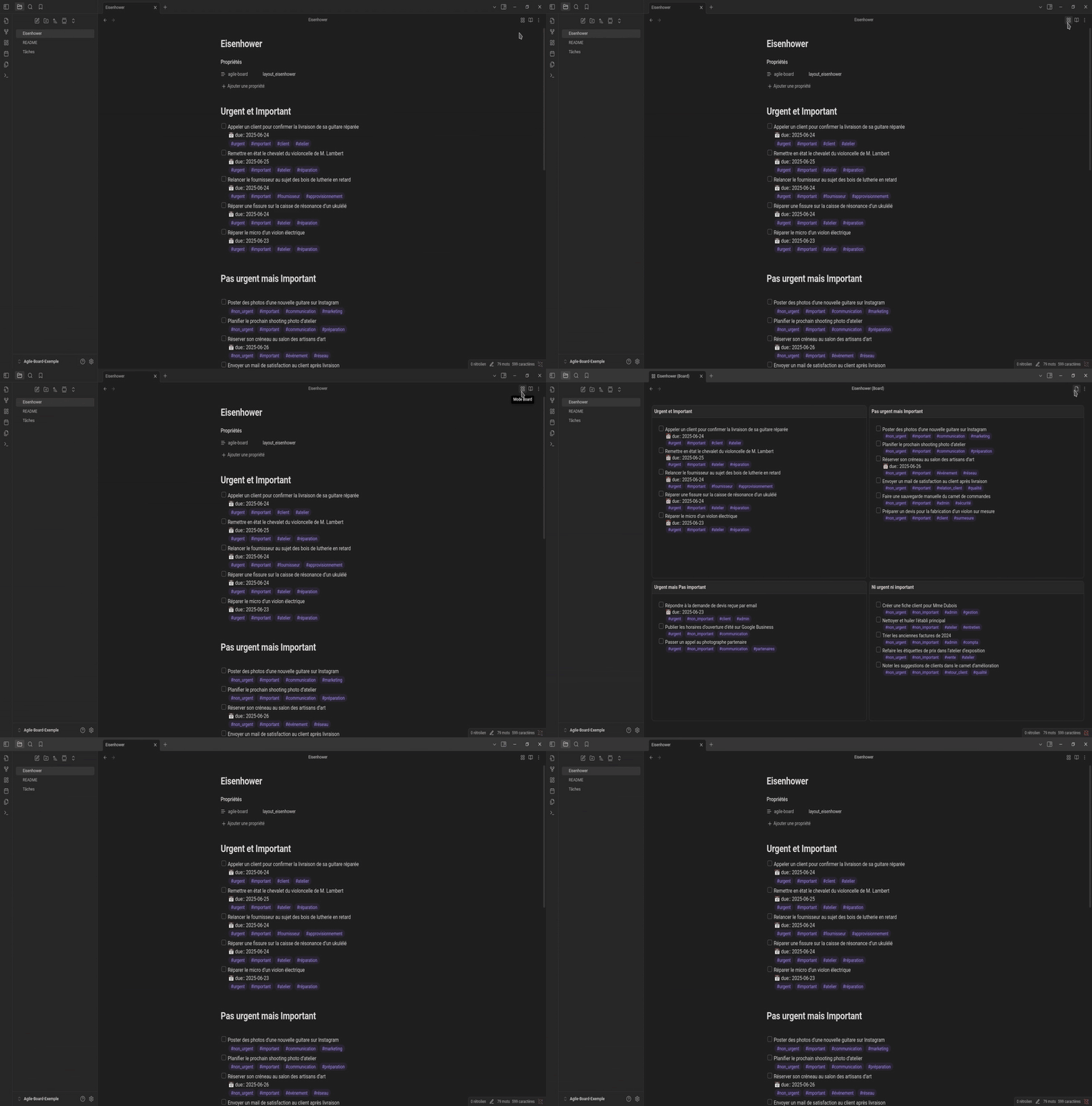
- Two display modes: switch freely between the visual board (🏢) and classic Markdown editing (📄)

- Editable frames: click any frame to enter edit mode with CodeMirror 6
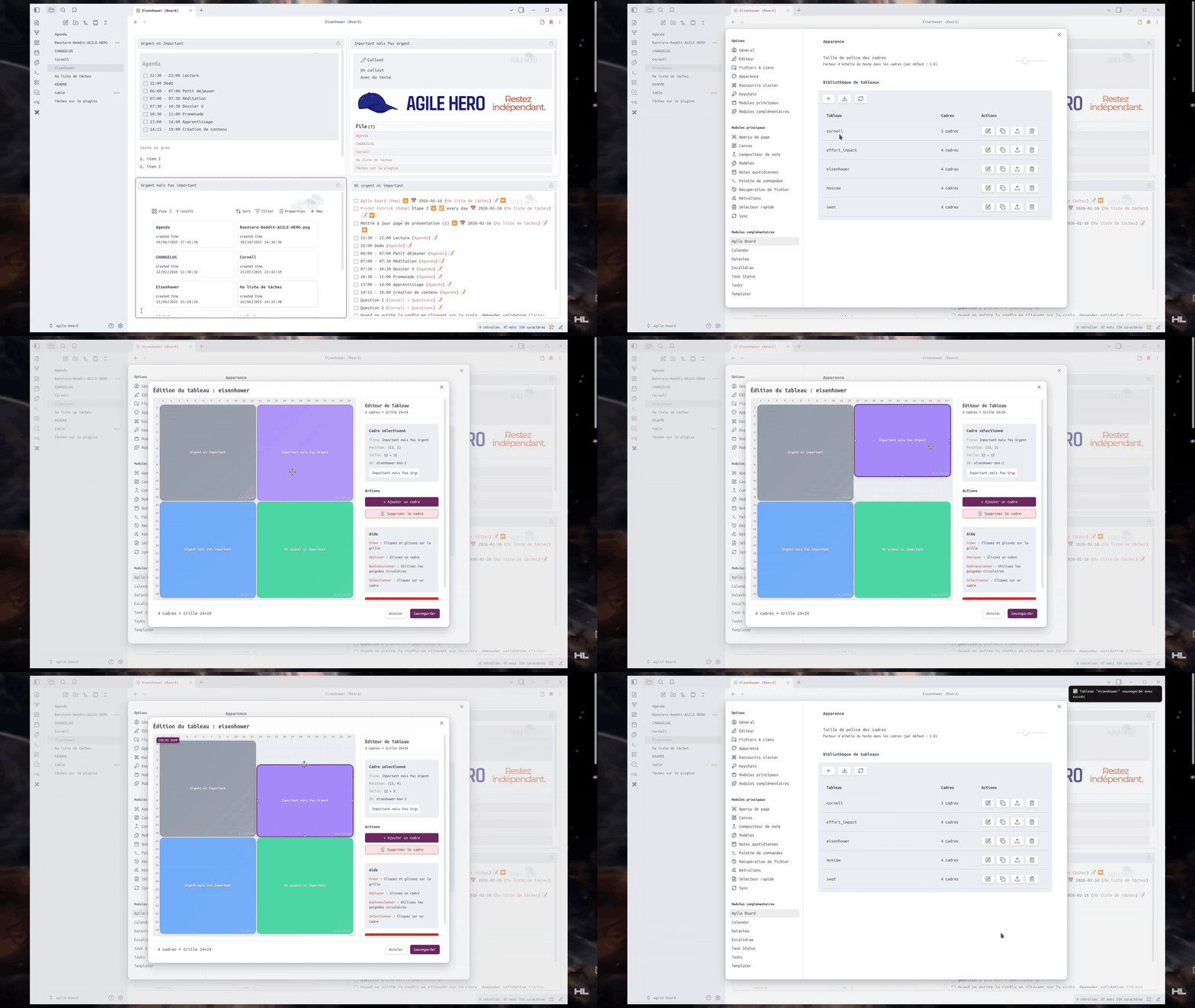
- Popout editor: double-click a frame title to edit in a separate window — keep the board visible while writing
- Smart editing: auto-continued lists and callouts, clickable checkboxes with instant sync
- Rich Markdown:
[[links]],- [ ] tasks, formatting, code blocks, horizontal rules
Frame Customization
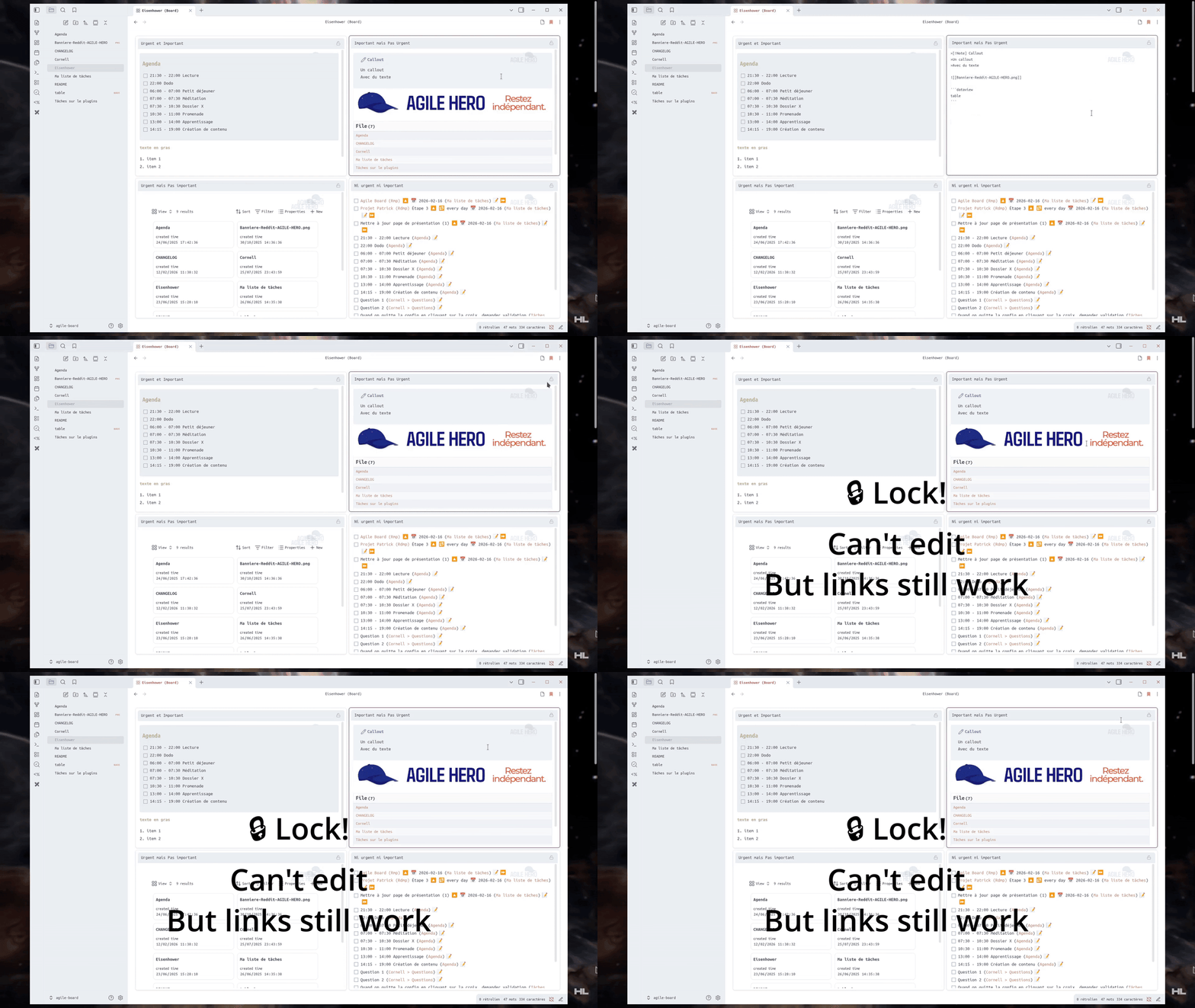
- Frame lock: lock a frame to prevent accidental edits — links, embeds and checkboxes still work when locked
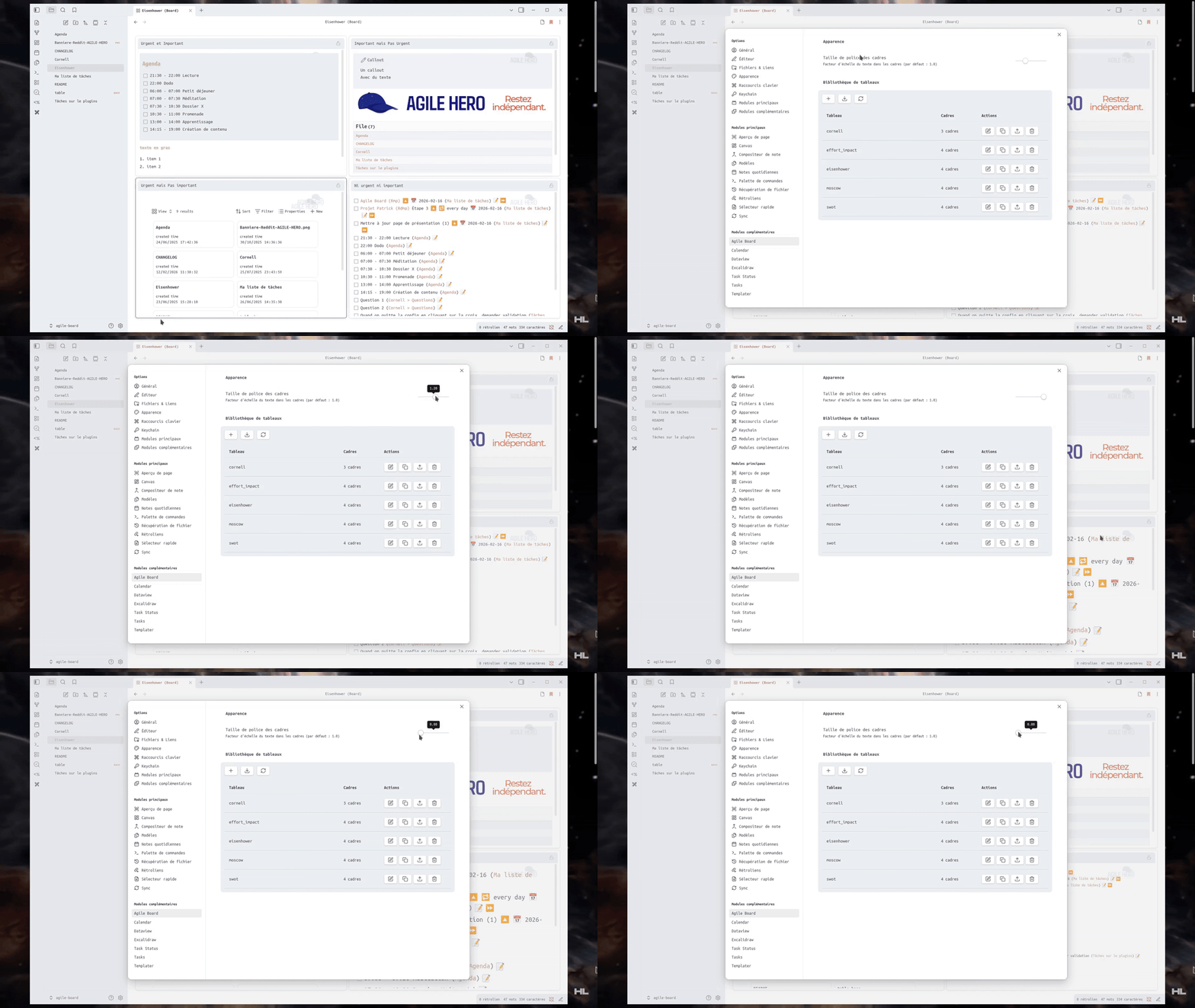
- Font size: adjust text scale across all frames (0.7× to 1.5×) from plugin settings
Embeds & Plugin Compatibility
- Images:
![[image.png]]renders correctly in board preview - Notes:
![[other-note.md]]embeds the note content directly in the frame - Obsidian Bases:
![[table.base]]displays interactive database views; use![[table.base#ViewName]]to remember the selected view - Dataview & Tasks: queries render and update normally inside frames
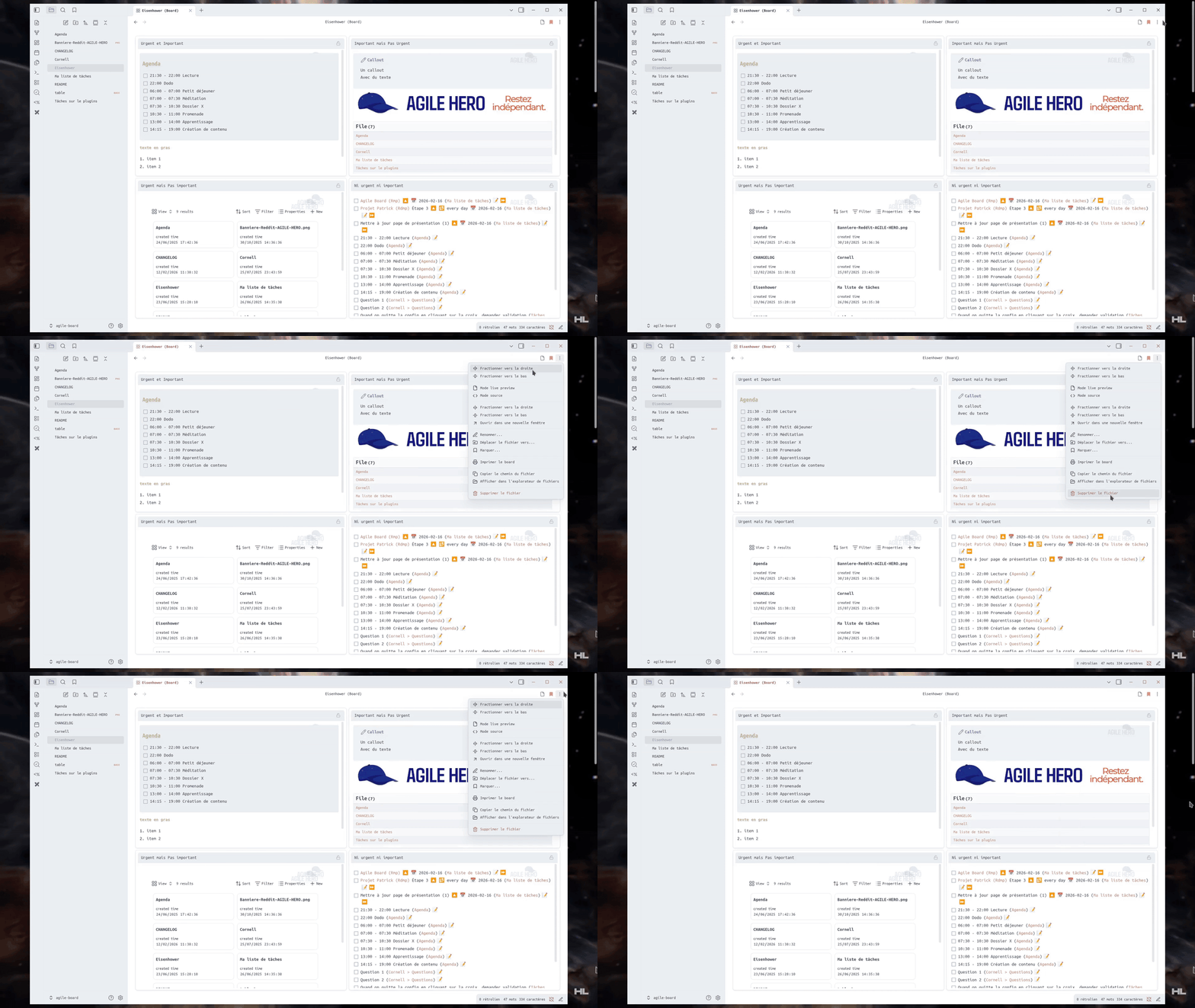
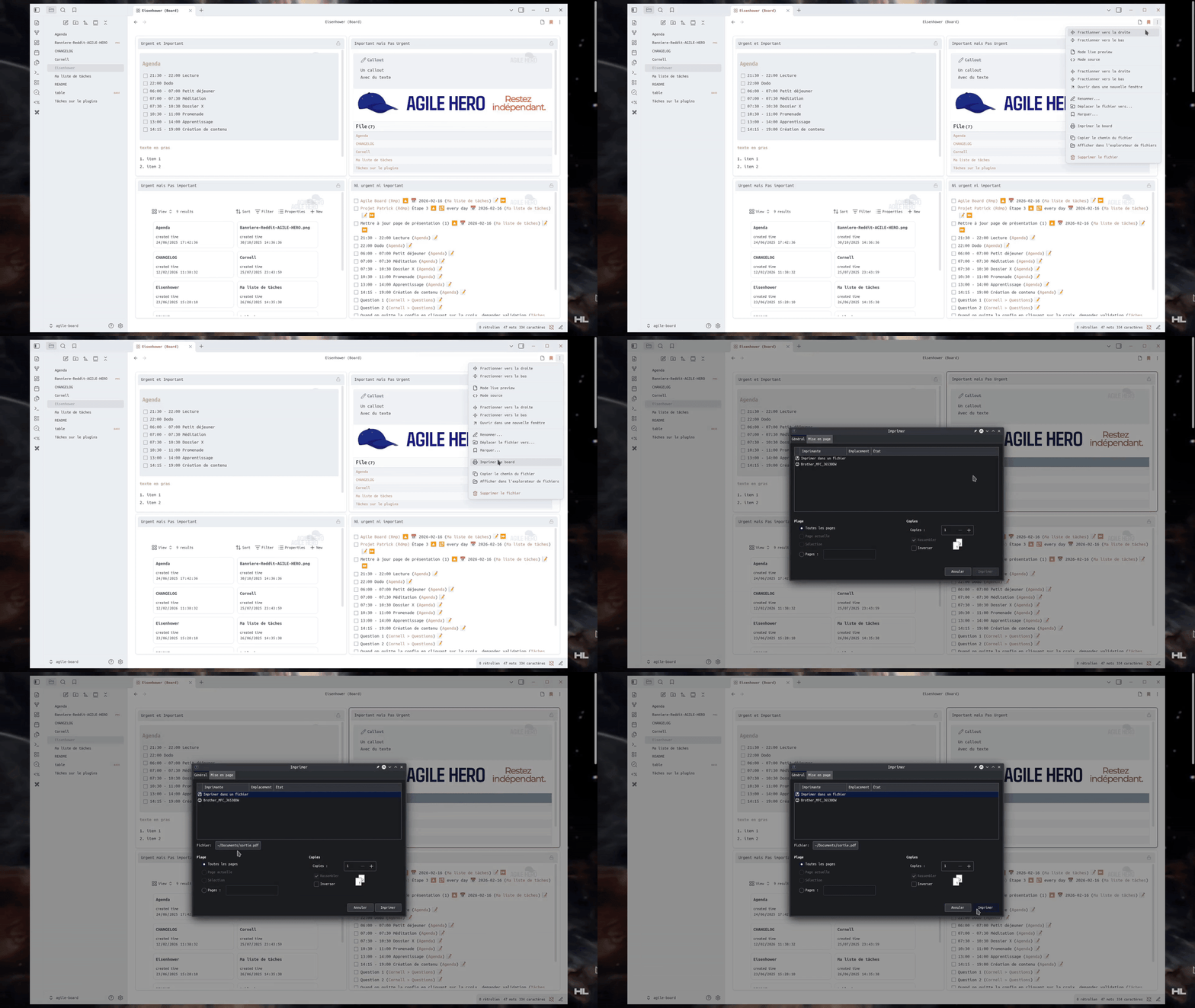
- Context menu & print: right-click the board tab for all standard Obsidian options, plus direct board printing
⚠️ Known Limitations
The frame editor uses CodeMirror 6 but does not replicate every Obsidian editing feature:
- Link suggestions: typing
[[does not suggest your notes — type the full link manually, or double-click the frame to open it in Live Preview mode. - Inline plugin calls: inline Dataview queries (
= this.file.name) and Templater commands (<% tp.date.now() %>) do not execute inside frames - Desktop only: boards are not available on mobile but your notes remain readable as standard Markdown on mobile
🚀 Installation
Requirements: Obsidian desktop ≥ 0.15.0. Compatible with Obsidian 1.13.0 (Catalyst) and later.
Option 1 — BRAT (Recommended)
BRAT handles automatic updates:
- Install and enable the BRAT community plugin
- In BRAT settings, add
a198h/agile-board - BRAT installs the plugin and keeps it up to date automatically
Option 2 — Manual Installation
- Download
main.js,manifest.jsonandstyles.cssfrom the latest GitHub release - Copy the three files to
.obsidian/plugins/agile-board/ - Restart Obsidian and enable Agile Board in Settings → Community plugins
5 default layouts are bundled with the plugin — no additional download required.
📝 Quick Start
1. Activate a layout on a note
Add the agile-board property to the note's frontmatter:
---
agile-board: eisenhower
---
Click the 🏢 icon in the toolbar to switch to Board mode.
2. Available layouts
| Layout | Description |
|---|---|
eisenhower | Important / Urgent 4-quadrant matrix |
swot | Strengths, Weaknesses, Opportunities, Threats |
moscow | Must / Should / Could / Won't prioritization |
effort_impact | Action prioritization by effectiveness |
cornell | Active note-taking system |
3. Edit a frame
- Single click → edit mode
- Double-click the title → open in popout window
- Changes are saved to the Markdown file automatically
⚙️ Plugin Settings
Open Settings → Community plugins → Agile Board to manage layouts and appearance.
Layout Management
Each layout is a .json file in the plugin's layouts/ folder. From the settings panel:
| Action | Control |
|---|---|
| Create | ➕ button — enter a name |
| Edit | ✏️ icon — opens the visual editor |
| Duplicate | 📑 icon |
| Export / Import | ⬆️ / ⬇️ icons — share or load configurations |
| Delete | 🗑️ icon |
Visual Layout Editor
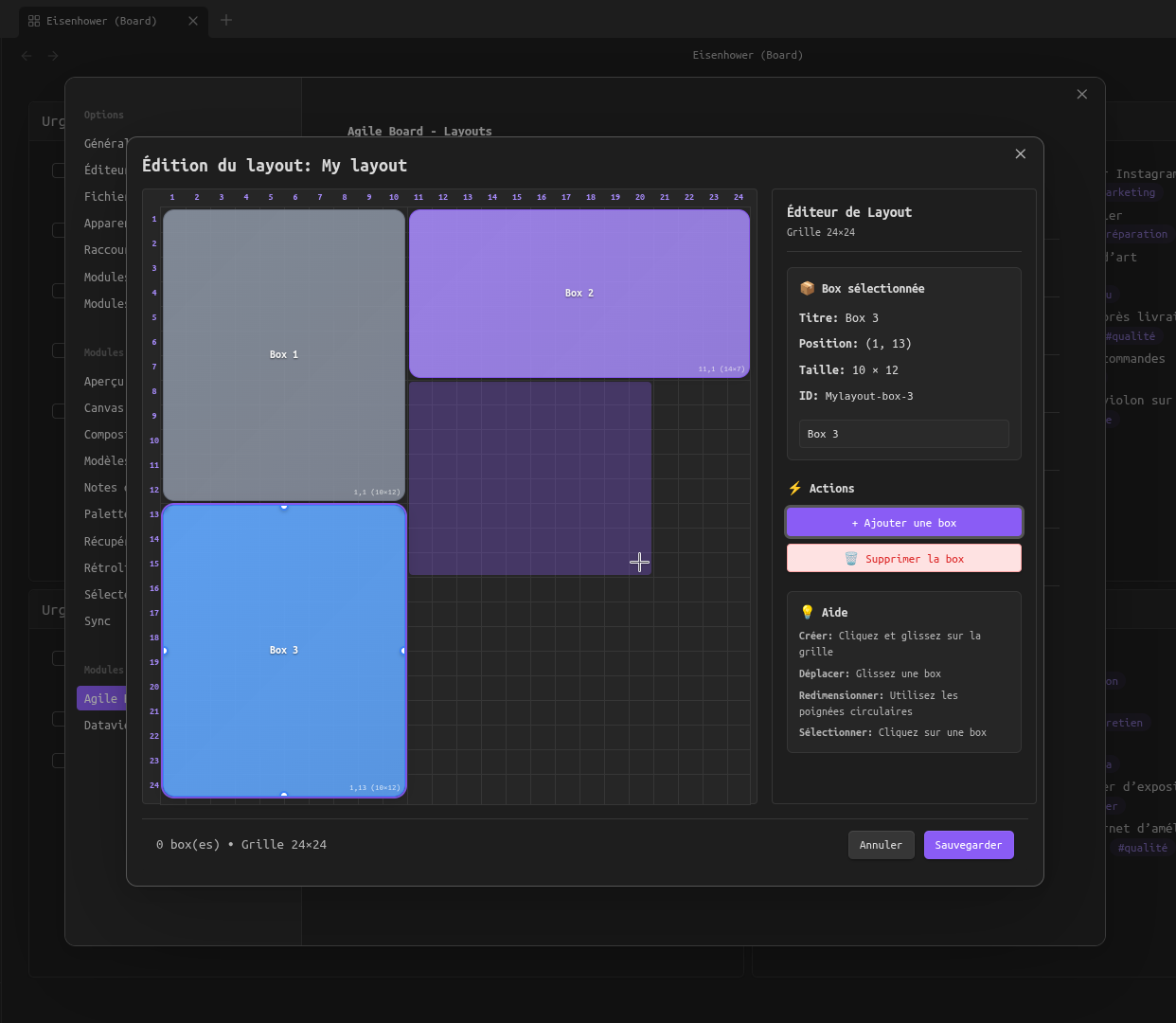
The editor shows a 24×24 grid where you place and resize boxes (frames):
- Create: click and drag on an empty area
- Move: drag a box to reposition it
- Resize: drag the circular handles at the box corners and edges
- Rename: edit the title in the side panel
- Color: pick a custom color from the side panel — click Reset to revert to the palette color
- Delete: 🗑️ button in the side panel
- Clear all: removes all boxes from the layout (with confirmation)
Each box maps to a level-1 heading (#) in the note and the content that follows it.
🌍 Multilingual Support
The interface automatically adapts to your Obsidian language. All UI elements, settings, messages and tooltips are available in 7 languages (96 translation keys):
| Language | Status |
|---|---|
| 🇺🇸 English | reference |
| 🇫🇷 Français | complete |
| 🇪🇸 Español | complete |
| 🇩🇪 Deutsch | complete |
| 🇵🇹 Português | complete |
| 🇨🇳 中文 (简体) | complete |
| 🇷🇺 Русский | complete |
💡 Inspiration
This plugin is inspired by Obsidian-Templify and builds on the idea of transforming Markdown notes into visual layouts.
📂 Contributing & Support
- Bug reports & feature requests: GitHub Issues
- Discussions: GitHub Discussions
If you find this plugin useful, consider supporting development:

For plugin developers
Search results and similarity scores are powered by semantic analysis of your plugin's README. If your plugin isn't appearing for searches you'd expect, try updating your README to clearly describe your plugin's purpose, features, and use cases.