Structured Cards
unlistedby alixxloo
Render structured-card and structured-field codeblocks as interactive, customizable visual cards inside your Obsidian notes.
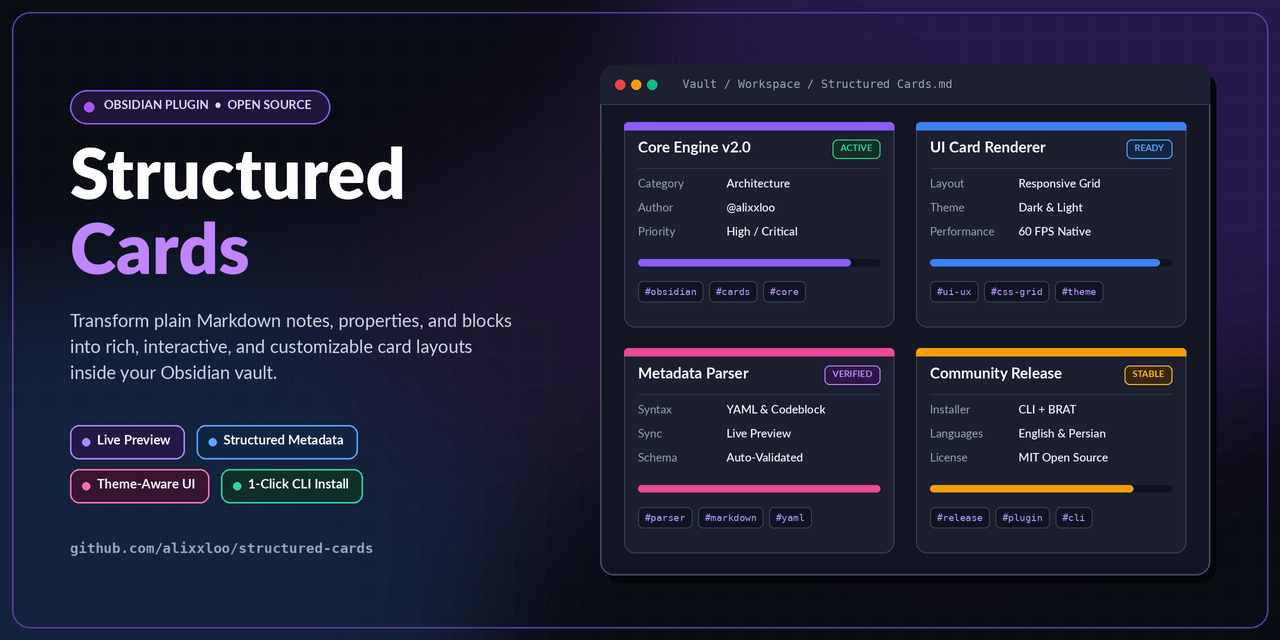
Structured Cards
Typed, draggable fields that live inside your Markdown.
🌐 English | 🇮🇷 فارسی (Persian)





Install · Syntax · Reference · Documentation
Structured Cards turns fenced Markdown blocks — structured-field and
structured-card codeblocks — into labelled, typed fields you can
edit in place, drag around, and resize. A status dropdown, an API key box, a notes
textarea — they render as a card, you drag them where you want, and underneath they
are still plain text in your note. The plugin reads those codeblocks, and
nothing else: it does not touch note properties (YAML frontmatter) or any other
part of your note.
| This is what the plugin parses | This is never parsed |
|---|---|
```structured-field / ```structured-card codeblocks in the note body | Note properties / YAML frontmatter above the note |
Why Structured Cards?
Most plugins that store structured data keep it somewhere else: a JSON file, a database, an encrypted blob. That works, but it means your notes stop being the source of truth, and they stop being portable.
This plugin inverts that. A field is a fence.
- Your notes stay portable. Uninstall the plugin, copy the vault to another machine — the data is still there, readable, in the text.
- Diffs are meaningful. Changing a field shows up in
git diffas a small, readable change rather than an opaque blob rewrite. - Sync just works. Obsidian Sync, iCloud, Dropbox, Syncthing — none of them know this plugin exists, and none of them need to.
- It fails loudly. If the plugin ever stops loading, you see the raw block in your note instead of silently losing data.
Key features
- Eight value types —
text,multiline,url,secret,number,select,tags,code. - Two block kinds — a standalone
structured-fieldfor one typed value or a list of items, and a multi-sectionstructured-cardwith titled sections and column layouts. - Items inside a card — titles, headings, free text, bullets, checkboxes, numbered entries and separators.
- Secrets are masked by default and revealed per field.
- Rows place two or more cards side by side, written as an ordinary
row:key on each block. - Widths and heights per card — percent with a sanity floor, or exact pixels.
- RTL and LTR per card, plus a vault-wide default. Built for mixed-direction notes from day one.
- Templates — save any arrangement of cards as a reusable template, insert it anywhere, rename, update, duplicate, delete, import and export.
- Everything is drag-and-drop — drag items within a card, drag cards across the editor and reading view, resize by edge or corner, with alignment guides that snap to neighbours.
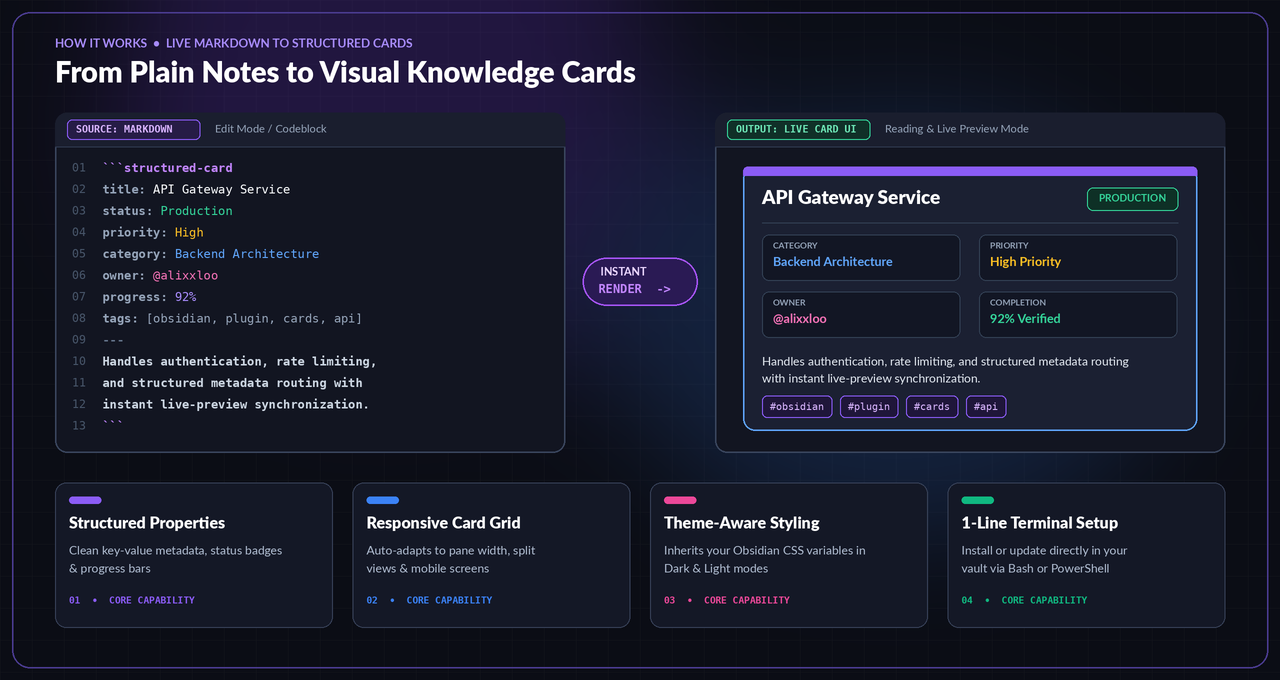
Editing controls
- Drag an item by the small line at the top of it.
- Drag a card by its handle, in the editor and in reading view. Alignment guides snap to neighbouring cards.
- Resize a card by its edge or corner.
- Per-card menu for editing properties, duplicating and deleting.
- Empty cards keep their hints. A new card shows
TitleandType here…until you type; the hint is never written to your note. - Values commit on blur, not on every keystroke.
Chrome you can turn off — drag handles, editing controls, alignment guides, animations — is in the settings, and every one of them applies immediately.
Usage guide
Two fenced blocks, written and stored as ordinary text in the note:
structured-field
```structured-field
id: status
label: Status
type: select
width: 45%
options: todo, doing, done
value: doing
```
A secret that stays masked, with a masked default you can turn off per field:
```structured-field
id: api-key
label: API key
type: secret
width: 60%
placeholder: sk-...
```
Mixing field types and items in one card:
```structured-field
id: deployment
label: Deployment notes
type: text
width: 100%
item: title|Release 0.2
item: separator
item: checkbox|Migrations reviewed|true
item: numbered|Publisher|Zapier
item: text|See the docs for the full changelog.
```
Per-field direction, alignment and offsets compose freely:
```structured-field
id: title-note
label: عنوان یادداشت
type: text
row: planning
width: 45%
direction: rtl
align: center
```
structured-card
Multi-section cards with titled sections, choose columns, and typed rows:
```structured-card
title: Meeting — weekly review
layout: 2
size: medium

## Attendees

- Present|text|Alex, Sam

## Decisions

! Decision log
- Status|select|accepted|options=accepted, rejected, deferred
- Notes|multiline|First summary line, kept in the note.|dir=ltr

## Follow-ups

. Check the budget on Friday.
```
Installation
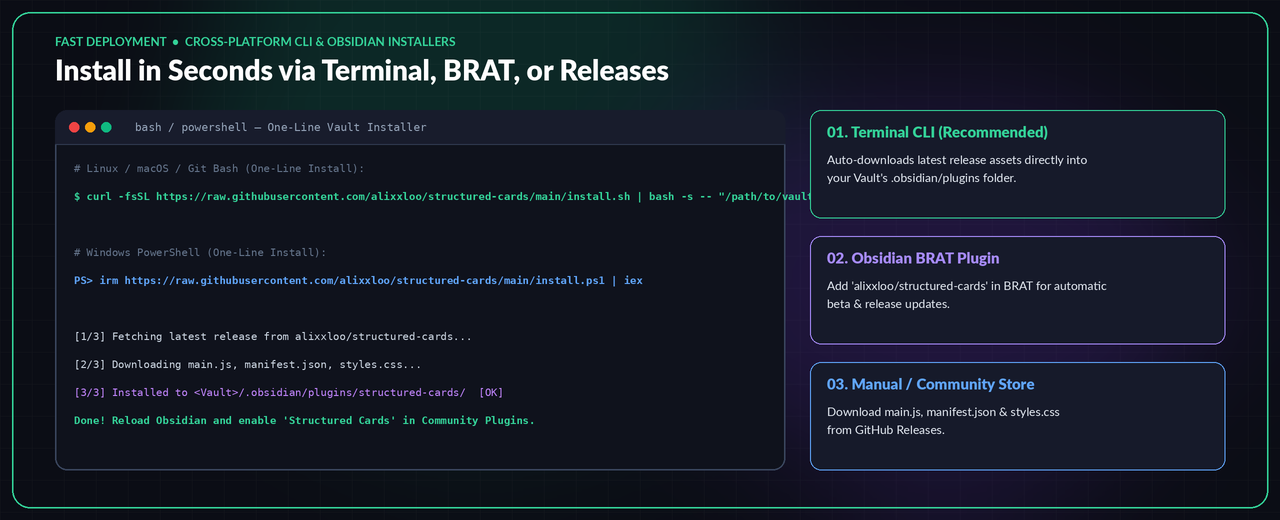
Requires Obsidian 1.5.0 or newer — desktop and mobile.
Method 1 — one-line terminal installer (fastest)
Downloads the latest release's main.js, manifest.json and styles.css into
<your-vault>/.obsidian/plugins/structured-cards/, enables the plugin in
community-plugins.json when that file exists, and falls back to building from
source if no release asset is reachable.
Linux / macOS / Git Bash (Windows):
curl -fsSL https://raw.githubusercontent.com/alixxloo/structured-cards/main/install.sh | bash -s -- "/path/to/your/vault"
Windows PowerShell — interactive (auto-detects a vault in the current directory, or asks for the path):
irm https://raw.githubusercontent.com/alixxloo/structured-cards/main/install.ps1 | iex
Windows PowerShell — pass the vault path directly:
$env:VAULT = "C:\Path\To\Your\Vault"; irm https://raw.githubusercontent.com/alixxloo/structured-cards/main/install.ps1 | iex
Then restart Obsidian and enable Structured Cards under
Settings → Community plugins.
Method 2 — via BRAT
Install the BRAT plugin, run its Add a plugin command, and enter:
alixxloo/structured-cards
Future tagged releases are picked up by BRAT automatically.
Method 3 — manual installation
Download the three assets — manifest.json, main.js, styles.css — from the
latest release
into:
<your-vault>/.obsidian/plugins/structured-cards/
Restart Obsidian, then enable Structured Cards under
Settings → Community plugins.
Method 4 — build from source
git clone https://github.com/alixxloo/structured-cards
cd structured-cards
npm install
npm run build
Then copy main.js, manifest.json and styles.css as in method 3. Every
version tag is built and published automatically by the repository's release
workflow, so the assets are always the exact build of the tag they belong to.
Updating
Structured Cards has no update code of its own. Obsidian does this:
Settings -> Community plugins- the Check for updates button, or the plugin's own
...menu Updatenext to Structured Cards
Obsidian reads the latest version from this repository's manifest.json and
downloads the new files from the GitHub Release, so the settings in data.json
are left alone. It only checks when you ask it to — not in the background.
Before the plugin is on the community list, update with BRAT.
Reference
Commands
| Command | What it does |
|---|---|
Insert field | Add a field at the cursor |
Insert template | Insert a saved layout template |
Save selected/current layout as template | Capture the current cards as a template |
Manage templates | Rename, update, duplicate, delete, import and export templates |
Right-clicking in the editor also offers Add field.
Settings
| Setting | Default | Effect |
|---|---|---|
Mask secrets by default | off | Start every secret card masked |
Default text direction | auto | auto / ltr / rtl for new cards |
Show editing controls | on | Per-card menus, resize handles |
Show drag handles | on | Drag affordances (needs editing controls) |
Responsive layout | on | Collapse multi-column rows on narrow screens |
Snap guides | on | Alignment guides while dragging |
Animations | on | Transitions and motion |
Templates | — | Manage card templates (rename, update, duplicate, delete, import/export) |
One more switch, debugLogging, exists only in data.json — it is a
diagnostic sink, not a UI row.
structured-field keys
| Key | Example | Effect |
|---|---|---|
id: | id: status | Stable identity (survives sync and round-trips); generated when omitted |
label: | label: Status | Field title; multiline via label: | |
label-hidden: true | Render without the label text | |
type: | type: select | One of the eight types |
value: | value: doing | Stored value; multiline via value: | |
width: | width: 45% | Percent (a floor keeps the field usable) or exact px |
height: | height: 120px | Row height in pixels (multiline, code) |
row: | row: planning | Groups fields onto one line |
offset: | offset: 12px | Additional offset within a row |
align: | align: center | start / center / end within a row |
direction: | direction: rtl | auto / ltr / rtl for this field |
masked: | masked: false | Unmask a secret field |
required: | required: true | Mark the value as required |
placeholder: | placeholder: sk-… | Hint text while empty |
default: | default: doing | Value a fresh field starts with |
options: | options: todo, doing, done | Comma-separated choices for select |
prefix: / suffix: | prefix: $ | Fixed text around the value |
help: | help: lowercase name | A hint line under the field |
validation: | Validation spec (see the field reference) | |
title-size: … title-direction: | title-weight: bold | Style the title: size, weight, color, italic, direction |
any other key: value | owner: alixx | Custom metadata — stored, shown on the card, re-emitted verbatim |
structured-field item lines
text, bullet, url, secret and multiline items accept an optional
direction segment (item: text\|متن\|rtl).
| Line | Renders |
|---|---|
item: title|Heading Text | An item title |
item: title-text|Title|Value | A labelled title with its own value |
item: text|Value | A plain text line |
item: bullet|Value | A bullet line |
item: numbered|Title|Value | A numbered entry (with an optional number) |
item: checkbox|Title|true | A checkbox (checked / unchecked) |
item: url|Value | A URL item |
item: secret|Value | A masked secret item |
item: multiline|Value | A multi-line note area |
item: separator | A horizontal separator |
structured-card reference
Top-level keys
| Key | Values |
|---|---|
title: | Card title (default Structured card) |
layout: | auto, 1, 2, 3, 4 — column layout of sections |
size: | small, medium, large, custom |
custom-width: | Width when size: custom |
gap: | Pixels between items |
density: | compact, comfortable |
full-width: true | Span the full editor width |
breakpoint: | Pixel width where responsiveness kicks in |
any other key: value | Card metadata, shown on the card |
Sections and items inside a card
-
## Section title— starts a section -
section-gap: N/section-full-width: true— per-section spacing/width -
! Heading— a heading inside a section -
. text— a plain text line -
---— a separator -
Typed field rows:
- Label|type|value|key=value …Options allowed after the value segment:
id=,default=,options=,span=,full=true,dir=,masked=false,required=true,placeholder=,min-width=,class=,prefix=,suffix=,help=,validation=. Any recognisablekey=valuepair beyond this list is stored as metadata and rendered on the card.
Full escape rules, value bookkeeping and edge cases:
docs/file-format.md.
Documentation
| Document | What is in it |
|---|---|
docs/field-reference.md | Every key, every type, every setting |
docs/file-format.md | The on-disk block format and its escaping rules |
docs/architecture.md | How the code is organised, and why |
docs/development.md | Build, test harness, adding a field type |
docs/release-process.md | How a release is cut and submitted |
docs/known-limitations.md | What is unverified, and what will bite you |
docs/release-notes-0.1.0.md | The audit trail behind this release |
CHANGELOG.md | Release history |
Status
Published — the repository is public and tagged 0.1.0, with a GitHub
Release carrying manifest.json, main.js and styles.css: exactly the files
the Obsidian installer downloads. The release follows the order written down in
docs/release-process.md — public before tagged.
This is the first public release: stable and tested, but young. It is not yet in Obsidian's community plugin list; until it is, install from the Release assets, via BRAT, or with the one-line installer above.
It is also honest about its edges:
docs/known-limitations.md lists exactly what has and
has not been verified — including the things an automated test cannot reach, like
real pointer dragging and real theme CSS cascades.
Contributing
Issues and pull requests are welcome. Please read
CONTRIBUTING.md and
CODE_OF_CONDUCT.md first. Security reports go through
SECURITY.md, not the issue tracker.
License
MIT — see LICENSE.
For plugin developers
Search results and similarity scores are powered by semantic analysis of your plugin's README. If your plugin isn't appearing for searches you'd expect, try updating your README to clearly describe your plugin's purpose, features, and use cases.