Canvas Drawing
unlistedby Amir Tlinov
Native Canvas drawing and Apple Pencil, vault-aware Codex, web surfaces, and reproducible Jupyter research across iPad and desktop.
Canvas Drawing
Draw freely. Connect live elements. Let Codex see the result.
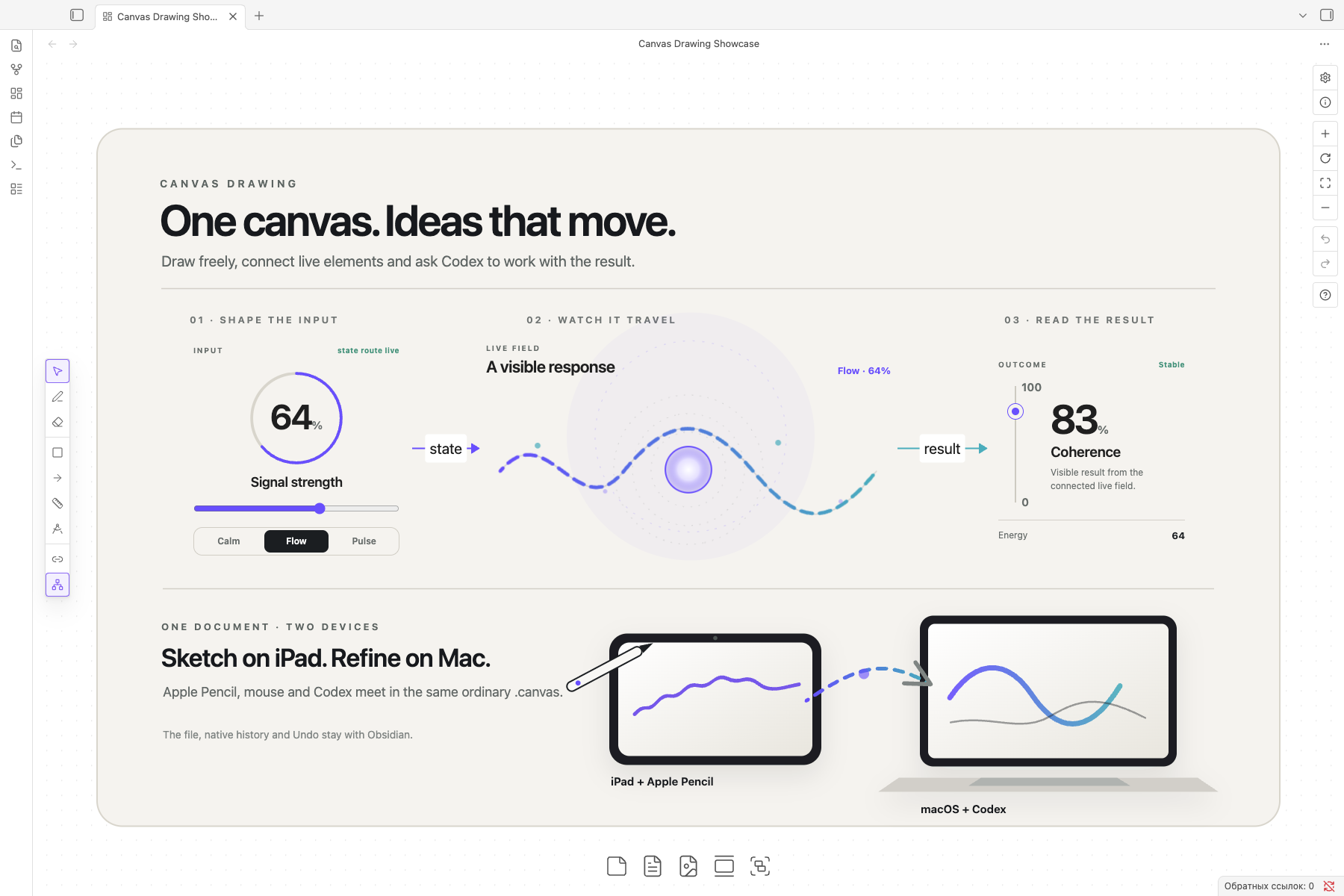
Canvas Drawing adds ink, precise shapes, animated SVG and interactive web
elements to ordinary Obsidian Canvas. Codex can see and edit the same board;
Jupyter can run beside it. Obsidian still owns the cards, edges, camera,
selection, movement, resize, history, Undo and the .canvas file.
Requires Advanced Canvas 6.5.0.
Built for Obsidian 1.12.7+, desktop and iPad.
What you can do
- Draw directly on Canvas. Use Apple Pencil, mouse, pen, marker, shapes, arrows, connectors, dimensions and scientific helpers.
- Build explanations that move. Place standalone HTML, CSS, JavaScript or TypeScript elements on the board and pass explicit state through native Canvas edges.
- Use SVG as a first-class drawing. Insert complete vector compositions and declarative SVG animations, then move, resize, group and undo them like any other drawing.
- Work with Codex in Obsidian. The right-sidebar chat follows the active note, file, graph, image or Canvas and can inspect both its data and its visible result.
- Move between iPad and Mac. Draw locally with Pencil on iPad while the Mac
owns optional Codex and Jupyter processes. The shared
.canvasremains the durable document. - Keep knowledge structure visible. Drop a folder to create one named Canvas group, or show resolved wikilinks as faint background connections without turning them into semantic Canvas edges.
Draw directly on the board
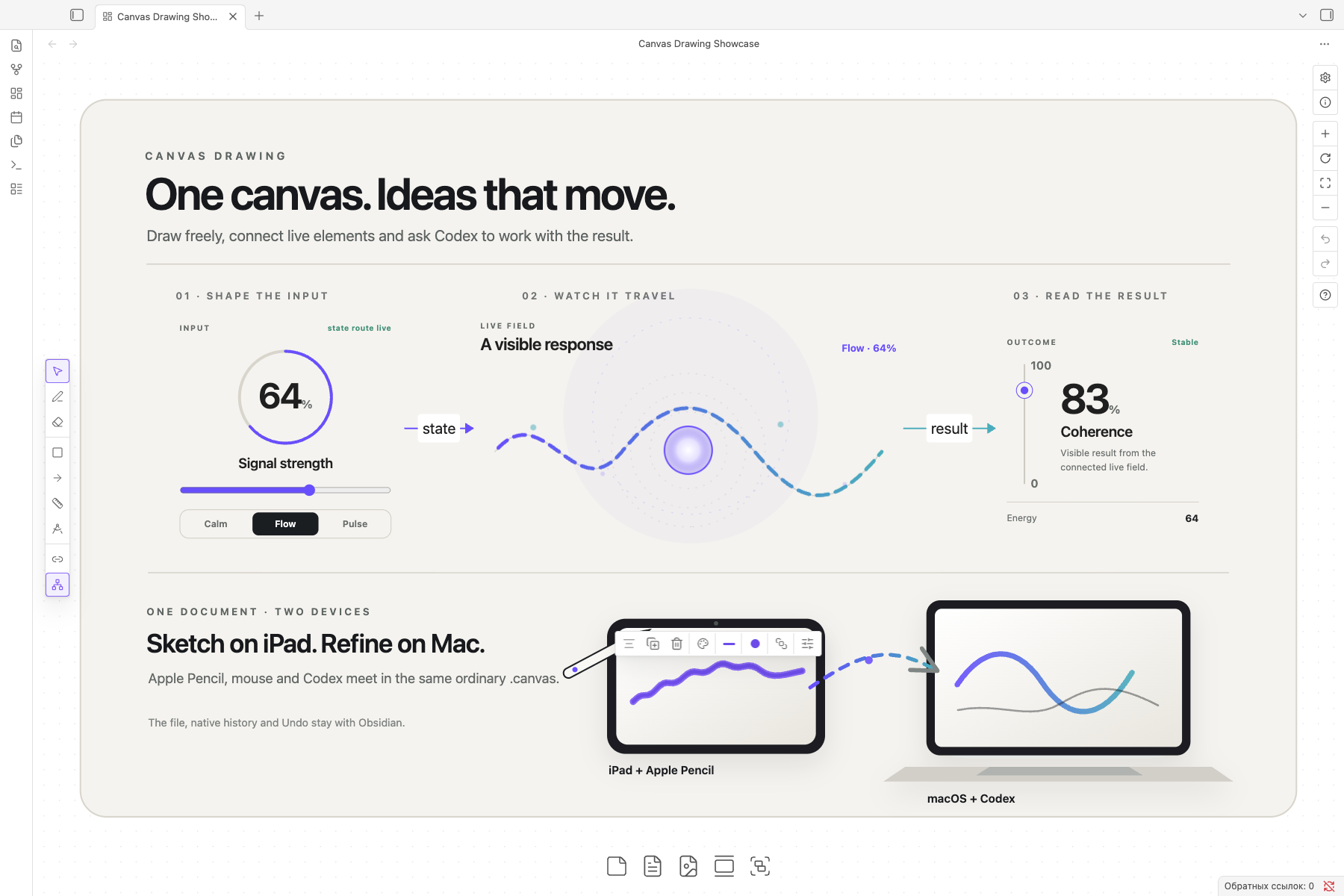
Touch keeps its normal Canvas job: two fingers pan and pinch to zoom. Pencil or mouse belongs to the selected drawing tool. A finished gesture creates one native Canvas history step, and a selected drawing receives one compact set of controls for color, stroke, geometry and transform.
Drawings can stay free on the board or become real children of a native card. A card-owned drawing moves, clips, copies, duplicates and undoes with that card; dragging it back outside detaches it again. Groups remain one direct-manipulation unit until you enter a member for focused editing.
Build live explanations
A web element is an ordinary Canvas node whose visible surface is backed by inline or file-based HTML, CSS and JavaScript or TypeScript. Its named ports receive and emit JSON through routes declared on native Canvas edges. Selecting the node gives its controls the pointer; leaving it returns the pointer to Canvas.
This keeps one clear owner for every action. The web surface owns sliders, buttons and local state. Obsidian owns movement, resize, stacking, duplication, semantic edges and Undo. Sandboxed web elements receive no Node, Obsidian or same-origin privileges.
For a self-contained illustration or animation, use a drawing with
type: "svg". Its SVG source owns the internal picture and timeline; the usual
Canvas Drawing bounds own its position, size and rotation. JavaScript-driven
interaction belongs to a sandboxed web element instead.
Work with Codex in the same view
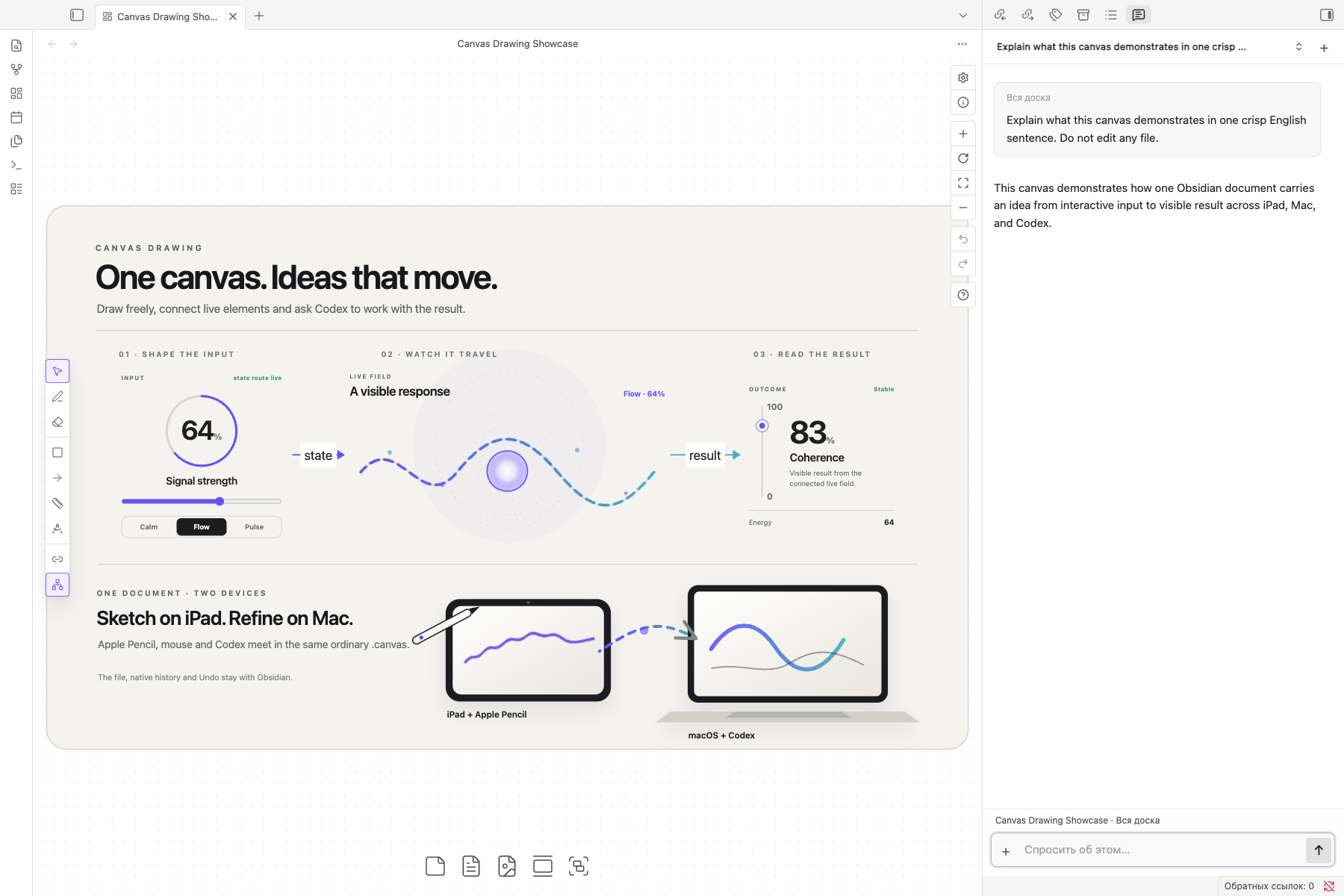
Codex lives in one right-sidebar leaf and keeps the last content leaf as its subject. A Markdown selection, current line, text file, graph, image or Canvas selection becomes fresh context for the next message. Canvas turns include the saved JSON, revision, viewport, exact selection and a settled image of the live surface, so Codex can detect clipping, overlap and empty space instead of guessing from coordinates alone.
Create independent conversations from the chat header. Drop, paste or choose
images in the composer. /compact shortens the active Codex thread while
keeping the conversation; /clear starts that chat with an empty thread. A
clear request to edit the active note or Canvas may apply one patch to that
exact file, which enters ordinary Canvas history as one undoable version.
One document on iPad and Mac
The vault travels through Obsidian Sync or an iCloud Drive vault. Immediate
Pencil points and view presence can cross an approved, encrypted WebRTC link,
while the complete .canvas remains the durable fallback and source of truth.
Follow peer view is an explicit local choice: content stays shared, while
camera and selection follow only on a device where the toggle is active.
Codex credentials, Jupyter tokens and local processes stay on the Mac. After the Mac owner approves an iPad once, the iPad can reuse that trusted connection. Canvas, Pencil and local web elements continue to work when the Mac is absent.
Jupyter research
Notebook cards are backed by real .ipynb files and one Jupyter session. The
plugin discovers or starts an authenticated loopback server and connects a
Python environment that you prepared; it never installs, removes or
synchronizes Python packages. Jupyter, Yjs, Lumino, ipywidgets and Plotly load
only when a notebook view, card or command needs them.
From the research folder, prepare pyproject.toml, uv.lock and .venv with
ipykernel and ipywidgets, then choose Notebook: Connect Python
environment. See the notebook contract for the
complete ownership and trust model.
Install
- Install and enable Advanced Canvas 6.5.0.
- Download
main.js,manifest.jsonandstyles.cssfrom the latest Canvas Drawing release. - Put the three files in
<vault>/.obsidian/plugins/canvas-drawing/. - Enable Canvas Drawing in Settings → Community plugins.
Obsidian does not install plugin dependencies automatically. If Advanced Canvas is missing or has another version, Canvas Drawing leaves the board untouched and explains which dependency it expects.
Access and privacy
Canvas Drawing has no analytics or telemetry. Optional features cross these explicit boundaries:
| Feature | Access | What happens |
|---|---|---|
| Drawing and Canvas | Active vault files through Obsidian | The plugin reads and writes the active .canvas while preserving native and unknown JSON fields. |
| Codex | Installed executable outside the vault, a local child process, its network connection and temporary image files | The plugin finds your existing Codex installation and starts codex app-server in the vault root. Codex uses your OpenAI sign-in. The plugin accepts file changes only for the active Obsidian subject. Dropped images are removed when the plugin unloads. |
| Web elements | Sandboxed iframe | Scripts run with allow-scripts, without same-origin, Node or Obsidian access. An authored element can still request a remote URL written into its own source. |
| Jupyter | Installed executable outside the vault, a local child process, authenticated loopback server, selected .venv and user kernelspec | The plugin discovers or starts Jupyter, connects the environment you own and never manages its packages. |
| iPad bridge | Approved WebRTC connection on the network | A public connection descriptor may sync with the vault; credentials, tokens and processes remain on the Mac. |
Documentation
- Drawing format — strokes, shapes, connectors, SVG, grouping and card ownership.
- Interactive web elements — sources, sandbox, ports, routes and persisted state.
- Codex chat — active context, images, conversations, patch boundaries and verification.
- iPad and Mac — discovery, trust, presence, durable versions and offline behavior.
- Jupyter — environment ownership, kernels, notebook state and mobile transport.
- Canvas host — native history, selection and the Advanced Canvas boundary.
Development and release
Development is restricted to the vault named Canvas Drawing Lab.
pnpm install
pnpm check
pnpm dev:install
Live gates drive the existing Lab renderer in the background without launching or focusing Obsidian:
pnpm live:host
pnpm live:file
pnpm live:human
pnpm live:notebook
pnpm live:web
Build and verify the Community artifacts with:
pnpm build
pnpm package
The Community release contains exactly main.js, manifest.json and
styles.css. GitHub Actions runs type checks, project and official Obsidian
lint, tests, the production build, the mobile entry check and the release
contract before publishing those assets.
For plugin developers
Search results and similarity scores are powered by semantic analysis of your plugin's README. If your plugin isn't appearing for searches you'd expect, try updating your README to clearly describe your plugin's purpose, features, and use cases.