Skald
unlistedby Andrew Dunn
Chat with Claude and other LLM providers (OpenRouter, OpenAI-compatible) in a vault-aware sidebar that works on mobile and desktop.
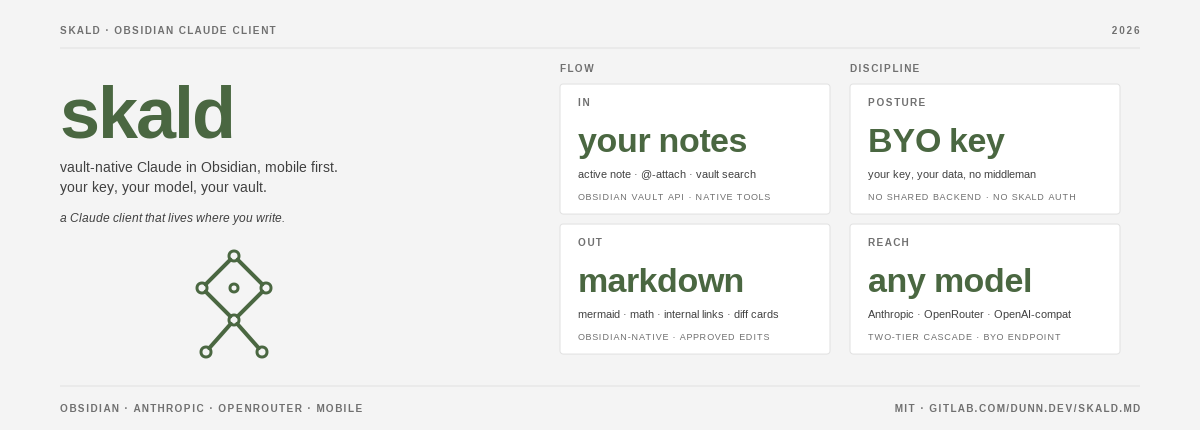
Skald

Chat with Claude, OpenRouter or any OpenAI-compatible model from an Obsidian sidebar, on mobile and desktop, using your own API key.
Skald is a Claude client that lives where you write. It streams responses from Anthropic, OpenRouter, or any OpenAI-compatible endpoint directly -- no relay, no shared backend, no account beyond your provider key. Conversations save back into your vault as markdown.
Features
- Commands: Open chat, Search conversations, Insert prompt template.
- Vault tools: read, search and edit notes; every write waits for your approval on a diff card.
- Capture: optional, off by default; share-sheet capture turns text you share on iOS into a vault note.
- Memory upkeep: optional long-term memory note Claude keeps up to date, off by default.
- Conversation search: find past chats saved in your vault.
- Providers: Anthropic, OpenRouter, or any OpenAI-compatible endpoint, switchable per conversation.
Source and CI live on GitLab; this GitHub repo is the public mirror, where releases and issues live. See CONTRIBUTING.md.
Architecture decisions are recorded in docs/adr/.
Quick start
1. Install the plugin
BRAT. Install
BRAT, run BRAT: Add a
beta plugin for testing, and enter andrewdunndev/skald.md. BRAT
installs the latest release and keeps it updated. A community-directory listing may follow.
Manual. Copy main.js, manifest.json, styles.css, and versions.json
from the latest release (or build them: pnpm install && pnpm --filter @skald/plugin build, output in packages/plugin/dist/) into
<vault>/.obsidian/plugins/skald/, then enable Skald under
Settings -> Community plugins.
Details in docs/installing-the-plugin.md.
2. Add your API key
Open Obsidian -> Settings -> Skald. The four core settings:
- Provider -- Anthropic (default), OpenRouter, or OpenAI-compatible
- API key -- pick or create the secret holding your
sk-ant-...from console.anthropic.com (or your OpenRouter / OpenAI-compatible key, plus the base URL); it stays in Obsidian's secret storage on this device - Default model --
claude-sonnet-5-5pre-filled - Memory -- off by default; toggle on to keep a long-term memory note across sessions
Everything else (vault folders, personas, slash commands (prompt templates), capture settings) is behind an Advanced expander and has safe defaults.
3. Chat
Open the chat pane via the speech-bubble ribbon icon or Skald: Open chat from the command palette. Type a question. Watch markdown stream in.
What it is
An Obsidian community plugin: chat pane, markdown-rendered messages (mermaid, tables, math, internal links), diff-card approval for vault edits, and token-economy controls (prompt caching, history and tool-result compaction) so a direct-to-API chat stays cheap.
How Skald keeps your token spend down -- caching, windowing, and
tool-result compaction -- is documented in
docs/context-and-cost.md.
Optional companions
- Omnisearch (optional) gives ranked vault search. Skald uses its BM25 results when present and falls back to a substring scan otherwise.
Architecture
Obsidian plugin (iOS / iPad / desktop)
    |  HTTPS streaming -- anthropic-dangerous-direct-browser-access header
    v
api.anthropic.com/v1/messages    (or openrouter.ai, or your OpenAI-compatible /v1 endpoint)
Plugin owns conversation history. Vault tools execute locally inside
the plugin against Obsidian's Vault API. Write tools require explicit
user approval via diff card. Server-side tools (web_search,
web_fetch) run on the provider's infrastructure and are off by
default (security model). One mode, no seams.
Network use and privacy
- Account required. Skald needs an API key from at least one provider, and provider usage is billed to you (a paid account); there is no Skald service or account.
- Remote services contacted, only to run your chats and only with
the provider you select:
- Anthropic (
api.anthropic.com) -- chat, tool use, and the provider-sideweb_search/web_fetchserver tools, only if you turn them on. - OpenRouter (
openrouter.ai) -- chat, and web search if enabled; the public model catalog (/api/v1/models, no key sent) populates the model picker. - A user-configured OpenAI-compatible endpoint -- chat only, at the base URL you enter (HTTPS, or loopback for local servers).
- Anthropic (
- What is sent: your messages, the notes you attach or that Claude reads through vault tools, and the memory note when enabled. Nothing is sent until you send a turn or a capture.
- No telemetry. No analytics, tracking, or crash reporting; Skald contacts no server of its own.
- Files outside the vault are never accessed. Claude's edits wait for your approval; Skald saves conversations, logs and captures.
Trust model
Your Anthropic, OpenRouter, and OpenAI-compatible API keys live only
in Obsidian's secret storage, which Obsidian keeps in local storage on
each device, keyed to the vault. The plugin's data.json holds the
name of the secret you picked for each provider, never the key, so
Obsidian Sync never carries a key: enter your key on each device.
Secret storage is shared by design, so another plugin you install can
ask for the key by name.
Mitigation: set a spend limit on the Anthropic console so a leaked key has bounded financial damage.
Full framing in docs/security-model.md.
Develop
pnpm install

# Plugin in watch mode, writes into your dev vault
SKALD_OUT_DIR="$HOME/your-vault/.obsidian/plugins/skald" \
  pnpm dev:plugin
The plugin requires Hot Reload to auto-pick up changes -- install
pjeby/hot-reload in your dev
vault and drop a .hotreload sentinel into the skald plugin folder.
Support
Maintained as time allows. Bug reports with a repro get priority; there is no feature roadmap. Report problems on GitHub Issues.
License
MIT. Use, fork, ship. Attribution appreciated.
For plugin developers
Search results and similarity scores are powered by semantic analysis of your plugin's README. If your plugin isn't appearing for searches you'd expect, try updating your README to clearly describe your plugin's purpose, features, and use cases.