CodeBlock Language Detector
unlistedby Lars Bücker
Automatically detects and adds language tags to code blocks without specified language for proper syntax highlighting
CodeBlock Language Detector
An intelligent plugin for Obsidian that automatically detects the programming language of code blocks and applies appropriate syntax highlighting.
How It Works
The plugin automatically detects code blocks without language specification and adds the appropriate language tag:
Before
```
def fibonacci(n):
    if n <= 1:
        return n
    return fibonacci(n-1) + fibonacci(n-2)

print(fibonacci(10))
```
After
```python
def fibonacci(n):
    if n <= 1:
        return n
    return fibonacci(n-1) + fibonacci(n-2)

print(fibonacci(10))
```
The plugin uses two intelligent detection methods:
- Highlight.js Detection: Utilizes the proven Highlight.js library for precise language recognition
- Pattern Matching: Analyzes code keywords, syntax patterns, and typical language constructs
Installation
Via Community Plugin Store (Recommended)
- Open Obsidian Settings
- Go to "Community plugins"
- Disable "Safe mode"
- Click "Browse" and search for "CodeBlock Language Detector"
- Install and enable the plugin
Manual Installation
- Download the latest version from the Releases page
- Extract files to your vault folder:
VaultFolder/.obsidian/plugins/obsidian-codeblock-language-detector/ - Reload Obsidian and enable the plugin in settings
Features
🚀 Automatic Language Detection
- Two-Stage Detection: Combines Highlight.js and Pattern Matching for highest accuracy
- 70+ Supported Languages: Python, JavaScript, TypeScript, Java, C++, Go, Rust, PHP, SQL and many more
- Configurable Confidence Threshold: Minimum confidence threshold adjustable from 0-100%
⚙️ Flexible Trigger Options
- On Open: Automatic detection when opening a note
- On Edit: Detection during note editing
- On Save: Detection when saving the file
- Manual: Only on command via Command Palette
🎯 Intelligent Processing Scope
- Current Note: Processes only the currently opened note
- Entire Vault: Analyzes all notes in the vault
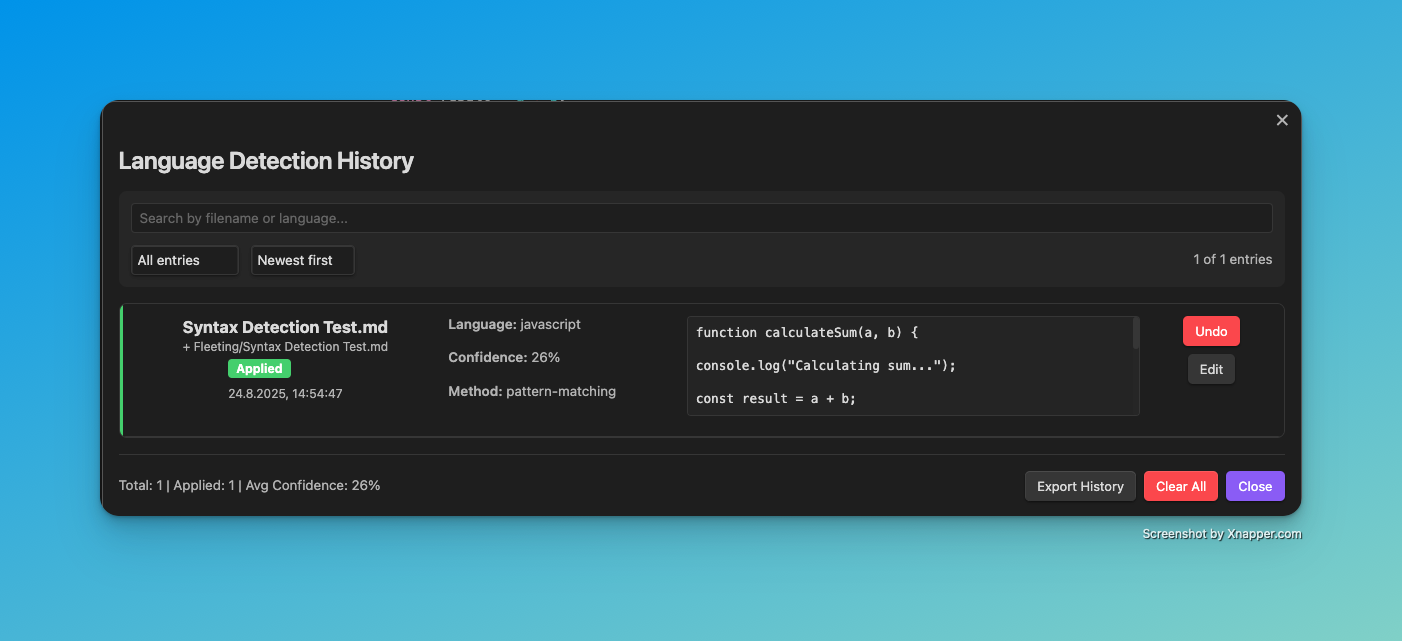
📊 Comprehensive History System
- Complete Tracking: Stores all detections with timestamps and confidence values
- Undo Functionality: Reverse individual or all changes
- Statistics: Shows overall detection activity statistics
- History Browser: Clear overview of all past actions
🔧 Advanced Configuration
- Method Prioritization: Determine the order of detection methods
- Language Filtering: Select specific languages for Pattern Matching
- Notifications: Optional success/status messages
- Import/Export: Backup and restore settings
Settings
The plugin offers extensive configuration options through the settings tab:
Trigger Behavior
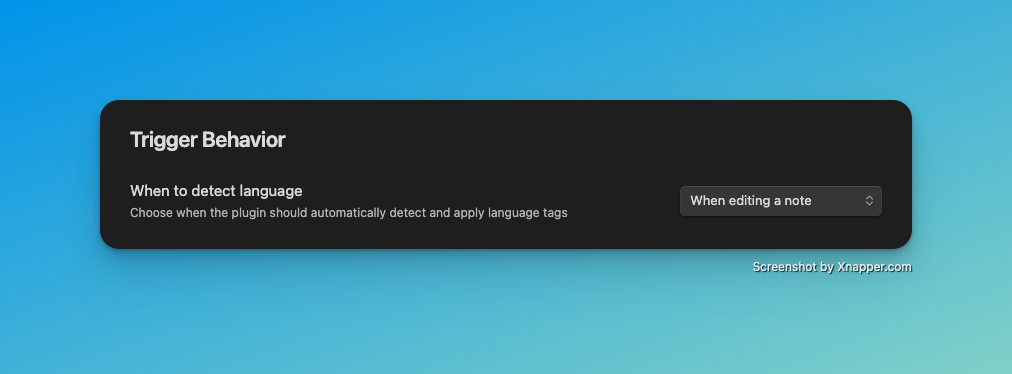
Determine when automatic language detection should be executed:
- When opening a note: On opening a note
- When editing a note: During editing
- When saving a note: On saving
- Manual only: Only manually via Command Palette
Processing Scope
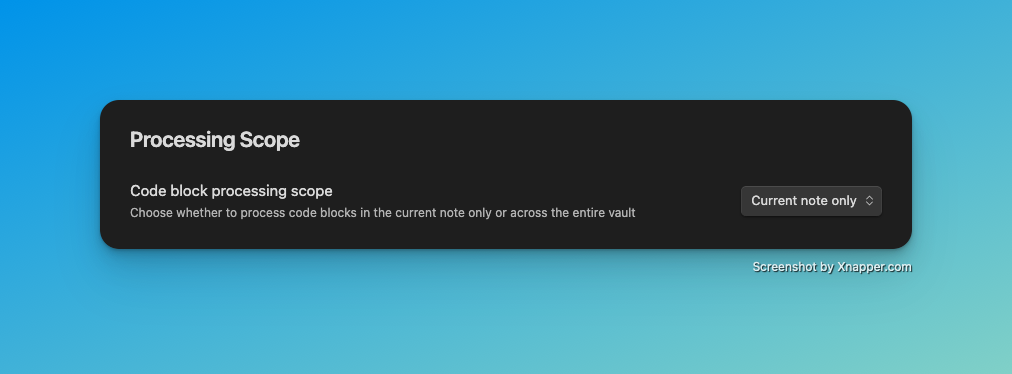
Choose the processing scope:
- Current note only: Only the current note
- Entire vault: All notes in the entire vault
Detection Settings
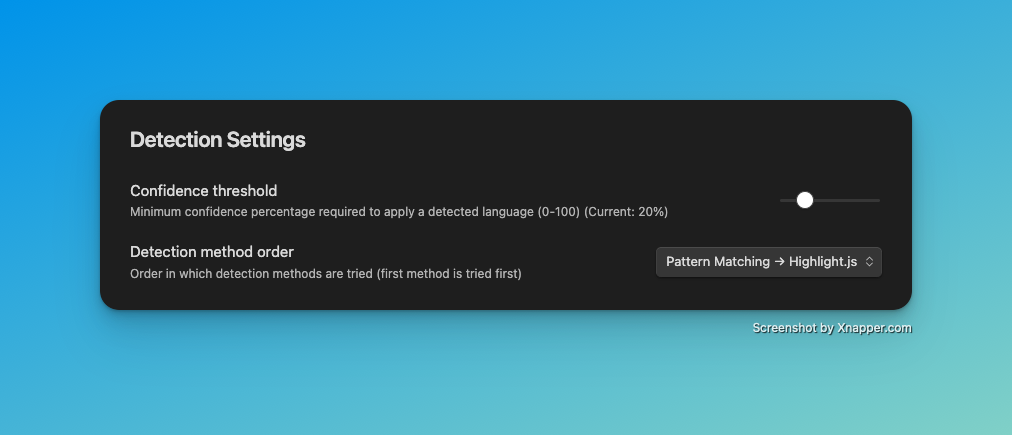
Confidence Threshold (0-100%): Minimum confidence threshold for language detection. Higher values reduce false positives but may also prevent correct detections.
Detection Method Order: Determines the order in which detection methods are applied:
- Highlight.js → Pattern Matching: First Highlight.js, then Pattern Matching
- Pattern Matching → Highlight.js: First Pattern Matching, then Highlight.js
Detection Methods
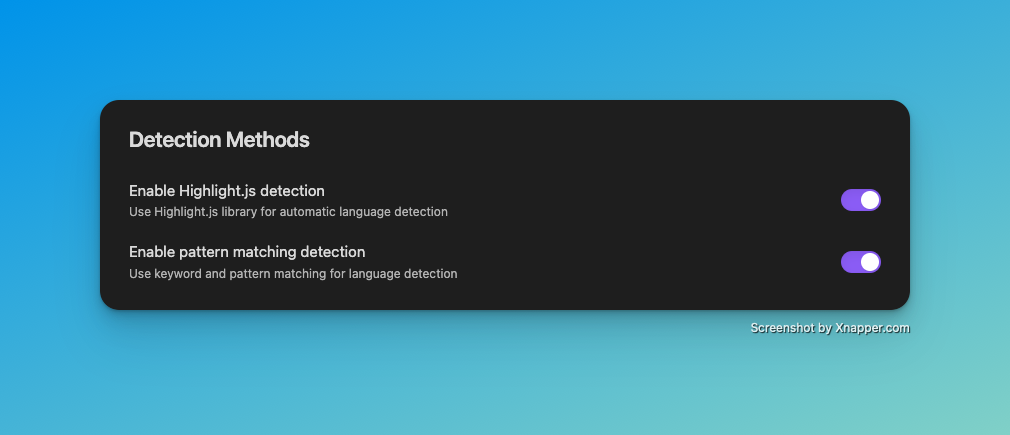
Enable Highlight.js detection: Uses the proven Highlight.js library for automatic language detection. Very precise for common programming languages.
Enable Pattern Matching detection: Uses keyword and pattern matching for language detection. Particularly effective for domain-specific languages.
History & Undo
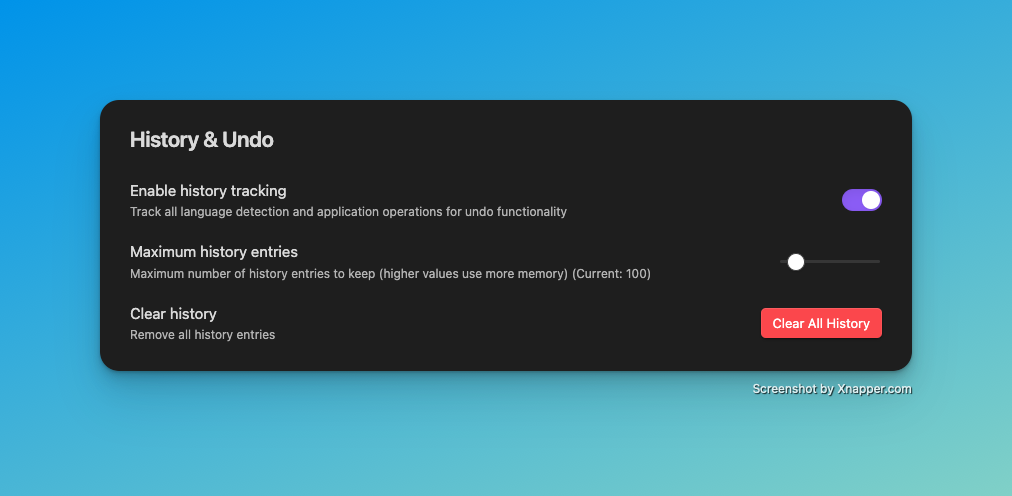
Enable history tracking: Enables tracking of all detection and application operations for undo functionality.
Maximum history entries: Maximum number of history entries to store (10-1000). Higher values require more memory.
Clear history: Removes all history entries irreversibly.
Notifications
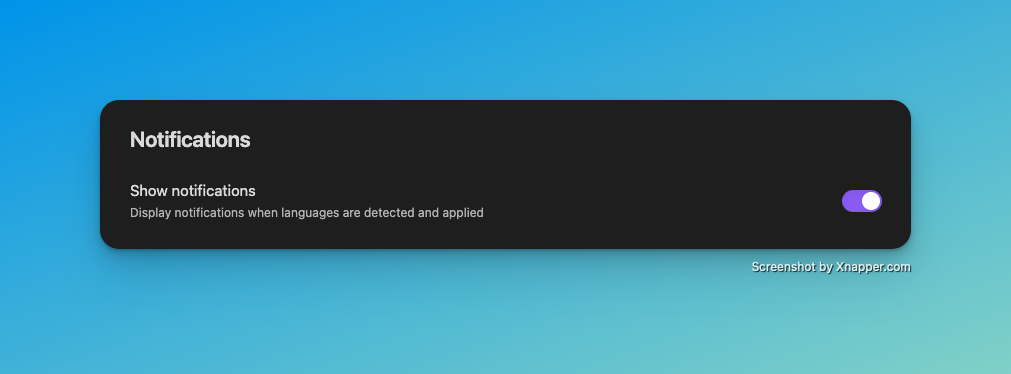
Show notifications: Display notifications when languages are detected and applied.
Pattern Matching Languages
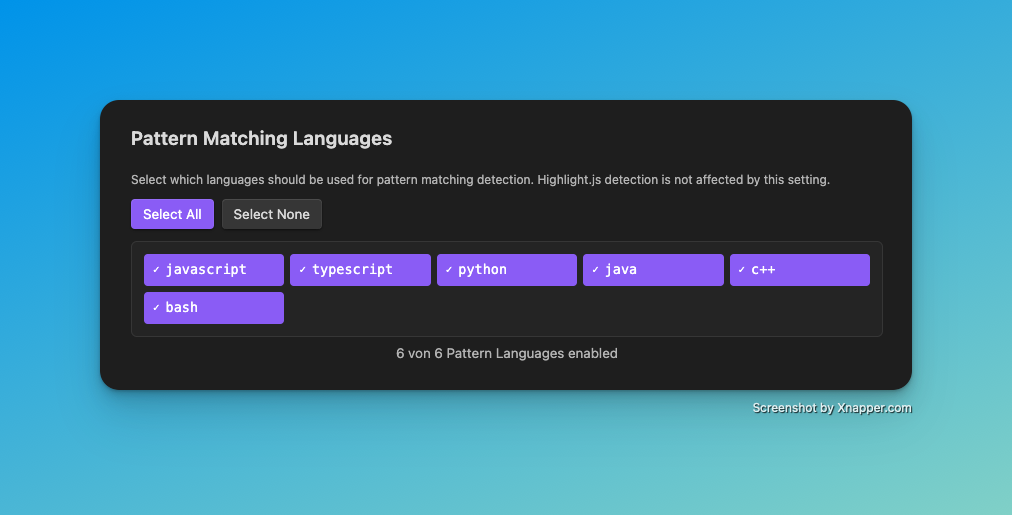
Select specific languages for Pattern Matching. Highlight.js detection is not affected by this setting.
Quick Actions:
- Select All: Enable all available pattern languages
- Select None: Disable all pattern languages
Available Languages: Over 20 preconfigured language patterns for JavaScript, Python, Java, C++, TypeScript, Bash, SQL and more.
Usage
Automatic Detection
Once the plugin is activated, it automatically detects code blocks based on the configured trigger settings. No further action required!
Manual Commands
Via Command Palette (Ctrl/Cmd + P):
- Detect language in current note: Detects languages in the current note
- Detect language in entire vault: Analyzes all notes in the vault
- Show detection history: Opens the History modal
- Undo last detection: Undoes the last detection
- Clear all detections: Removes all automatically added language tags
History Browser
The History modal shows a chronological list of all detection activities:
- Timestamp: When the detection occurred
- File: In which note the change was made
- Detected Language: Which language was detected
- Confidence: Confidence value of the detection (0-100%)
- Method: Which detection method was used
- Status: Whether the change was applied or undone
Supported Languages
The plugin supports over 70 programming languages through the combination of Highlight.js and Pattern Matching:
Web Technologies: JavaScript, TypeScript, HTML, CSS, SCSS, JSON, XML Backend Languages: Python, Java, C#, C++, C, Go, Rust, PHP, Ruby Databases: SQL, MongoDB, Redis DevOps: Bash/Shell, PowerShell, Dockerfile, YAML, TOML Functional Languages: Haskell, Scala, Clojure, F# Others: Markdown, LaTeX, R, MATLAB, Swift, Kotlin, and many more
Technical Details
Detection Algorithm
- Highlight.js Detection: Uses statistical analysis and machine learning
- Pattern Matching: Analyzes keywords, syntax patterns, operators, and comment styles
- Confidence Scoring: Each detection receives a confidence value from 0-100%
- Fallback Mechanism: If one method fails, the next one is tried
Performance
- Minimal Overhead: Optimized for large vaults with hundreds of notes
- Asynchronous Processing: Does not block the Obsidian user interface
- Intelligent Caching: Avoids repeated analysis of unchanged code blocks
Development
This plugin is Open Source and available under the MIT License. Contributions are welcome!
Repository: GitHub Issues & Feature Requests: GitHub Issues
Local Development
git clone https://github.com/bueckerlars/obsidian-codeblock-language-detector.git
cd obsidian-codeblock-language-detector
npm install
npm run dev
Support
For issues or questions:
- Check the known issues
- Create a new issue with detailed description
- Use the Discussion forum for general questions
License
MIT License - see LICENSE file for details.
For plugin developers
Search results and similarity scores are powered by semantic analysis of your plugin's README. If your plugin isn't appearing for searches you'd expect, try updating your README to clearly describe your plugin's purpose, features, and use cases.