TerroTrack
unlistedby cyber-joy
Track your Movies & TV shows.
TerroTrack
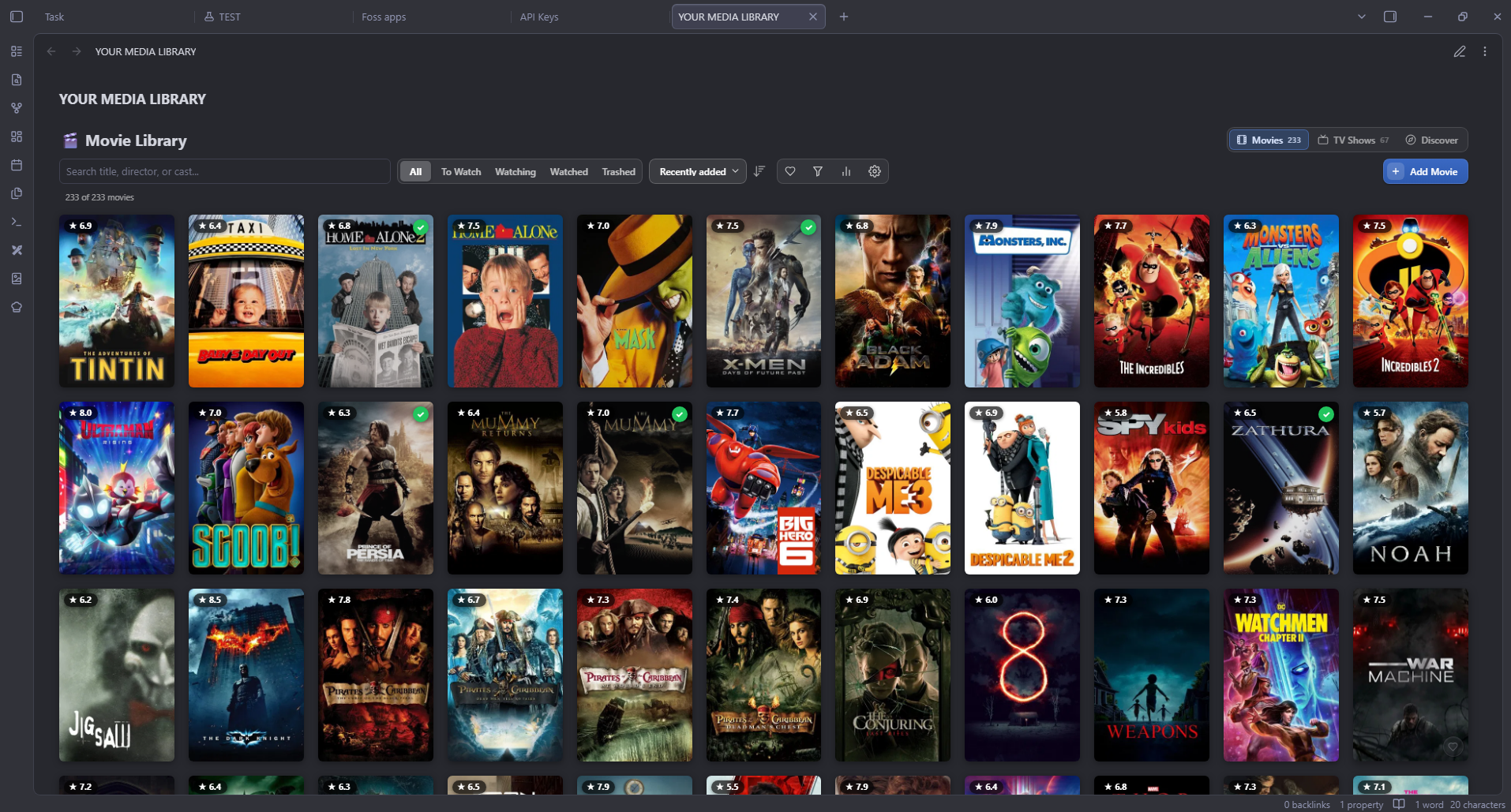
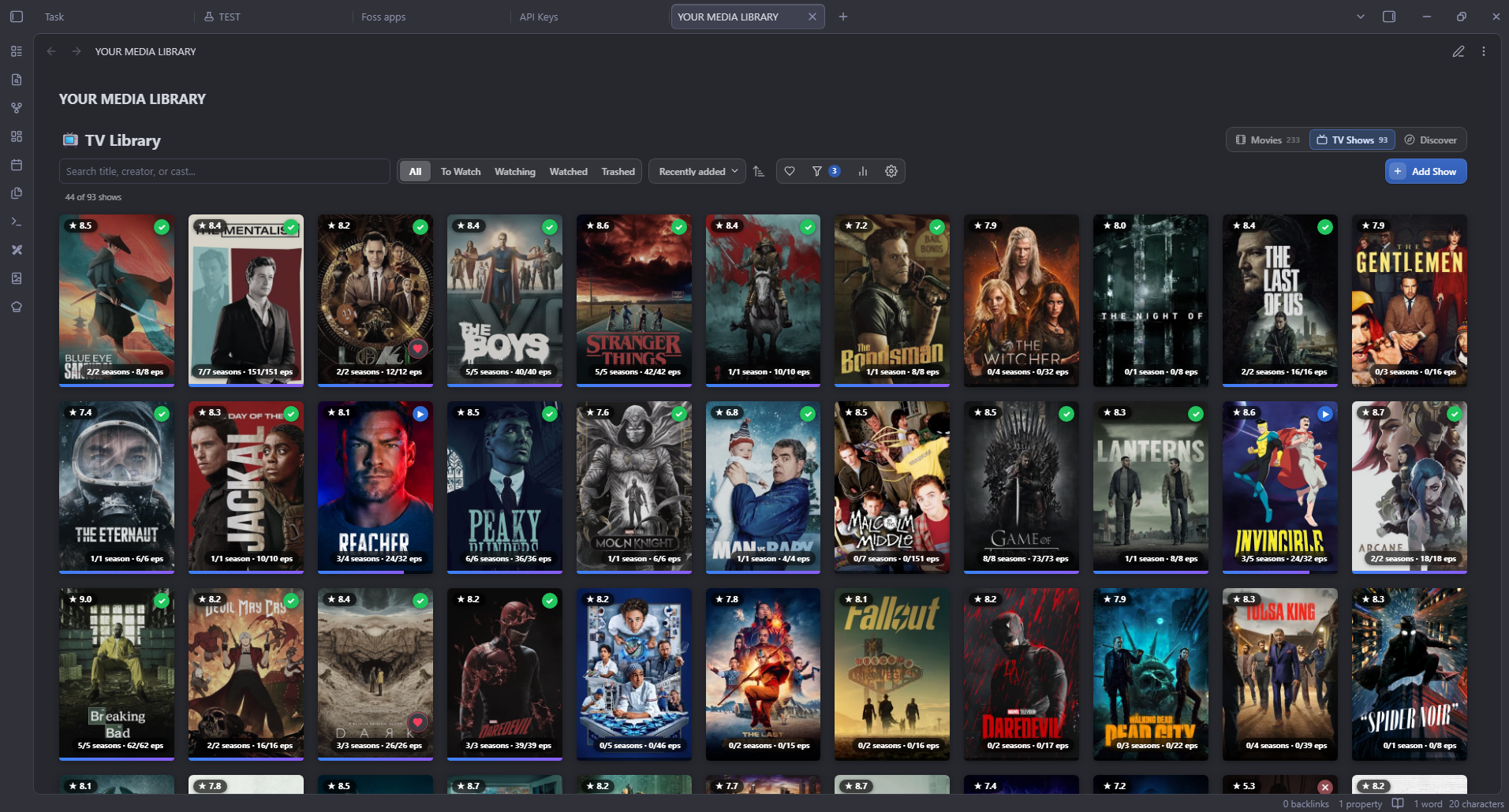
An Obsidian plugin for tracking Movies, TV Shows & Anime. Discover what to watch next, build collections, and keep everything in your own vault. Your data is stored as plain JSON and can be exported as CSV.
Quick Navigation
✨ Features · 📖 Usage · 📸 Screenshots · 📦 Installation · 🚀 Quick Start · 💾 Data Storage · 💾 Backup & Import · 🔄 Updating · 📱 Compatibility · 🙏 Credits · 📄 License
✨ Features
Libraries
- 🎬 Movie & 📺 TV show libraries, each with its own card fields, filters, and stats
- 🖼️ Poster-based gallery with adjustable card size and column count
- 🎛️ Four-way status: To Watch · Watching · Watched · Trashed
- ❤️ Favourites — one-tap heart on posters, plus a favourites-only toolbar filter
- ⭐ Personal star ratings, 5 stars at half-star precision
- 📝 Personal notes with a preview card and a full reading/editing layer
- 📄 MD button — open or create a real Markdown note for any title, with its details as properties
- 📚 Collections — group movies, shows and anime into your own lists
- ☑️ Multi-select — set status, favourite, update, add to a collection, or delete many titles at once
- 🎲 Pick for me — a random title from your To Watch list, filtered by genre and length
Progress
- 📺 TV and anime progress tracks seasons and episodes together
- ⏳ Time left — remaining episodes × episode length, shown beside the progress bar
- 📅 Per-day logging date, so you can log past viewing on the day it happened
- 🔔 This week bell — new episodes and releases for the titles in your library (anime uses its AniList airing schedule)
Anime
- 🔎 Search queries AniList and MyAnimeList together and merges the results — no TMDB key needed
- 🌐 Titles shown in English, Romaji or Native (Settings → TerroTrack → Anime title language)
- 🎙️ Voice cast with the actor and the character they play, plus related and similar titles
- 📡 Airing titles show how many episodes have aired so far
Discover
- ✨ Picked for you — recommendations built from your own ratings, genres, and watch history
- 🔥 Trending this week
- 📅 Upcoming (movies) / Coming soon (TV and anime) · 📡 On the air (TV) / Airing now (anime)
- Movies and TV Discover need a TMDB API key. Anime Discover uses AniList and needs no key.
Search, filter, sort
- 🔍 Search by title, director/creator, and cast (anime: studio and voice actor)
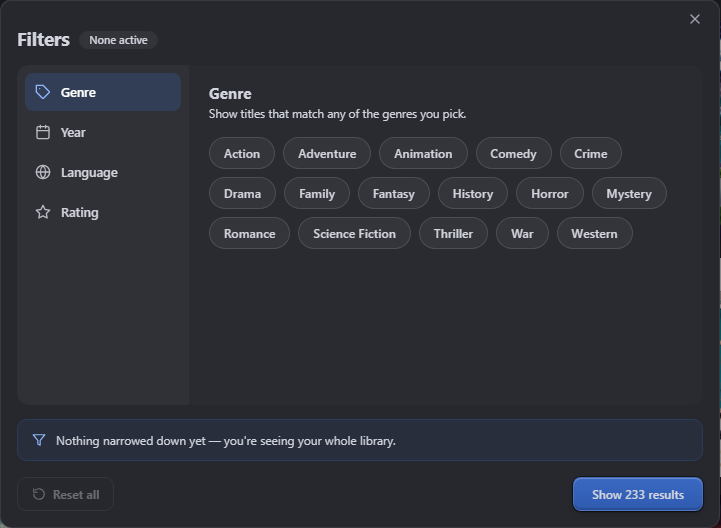
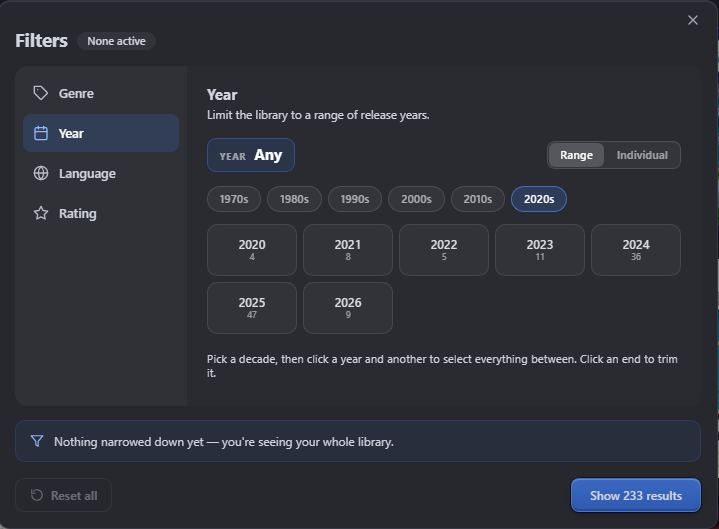
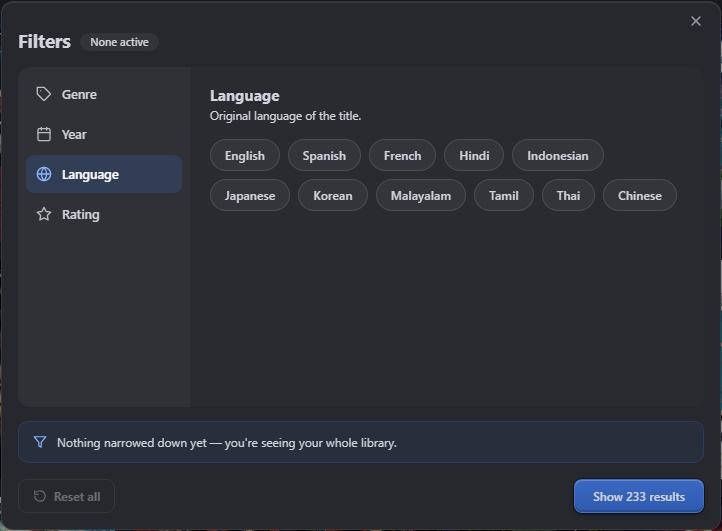
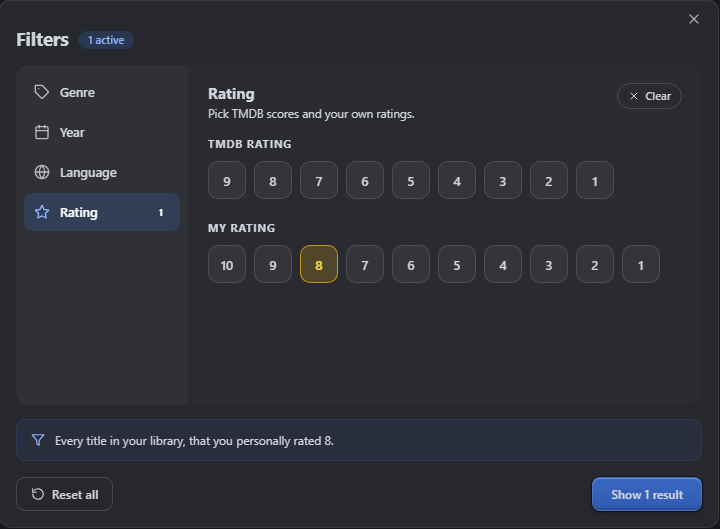
- 🏷️ Filter by genre, year, language, TMDB rating, and your own rating (+ series status on TV, format on anime: TV, Movie, ONA, OVA, Special)
- 📆 Dual-handle year picker with Range and Individual modes
- ↕️ Sort by Recently added, Title, Year, Rating, My rating, or Runtime, ascending or descending
Stats
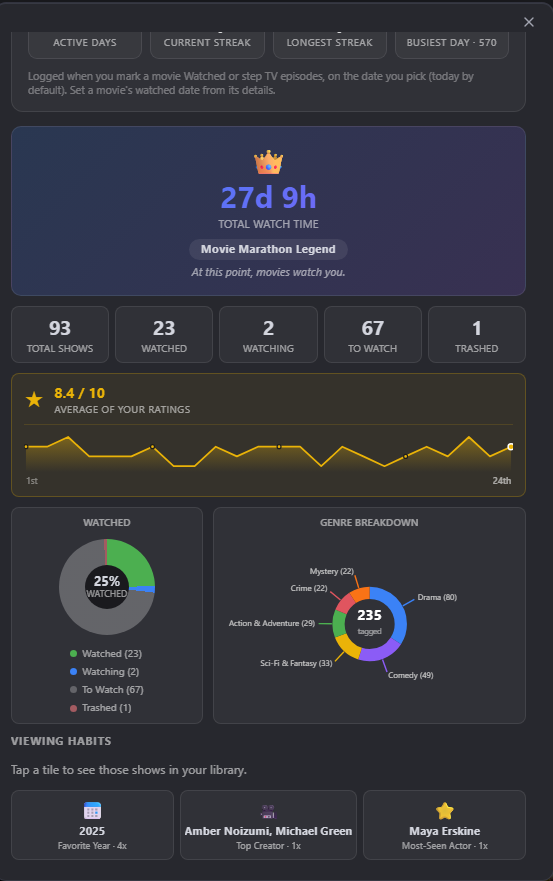
- 🔀 One window with a Movies / TV / Anime switch that changes every section
- ⏱️ Total watch time with a playful tier badge
- 📊 Watched / Watching / To Watch / Trashed breakdown with percentages
- 🎯 Genre breakdown and viewing habits — favourite year, top director/creator/studio, most-seen actor — click to jump to those titles
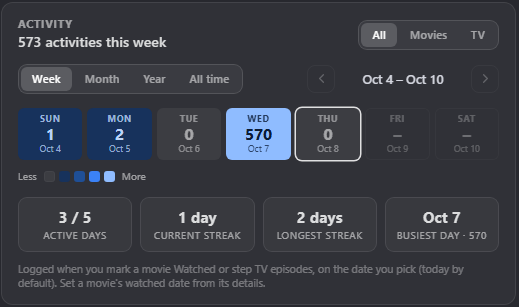
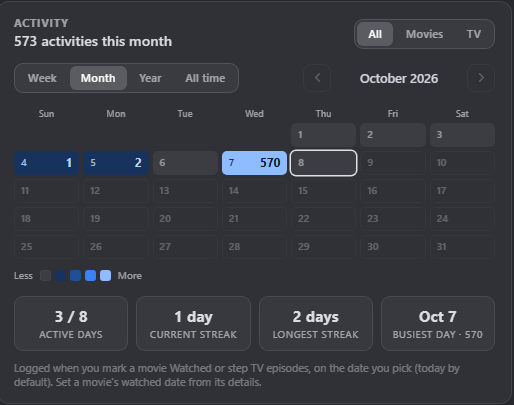
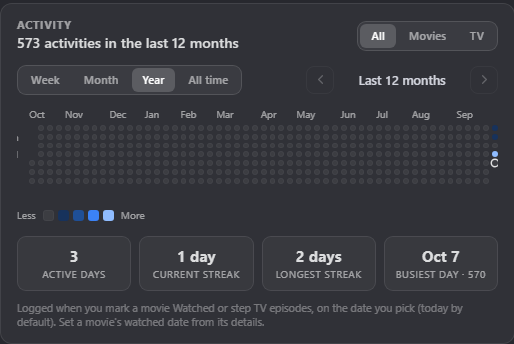
- 🗓️ GitHub-style activity heatmap with Week / Month / Year / All-time views and current/longest streak tiles. All-time shows years across and months down, so any number of years stays one compact table
Data
- 📄 Plain JSON storage — inspect, edit, or move it outside Obsidian
- 💾 CSV backups (full round-trip) and TXT exports
- 📥 Import from TerroTrack backups, IMDb, Letterboxd (movies only), MyAnimeList and AniList
- 📤 Export anime to a MyAnimeList XML file
- 🔄 Update database — re-fetch metadata while keeping your status, notes, ratings, and progress
📖 Usage
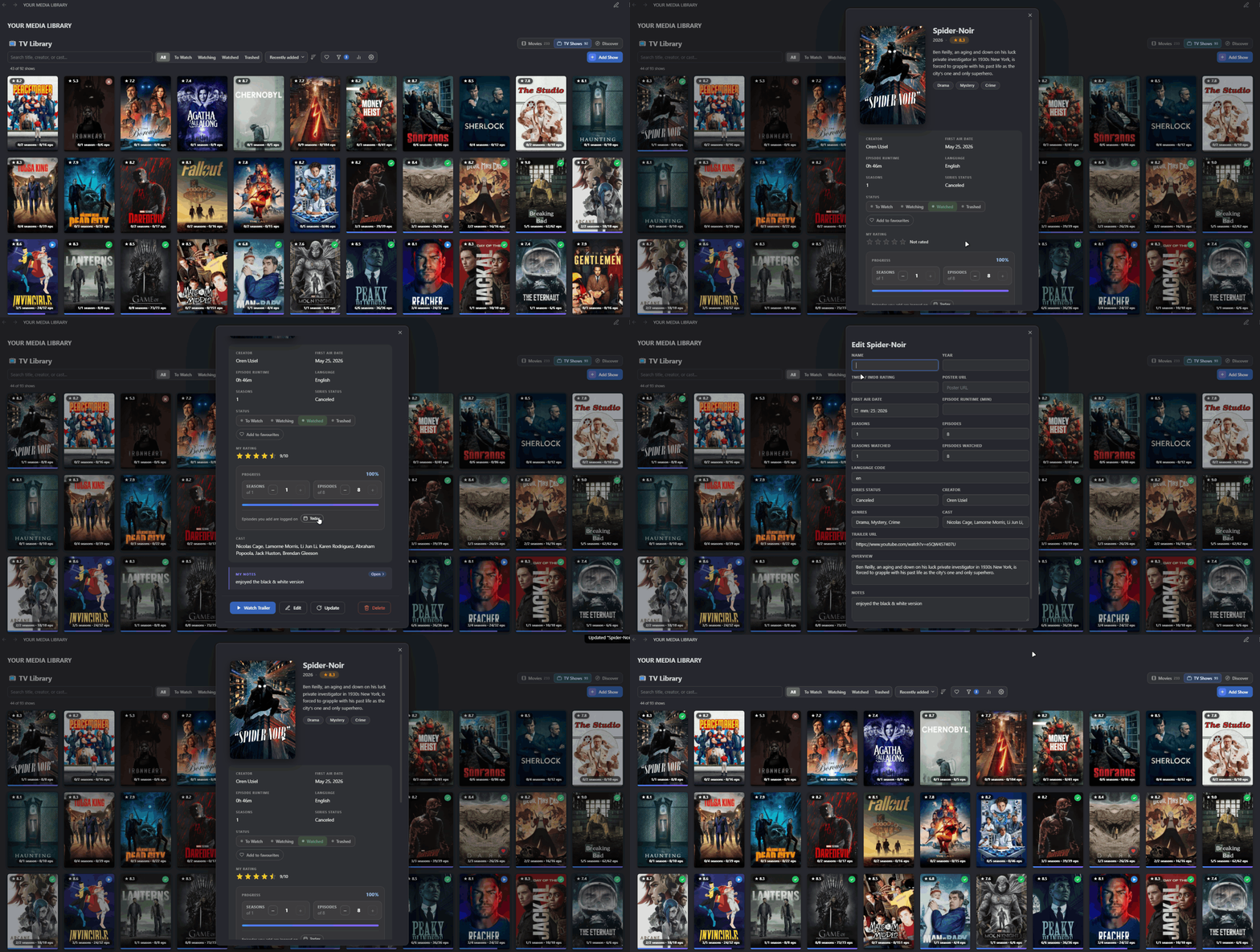
Managing Your Library
Add a title → Rate it → Track seasons & episodes → Add personal notes → Edit details → Update information → Watch trailer
Searching Your Library
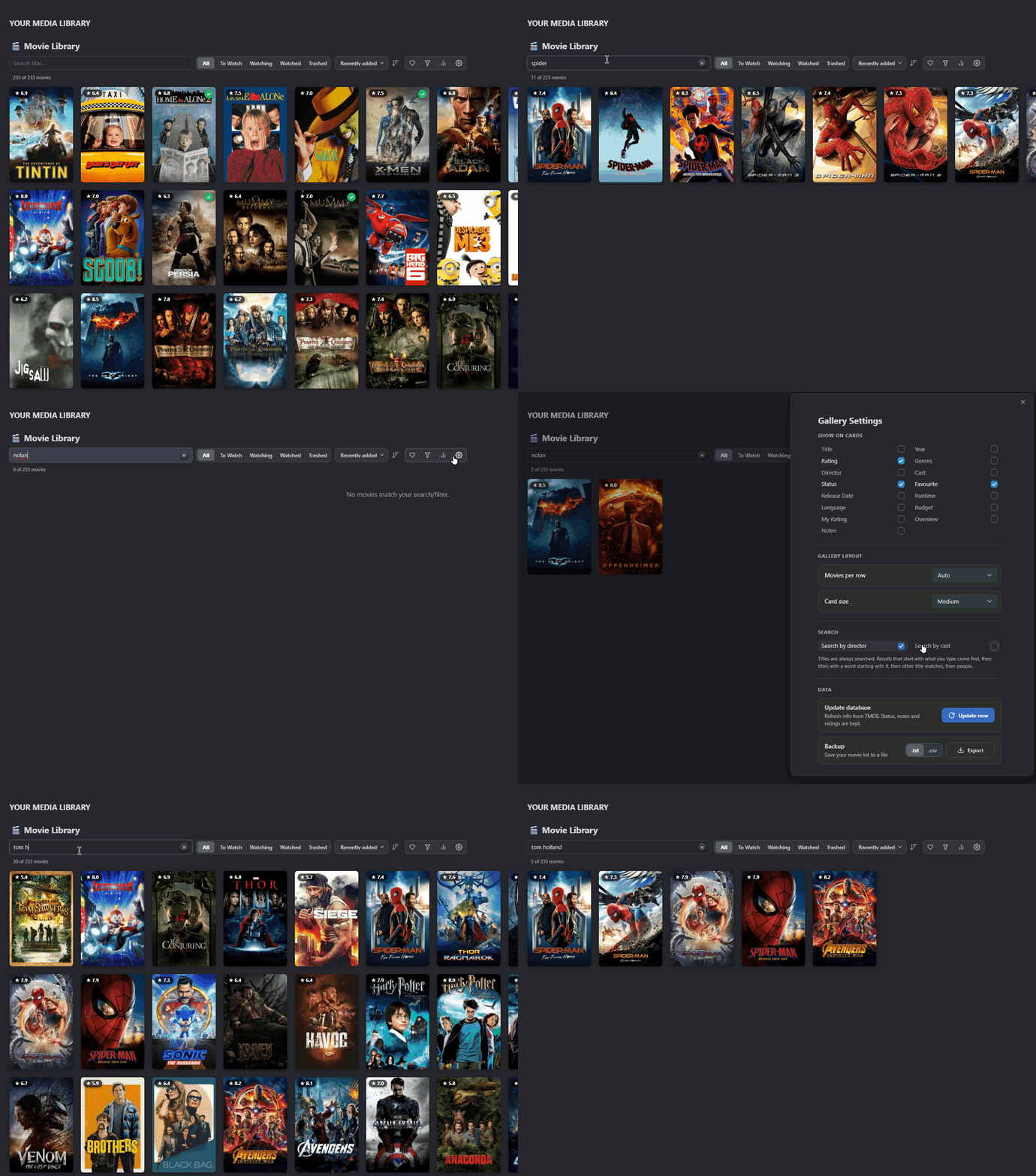
Search your collection by title, director (creator, for TV), and cast. Anime also searches studio and voice actor.
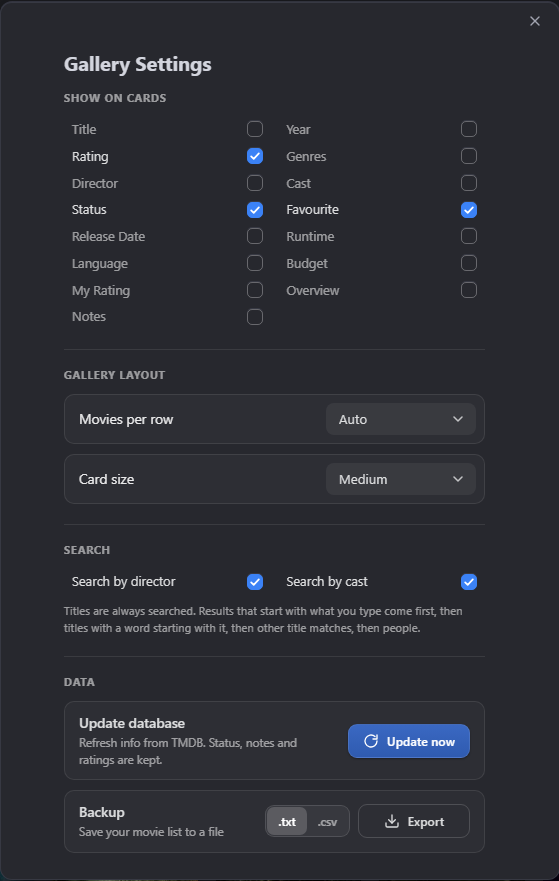
Title is always searched. Director and Cast can be toggled in Gallery Settings (both are on by default).
Collections
Open the Collections tab and create a list. Add titles from a title's details (the Collection button), or select several posters and use Collection in the selection bar. A collection can mix movies, TV shows and anime.
Showing part of your library in a note
A block with no options is the full library. Add options and it becomes a filtered list you can place anywhere in your notes:
```terro-movie
type: movies
status: watched
genre: Drama
sort: rating
limit: 10
title: My top dramas
```
| Option | Values |
|---|---|
type | movies (default for terro-movie), tv (default for terro-tv), or all |
status | to watch, watching, watched, trashed |
favorite | true |
genre | one or more genres, comma-separated |
year | 2010, a list 1999, 2004, or a range 2010-2020 |
language | language code, e.g. en |
collection | the name of one of your collections |
person | a director, creator, or actor |
min_rating, min_my_rating | minimum TMDB rating / your own rating |
search | text to find in the title |
sort | added (default), title, year, rating, myrating, runtime |
dir | asc or desc |
limit | maximum number of titles |
title | heading shown above the list |
Filtered blocks list movies and TV shows. Anime lives in the full library (the Anime tab).
📸 Screenshots
Similar Titles
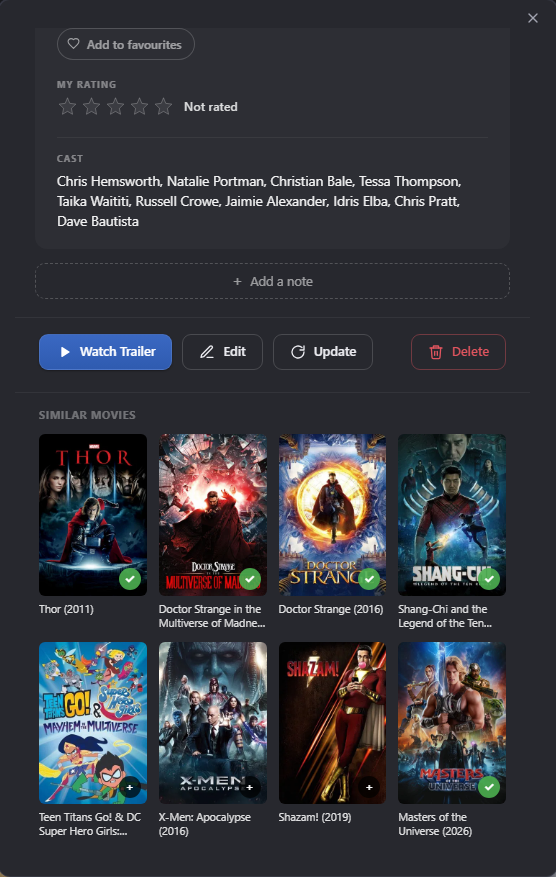
⚙️ Gallery settings
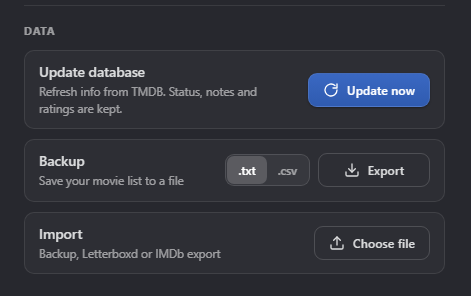
🎛️ Filters
📊 Library Stats
📦 Installation
Manual Installation
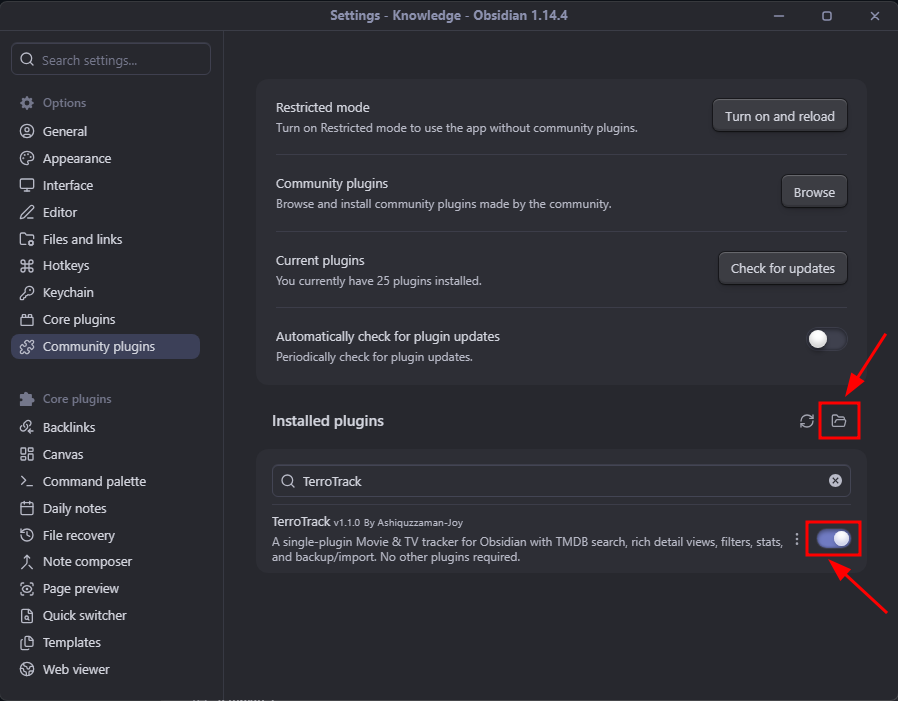
Make sure to turn off restricted mode.
1. Download
- Download TerroTrack from the latest release.
- Extract the ZIP file.
2. location
- Open your Obsidian vault's plugin folder.
- Copy the entire plugin folder into it.
YourVault/
└── .obsidian/
    └── plugins/
3. Enable the Plugin
- Open Obsidian Settings → Community plugins
- Find TerroTrack in the installed plugins list.
- Enable it.
Quick start
1. Add your TMDB API key
- Go to Settings → TerroTrack → TMDB API key.
- Paste your key.
Don't have one? See How to get your free TMDB API key. Anime does not need it.
2. Open your Library
In any note, add either:
```terro-movie

```
or
```terro-tv

```
Both render the same interface with Movies · TV Shows · Anime · Collections · Discover tabs. The only difference is which tab opens first.

You can also add titles from the command palette with Add movie and Add TV show.
3. Add your first title
Click + Add Movie, + Add Show, or add an anime.
Search and select a result, or use OR ENTER MANUALLY for titles that aren't available online.
💾 Data storage
By default, TerroTrack writes three files to your vault root:
| File | Contents |
|---|---|
movies.json | Your movie library |
tvshows.json | Your TV library |
anime.json | Your anime library |
collections.json | Your collections |
activity.json | Daily activity counts behind the heatmap |
Markdown notes created with the MD button go in a TerroTrack Notes folder (change it in Settings → TerroTrack → MD notes folder). Plugin settings are kept in the plugin's own data.json.
All file paths can be changed in Settings → TerroTrack.
Everything is plain JSON — you can open, edit, or move it outside Obsidian.
Movie entry example
{
  "id": 438631,
  "title": "Dune",
  "year": "2021",
  "poster_path": "/d5NXSklXo0qyIYkgV94XAgMIckC.jpg",
  "rating": "8.2",
  "myRating": "9",
  "watched": true,
  "watchedDate": "2026-02-14",
  "favorite": true,
  "release_date": "2021-10-22",
  "runtime": 155,
  "original_language": "en",
  "budget": 165000000,
  "genres": "Science Fiction, Adventure",
  "director": "Denis Villeneuve",
  "cast": "Timothée Chalamet, Rebecca Ferguson, ...",
  "overview": "...",
  "notes": "",
  "trailer_key": "8g18jFHCLXk"
}
TV entry example
{
  "id": 1396,
  "name": "Breaking Bad",
  "year": "2008",
  "poster_path": "/ggFHVNu6YYI5L9pCfOacjizRGt.jpg",
  "rating": "8.9",
  "myRating": "10",
  "watched": true,
  "first_air_date": "2008-01-20",
  "last_air_date": "2013-09-29",
  "show_status": "Ended",
  "episode_runtime": 47,
  "original_language": "en",
  "genres": "Drama, Crime",
  "creators": "Vince Gilligan",
  "cast": "Bryan Cranston, Aaron Paul, ...",
  "overview": "...",
  "notes": "",
  "trailer_key": "",
  "number_of_seasons": 5,
  "number_of_episodes": 62,
  "season_episodes": [7, 13, 13, 13, 16],
  "seasonsWatched": 2,
  "episodesWatched": 20
}
Anime entry example
{
  "id": 5114,
  "anilist_id": 5114,
  "mal_id": 5114,
  "name": "Fullmetal Alchemist: Brotherhood",
  "title_english": "Fullmetal Alchemist: Brotherhood",
  "title_romaji": "Hagane no Renkinjutsushi: FULLMETAL ALCHEMIST",
  "year": "2009",
  "rating": "9.1",
  "rating_source": "AniList",
  "myRating": "10",
  "status": "watching",
  "format": "TV",
  "show_status": "Ended",
  "episode_runtime": 24,
  "genres": "Action, Adventure, Drama, Fantasy",
  "creators": "Bones",
  "overview": "...",
  "notes": "",
  "number_of_seasons": 1,
  "number_of_episodes": 64,
  "episodesWatched": 20
}
For a title that is still airing, total_known is false and episodes_aired holds the number of episodes out so far.
💾 Backup & Import
TerroTrack supports library backup and import through Gallery Settings → Data.
- CSV — Full library backup that can be re-imported.
- TXT — Simple numbered list of your library.
- TerroTrack — Import previous CSV backups.
- IMDb — Import movie and TV exports.
- Letterboxd — Import movie exports, including ratings and watchlists.
- MyAnimeList — Import an XML export into your anime library, or export your library back to XML.
- AniList — Import a public AniList list by username.
🔄 Updating
Download the latest release and replace the existing TerroTrack plugin folder with the new version.
Your library data will remain intact.
To refresh a title's information, open it and press Update, or select several titles and use Update in the selection bar. Update database in Gallery Settings refreshes the whole library. Your status, notes, ratings, and progress are kept.
How to get your free TMDB API key
- Create a free account at themoviedb.org.
- Go to Settings → API.
- Request an API key and choose the Developer option.
- Copy the API Key (v3 auth) — a 32-character hex string.
- Paste it into Settings → TerroTrack → TMDB API key.
The key is stored in the plugin's data.json and stays on your machine.
Without it, the plugin still works — manual entry, gallery, filters, sorting, notes, ratings, backups, native-backup imports, and the whole anime side (AniList and MyAnimeList search, Discover, updates) all function. You lose TMDB search for movies and TV, their Discover rows, metadata updates, and IMDb/Letterboxd enrichment.
Optional: MyAnimeList client ID
By default, MyAnimeList lookups go through Jikan, an unofficial service that can be slow. A free client ID makes the plugin use MyAnimeList's official API instead. Anime search through AniList works without it.
- Go to myanimelist.net/apiconfig and create an app.
- Copy its Client ID.
- Paste it into Settings → TerroTrack → MyAnimeList client ID (optional).
📱 Compatibility
- Desktop: Windows · macOS · Linux
- Mobile: Android · iOS
🙏 Credits
TerroTrack is an independent project. It is not affiliated with, or endorsed by, any of the services below.

This product uses the TMDB API but is not endorsed or certified by TMDB.
- 🎬 Movie and TV information and images come from TMDB (The Movie Database).
- 🎌 Anime information, images and airing schedules come from AniList and MyAnimeList. Jikan, an unofficial MyAnimeList API, is used only as a fallback.
- 🖼️ Posters and artwork belong to their respective rights holders. They are loaded from these services when shown and are not stored in your vault.
- ✏️ Many of the small icons are based on Lucide (ISC licence) and Feather (MIT licence).
📄 License
MIT — see LICENSE.
For plugin developers
Search results and similarity scores are powered by semantic analysis of your plugin's README. If your plugin isn't appearing for searches you'd expect, try updating your README to clearly describe your plugin's purpose, features, and use cases.