Taskist
unlistedby eugene chen
A task management tool that turns your Markdown notes into a powerful task system.
Taskist
A task management tool that turns your Markdown notes into a powerful task system.
Installation
Follow the steps below to install Taskist.
- Search for "Taskist" in Obsidian's community plugins browser
- Enable the plugin in your Obsidian settings (find "Taskist" under "Community plugins").
What Taskist Does
Taskist parses Markdown task lists (- [ ]) from your notes and turns them into a fully-featured task management system. Your tasks stay as plain text in your Markdown files — no proprietary formats, no lock-in. Edit them in Taskist's UI or directly in your notes; both stay in sync.
Core Features
Markdown-Native Tasks
- Tasks are stored as standard Markdown (
- [ ] Task title) - Full round-trip parsing: edit in the UI or in your notes
- File-level
taskist-ignoresupport to exclude files from task indexing - Hierarchical tasks with parent-child relationships
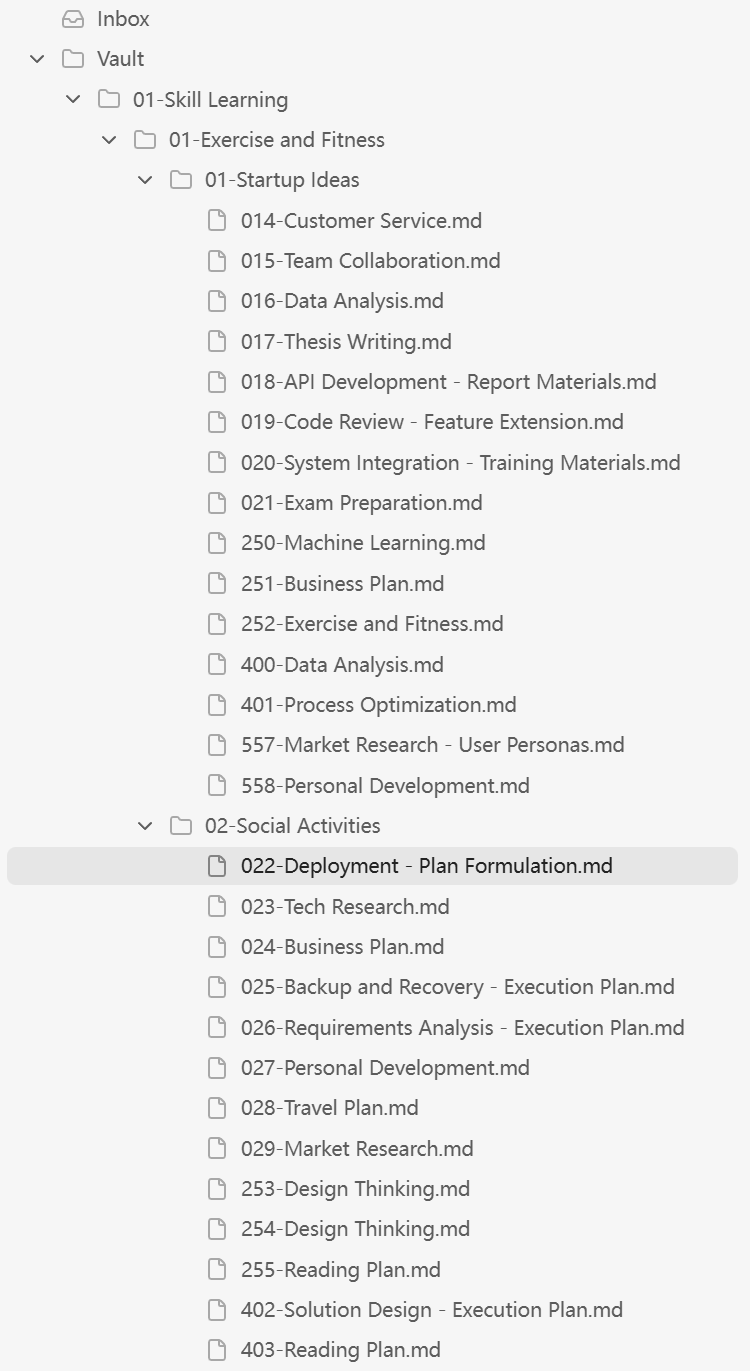
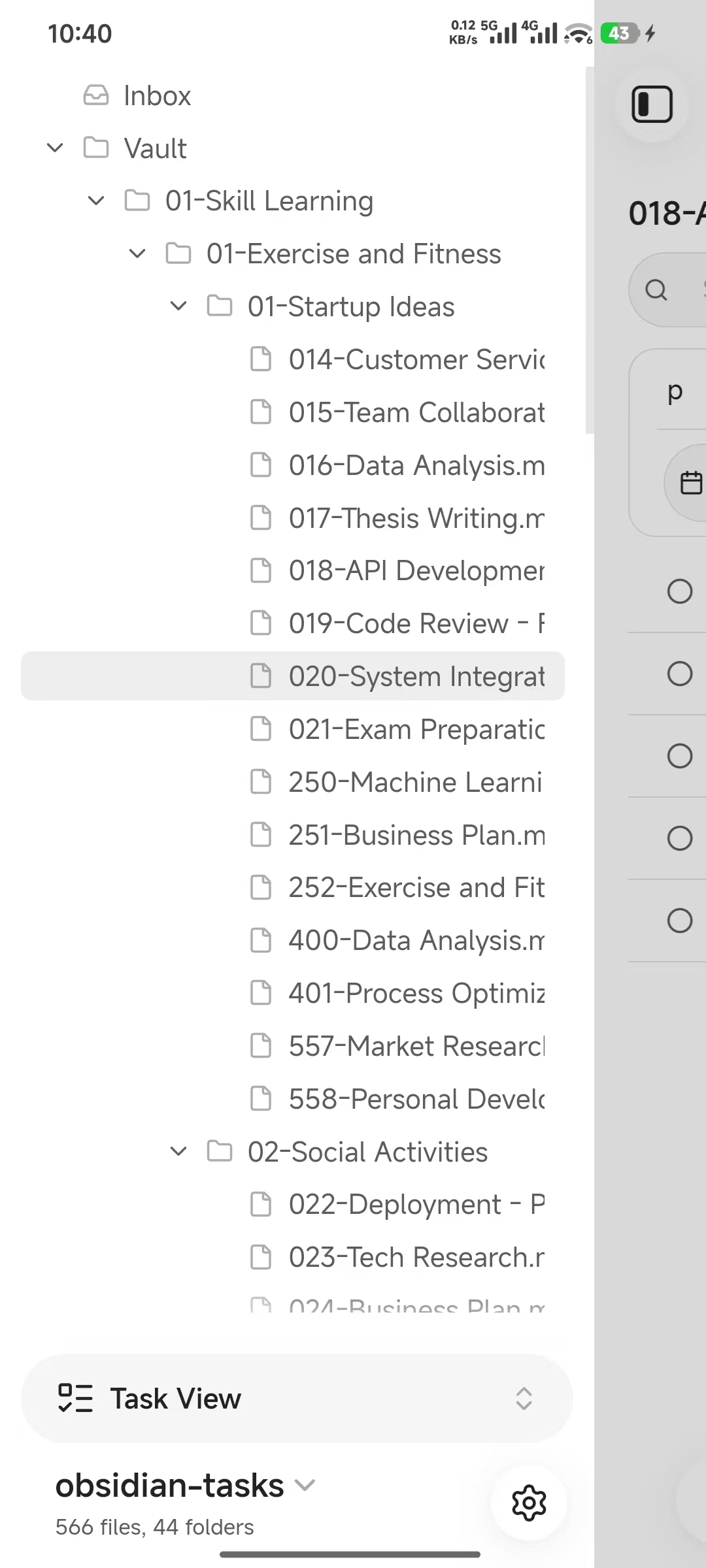
Task Navigator (Side Panel, command palette Taskist: Open task navigator view)
A tree view for quick navigation:
- Inbox: a dedicated catch-all file for quick task capture
- Vault tree: browse tasks by your folder structure
- Tag tree: hierarchical tag browser with nested tag support
Task List View
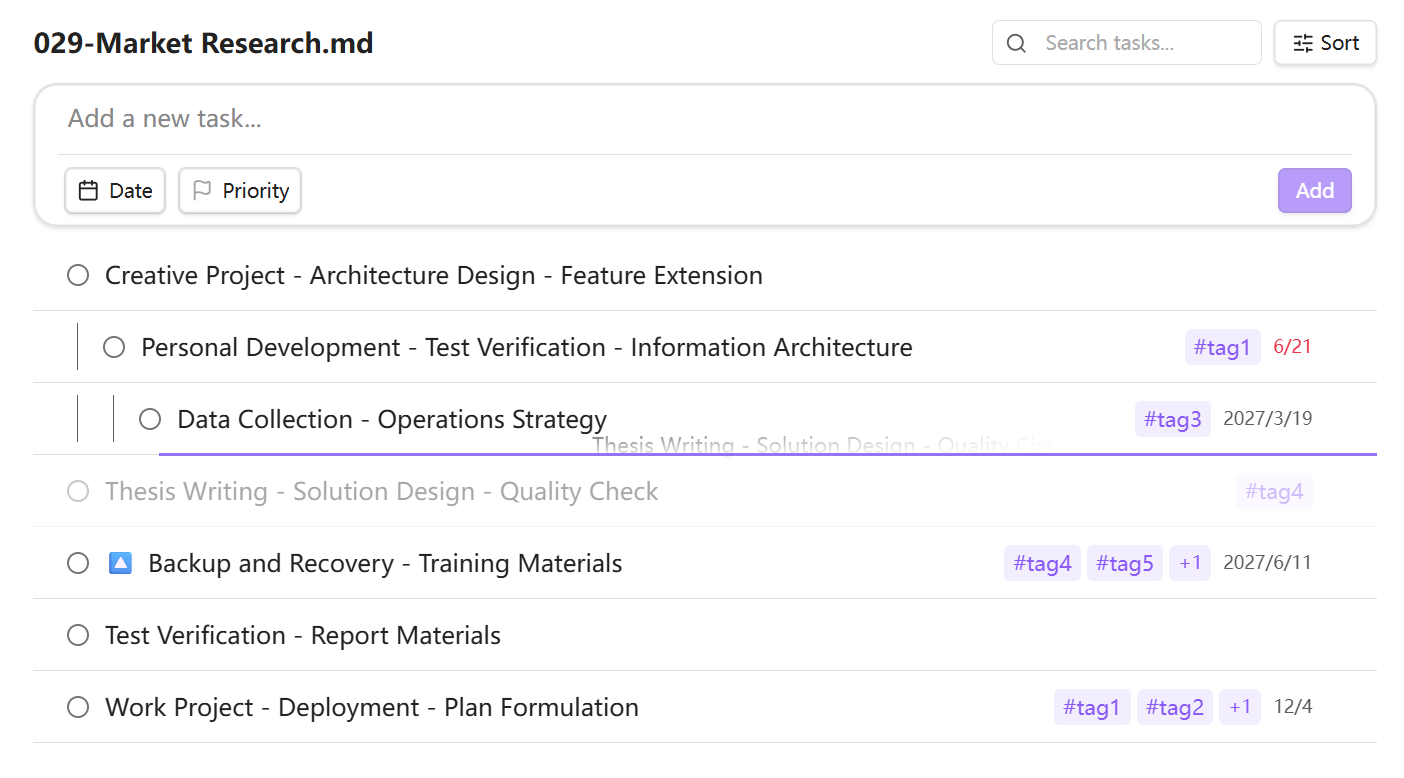
A dedicated task panel with powerful organization:
- Multi-source browsing: view tasks by file, by tag, or from your Inbox
- Grouping: group tasks by status, priority, tags, due date, or heading
- Sorting & filtering: sort by priority or due date; filter by priority, tags, or keyword search
- Drag-and-drop reordering: reorder tasks within a file, or drag between groups to update properties automatically
- Inline editing: click any task to edit its title, priority, due date, and tags inline
- Subtasks: add child tasks under any task with proper indentation
- Virtual scrolling: handles thousands of tasks smoothly

Task Editor
- Type
!to set task priority - Natural language due date parsing (e.g., "next Friday")
- Type
#to add tags - Type
~to choose save location
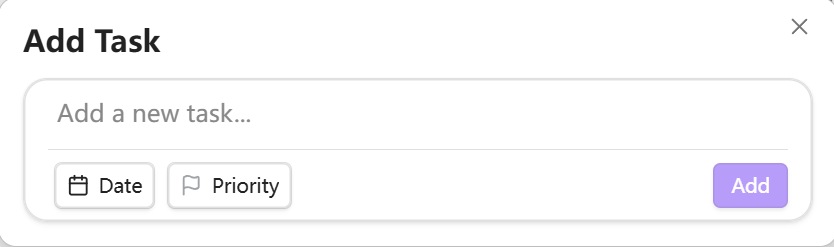
Quick Add Modal
Capture tasks instantly via command palette:
Real-Time Sync
- Tasks update instantly when you edit Markdown files
- Handles file renames, moves, and deletions automatically
- Persists task cache across sessions for fast startup
I18n Support
Multi-language support for English and Chinese
For plugin developers
Search results and similarity scores are powered by semantic analysis of your plugin's README. If your plugin isn't appearing for searches you'd expect, try updating your README to clearly describe your plugin's purpose, features, and use cases.