Linwich
unlistedby giangdvdotdev
Vocabulary tracking and grammar mistake detection for non-native English speakers.
Updated 5mo agoMIT
Linwich — Obsidian Plugin
Vocabulary tracking and grammar mistake detection for non-native English speakers.
Screenshots
Features
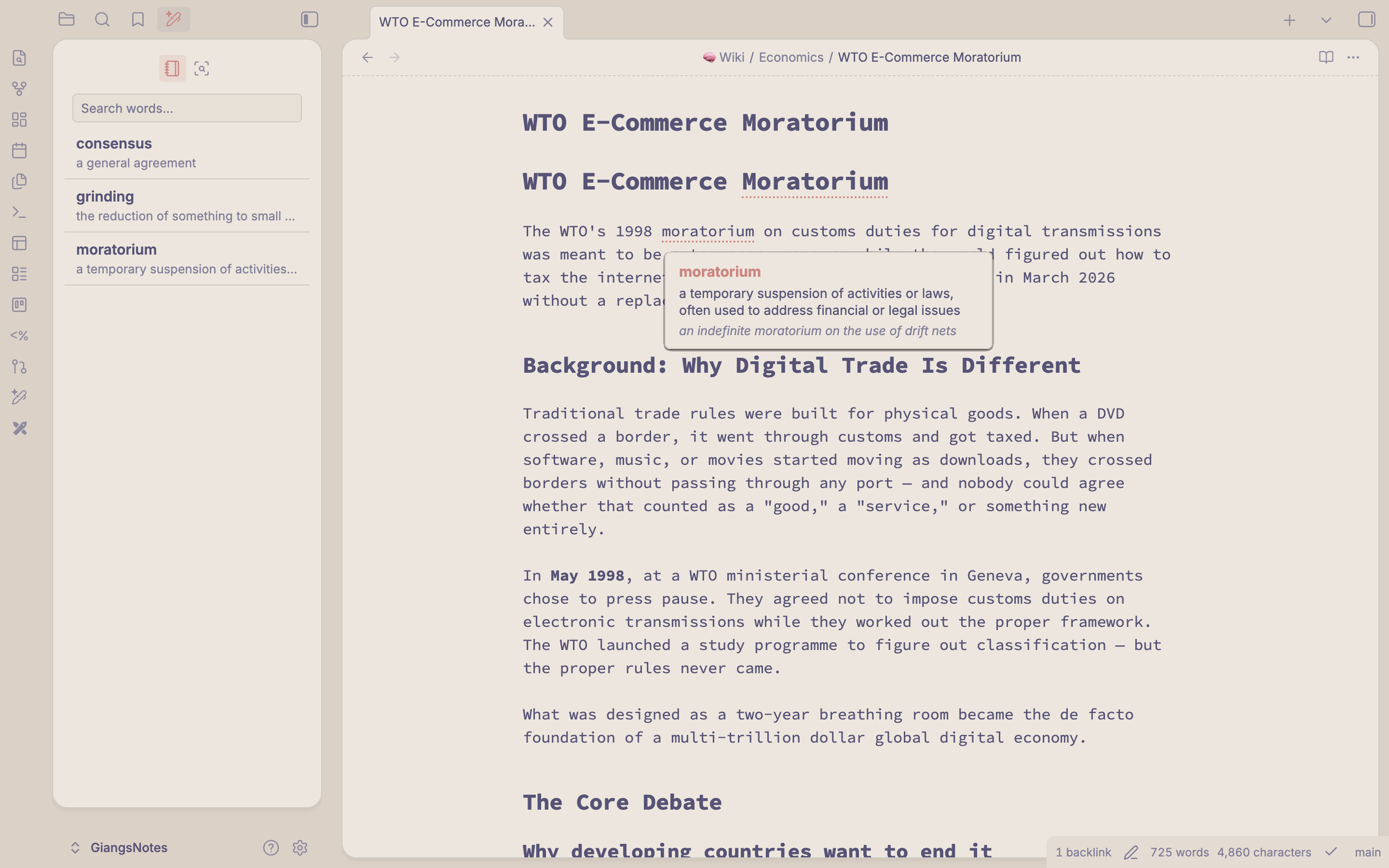
- Vocab sidebar — Browse all saved vocabulary words with definitions, examples, and backlink counts. Click any word to open its note.
- Add to Vocab — Right-click any single word in the editor to save it with a definition and example sentence.
- Vocab hover card — Hover over any saved word in your notes to see its definition and example inline.
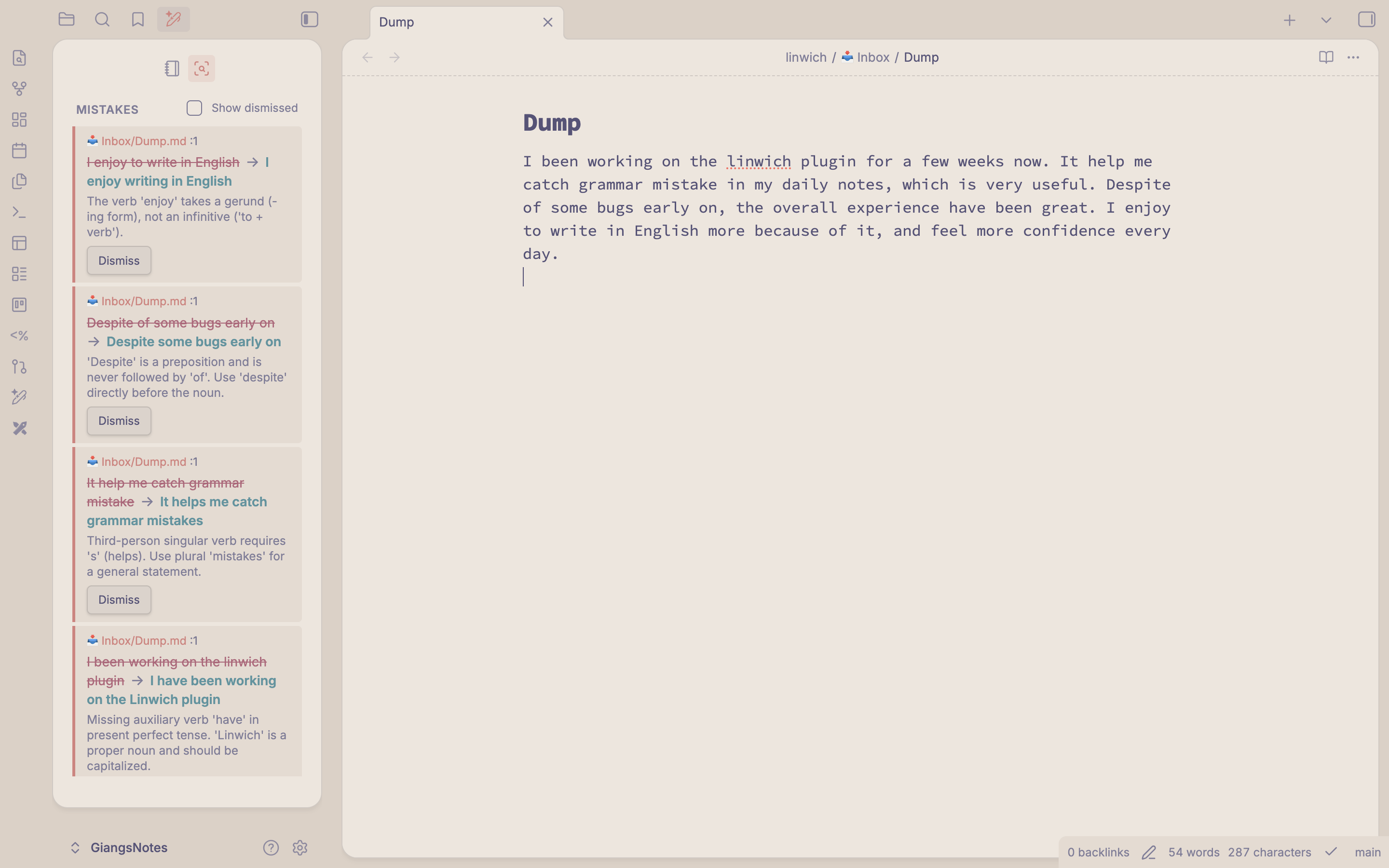
- Mistake tracker — Right-click in any note and choose "Check grammar" to send it to Claude for analysis. Mistakes are saved as notes and shown as dismissible cards in the sidebar.
Requirements
- Obsidian 0.15.0 or later
- Desktop only (no mobile support)
- A Claude API key (Anthropic) for the grammar-check feature
Installation
Community Plugins (recommended)
- Open Obsidian Settings → Community plugins → Browse.
- Search for Linwich.
- Click Install, then Enable.
Manual Installation
- Download the latest release from the Releases page.
- Copy
main.js,manifest.json, andstyles.cssinto your vault at:<YourVault>/.obsidian/plugins/linwich/ - Restart Obsidian and enable Linwich in Settings → Community plugins.
Configuration
Open Settings → Linwich:
| Setting | Default | Description |
|---|---|---|
| Linwich folder | linwich | Root folder where Vocab and Mistakes sub-folders are created |
| Claude API key | (empty) | Your Anthropic API key — required for grammar checking |
Get a Claude API key at console.anthropic.com.
Usage
Saving vocabulary
- Select a single word in the editor.
- Right-click → Add to Vocab (or Edit in Vocab if the word already exists).
- Fill in the definition and optional example sentence.
Checking grammar
- Right-click anywhere in the note → Check grammar (or use the command palette).
- Results appear in the Mistakes tab of the Linwich sidebar.
- Click Dismiss on any card to archive it.
Command palette
Linwich: Check grammar— runs grammar check on the active note (assignable to a hotkey).Linwich: Open Linwich sidebar— opens the sidebar.
Development
npm install
npm run dev      # watch mode
npm run build    # production build
npm run lint     # ESLint check
Built files: main.js, manifest.json, styles.css.
License
MIT
For plugin developers
Search results and similarity scores are powered by semantic analysis of your plugin's README. If your plugin isn't appearing for searches you'd expect, try updating your README to clearly describe your plugin's purpose, features, and use cases.