Matrix Graph
unlistedby Gwhyang
Turn a Markdown table into an interactive force-directed graph: rows and columns become nodes, cells become edges. Supports similarity/hub modes, a table editor and growth animation.
Matrix Graph
Turn a plain Markdown table into an interactive force-directed graph inside Obsidian.
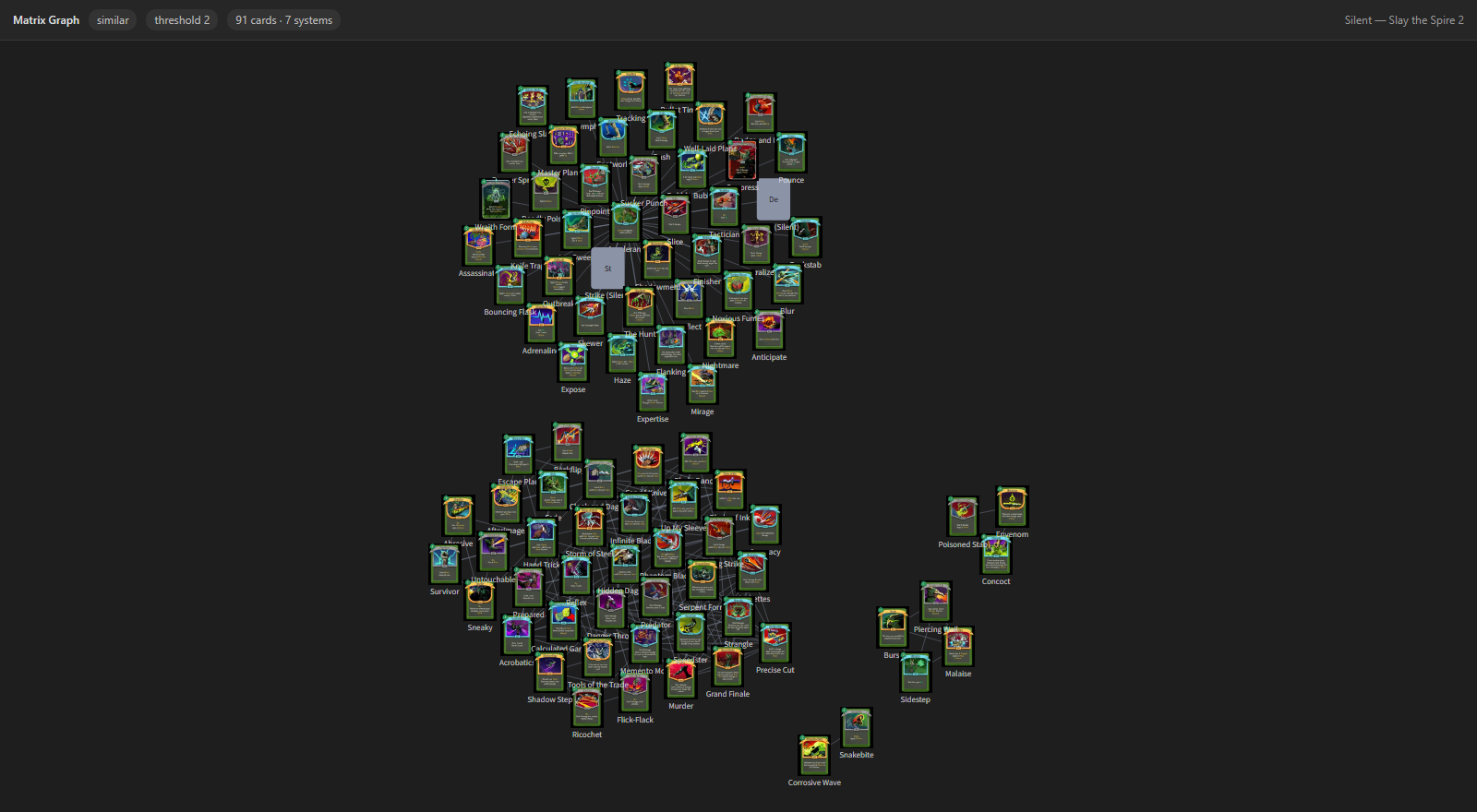
Write a matrix (cards × systems, notes × tags, features × modules …), and the plugin renders it as a canvas graph: rows become nodes, the table header becomes tag nodes, and cells become the links between them. Everything stays in the note — no external data files, no databases.
Features
- Inline rendering — a
matrix-graphcode block turns its table into a live graph, right inside the note. - Full-window view — open the same graph in its own tab (and it works in a pop-out window too).
- Two graph modes
similar: element ↔ element edges, weighted by how many tags two elements share.hub: element ↔ tag edges, tags act as hubs.
- Table editor — toggle cells with a click, drag rows/columns to reorder, drag column borders to resize,
rectangular selection, and
Ctrl+Vpaste straight from Excel / Google Sheets. - Incremental updates — editing a cell only adds or removes the affected edges; node positions and the camera stay where you left them, then the physics settles again.
- Growth animation — replay the graph the way Obsidian's own graph view does: start from one node and let the rest arrive one by one. New nodes fly in from the outer ring and fade in through a mask.
- Tag nodes scale with degree — the more elements currently attached to a tag, the bigger it gets, including while the animation is playing.
- Theme aware — all colours come from Obsidian CSS variables (
--background-primary,--text-normal,--interactive-accent, …) and refresh live when you switch between light and dark. - Card images — optional
imagePrefixmaps node names to image files, e.g. card art. - Per-note persistence — parameters, node positions and camera are saved per note; every parameter can still be overridden in the code block.
- Mobile — touch pan, node drag and pinch zoom are supported.
Code block syntax
```matrix-graph
mode: similar          # similar | hub
threshold: 2           # minimum shared tags before two elements link (similar mode)
elementLabel: Card
tagLabel: System
height: 560
imagePrefix: assets/cards/{name}.jpg
orphans: true
| Card | Poison | Discard | Multi-hit | Draw |
|---|---|---|---|---|
| Noxious Fumes | ✓ |  |  |  |
| Dagger Spray |  |  | ✓ |  |
| Acrobatics |  | ✓ |  | ✓ |
```
Every key: value line before the table line is an option; the first line starting with | begins the table.
Commands
| Command | What it does |
|---|---|
| Matrix Graph: open graph view | Open the current note's matrix in a full tab |
| Matrix Graph: open table view | Open the table editor |
| Matrix Graph: new graph note | Create a standalone note that contains a matrix-graph block |
A standalone graph note can be embedded in any other note with ![[My Graph]].
Settings
Settings → Community plugins → Matrix Graph exposes the global defaults. Each one has a small preview
diagram explaining what the parameter changes. Per-note overrides are stored as a diff, so changing the
global default still affects notes you never customised.
Installation
From the community plugin list
Search for Matrix Graph in Settings → Community plugins → Browse.
Manual
- Download
main.js,manifest.jsonandstyles.cssfrom the latest release. - Put them in
<vault>/.obsidian/plugins/matrix-graph/. - Reload Obsidian and enable Matrix Graph in
Settings → Community plugins.
Note: plugins live inside .obsidian/plugins, so if you sync your vault with a tool that skips hidden
folders, the plugin will not reach your other devices — install it there manually.
Development
# sources: core.js (graph model + physics), renderer.js (canvas), src-*.js (Obsidian glue)
pwsh ./build.ps1          # concatenates everything into a single main.js and syntax-checks it
main.js is a build artifact but it is committed so the plugin can be installed straight from a clone.
License
MIT
For plugin developers
Search results and similarity scores are powered by semantic analysis of your plugin's README. If your plugin isn't appearing for searches you'd expect, try updating your README to clearly describe your plugin's purpose, features, and use cases.