Source Observer
unlistedby Iskandar Sitdikov
Browse any local codebase, view syntax-highlighted files, and review git diffs — without leaving your vault.
Source Observer
An Obsidian plugin for browsing local code: open any folder, read files with syntax highlighting, and review git changes. Read-only and offline.
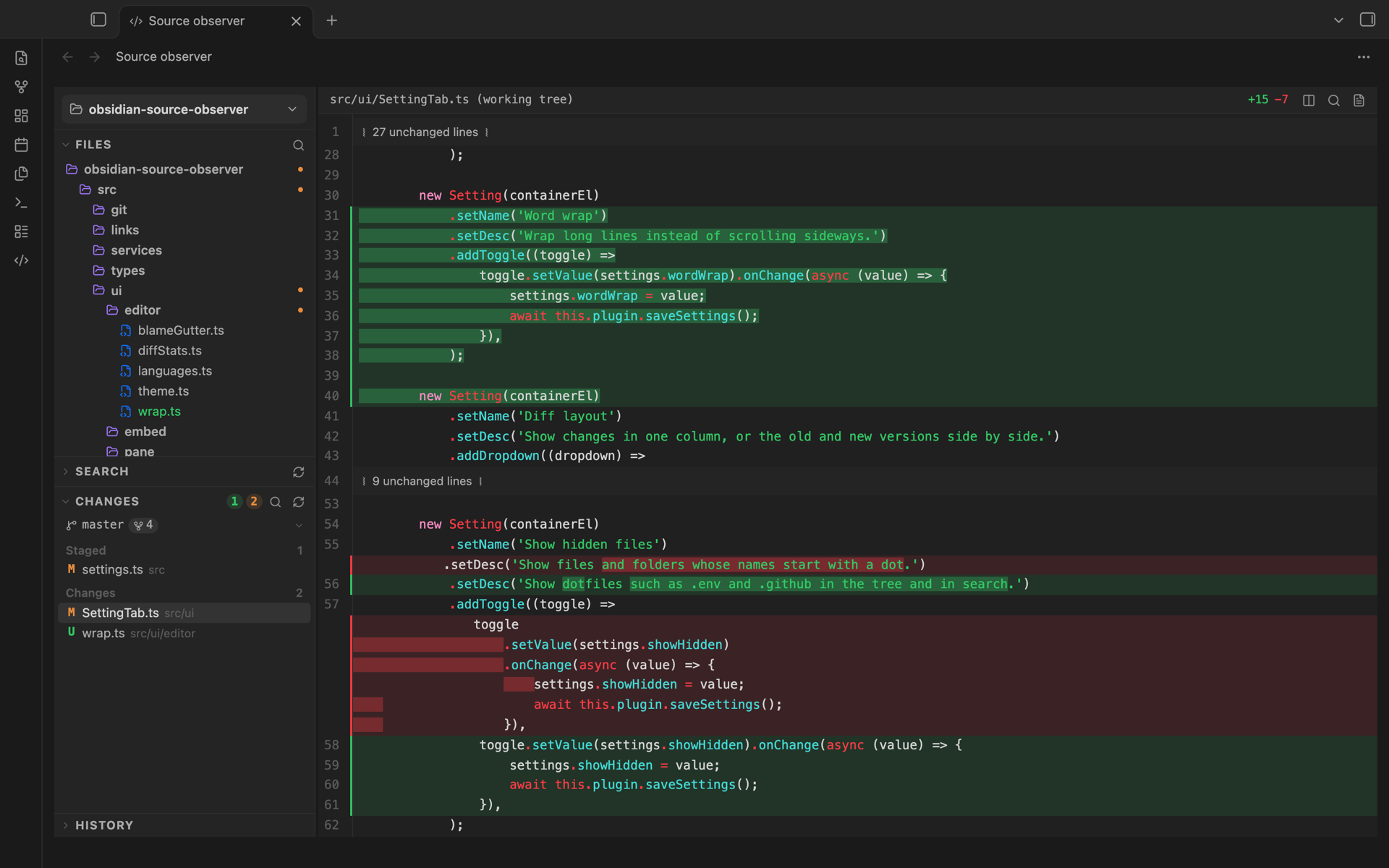
Features
- File tree with git status, syntax highlighting, find in file and go to line
- Changes grouped into conflicts, staged and unstaged, with unified or side-by-side diffs
- Changes against a base branch: everything a branch or worktree changed since it branched off, committed or not (toggle in the Changes header)
- Search in files (
git grepin repositories) - File history and blame
- Worktree switcher: select the branch name in Changes
- Links and live embeds of code in notes
Usage
Run Source Observer: Open, then select Open folder… at the top of the sidebar. All actions are also available as commands under Source Observer: in the command palette. In the viewer, Mod+F finds in the open file and Mod+Shift+F searches all files.
To reference code from a note, select lines and use the link icon in the viewer header: Copy link, Copy embed or Copy as code block. An embed looks like this:
```source-observer
folder: /Users/me/code/my-project
file: src/server.ts
lines: 40-75
```
file can be relative to folder or absolute. lines is optional. Links and embeds use absolute paths, so they only work on the computer that made them.
Installation
Install from Settings → Community plugins → Browse, or copy main.js, manifest.json and styles.css from the latest release to <vault>/.obsidian/plugins/source-observer/.
Requires desktop Obsidian 1.7.2+. Git features need git on your PATH.
Privacy
Source Observer makes no network requests. It only runs read-only git commands (status, ls-files, cat-file, grep, log, blame, diff, merge-base, rev-parse, rev-list, for-each-ref, symbolic-ref, worktree list) with --no-optional-locks, so it never writes to your repository.
Development
See CONTRIBUTING.md.
License
MIT
For plugin developers
Search results and similarity scores are powered by semantic analysis of your plugin's README. If your plugin isn't appearing for searches you'd expect, try updating your README to clearly describe your plugin's purpose, features, and use cases.