Better Cooking
unlistedby Jakob Bolenbach
Browse, search and cook your recipe notes: servings calculator, step-by-step cooking mode with timers, and import from a link.
Better Cooking
Browse, search and cook your recipe notes in Obsidian: a card overview, instant search, a recipe page with a servings calculator, a step-by-step cooking mode with timers, and import from a link.
Status: beta (0.x). Better Cooking grew out of a private vault and is being prepared for the Obsidian Community Directory (Roadmap). The recipe folder is configurable, the note format is documented in docs/recipe-format.md, and the interface is available in English and German, following Obsidian's language.
Features
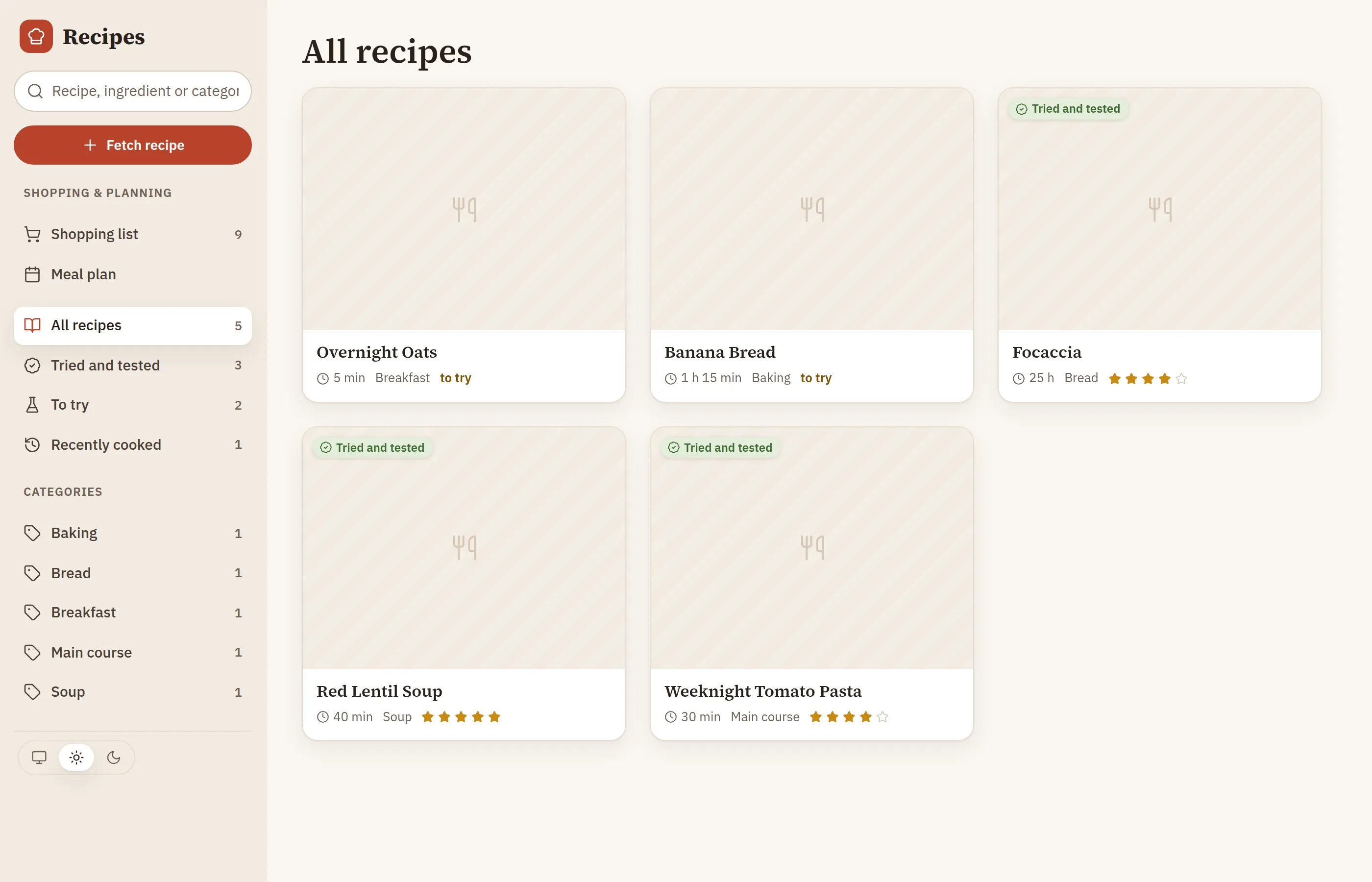
- Overview: recipe cards with photo, time, category, status and rating; lists for tried and tested, to try, recently cooked, by category.
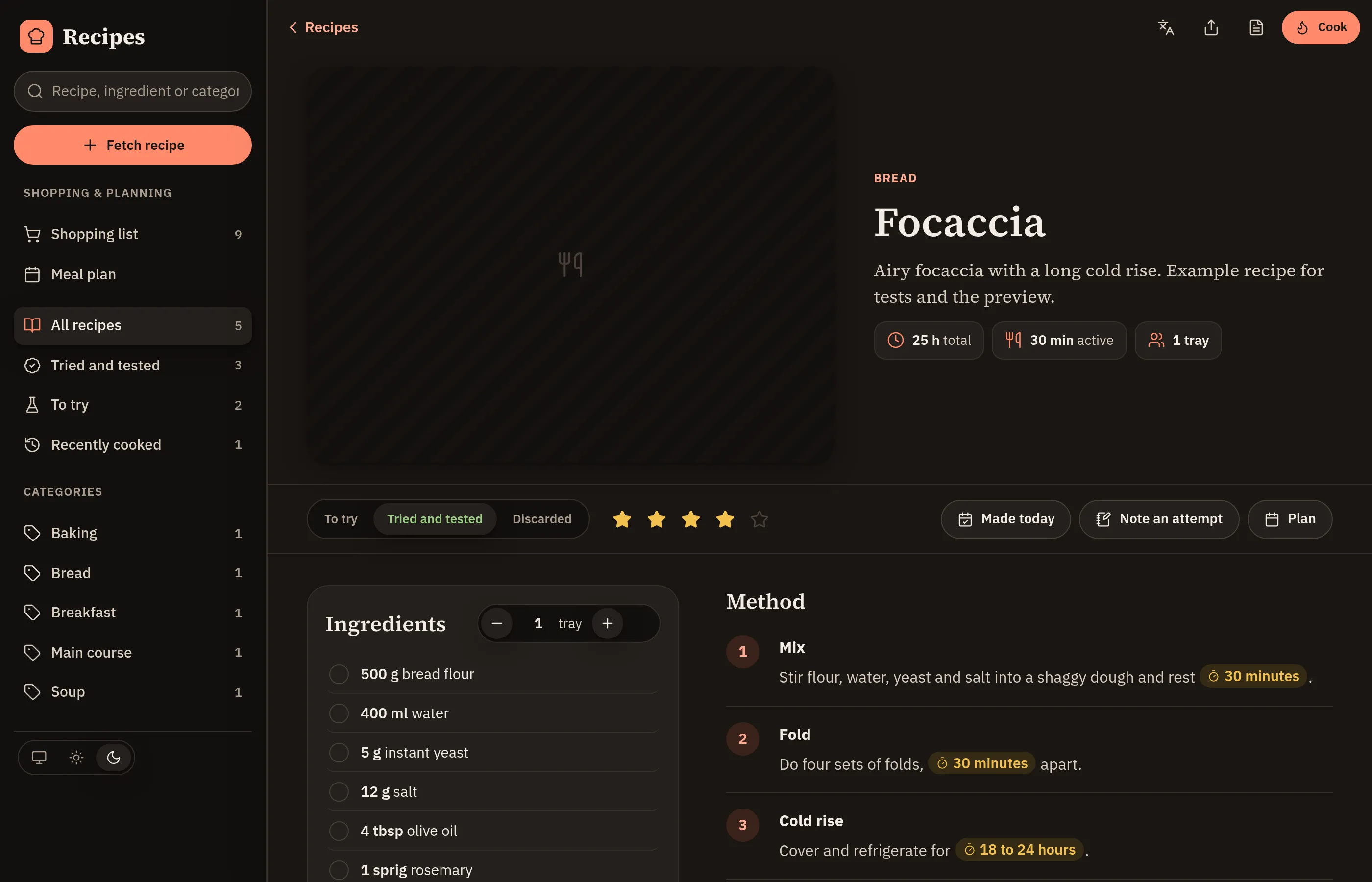
- Search: instant, offline full-text search with prefix matching, typo tolerance, German normalization (ä = ae) and compound words (
mehlfindsDinkelmehl). - Recipe page: servings calculator with sensible rounding, checkable ingredients, timeline graphic, numbered steps where every duration is a timer button, tips, attempts log, photos.
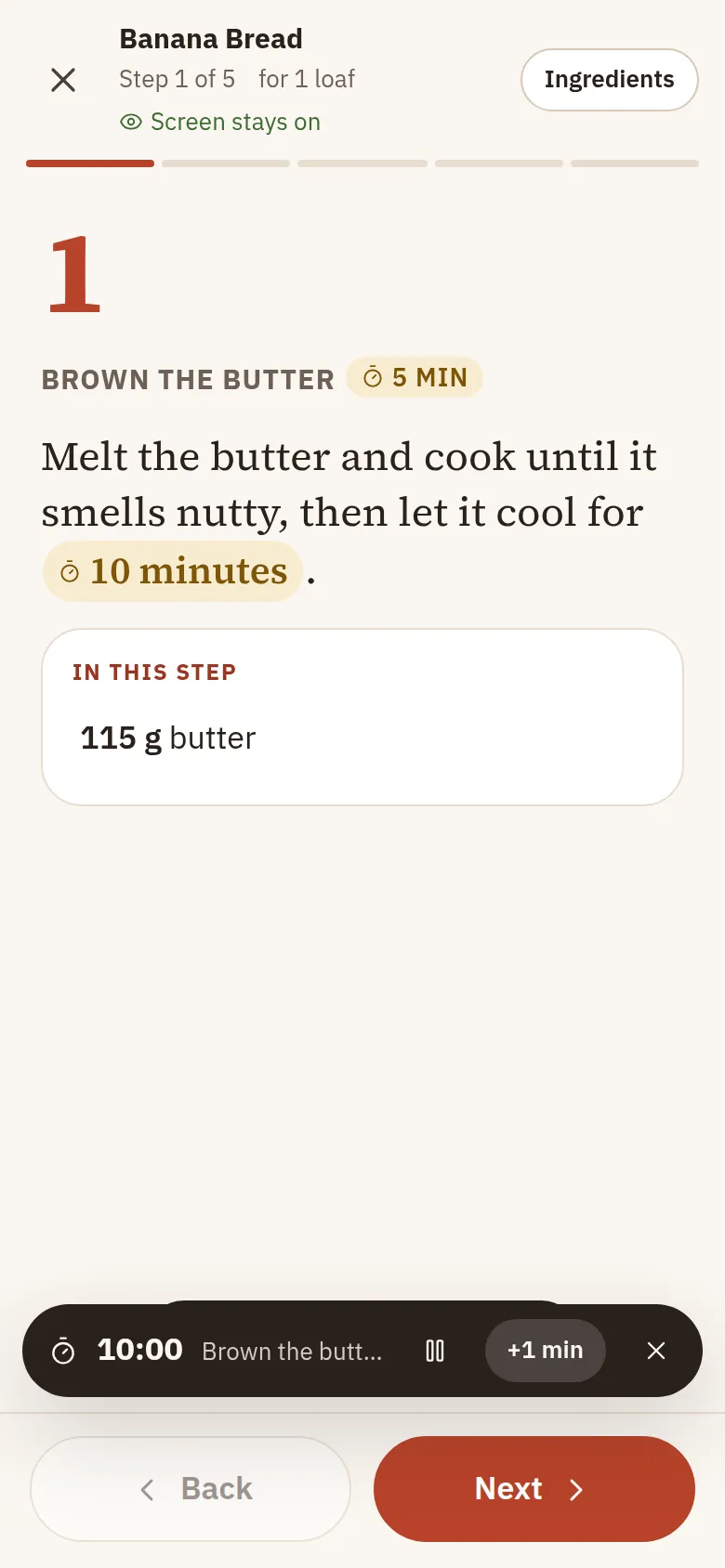
- Cooking mode: one step per screen in large type, ingredients used in that step, on touch screens tap the left or right side to change the step, screen stays on, multiple timers.
- Shopping list: add a recipe's ingredients for the servings you need; equal items are merged (500 g + 1 kg flour = 1,5 kg) into a plain Markdown checklist that works without the plugin.
- Meal plan: plan recipes on the next days in a Markdown note, put the whole week on the shopping list, export it as a calendar file.
- Share: copy a recipe as text, print it or save it as PDF, scaled to the servings you need.
- Track your cooking: status, star rating, "made today" and an attempts log, written to the note's frontmatter.
- Import: paste a link to a recipe website and Better Cooking reads its recipe data itself (schema.org, no AI). Pasted text is split up by simple rules without AI (always with the processor "None (without AI)"), or goes, like pages without recipe data, to your own AI (Anthropic or any OpenAI-compatible server, also a local model), social media to a processor you set up yourself. Duplicate sources are detected before anything is sent.
- Light and dark "kitchen" palette, adjustable with the Style Settings plugin, or the colors and fonts of your Obsidian theme (setting "Colors"). Works on desktop and mobile.
Installation
Not yet in the Community Directory. Beta testers install it with BRAT and get updates automatically: docs/beta-testing.md. Or install a release manually:
- Download
main.js,manifest.jsonandstyles.cssfrom the latest release. - Copy them to
<your vault>/.obsidian/plugins/better-cooking/. - Reload Obsidian and enable Better Cooking under Settings → Community plugins.
Requires Obsidian 1.11.4 or later.
Recipe notes
Better Cooking reads Markdown notes with a fixed structure (frontmatter plus sections such as ## Ingredients and ## Steps). The recipe folder is configurable; notes can be written with English or German field names and headings, single fields can be mapped to your own names, and both languages are always read. The format is described in docs/recipe-format.md.
Language
Two settings, at the top of the settings page:
- Language (Automatic like Obsidian, Deutsch, English): the language of the view and the settings. It takes effect at once; the names of the commands change after you restart Obsidian.
- Language of new notes (Like the interface (may differ per device), Deutsch, English; a new installation starts with the language it runs in): the language of what Better Cooking writes into notes: field names, status values and headings of recipe notes, and the headings, weekdays and amounts of the shopping list and the meal plan. Both languages are always read, also mixed.
What you see follows the interface language: the generic words for servings ("Portionen", "servings", "Personen", "people") and the decimal separator ("1,5 l" or "1.5 l"), also for notes written in the other language. Units that belong to a recipe ("Zopf", "Brötchen") and the text of your notes stay as written.
The shopping list and the meal plan keep their file: once a note exists, changing a language never switches to another file. The settings show the file in use; to rename it, change the path there.
Network use, accounts and privacy
Better Cooking works fully offline. It only uses the network when you start an import, and only with services you configure:
- Recipe website: loads the page you pasted and its cover image (only from public addresses).
- Own AI: sends pasted text or the text of a page without recipe data to the AI you configured (Anthropic API, or an OpenAI-compatible address such as a local Ollama). The AI only extracts the recipe; Better Cooking checks the answer and writes the note itself.
- Claude (Anthropic): sends the link or text to your own scheduled task through Anthropic's API. Needs your own Anthropic account and token.
- GitHub: starts a workflow in your own repository through the GitHub API. Needs your own GitHub token.
Keys and tokens are stored in Obsidian's secret storage (the device keychain), never in the vault or in data.json. There is no telemetry and no tracking. Details of what a processor receives and must return: docs/import-contract.md.
License
Better Cooking is source-available under the PolyForm Noncommercial License 1.0.0.
- You may use, copy, modify and share it for any noncommercial purpose: personal use, hobby projects, research, education, charities and similar.
- Commercial use (selling it, bundling it with a paid product or service, using it in a business) needs a separate license. Ask via GitHub.
Because it restricts commercial use, this is not an "open source" license in the sense of the Open Source Definition. The reasoning is recorded in ADR 0001. Third-party components and their licenses: THIRD_PARTY_NOTICES.md.
Contributing
Bug reports and ideas are welcome as issues. Code contributions need a contributor license agreement first, see CONTRIBUTING.md. Security issues: SECURITY.md.
Development
Requires Node.js 22 and pnpm 10.
pnpm install
pnpm check      # format, lint (Obsidian's rules), typecheck, tests
pnpm build      # styles.css + main.js
pnpm preview    # then open dev/preview.html in a browser, no Obsidian needed
pnpm dev        # watch build; in Obsidian, this build reloads itself after each rebuild
Architecture: docs/architecture.md. Decisions: docs/adr/. Changes: CHANGELOG.md.
For plugin developers
Search results and similarity scores are powered by semantic analysis of your plugin's README. If your plugin isn't appearing for searches you'd expect, try updating your README to clearly describe your plugin's purpose, features, and use cases.