Arena Browser
unlistedby Jason Lam
Browse your vault with Are.na inspired channels and blocks - a visual interface to reference and organize files.
Arena Browser
Browse your vault with Are.na inspired channels and blocks - a visual interface to reference and organize files.
Preview
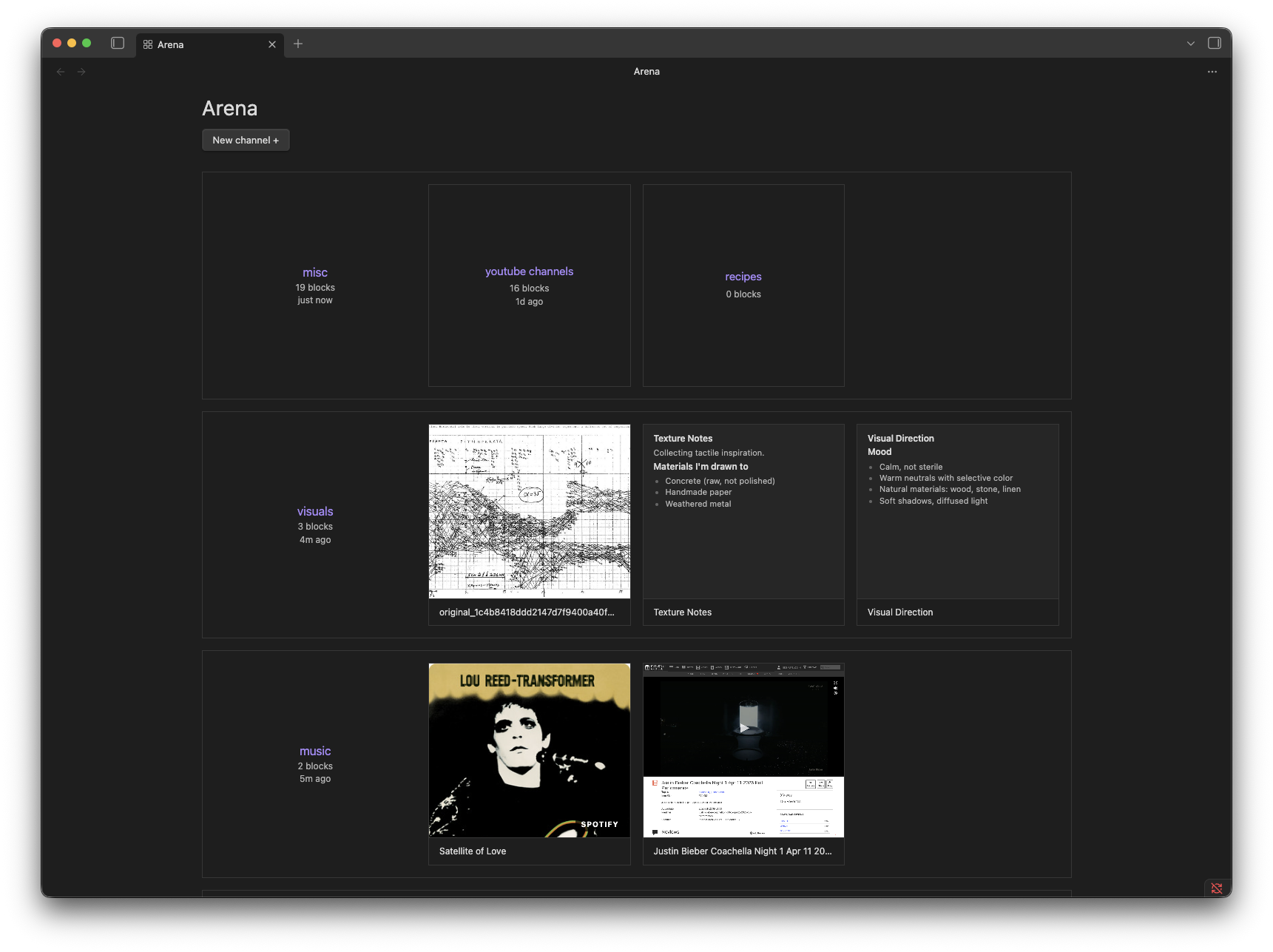
Desktop View
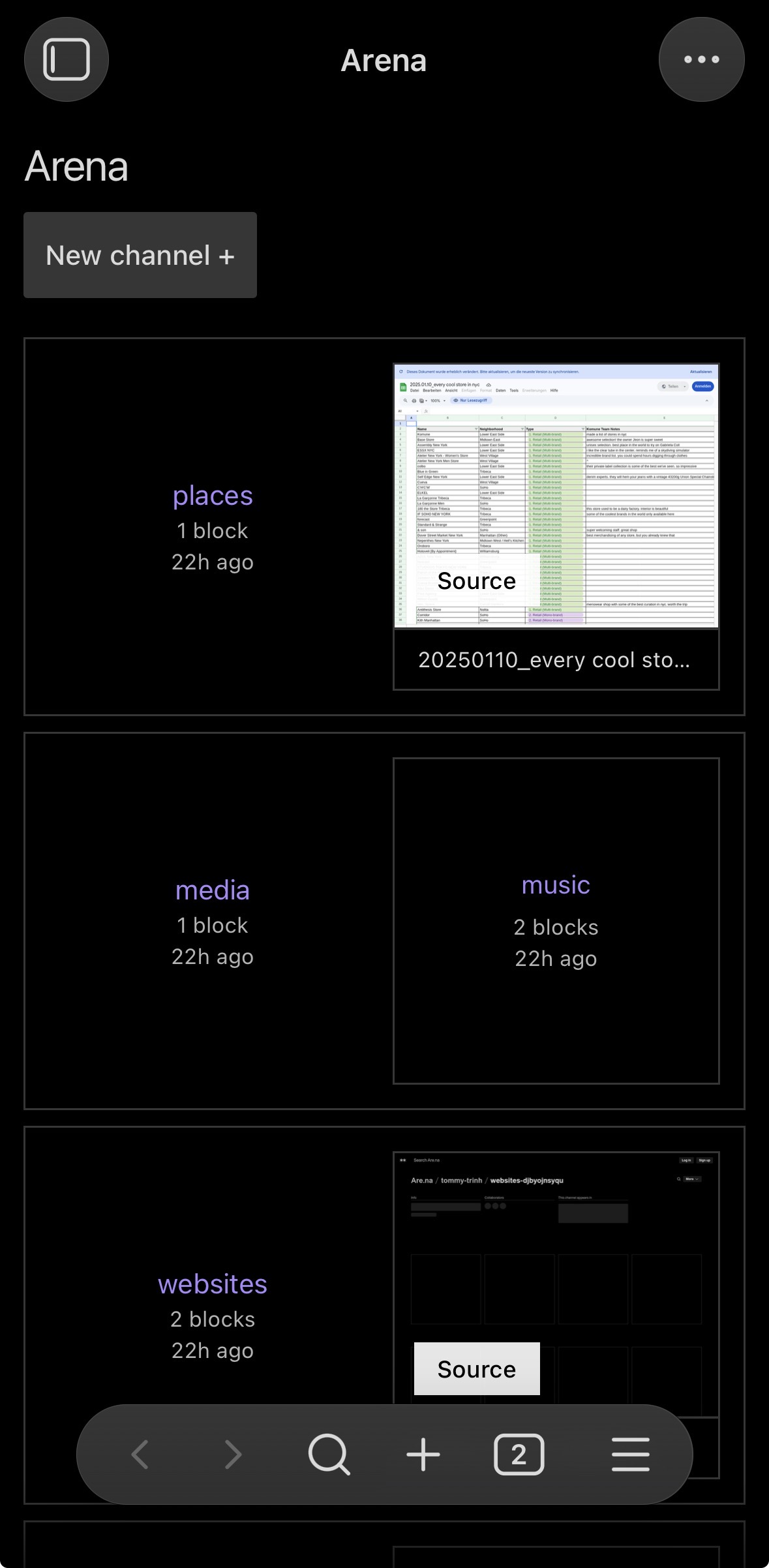
Mobile View
Features
- Subfolders become channels, files inside them become blocks
- Images render as thumbnails, markdown files show text previews, everything else shows a filetype badge
- Drag files from Finder or your desktop directly into a channel
- Drag blocks between channels to reorganize
- Right-click channels and blocks for additional actions
Installation
You can install the plugin via the Community Plugins tab within Obsidian. Search for "Arena Browser."
To install manually, copy main.js, styles.css, and manifest.json into your vault at .obsidian/plugins/arena-browser/, then enable the plugin in Settings → Community Plugins.
Usage
After enabling the plugin, click the grid icon in the ribbon or use the Command Palette → Open Arena browser.
- Create a channel: Click + New channel or use Command Palette → Create new channel
- Add blocks: Drag files from Finder or your desktop into a channel
- Move blocks: Drag blocks between channels in the browser
- Open a file: Click any block to open it in the editor
Folder structure
Arena Browser maps directly to your vault's folder structure. By default it looks for a folder named arena at your vault root:
vault/
└── arena/
    ├── design-resources/
    │   ├── screenshot.png
    │   └── notes.md
    └── mood-board/
        └── reference.pdf
Settings
- Root folder: The vault folder Arena Browser treats as its top level (default:
arena)
Network usage
Arena Browser makes outbound network requests in the following situations:
- URL bookmarks — when you paste or drop an HTTP/HTTPS URL into a channel, the plugin fetches the page to read its
<title>and Open Graph metadata (og:title,og:description,og:image). No data is sent; only an outbound GET is made to the URL you provided. - Spotify & SoundCloud cover art — for links from
open.spotify.comandsoundcloud.com, the plugin calls the platform's public oEmbed endpoint to retrieve the cover thumbnail URL, then downloads that image. - Screenshot previews (optional) — if you build the plugin with an
APIFY_TOKENset in your.envfile, cover images for bookmarks are fetched via the Apify screenshot API. No token is bundled in a release build unless you explicitly add one yourself.
No analytics, telemetry, or tracking of any kind are collected or transmitted.
License
MIT — see LICENSE.
For plugin developers
Search results and similarity scores are powered by semantic analysis of your plugin's README. If your plugin isn't appearing for searches you'd expect, try updating your README to clearly describe your plugin's purpose, features, and use cases.