Cove
unlistedby Real-Fruit-Snacks
Bookmark manager with four switchable layouts. Each bookmark is a Markdown file with YAML frontmatter — no proprietary database, no lock-in.
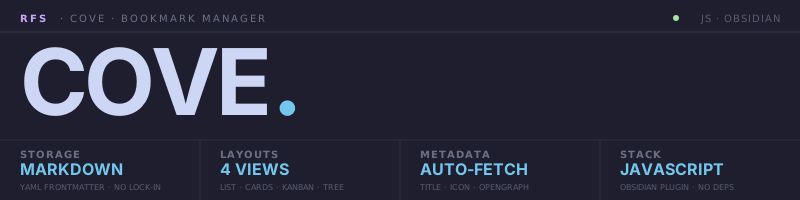
[!IMPORTANT] Bookmark manager for Obsidian — every bookmark is a markdown file with YAML frontmatter under a folder of your choice. No proprietary database, no sync layer, no build step. The same dataset renders through four switchable layouts (compact list, cards, kanban board, tree-with-preview), with auto-fetched metadata, drag-to-folder organization, status workflow, and link-health checks.
A cove is a small sheltered inlet where the open sea is held back just enough for things to settle. Felt fitting for a tool whose entire job is to gather the URLs you want to keep, give them a quiet place inside your vault, and let you find them again.
§1 / Premise
Cove is an Obsidian plugin that treats each bookmark as a .md file with YAML frontmatter — nothing more. There is no .json cache, no migration ever needed, and the plugin only reads and writes those files. If you uninstall Cove tomorrow, every bookmark is still a plain markdown note in your vault, openable, searchable, and exportable like everything else Obsidian touches.
The same dataset renders through four lenses. Compact list for dense triage. Cards for visual browsing with og:image heroes. Kanban for status workflow (Inbox → Reading → Done → Archive). Tree for a list-and-preview reading layout. Switch from the view header or set a default in settings.
Adding a URL fetches og:title, og:description, og:image, favicon, author, and reading time via Obsidian's requestUrl. Folders are real filesystem subfolders inside your bookmarks root. Drag any row, card, or tree item onto any folder to move it. Multi-select works the same in every layout.
§2 / Specs
| KEY | VALUE |
|---|---|
| STORAGE | Markdown + YAML frontmatter — one .md per bookmark, no DB, no cache, no lock-in |
| LAYOUTS | 4 views — Compact list · Cards · Kanban board · Tree-with-preview |
| METADATA | Auto-fetched — og:title, og:description, og:image, favicon, author, reading time |
| FOLDERS | Real filesystem subfolders · drag-to-move · expand chevrons · per-folder icons |
| STATUS | Inbox · Reading · Done · Archive · Broken — segmented control or kanban drag |
| TAGS | Pills with autocomplete · sidebar filter intersection · per-tag icons |
| ICONS | Visual picker — every Lucide icon Obsidian ships, lazy-loaded grid |
| HEALTH | Periodic background check flags unreachable URLs as status: broken |
| IMPORT | Netscape Bookmarks HTML — Chrome, Firefox, Safari, Edge, Pocket, Raindrop, Pinboard |
| STACK | JavaScript · Obsidian Plugin API · single-file CommonJS · no build step · no deps |
§3 / Quickstart
Prerequisites: Obsidian 1.5+
Manual install:
cd <your-vault>/.obsidian/plugins
git clone https://github.com/Real-Fruit-Snacks/Cove.git cove
Then Settings → Community plugins → Cove → Enable.
Via BRAT: install BRAT, then add this repo's URL.
First bookmark:
Ribbon icon (bookmark)             Open Cove view
Settings → Cove → Bookmarks folder Set the root folder
+ Add (or Ctrl+P → Add bookmark)   Modal pre-fills from clipboard URL
                                   Metadata fetch runs in background
If the URL you paste is already saved, Cove offers to open the existing bookmark instead of duplicating.
§4 / Reference
FRONTMATTER SCHEMA

  ---
  url: https://example.com               Required — the bookmarked URL
  title: Example                         Auto-fetched, editable
  domain: example.com                    Derived from URL
  description: …                         Auto-fetched (og:description)
  status: reading                        inbox | reading | done | archive | broken
  tags: [rust, learning]                 Free-form list
  added: 2026-04-30T19:12:20.950Z        Set on creation
  icon: graduation-cap                   Custom Lucide icon (optional)
  cover: https://…                       og:image, used as card hero
  pinned: true                           Surface in "Pinned" smart filter
  author: …                              Auto-fetched (optional)
  readingTime: 8                         Auto-fetched minutes (optional)
  ---

  Your markdown notes go here. Rendered through MarkdownRenderer
  in the Tree view's preview pane and the inline editor's Preview tab.

LAYOUTS

  Compact list   Dense rows · multi-select · inline expand-to-edit · sortable columns
  Cards          og:image hero · status badge · tag chips · auto-fill grid
  Kanban         Inbox / Reading / Done / Archive — native HTML5 drag between columns
  Tree           List on the left · sticky preview pane on the right

KEYBOARD

  j / k / arrows   Move focus
  e                Toggle inline editor
  x                Toggle selection (multi-select)
  Enter            Open in browser
  /                Focus search
  Esc              Clear selection

CONTEXT MENUS (right-click)

  Bookmark         Pin · status · move to folder · refetch · archive · delete
  Folder           New subfolder · rename · set icon · delete
  Sidebar tag      Set icon · clear filter

SETTINGS

  Bookmarks folder       Root path for .md bookmark files
  Default layout         list | cards | board | tree
  Sort                   Added · Title · Domain · Status · Last opened (+ direction)
  Visible columns        Toggle which columns render in list view
  Auto-fetch metadata    On/off
  Show favicons          Toggle leftmost icon column
  Show custom icons      Toggle inline icon next to titles
  Status icons           Lucide icon per status
  Tag icons              Auto-discovered from existing tags
  Folder icons           Auto-discovered from existing subfolders
  Link health interval   Days between auto-checks (0 to disable)
§5 / Architecture
cove/
├── manifest.json    Plugin metadata
├── versions.json    minAppVersion compatibility map
├── main.js          Plugin code (single-file CommonJS, no build step)
├── styles.css       Scoped to .cv-* classes, themes via Obsidian CSS vars
└── docs/
    └── assets/      Logo SVGs (dark + light)
| Layer | Technology |
|---|---|
| Storage | .md files with YAML frontmatter under a vault folder of the user's choice |
| API | Obsidian Plugin API — ItemView, Modal, Setting, Menu, MarkdownRenderer |
| UI | Hand-written CommonJS — no framework, no bundler |
| Icons | Lucide via Obsidian's bundled set, queried with getIconIds() |
| Drag & drop | Native HTML5, no library |
| Metadata | requestUrl (Obsidian's CORS-free wrapper) |
| Notes render | MarkdownRenderer.render with fallback to legacy renderMarkdown |
State: Cove holds zero state in memory beyond what the current render pass needs — every list rebuilds from metadataCache. Frontmatter writes go through app.fileManager.processFrontMatter so YAML stays valid. File moves use app.fileManager.renameFile so internal links stay intact.
Filters compose with AND: status × tag intersection × folder × smart filter (Recently added, Pinned, Untagged, Broken). Full-text search highlights matches across title, description, URL, and tags. Active filters appear as removable breadcrumb chips in the header.
Bulk operations: multi-select via checkbox or x key. Bulk-tag, bulk-status, bulk-move-to-folder, bulk-archive, bulk-delete. Drag any selected row and all selected travel together with a count badge.
§6 / Philosophy
A bookmark manager that owns your data is a bookmark manager you have to migrate out of. Pinboard, Pocket, Raindrop, every browser's built-in — they all promise portability and deliver it grudgingly through a one-way export. Cove takes the inverse stance: the export is the storage. Each bookmark is already a plain markdown file in your vault. There is no "Cove format" to migrate from, because there is no Cove format.
That decision has consequences. No proprietary indexes means filtering rebuilds from metadataCache on every render. No cache layer means metadata fetches are a one-shot — refetch is explicit, not automatic. No build step means the plugin ships as readable JavaScript. These are the trade-offs you accept when plain files is non-negotiable.
If you want a bookmark manager with sync, sharing, social features, or a cloud, you want Raindrop. It's great. Cove is the opposite philosophy: your bookmarks live in your vault, on your disk, in a format you can grep.
License: MIT · Part of Real-Fruit-Snacks — building tools for focused work.
For plugin developers
Search results and similarity scores are powered by semantic analysis of your plugin's README. If your plugin isn't appearing for searches you'd expect, try updating your README to clearly describe your plugin's purpose, features, and use cases.