Starter Vault
unlistedby ReadyStack
Set up PARA folders, a daily note and project notes in your current vault in one click, in English, German, Spanish, Portuguese or Japanese. Nothing is overwritten.
Starter Vault
Set up PARA folders, a Home note, a daily note and project notes in the vault you already have — in English, Deutsch, Español, Português or 日本語. Nothing is overwritten: setup lists every folder and note first and skips what already exists.
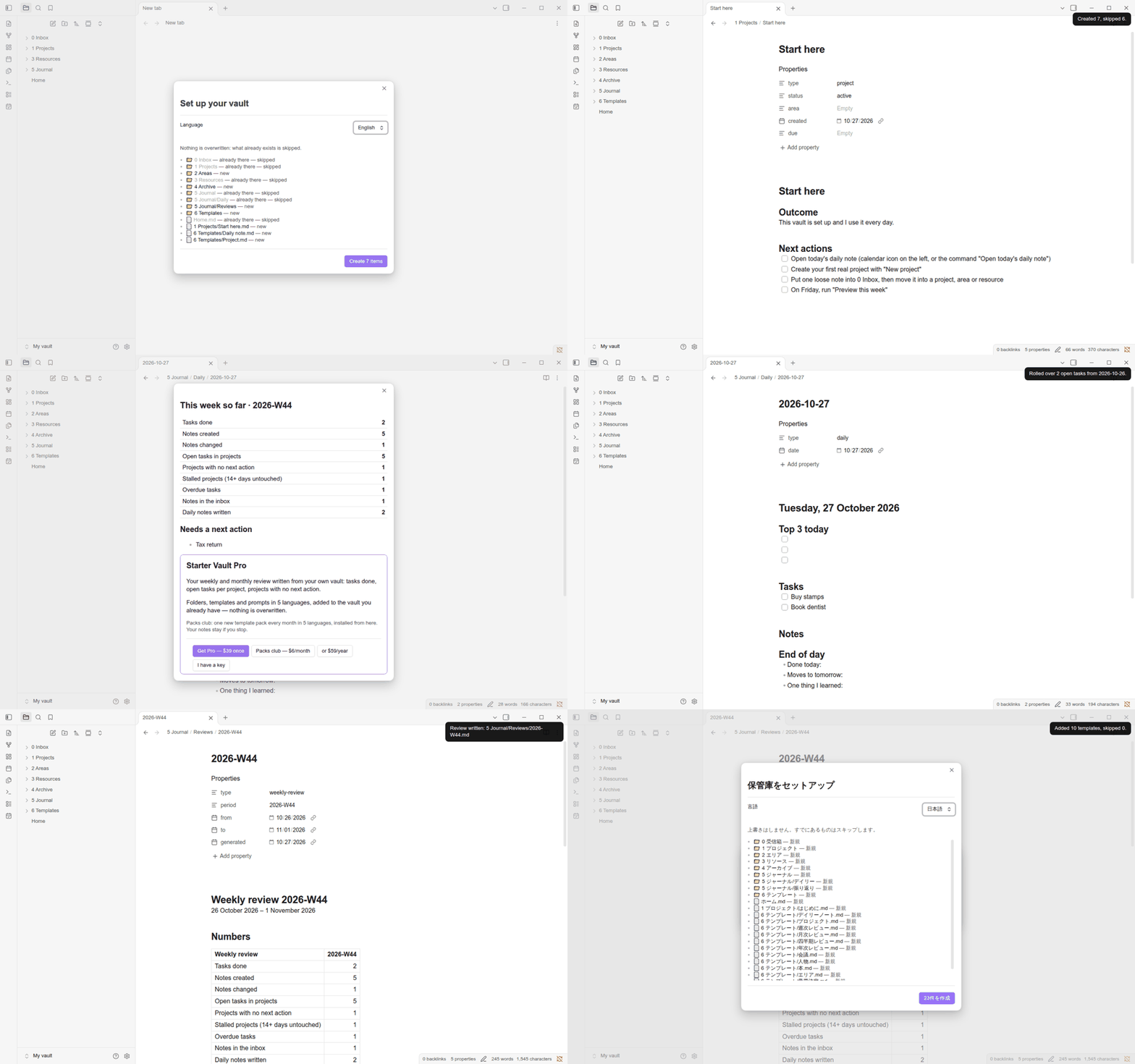
Recorded by this repo's end-to-end test in the real Obsidian 1.14.5 app, on a vault that already had notes.
What it does (free)
| Command | What happens |
|---|---|
| Set up my vault | Shows the list first — 0 Inbox · 1 Projects · 2 Areas · 3 Resources · 4 Archive · 5 Journal/Daily · 5 Journal/Reviews · 6 Templates, a Home note, a "Start here" project, the daily-note and project templates — and marks what is already there as skipped. One click creates the rest. |
| Open today's daily note | 5 Journal/Daily/YYYY-MM-DD.md with Top 3 today · Tasks · Notes · End of day (calendar icon in the ribbon). |
| New project | A project note with Outcome · Next actions · Notes · Log. |
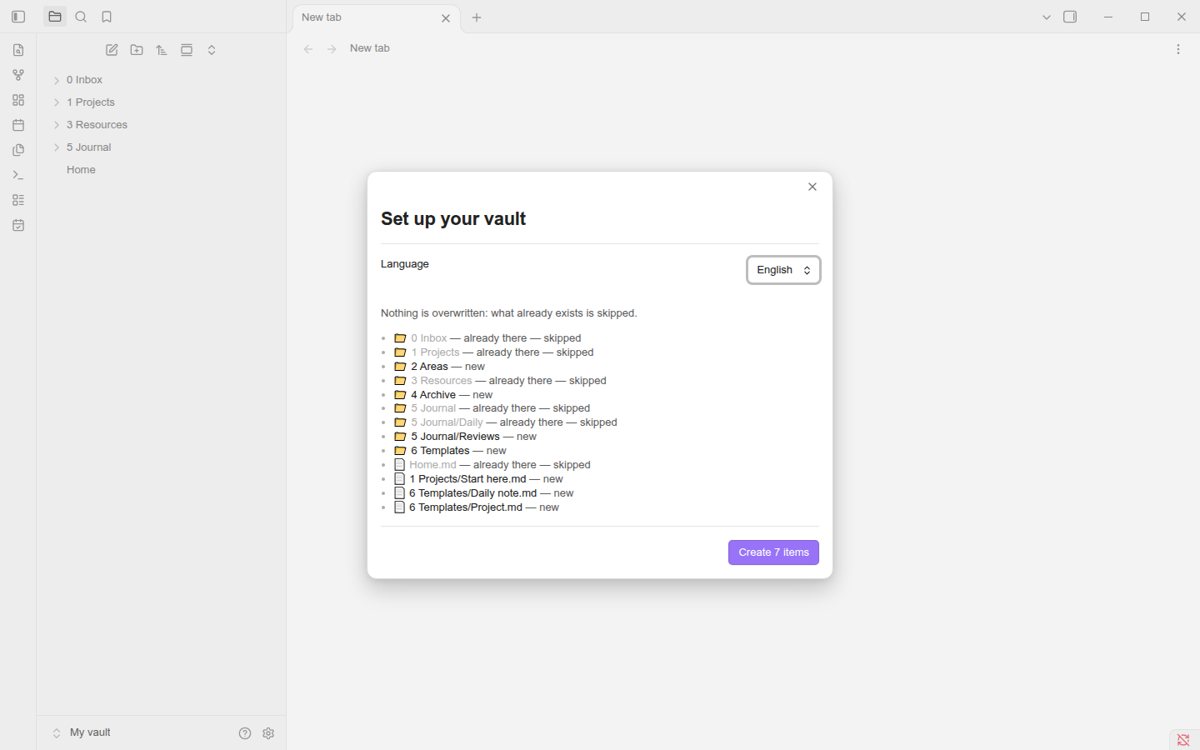
| Preview this week | This week's numbers from your notes: tasks done, notes created and changed, open tasks in projects, projects with no next action, stalled projects (14+ days untouched), overdue tasks, notes in the inbox, daily notes written. |
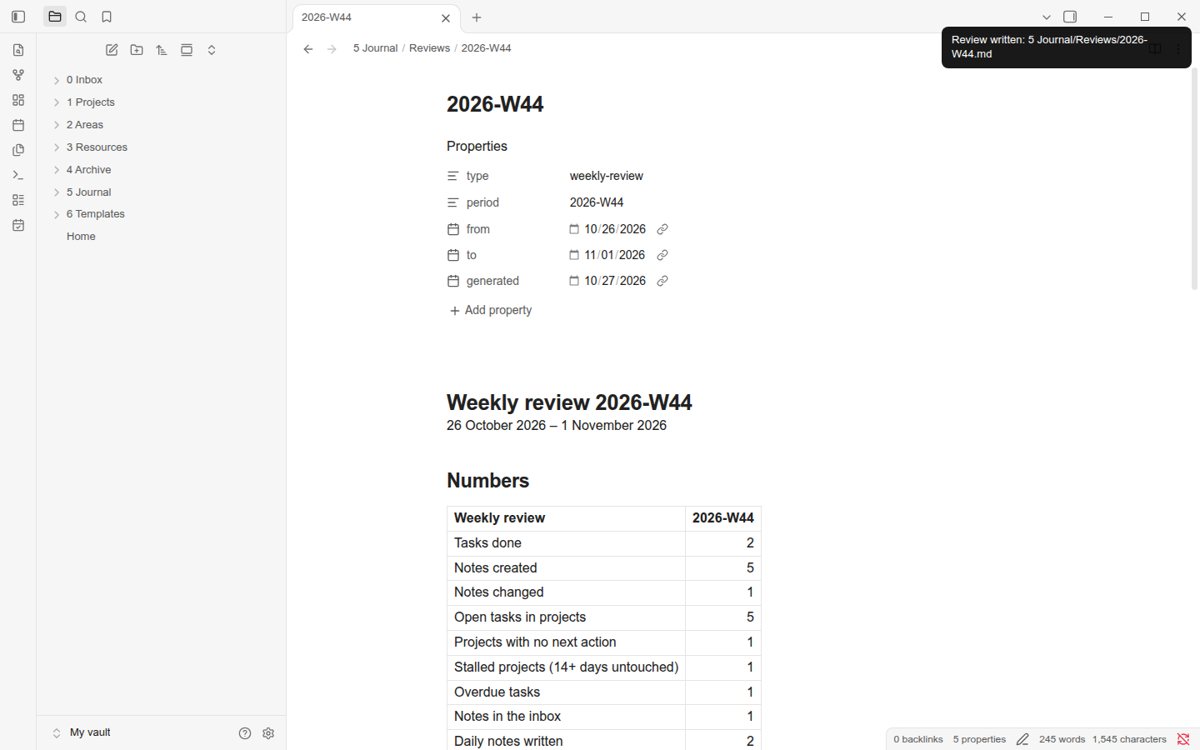
Folder names, headings, prompts and dates are in your language; pick it in setup or in the settings.
Pro and Packs club (paid)
Payment is required for full access to the features in this section. Pro is a one-time purchase; the Packs club is a monthly or yearly subscription. Both are sold at https://getreadystack.com/apps/obsidian-starter-vault-plugin/ and unlock with a licence key (Settings → Starter Vault → Enter licence key).
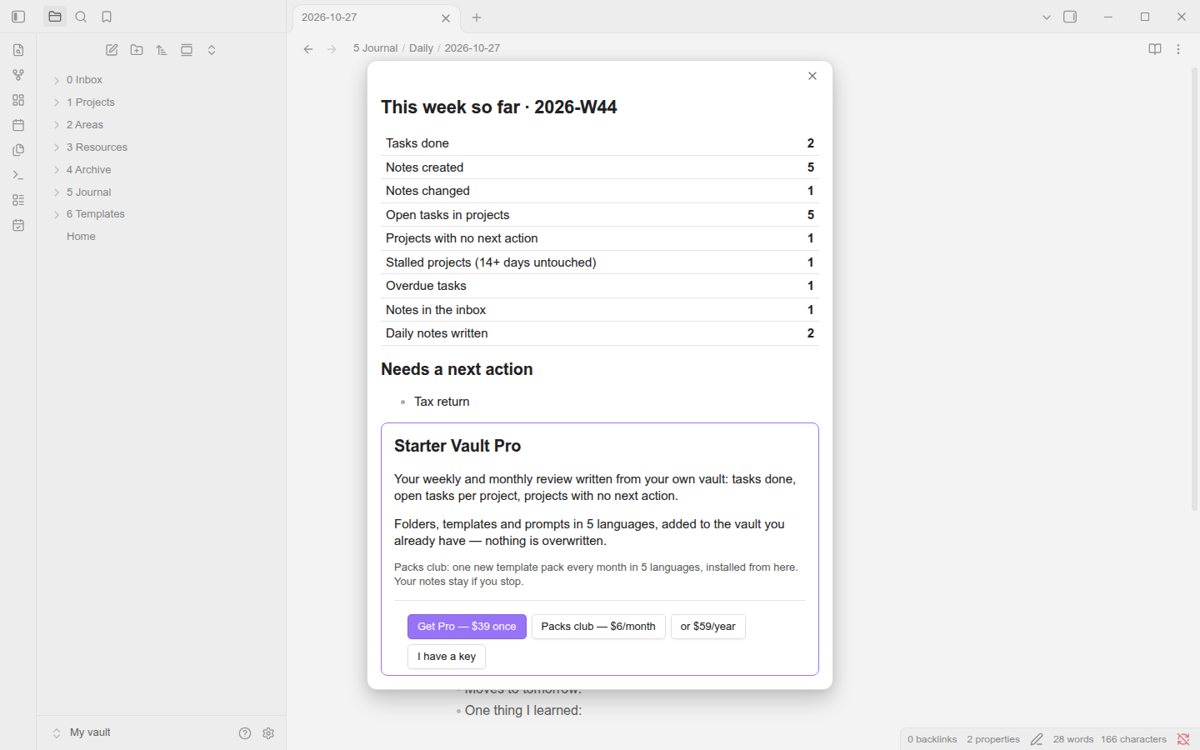
- Write this week's / month's / quarter's review — a note in
5 Journal/Reviews/with the numbers above, what you finished, open tasks per project, projects that need a next action, stalled and overdue items, then your reflection prompts. Run it again and the part you wrote below "Your review" is kept. - Roll-over — when today's daily note is created, yesterday's open tasks move to Tasks; the old lines become
- [>]. - Move finished projects to the archive — projects with
status: done(or erledigt, terminado, concluído, 完了 …) move to4 Archive/<year>/; Obsidian updates the links. - 10 more templates in 5 languages: weekly, monthly, quarterly and yearly review, meeting, person, book, area, decision, goal.
- Packs club: a new template pack every month in 5 languages, installed from Template packs (the 2026-11 pack: year in review 2026, plan 2027, December close-out). Files you installed stay in your vault if you stop.
Network use
The plugin works offline. It connects to getreadystack.com only for:
- Licence check — when you enter a key, and again at most once every 7 days:
GET https://getreadystack.com/api/lic?key=<your key>&slug=<product>. Only the key is sent. - Template packs — when you open Template packs: the public list
https://getreadystack.com/apps/obsidian-starter-vault-plugin/packs-index.json, and, when you install a pack,https://getreadystack.com/api/dl/<product>?key=<your key>.
No note content, file names or usage data leave your vault. No telemetry, no ads. The plugin never installs or updates code; packs are Markdown templates.
How tasks are counted
A - [x] task is counted as done in a period if it has a ✅ YYYY-MM-DD date in that period (the Tasks plugin format), if it is in a daily note dated in that period, or — for ticks without a date — on the day this plugin first saw it ticked (kept in the plugin's own data file; ticks that existed before you installed it have no day and are not counted).
Install
- Community plugins: search for "Starter Vault" (once listed).
- BRAT: Add beta plugin →
jmshinhwa/readystack-starter-vault. - Manual: copy
main.js,manifest.json,styles.cssfrom the latest release to<vault>/.obsidian/plugins/starter-vault/and enable it.
Works on desktop and mobile with Obsidian 1.4.0 or newer; no other plugin needed.
Develop
npm install
npm run build        # main.js (+ the same engine for the web page)
npm test             # 13 unit tests on a fixture vault with hand-counted numbers
test/ in the product folder also runs an end-to-end test in the real Obsidian app (Xvfb + Playwright over CDP).
License
MIT — © 2026 ReadyStack. Starter Vault is independent and not affiliated with or endorsed by Obsidian.
For plugin developers
Search results and similarity scores are powered by semantic analysis of your plugin's README. If your plugin isn't appearing for searches you'd expect, try updating your README to clearly describe your plugin's purpose, features, and use cases.