Quick Calculator
unlistedby JPHsystems
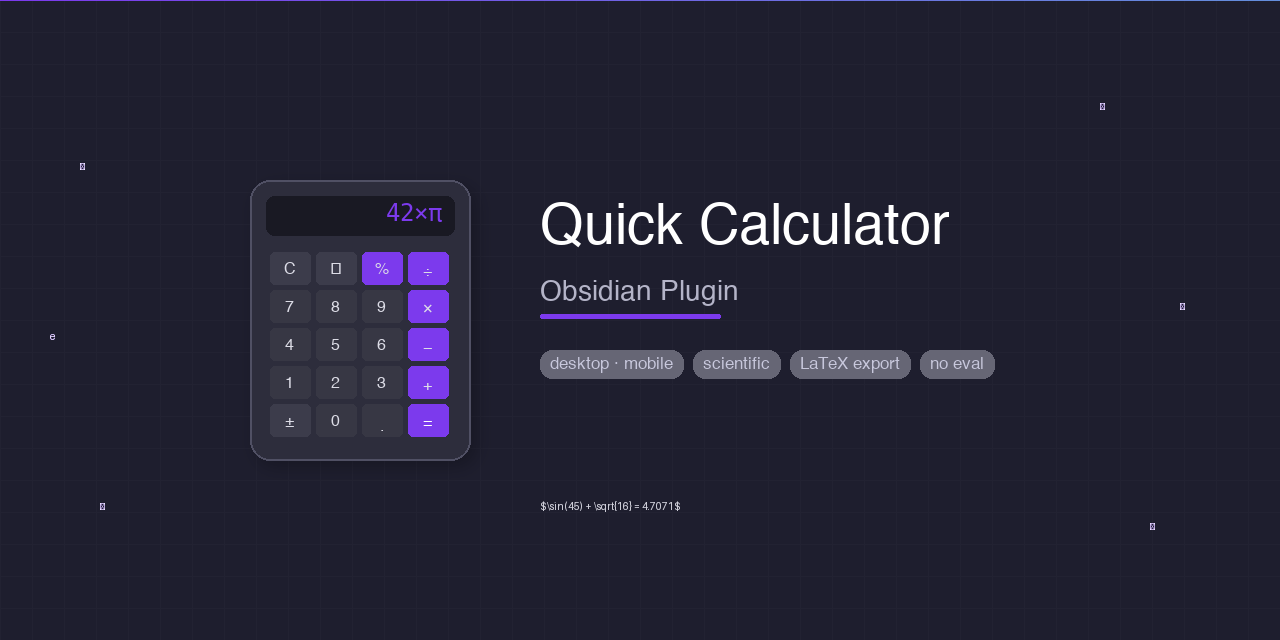
Open a quick calculator — launches your system calculator on desktop or a built-in scientific calculator modal everywhere.
Updated 3mo agoMIT






✨ Features
| 🖥️ System launcher | One-click to open macOS Calculator.app, Windows calc.exe, or your Linux calculator |
| 📱 Built-in scientific | Fully functional calculator modal — works on iOS, Android, and desktop |
| 📌 Dockable panel | Persistent side panel on desktop — stays visible as you work |
| 🔬 Scientific mode | sin · cos · tan · log · ln · √ · x² · xʸ · π · e · n! · abs · floor · ceil · round |
| 📐 DEG / RAD toggle | Switch angle units for trigonometry — one tap |
| 🔄 Basic & Scientific | Toggle modes with the button or ⌘/Ctrl+M |
| 💯 Percentage | 100+21% = 121 — real calculator percentage logic |
| 🧠 Memory | MC · MR · M+ · M— — persists across Obsidian restarts |
| 📜 History | Last 20 calculations — tap any to reuse |
| 📝 Insert into note | Write expression = result into the active Markdown note + copies to clipboard |
| 📋 Copy LaTeX | Copy as MathJax-ready LaTeX — paste into any note for rendered math |
| 👁️ Live LaTeX preview | See the LaTeX equivalent as you type |
| ⌨️ Full keyboard support | Type expressions — no mouse needed |
| 🌗 Theme-aware | Respects Obsidian light and dark themes |
| 🛡️ Safe parser | Recursive-descent — no eval(), passes community plugin review |
🚀 Usage
Opening the calculator
| Action | How |
|---|---|
| Side panel | ⌘/Ctrl+P → Open calculator panel (docks in right sidebar) |
| Floating modal | ⌘/Ctrl+P → Open quick calculator (modal) |
| System calc | ⌘/Ctrl+P → Open system calculator |
| Ribbon icon | Click 🧮 in the left sidebar (configurable in settings) |
Keyboard shortcuts inside the calculator
| Key | Action |
|---|---|
| 0–9 | Digits |
| . | Decimal point |
| + - * / % ^ | Operators |
| ( ) | Parentheses |
| Enter / = | Evaluate |
| Backspace | Delete |
| C | Clear |
| ⌘/Ctrl+M | Toggle Basic / Scientific |
| Escape | Close |
Header buttons
| Button | What it does |
|---|---|
Basic▾ / Sci▾ | Toggle between Basic and Scientific modes |
DEG / RAD | Switch angle units (Scientific mode only) |
| 📝 | Insert expression = result into active note + copy to clipboard |
| 📋 | Copy expression as LaTeX to clipboard |
| ⚙️ | Open plugin settings |
| ⏱ | Open calculation history |
| ✕ | Close the calculator |
On mobile 📱
- Tap buttons like a regular calculator
- Or tap the text input field above the grid to type with the keyboard
- Press Enter to evaluate and dismiss the keyboard
- Full-width layout optimized for phone screens
💯 Percentage calculations
The % operator works like a real calculator:
| You type | Result | How it works |
|---|---|---|
100+21% | 121 | 100 + (21% of 100) |
100−21% | 79 | 100 − (21% of 100) |
50×10% | 5 | 10% of 50 |
200÷10% | 2000 | 200 ÷ 0.10 |
21% | 0.21 | Standalone percentage |
10%3 | 1 | Modulo — not treated as percentage |
🎨 LaTeX export
Click 📋 to copy your expression as a MathJax-ready formula:
| You type | Copied LaTeX |
|---|---|
sin(45) + sqrt(16) | $\sin(45) + \sqrt{16}$ |
pi * e^2 | $\pi \times e^{2}$ |
log(100) + ln(e) | $\log_{10}(100) + \ln(e)$ |
tan(30) + cos(60) | $\tan(30) + \cos(60)$ |
Paste into any Obsidian note — MathJax renders it beautifully.
⚙️ Settings
| Setting | Description | Default |
|---|---|---|
| Ribbon icon action | System calculator, modal, or side panel | Open system calculator |
| Insert template | Format for 📝 insert. Uses {{expression}} and {{result}} | `{{expression}}` = **{{result}}** |
Template examples
# Default
`sin(45)` = **0.7071**

# Pure LaTeX
$sin(45)$ = 0.7071

# Plain text
sin(45) = 0.7071
🖥️ Platform support
| Platform | System Calculator | In-App Calculator |
|---|---|---|
| 🍎 macOS | ✅ Calculator.app | ✅ |
| 🪟 Windows | ✅ calc.exe | ✅ |
| 🐧 Linux | ✅ gnome-calculator / kcalc / qalculate-gtk / xcalc | ✅ |
| 📱 iOS | — | ✅ |
| 🤖 Android | — | ✅ |
📦 Installation
Community Plugin Store (recommended)
- Open Obsidian → Settings → Community plugins
- Click Browse and search for Quick Calculator
- Install and enable
BRAT (beta)
- Install the BRAT plugin
- Add this repository:
https://github.com/jphermans/obsidian-quick-calculator
Manual
- Download
main.js,manifest.json, andstyles.cssfrom the latest release - Copy into
<Vault>/.obsidian/plugins/quick-calculator/ - Enable in Settings → Community plugins
🔧 Building from source
git clone https://github.com/jphermans/obsidian-quick-calculator
cd obsidian-quick-calculator
npm install
npm run build   # production build
npm run dev     # watch mode — rebuilds on save
🤝 Contributing
Pull requests welcome! Open an issue.
- Build passes:
npm run build(zero errors) - No
eval(),new Function(), orinnerHTMLusage - Works on both desktop and mobile
- Theme-aware (test light + dark)
📄 License
MIT © 2026 JPHsystems
For plugin developers
Search results and similarity scores are powered by semantic analysis of your plugin's README. If your plugin isn't appearing for searches you'd expect, try updating your README to clearly describe your plugin's purpose, features, and use cases.