Handwriting Natively
unlistedby Mars
PDF handwriting. Use your apple pencil/stylus to write in PDFs natively as the higher powers intended.
Welcome to Handwriting Natively!
What Handwriting Natively Does
Handwrite on PDFs with a stylus or mouse natively in Obsidian. Annotations live in vault metadata with the original PDFs untouched. Export either a flattened copy or a separate editable-PDF annotation copy. Text boxes are sidecar-backed and editable in Text mode; physical eraser tips and optional whole-stroke/right-click erasing are supported.
I made this plugin after realizing I use Obsidian a lot more than another nameless note taking app.. I hope you find it as useful as I do!
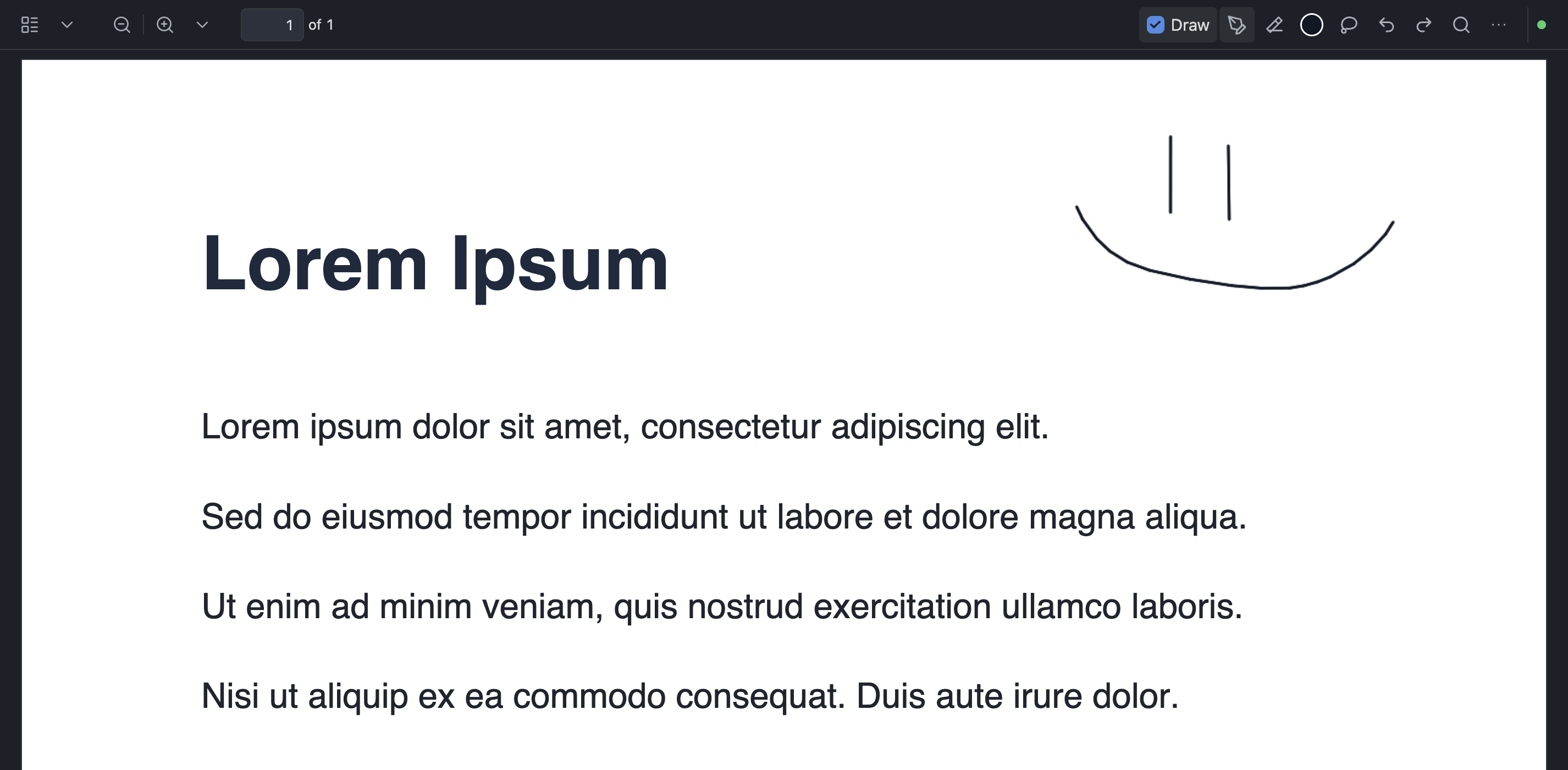
- Pen, graphite pencil, highlighter, laser pointer (fades away, not saved), circular eraser, and lasso tools with a compact Draw toolbar
- Draw mode opt-in so normal PDF mouse/trackpad behavior stays intact until you annotate
- Autosave, recovery, and explicit Save; commands for save, export, and select-all ink (
save-active-pdf-annotations,export-active-annotated-pdf,select-all-pdf-ink) - Clear freehand strokes only (no default hotkeys): all pages, selected/current pages, or a page range prompt (
clear-all-pdf-freehand,clear-selected-pages-pdf-freehand,clear-specific-pages-pdf-freehand) - Desktop and mobile PDF adapters without telemetry or hosted services
Setup
Quick Start
- Download the latest GitHub release assets (
main.js,manifest.json,styles.css). - Copy them into
<Vault>/.obsidian/plugins/native-pdf-handwriting/. - Reload Obsidian and enable Handwriting Natively under Settings → Community plugins.
- Open a PDF, turn on Draw, and annotate.
Manual Setup
git clone https://github.com/MarsLuay/handwriting-natively.git
cd handwriting-natively
npm install
npm test
npm run build
Copy manifest.json, main.js, and styles.css into your vault plugin folder, then reload Obsidian. See docs/manual-test-checklist.md before trusting private PDF-view integration.
Settings includes Copy all logs, which copies the complete vault debug log after it is enabled and an issue is reproduced. The UI is English; annotation files are language-independent.
Optional real-Obsidian performance probe
For repeatable desktop zoom investigations, build the separate local developer
plugin at ../obsidian-dev-probe. Install it only in
a disposable development vault alongside HN, start a capture, reproduce a
zoom/draw/rotate sequence, then export its JSON report.
While capture is active, HN supplies bounded in-process phase diagnostics for zoom start/settle/repaint/release, native PDF-page mutations, and sidecar persistence. It does not write these diagnostics to the vault, alter source PDFs, or emit pointer-move telemetry. With no active probe capture, HN does not dispatch those events.
License
MIT — see LICENSE.
Privacy
Local-only annotation processing. See PRIVACY.md and TERMS.md. No telemetry or hosted service.
For plugin developers
Search results and similarity scores are powered by semantic analysis of your plugin's README. If your plugin isn't appearing for searches you'd expect, try updating your README to clearly describe your plugin's purpose, features, and use cases.