Token Tracker
unlistedby 86老师
Track and visualize Claude Code token usage inside Obsidian
Token Tracker
An Obsidian desktop plugin for tracking Claude Code token usage directly inside your vault.
Token Tracker reads Claude Code session logs from ~/.claude/projects/, extracts token usage, estimates cost, and shows the results in an Obsidian dashboard and status bar.
It was built as a practical local-first tool in Claude Code: no hosted analytics, no external dashboard, no sending your usage data anywhere else.
Screenshots
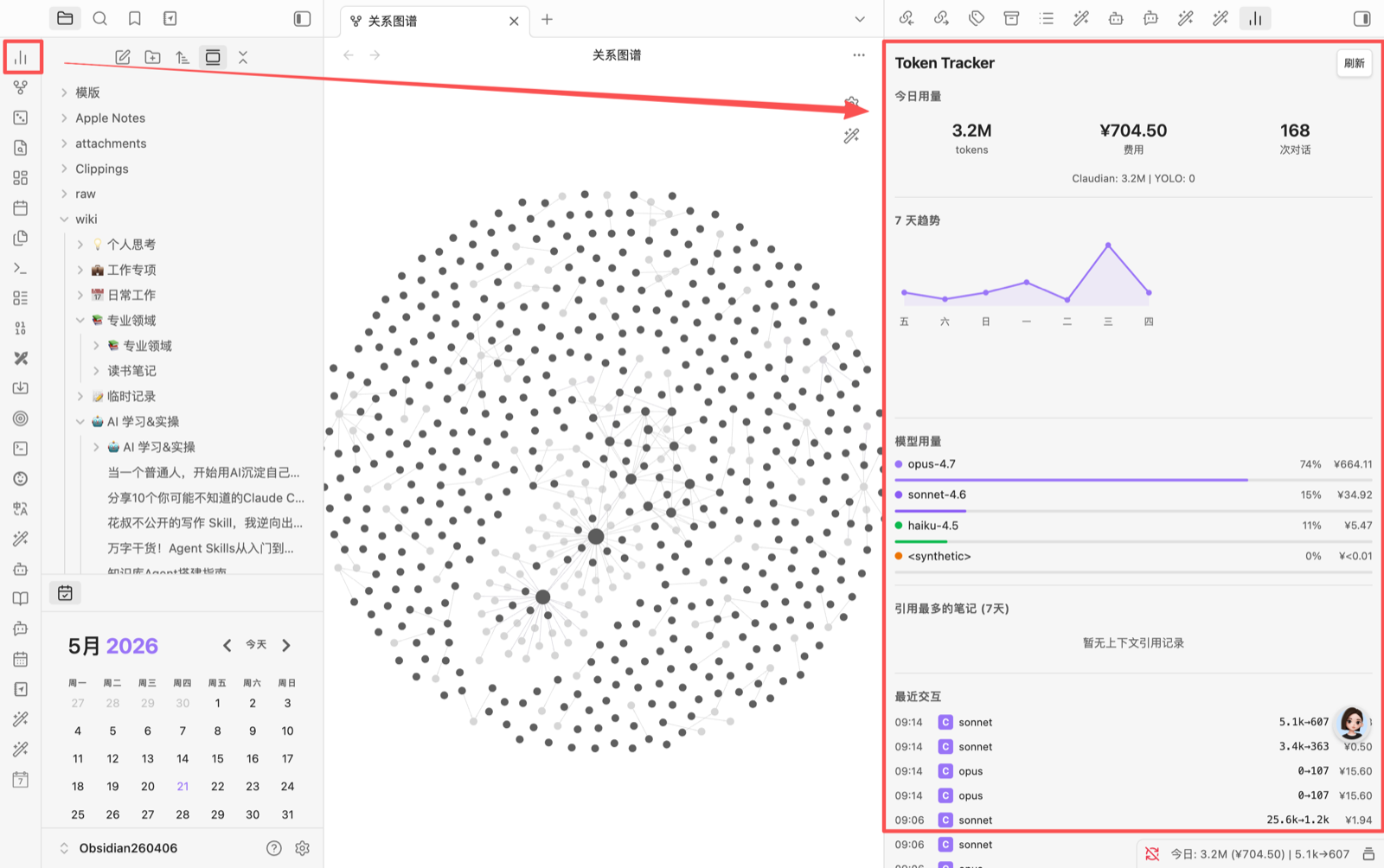
Token usage inside the Obsidian workspace
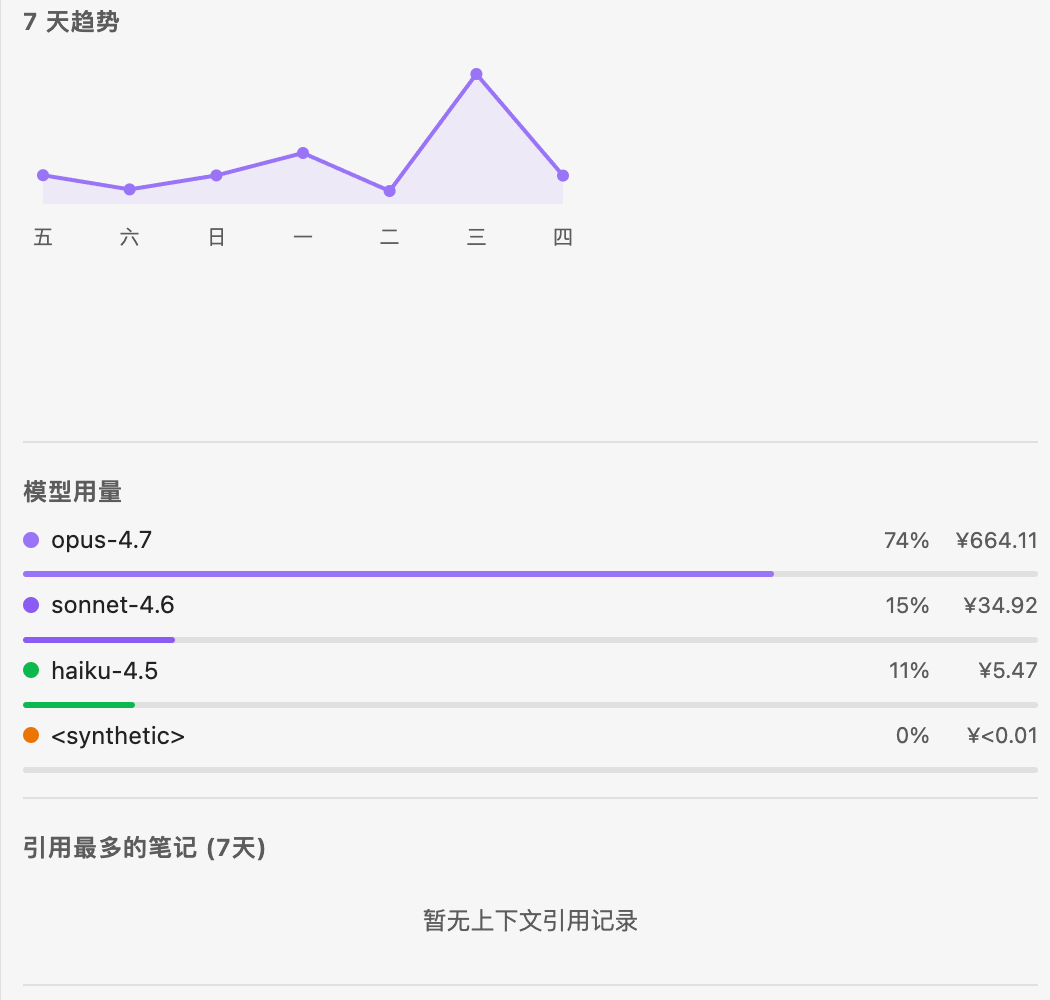
Daily summary, 7-day trend, and model cost breakdown
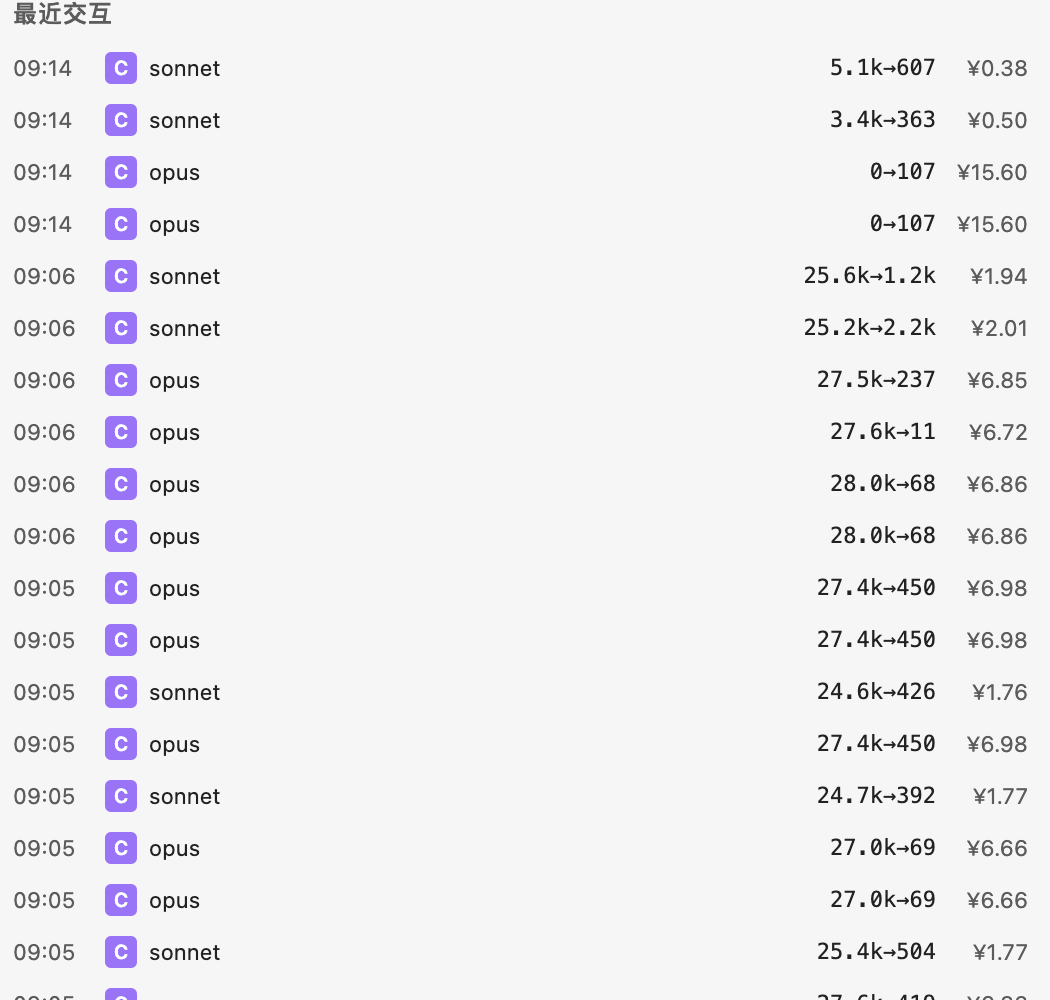
Recent Claude Code usage records
What it does
- Scans Claude Code JSONL session logs from
~/.claude/projects/ - Tracks input, output, cache creation, and cache read tokens
- Estimates usage cost with configurable pricing and currency display
- Shows today's token usage in the Obsidian status bar
- Provides a dashboard with:
- daily summary cards
- 7-day usage trend
- model breakdown
- top context notes
- recent interaction history
- Stores usage records locally with IndexedDB via Dexie
- Supports retention cleanup so old records do not pile up forever
Why this exists
Claude Code is useful, but token usage is easy to ignore until the bill gets ugly. This plugin keeps the numbers visible in the same place where the work happens: Obsidian.
The goal is not enterprise reporting. The goal is simple personal observability:
- How many tokens did I burn today?
- Which models are costing me money?
- Which notes/projects are dragging the most context?
- Is my knowledge-work workflow getting more expensive over time?
Installation
Install from source
Clone this repository into your Obsidian vault's plugin directory:
cd /path/to/your-vault/.obsidian/plugins
git clone https://github.com/Nic186186/obsidian-token-tracker.git token-tracker
cd token-tracker
npm install
npm run build
Then restart Obsidian and enable the plugin:
Settings -> Community plugins -> Token Tracker -> Enable
Manual copy
For a manual install, copy these files into:
<your-vault>/.obsidian/plugins/token-tracker/
Required runtime files:
manifest.jsonmain.jsstyles.css
Then restart Obsidian and enable Token Tracker in Community plugins.
Development
npm install
npm run dev
npm run build
The build writes the bundled plugin entry to main.js, which is required by Obsidian.
Data and privacy
Token Tracker is local-first.
- It reads Claude Code logs from
~/.claude/projects/ - It stores parsed usage data in the local Obsidian/Electron IndexedDB database named
TokenTracker - It writes scan-offset state to
~/.claude/token-tracker-state.json - It does not send usage data to a remote server
Current limitations
- Desktop only. It depends on local file access and Node APIs.
- Primary data source is Claude Code session logs.
- Cost estimates depend on the pricing table and custom settings; treat them as estimates, not invoices.
- This is a personal plugin, not an official Obsidian community plugin release yet.
Tech stack
- TypeScript
- Obsidian plugin API
- esbuild
- Dexie / IndexedDB
Repository hygiene
This repository commits the Obsidian runtime files (main.js, manifest.json, styles.css) so the plugin can be installed directly from the repo. It intentionally excludes node_modules, local data files, and environment files.
License
MIT
For plugin developers
Search results and similarity scores are powered by semantic analysis of your plugin's README. If your plugin isn't appearing for searches you'd expect, try updating your README to clearly describe your plugin's purpose, features, and use cases.