Regex Quick Actions
unlistedby pan4ratte
Allows to create and quickly apply regex actions via command palette, context menus and hotkeys.
Regex Quick Actions plugin
English | Русский
This plugin allows you to create regex actions and quickly apply them in different contexts in Obsidian. The plugin was created for automation purposes, so it is compatible with such plugins, as Commander.
Regex Quick Actions is a continuation of the idea of Regex Pipeline plugin. While the base of the code was borrowed from it, now almost every line is original. Still, cheers to them for the inspiration and for making a quick start of this project possible.
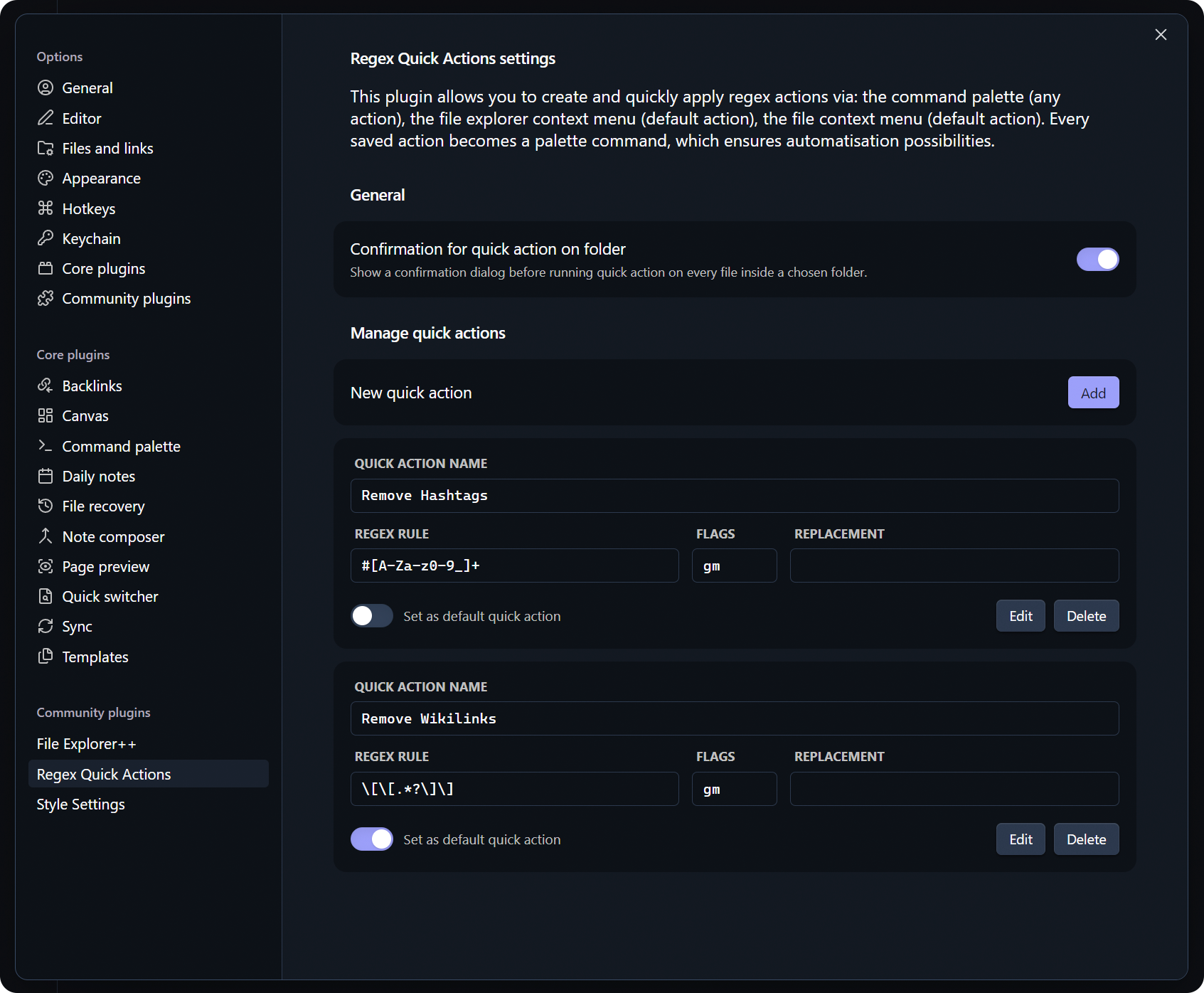
Features
-
Create regex quick actions and use them:
- From the command palette.
- From the context menu of the file in the file explorer (default action).
- From the context menu of the folder in the file explorer (default action, applies to all files in the folder).
- From the context menu of the current note.
- With hotkeys.
-
Set a default action for quick use.
Installation Instructions
Before plugin appears in the official Obsidian store, the easiest way to install it is through the BRAT plugin:
-
Install the
BRATplugin from the official Obsidian plugin store. -
In the
BRATsettings, find the “Beta plugin list” section and click on the “Add beta plugin” button. -
In the window that appears, paste the link to the
Tags Color Filesplugin repository: https://github.com/pan4ratte/obsidian-regex-quick-actions -
Under “Select a version,” choose “Latest version” and click the “Add plugin” button.
Done! The plugin will automatically install and will be ready to use.
Roadmap
-
Add Russian language translation. -
Add a possibility to create regex sequences to use multiple regex quick actions at once.
-
Add settings export/import option.
About the Author
My name is Mark Ingram (Ingrem), I am a Religious Studies scholar. Apart from my main area of study (Protestant Political Theology in Russia), I teach the subject "Information Technologies in Scientific Research", a unique course that I developed myself from scratch. This plugin helps me in my studies and I use it in my teaching, as well as other plugins that I develop and that you can find in my GitHub profile.
Hello to every student that came across this page!
For plugin developers
Search results and similarity scores are powered by semantic analysis of your plugin's README. If your plugin isn't appearing for searches you'd expect, try updating your README to clearly describe your plugin's purpose, features, and use cases.