Cursor Integration
unlistedby px39n
Preview and navigate your vault in Cursor/VS Code with full plugin support.
Obsidian for Cursor
Preview & navigate your Obsidian vault while coding with AI.


Have a feature request? Feel free to reach out: cumbiasbj12@gmail.com
Why?
Cursor/VS Code is great for AI-assisted editing. Obsidian is great for knowledge management. This plugin bridges them — preview your notes with full Obsidian rendering while you code.
Features
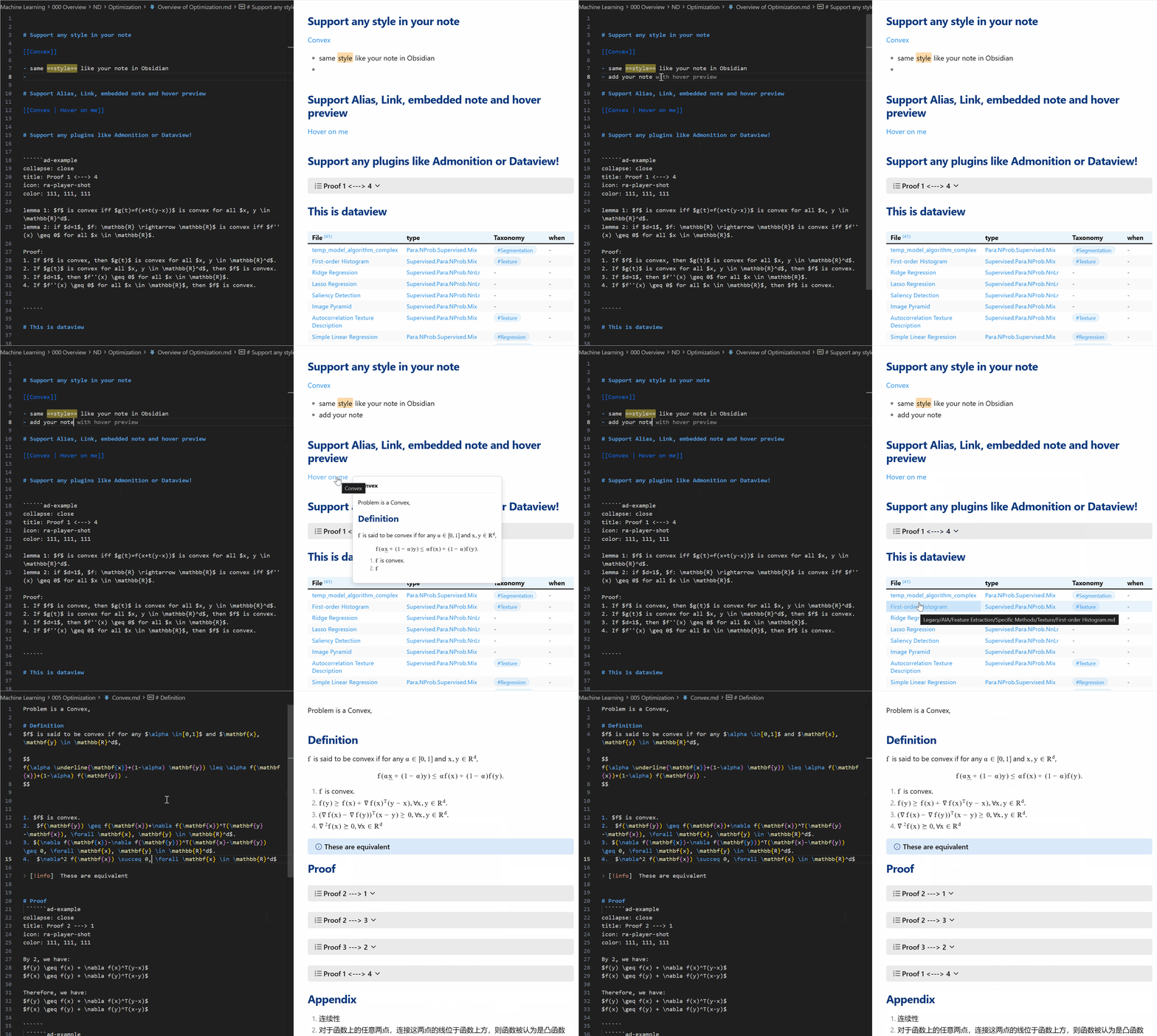
- Live Preview — Dataview, Admonition, callouts, all rendered
- Click to Navigate —
[[wikilinks]]and[[File#Heading]]work, with back button - Hover Preview — See linked notes without switching files
- Syntax Highlighting — Wikilinks, tags, embeds colored in editor
- Wikilink Completion — Type
[[to get file suggestions with alias support - Collapsible Callouts — Expand/collapse just like Obsidian
- Auto Launch — Automatically detects vault, launches Obsidian, and installs/updates the plugin
- Imgur Upload — Paste images directly to Imgur with
Ctrl+Shift+V(requires Obsidian Imgur Plugin, Windows only)
Install
Strongly Recommended — one step for everything:
Search obsidianpreview in Cursor/VS Code Extensions and install. That's it.
On first use, the extension auto-detects your vault, installs the Obsidian plugin, and launches Obsidian for you.
For manual installation, see the Manual Installation Guide.
Usage
- Open your vault folder in Cursor/VS Code
- Open any
.mdfile → Click the 👁️ icon or runObsidian Preview: Open Preview - Everything is handled automatically — Obsidian will launch if needed
Commands
| Command | Description |
|---|---|
Obsidian Preview: Open Preview | Open the preview panel |
Obsidian Preview: Open Obsidian Vault | Launch Obsidian |
Obsidian Preview: Update Obsidian Plugin | Check for and install plugin updates |
Obsidian Preview: Update Vault Path | Change the detected vault path |
Support
If you find this useful, consider supporting the project ☕

支付宝 / Alipay

微信支付 / WeChat Pay

License
MIT © px39n
For plugin developers
Search results and similarity scores are powered by semantic analysis of your plugin's README. If your plugin isn't appearing for searches you'd expect, try updating your README to clearly describe your plugin's purpose, features, and use cases.