OpenVectorEditor
unlistedby sanekun
View and edit .dna, .gb, .gbk, .fasta, .fa files with OpenVectorEditor
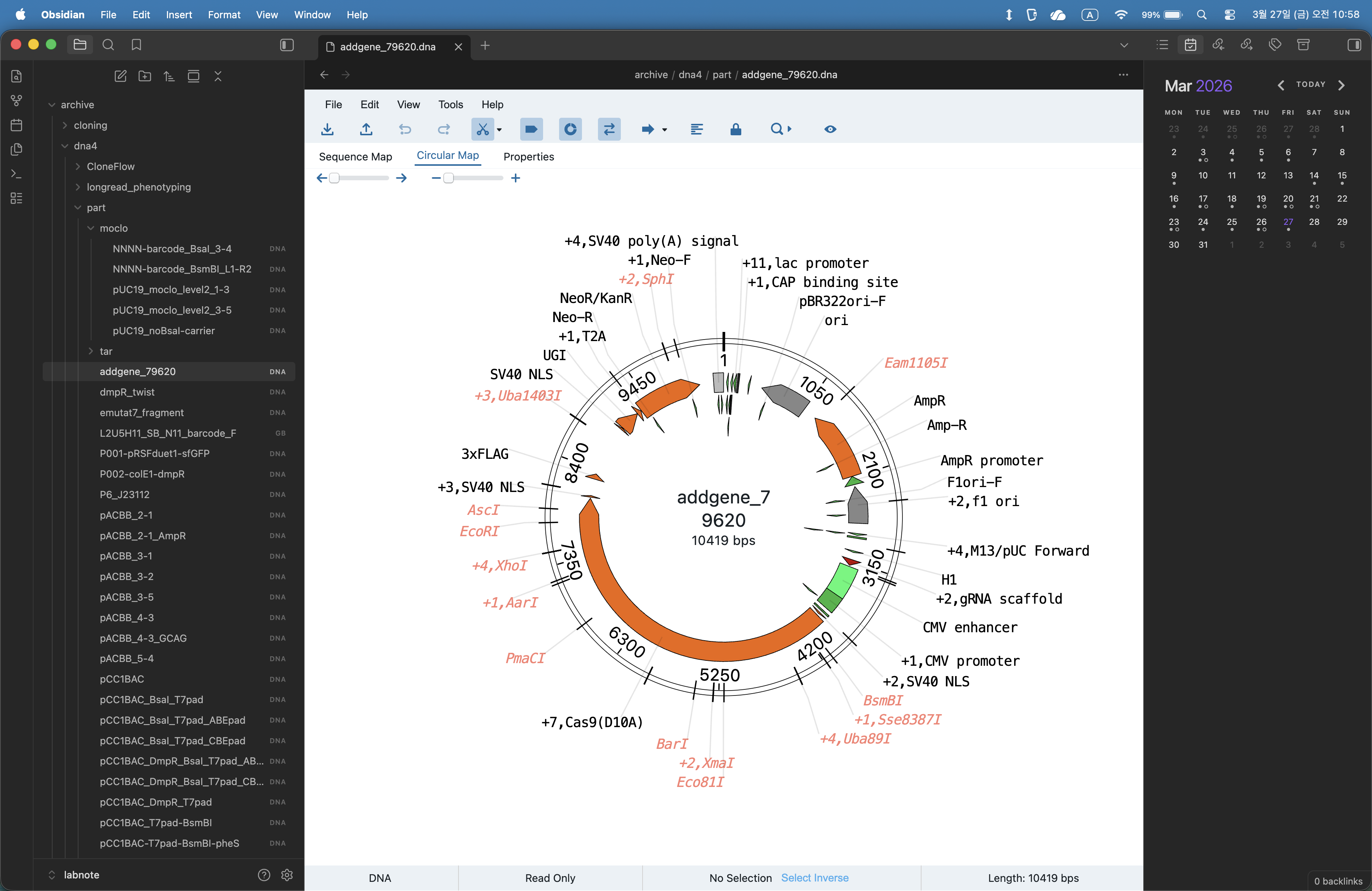
openvectoreditor in obsidian
Generate openvectoreditor view when open dna format in obsidian.
refer to ove (https://github.com/TeselaGen/tg-oss/tree/master/packages/ove)
Immigrated by ove-vscode with Claude.
Installation
Copy build/1.3.1 to your vault plugin folder:
<vault>/.obsidian/plugins/ove-obsidian/
Enable OVE Obsidian in Settings → Community plugins.
Features
- Support
.dna,.fa,.fasta,.gb,.gbkformat read and write support - Select DNA file → automatically opens in OpenVectorEditor
- Save file with custom button (not support
.dna) - Configurable default view type:
sequence,circular, orsplit - Configurable default view options: choose which of Read Only / Show Cut Sites / Show Features / Show Primers / Show Parts start ON (default: Read Only, Show Features)
- OVE Multi View — a separate view for working with several sequences at once (see below)
OVE Multi View
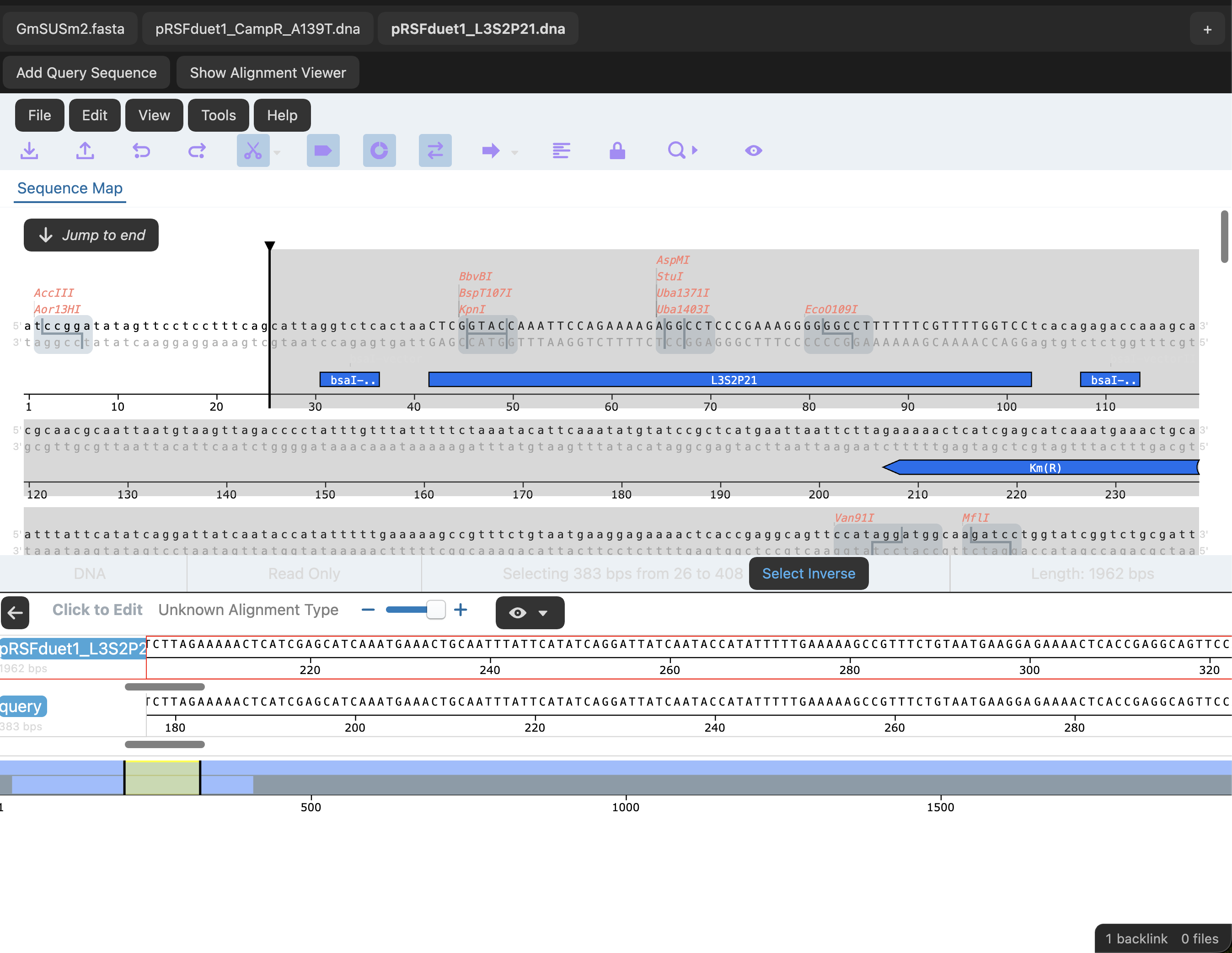
Run the Open OVE Multi View command (Cmd/Ctrl+P) to open a dedicated tab that can hold several sequences at the same time, each as an independent, state-preserving internal tab — switching between them doesn't reset in-progress work. This is fully separate from the normal "open a file → OVE view" behavior above, which is unchanged.
- + creates a blank, immediately-editable tab — paste a sequence directly in
- Open File... picks any vault
.dna/.gb/.gbk/.fasta/.fafile and adds it as a tab - Each tab has an "×" to close it; closing the active tab switches to a neighboring one
- Add Query aligns a pasted sequence against whichever tab is currently active, using local (Smith-Waterman) alignment — it checks both strands and is case-insensitive, and shows the result in the built-in alignment viewer ("Alignment" toggles the viewer)
- Note: tabs in Multi View are view-only — there's no Save button here (use the regular single-file view to edit and save)
Release Notes
refer to Changelog
1.3.1
- Fix dark theme leaking into the OVE canvas
- Add "Default view options" setting (Read Only / Show Cut Sites / Show Features / Show Primers / Show Parts)
- Add Multi View tab close button
- Split Multi View "+" into a blank-tab action and a separate "Open File..." action
- Reorganize Multi View toolbar into a single row with clearer tab styling
1.3.0
- Add local pairwise alignment
- Add Multi View pannel
For plugin developers
Search results and similarity scores are powered by semantic analysis of your plugin's README. If your plugin isn't appearing for searches you'd expect, try updating your README to clearly describe your plugin's purpose, features, and use cases.