Project Dashboard
unlistedby Spencer Norwick
A read-only project timeline and project-note summary driven by native properties and Bases.
Project Dashboard
A small, read-only Obsidian plugin that turns native note properties into a project dashboard:
- a horizontal project timeline implemented as a custom Bases view, and
- a project-note summary rendered from the current note's own properties.
No writes, no network, no telemetry, no background polling. Notes stay ordinary Markdown, and the Base stays usable without the plugin.
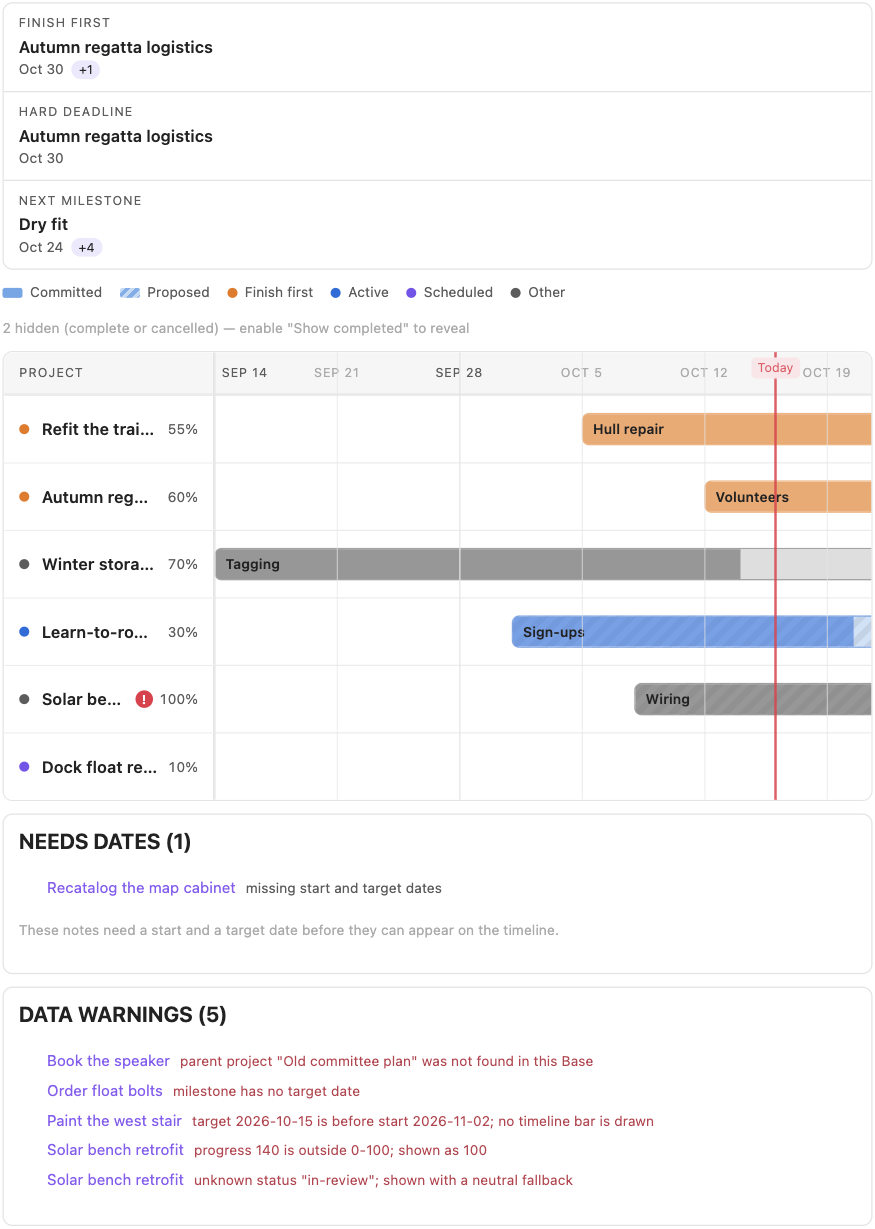
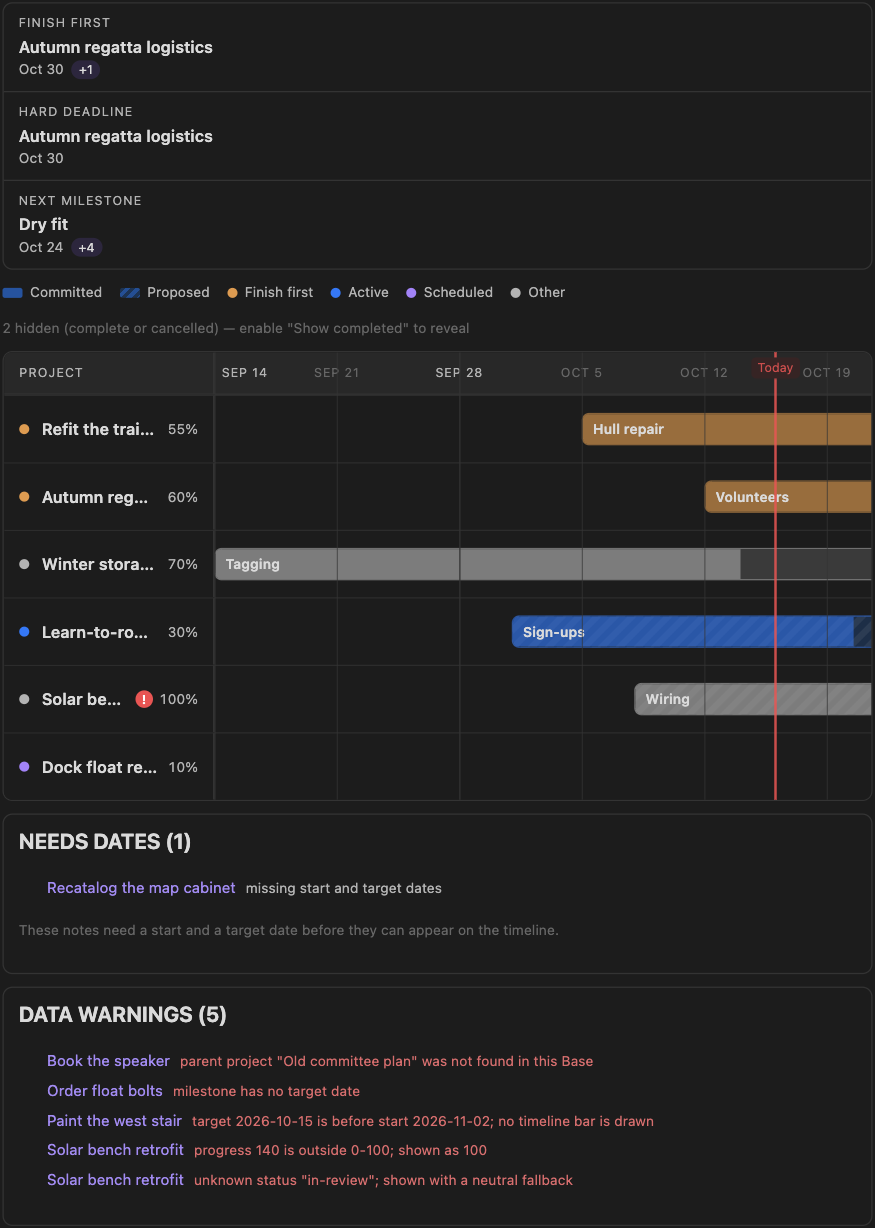
What you get
- Timeline bars positioned from the native
startandtargetproperties, with manual progress fills, milestone markers, status colors, and distinct styling forproposed(striped) vscommitted(solid) timing. - A derived focus strip — Finish first, Hard deadline, Next
milestone — computed from the notes, with
+Ncounts and calm empty states. Nothing in the strip is configured by hand. - A
project-summarycode block that renders the current note's properties (status, progress, dates, domain/focus links, outcome, done-when) as a compact header card. - Non-fatal behavior for imperfect data: missing dates, invalid dates, out-of-range progress, and unknown enum values are reported, not invented.
- Light and dark theming through Obsidian variables, and usable narrow panes.
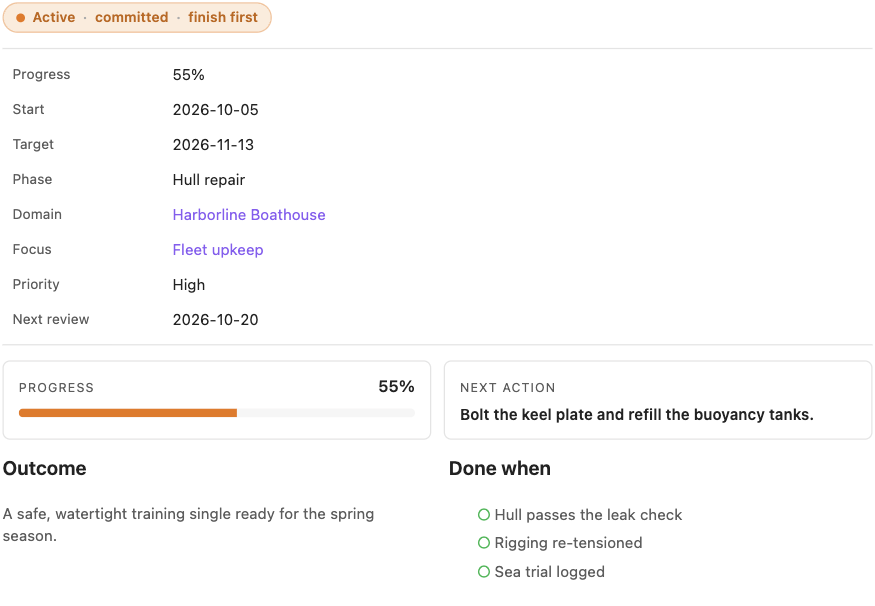
Screenshots are captured from the real Obsidian app (1.14.4) running the fictional demo vault; the repository also ships a deterministic Chromium-based harness for regenerating its own shots without the app.
Install
Manual install from a clone (no releases are published yet):
npm ci
npm run build
mkdir -p "<vault>/.obsidian/plugins/project-dashboard"
cp main.js manifest.json styles.css "<vault>/.obsidian/plugins/project-dashboard/"
Then enable Project Dashboard under Settings → Community plugins.
The committed
main.jsis the production bundle produced bynpm run build; CI verifies it is up to date with the sources. If you prefer, rebuild it yourself.
Try the fictional demo vault
npm ci
npm run demo:install
Open demo-vault/ as a vault in Obsidian and open Dashboard.md. Everything
in it is fictional, and four notes are intentionally malformed so the failure
states are visible.
Use
-
Add frontmatter to notes following the canonical schema, or start from the restrained templates.
-
Copy bases/Projects.base into your vault (or build an equivalent Base) and switch the view layout to Project timeline.
-
Optional per view:
Option Values Default Scale Automatic, Weeks, Months Automatic Show completed and cancelled On / Off Off -
Add a
project-summarycode block at the top of a project note for the property-driven summary card (the project template includes it).
How failures render
The plugin never invents missing dates:
- One date or no dates → the note is listed under Needs dates with the missing field named.
targetbeforestart→ warning, no bar.- Invalid progress → warning, safely clamped for rendering only.
- Unknown enum value → neutral fallback, with the invalid value named in a warning.
- Completed / cancelled → hidden unless "Show completed and cancelled" is on.
Privacy and safety
- Read-only: the plugin never writes to notes, frontmatter, or config.
- No network requests, telemetry, or polling of any kind.
- Minimal startup work: one Bases view registration and one code block processor.
npm testincludes policy tests that fail if any of the above changes.
Development
npm ci           # install dev dependencies
npm run check    # format, lint, typecheck, build, and the full test suite
npm run dev      # watch build for local plugin development
npm run screenshots  # regenerate docs/screenshots with headless Chrome
Documentation:
- Architecture
- Canonical schema
- Installation and removal
- Verification — automated checks, the visual harness, and the manual in-app checklist.
Limitations (v1)
Read-only by design: no drag-and-drop, no property editing from the timeline, no Kanban, no task automation, no reminders, no calendar/email integrations. Progress is supplied manually and never inferred from tasks. The plugin is developed and tested against desktop Obsidian 1.14.4; mobile is untested.
All screenshots in docs/screenshots/ use fictional demo data; see
docs/verification.md for how they are produced and
which checks ran automatically inside the app.
License
For plugin developers
Search results and similarity scores are powered by semantic analysis of your plugin's README. If your plugin isn't appearing for searches you'd expect, try updating your README to clearly describe your plugin's purpose, features, and use cases.