Multirow Tabs
unlistedby SSmJaE
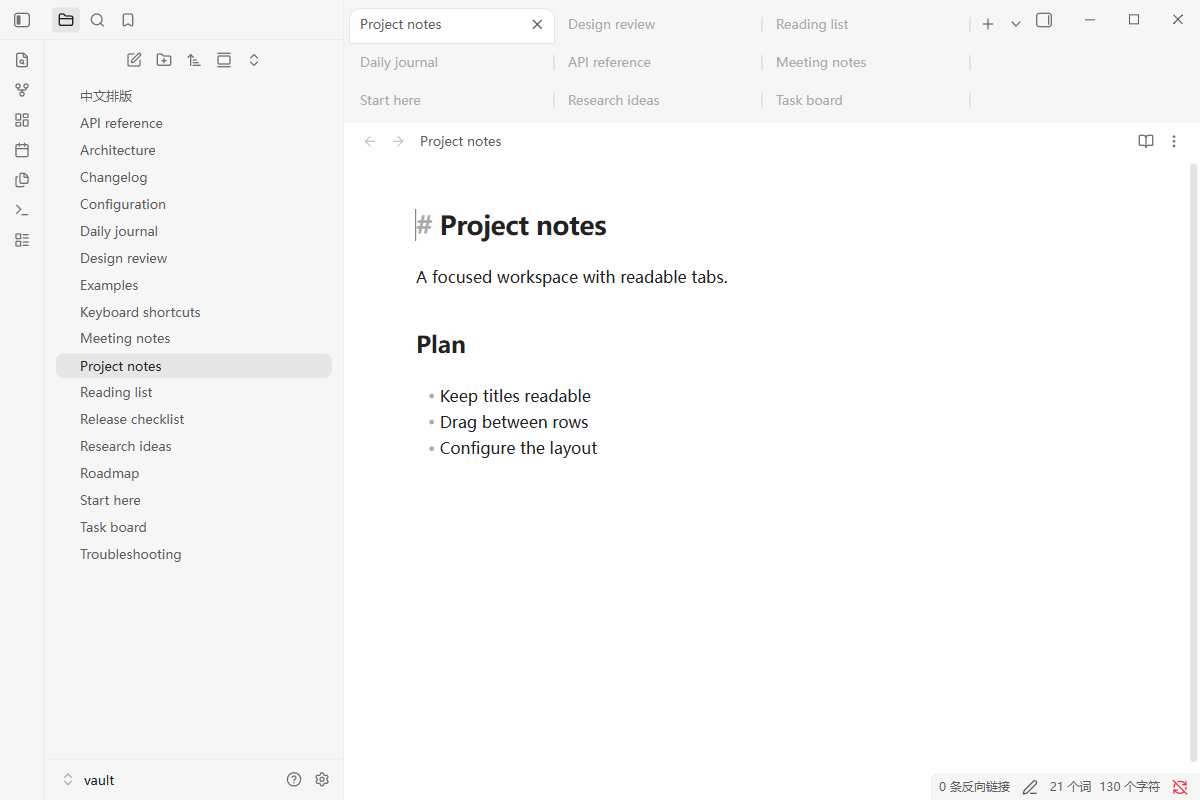
Wrap editor tabs into multiple rows with row-aware drag and drop, visible insertion markers, and configurable sizing.
Multirow Tabs for Obsidian
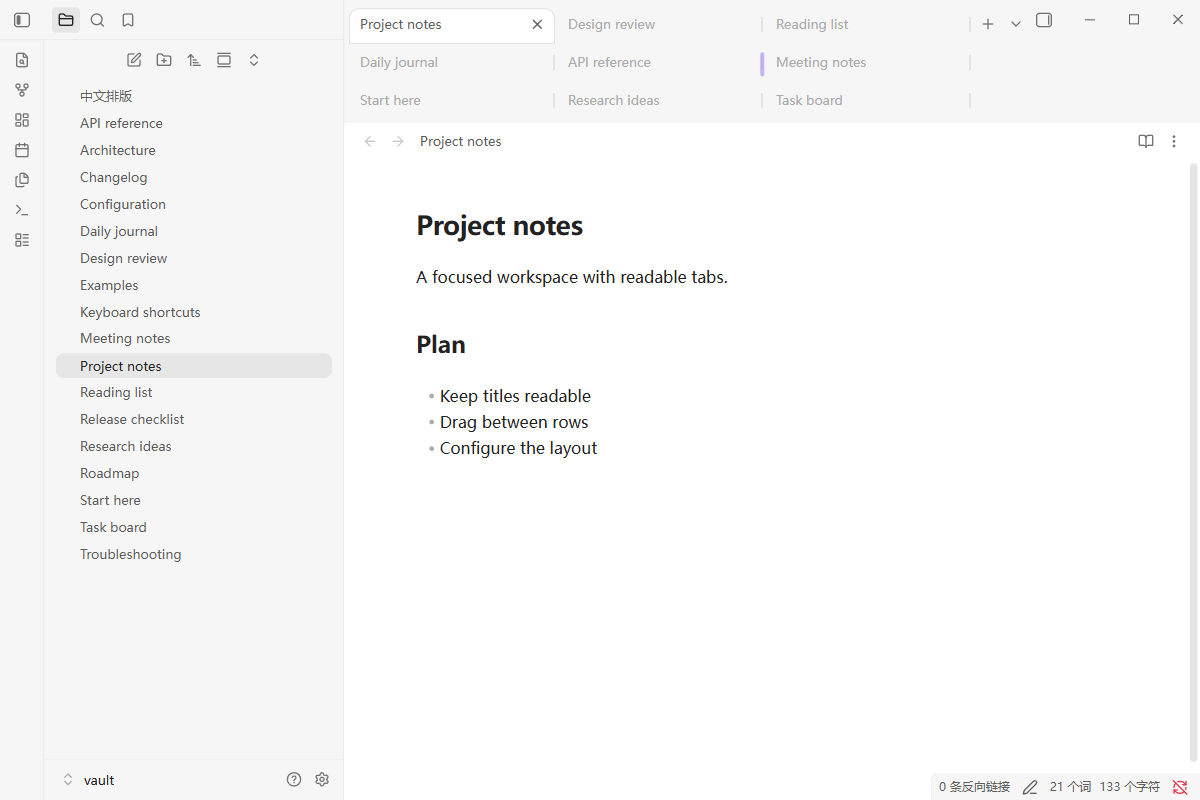
Wrap Obsidian editor tabs into multiple rows. Drag tabs between rows with an insertion marker that follows the pointer, and keep readable tab titles as your workspace grows.
中文说明 · Install · Configuration · AI / automation guide · JSON Schema
Features
- Multirow, multiline, wrapped editor tabs with configurable widths and visible rows.
- Row-aware drag-and-drop sorting and visible insertion markers on every row.
- Native tab controls, tab-center file/link drops, and editor-edge splitting.
- Scroll overflowing rows and bring the active tab into view.
- Settings UI, JSON configuration, a Node.js configuration CLI, and a live configuration API.
- Theme colors and typography come from your current Obsidian theme.
Desktop; Obsidian 1.14.4 or newer. The tab layout leaves stacked tabs unchanged.
Install
BRAT
In BRAT, add:
SSmJaE/obsidian-multirow-tabs
Manual
- Download
main.js,manifest.json, andstyles.cssfrom the latest release. - Put the three files in
<vault>/.obsidian/plugins/multirow-tabs/. - Enable Multirow Tabs in Settings → Community plugins.
Use Settings → Multirow Tabs to adjust the layout. If another plugin or CSS snippet wraps your tabs, turn off its multirow feature so one implementation controls the strip.
Configure with an AI assistant or script
Clone this repository, then set a compact three-row layout:
node scripts/configure.cjs --vault "/path/to/vault" --set maxRows=3 --set rowHeight=30 --set rowGap=2
Run Multirow Tabs: Reload settings from disk in Obsidian. The CLI emits JSON and supports --get, --dry-run, and --file for a settings patch.
For an agent connected to Obsidian's JavaScript evaluation interface, apply and save changes immediately:
await app.plugins.getPlugin('multirow-tabs').api.updateSettings({
  maxRows: 3,
  minTabWidth: 120,
  preferredTabWidth: 160,
  maxTabWidth: 240
});
Start with llms.txt for the documentation map or agent-manifest.json for machine-readable entry points. Configuration reference lists every field and default.
Commands
| Command ID | Action |
|---|---|
multirow-tabs:toggle | Toggle the wrapped layout |
multirow-tabs:reload-settings | Read data.json and apply it |
multirow-tabs:reset-settings | Restore and save default settings |
Development
npm ci
npm run check
Build outputs: dist/main.js, dist/manifest.json, dist/styles.css. See architecture and validation.
Related projects
Multiline Tabs Wheel Scroll offers multiline tabs, smooth scrolling, and cross-window movement. Multirow Tabs focuses on a small native drag-and-drop adaptation and explicit automation interfaces. Its implementation was extracted from our local workspace plugin.
License
MIT
For plugin developers
Search results and similarity scores are powered by semantic analysis of your plugin's README. If your plugin isn't appearing for searches you'd expect, try updating your README to clearly describe your plugin's purpose, features, and use cases.