Just Vertical Tabs
approvedby Roman Soriano
Moves the tab bar from the top to a vertical orientation on the left or right side of the editor pane. - This plugin has not been manually reviewed by Obsidian staff.
★ 2 stars↓ 415 downloadsUpdated 4mo agoMIT
Just Vertical Tabs
Enables you to have note tabs aligned vertically instead of horizontally.
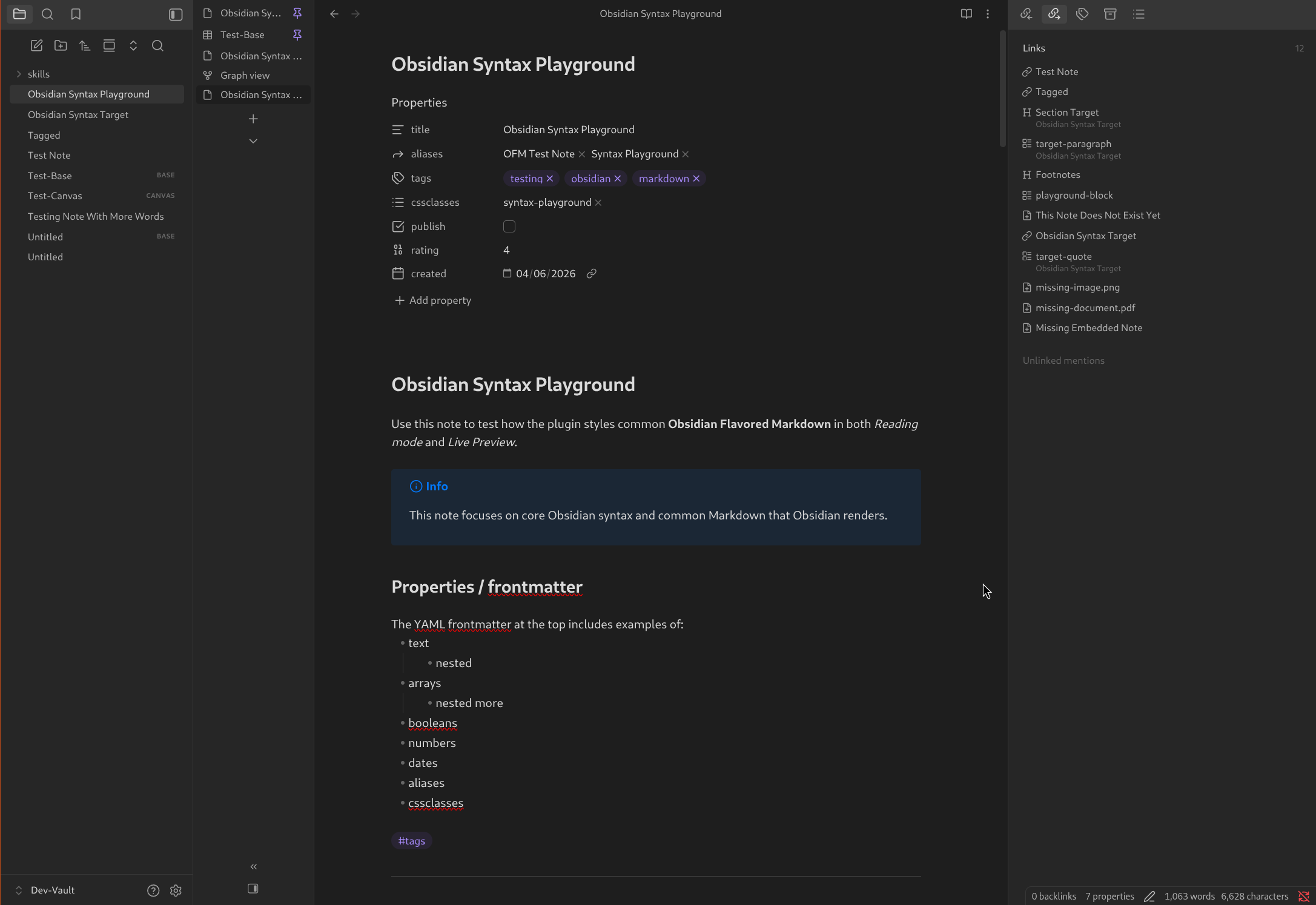
Features
- Vertical Tabs
- Orient tab bar on the left, or the right
- Right-sidebar toggle placement options: default, note header, or bottom of the vertical tab bar
- Optional tab icons toggle
- Command + setting to collapse the tab bar down to icons, or title initials when icons are hidden
- Collapse/expand button in the vertical tab bar above the right sidebar toggle
- Optional toggle to hide/show the collapse/expand button
Installation
- Install and enable BRAT through the Community Plugins
- Open the Obsidian settings, and navigate to the BRAT settings page
- Click the "Add beta plugin" button
- Paste the link to this repository in the Repository field
- Make sure the "Enable after installing the plugin" box is checked
- Click the "Add plugin" button
For plugin developers
Search results and similarity scores are powered by semantic analysis of your plugin's README. If your plugin isn't appearing for searches you'd expect, try updating your README to clearly describe your plugin's purpose, features, and use cases.